You've been pinning your products for months. A trickle of impressions, almost no clicks, and you're starting to wonder if Pinterest is a waste of time. Here's the problem: you're probably treating Pinterest like Instagram, and Pinterest doesn't work like Instagram at all.
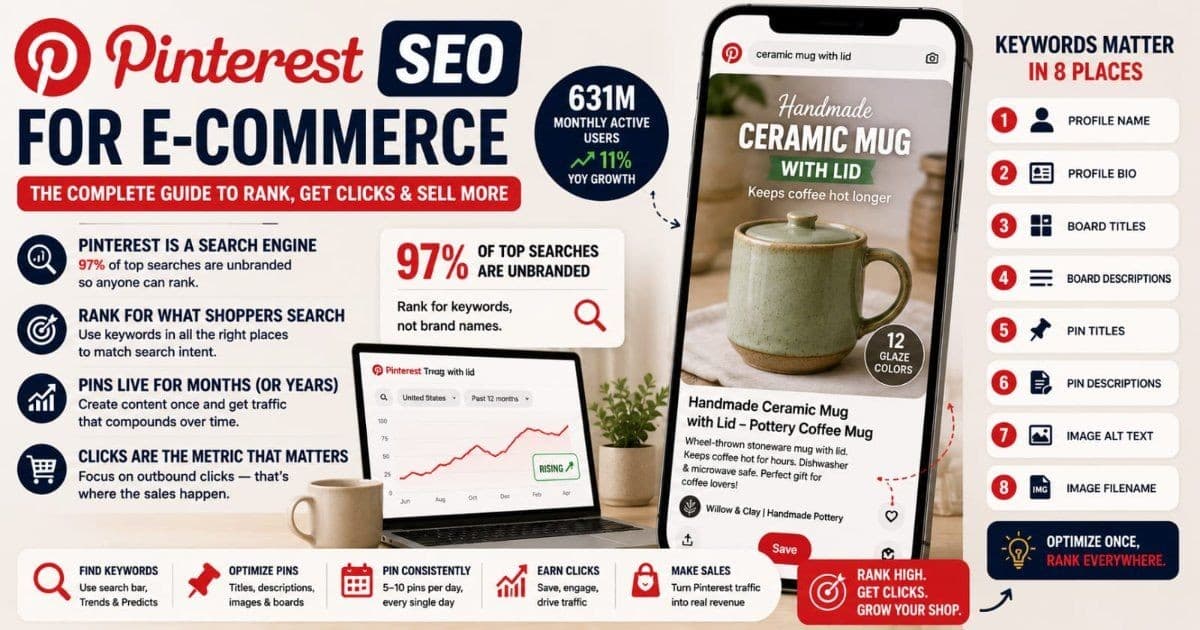
Pinterest is a search engine. People type queries into a search bar, and an algorithm decides which pins to show — the same basic mechanics as Google, not a follower feed. In 2026, Pinterest reported 631 million monthly active users, up 11% year over year (Pinterest, Q1 2026 earnings, May 2026). And according to Pinterest's own business data, 97% of top searches on the platform are unbranded (Pinterest Business). Nobody is searching for your shop name — they're searching for "ceramic mug with lid" or "boho wall hanging." Whoever ranks for that phrase gets the click.
This guide covers the complete Pinterest SEO system for e-commerce sellers: how the algorithm ranks, how to find keywords, where those keywords actually matter, and how to measure whether any of it is working.
Key Takeaways
- 97% of top Pinterest searches are unbranded (Pinterest Business), so small shops can outrank big brands by matching search phrases, not by having followers.
- Pinterest ranks pins on four signals — pin quality, pinner quality, domain quality, and topic relevance — and you can directly influence all four.
- Keywords belong in eight places, from your profile name down to the image filename you set before uploading.
- Outbound clicks, not impressions or saves, are the metric that tells you Pinterest SEO is paying for itself.
Pinterest Is a Search Engine, Not a Social Network
The single biggest mindset shift: stop optimizing for followers and start optimizing for searches. On Instagram, your reach depends on your audience. On Pinterest, a pin from a shop with 12 followers can outrank a pin from a brand with 2 million, because the algorithm matches queries to pins — not accounts to fans.
Three facts make this a genuinely different game:
- Searches are unbranded. With 97% of top searches containing no brand name (Pinterest Business), the playing field is keywords. A shopper searching "minimalist gold hoop earrings" will click whichever pin best matches that phrase.
- Intent is commercial. People use Pinterest to plan purchases — weddings, nurseries, gifts, wardrobe updates. Pinterest's own data consistently shows weekly users buying at higher rates than users of other social platforms (Pinterest Business data, via Sprout Social, 2026).
- Pins live for months, not hours. An Instagram post is effectively dead in 48 hours. A pin keeps appearing in search results for months and often years, accumulating saves and clicks the whole time. Your effort compounds instead of evaporating.
If Pinterest behaves like a search engine, it rewards the same discipline Google does: keyword research, relevance, and consistency. Let's look at how it actually decides what ranks.
How Does the Pinterest Algorithm Rank Pins?
Pinterest's ranking system weighs four core signals. Practitioners have documented these for years, and Pinterest's own creator guidance confirms the themes: the quality of the pin, the trustworthiness of the pinner, the reputation of the linked domain, and how well the pin matches the search topic.
| Signal | What Pinterest evaluates | How you influence it | |--------|--------------------------|----------------------| | Pin quality | Engagement rate: closeups, saves, clicks | Better images, keyword-matched titles | | Pinner quality | Account consistency and engagement history | Pin regularly, curate good content | | Domain quality | Trust in the linked website | Claim your domain, fix broken links | | Topic relevance | Keyword match between pin and query | Keywords in titles, descriptions, boards |
Pin quality is engagement relative to impressions. When Pinterest tests your pin in search results, does anyone save it, tap it, or click through? A pin that earns engagement gets shown more; a pin that gets ignored quietly disappears from results.
Pinner quality is your account's track record. Accounts that pin consistently — a few pins daily, week after week — build a reliability score. Accounts that dump 50 pins one Sunday and vanish for a month don't.
Domain quality is the reputation of the website your pins link to. Claimed domains with working links that people actually click build trust. Every dead link from a deleted product listing chips away at it.
Topic relevance is where keywords live, and it's the signal the rest of this guide is about. Pinterest reads text from your pin title, description, board context, and image to decide which searches you belong in.
How to Do Pinterest Keyword Research
Pinterest keyword research doesn't need paid tools — the platform hands you its own search data in four places. The goal is to find the exact phrases shoppers type, in the exact order they type them.
The Search Bar Autocomplete Method
Type your product's base keyword into the Pinterest search bar and stop. The autocomplete dropdown shows real queries, roughly ordered by popularity. Type "ceramic mug" and you might see "ceramic mug designs," "ceramic mug with lid," "ceramic mug painting ideas." Each suggestion is a phrase real people search — free keyword data, straight from the source.
Work through the alphabet trick for depth: "ceramic mug a…", "ceramic mug b…", and so on. Ten minutes of this produces a keyword list most competitors never bother to build.
Guided Search Tiles
Run a search, then look at the row of word tiles under the search bar. These are the modifiers Pinterest knows people add to that query — for "linen dress" you might see tiles like midi, summer, wedding guest, with sleeves. Each tile is a sub-niche you can target with its own pin. Combine the base keyword with a tile and you have a long-tail phrase with proven demand.
Pinterest Trends
Pinterest Trends (trends.pinterest.com) shows search volume curves over time for any keyword, filtered by country. Use it to check whether a keyword is growing or dying, and to time seasonal pins — you'll see exactly which month "fall wreath" starts climbing. Our Pinterest Trends product research guide turns the tool into a full workflow for deciding what to stock next. Seasonal sellers should note that gift-related searches follow the same early ramp we cover in our holiday gift-guide image SEO article: demand appears in search data weeks before it peaks.
Pinterest Predicts
Once a year, Pinterest publishes Pinterest Predicts, a trend forecast built from its search data. It's unusually reliable: Pinterest reports that 88% of its predictions over the last six years came true (Pinterest Business, About Pinterest Predicts, 2026). For product sellers, it's a free look at what shoppers will be searching months from now — time to design, photograph, and pin before the wave arrives.
Where Do Keywords Actually Matter on Pinterest?
Keywords work in eight distinct places, and most sellers only use two of them. Fill in all eight and every pin you publish inherits context from your profile and boards.
| Location | What to do |
|----------|-----------|
| Profile name | "Shop name | main keyword" — e.g. "Willow & Clay | Handmade Ceramic Mugs" |
| Profile bio | Work 2–3 core product keywords into a natural sentence |
| Board titles | Exact search phrases: "Boho Bedroom Decor," not "My Favorites ✨" |
| Board descriptions | 2–3 sentences using related keywords for that niche |
| Pin titles | Primary keyword in the first 40 characters |
| Pin descriptions | Related keywords and natural long-tail phrases |
| Image alt text | A descriptive sentence about what the image shows |
| Image filename | Rename before upload: sage-green-ceramic-mug-handmade.jpg, not IMG_4032.jpg |
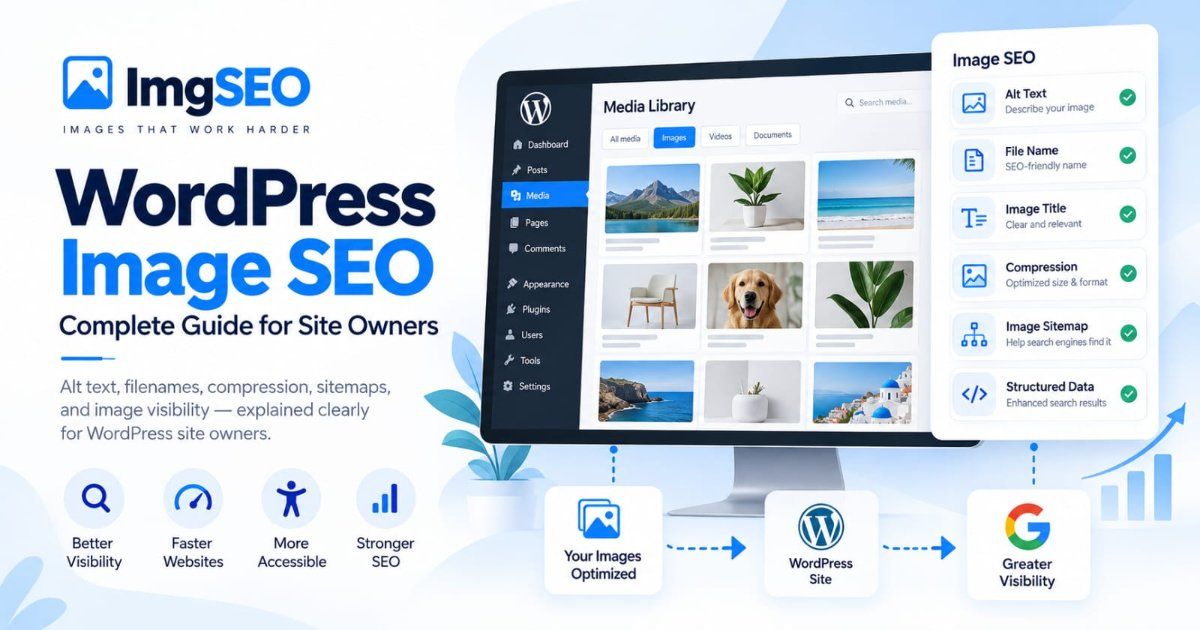
The last two are the ones almost everyone skips, and they're the same signals that drive Google Images rankings. Pinterest reads the alt text and filename attached to an image, and when your pin links back to your store, Google reads them too — one optimization, two search engines. Our complete image SEO guide covers that foundation in depth, and a tool like ImgSEO generates the keyword-rich filenames and alt text automatically so every image leaves your computer already optimized.
What we've seen: sellers who rename image files and add alt text before pinning consistently show up in both Pinterest search and Google Images with the same asset. The sellers uploading
IMG_4032.jpgare invisible in both.
Pin Titles vs Pin Descriptions: What Each One Does
The title and description do different jobs, and confusing them is why so many pins rank for nothing.
Pin titles hold up to 100 characters, but feeds typically truncate around 40. That first 40 characters is prime real estate: front-load your primary keyword, then add a compelling modifier. "Sage Green Ceramic Mug — Handmade Pottery Gift" beats "Check Out Our Newest Beautiful Mug Design!" every single time, because one matches a search and the other matches nothing.
Pin descriptions hold up to 500 characters. Shoppers rarely see them — they exist almost entirely for the search index. Use the space for related keywords woven into readable sentences: materials, style words, occasions, recipient phrases. Write for a human who might read it, but know your real audience is the algorithm.
Two rules keep you safe:
- Front-load, don't stuff. One primary keyword early in the title, related phrases spread through the description. A description that reads "mug, mugs, ceramic mug, coffee mug, mug gift" looks like spam to Pinterest because it is spam.
- Never reuse one description across every pin. Pinterest treats duplicated text as a low-effort signal, and you waste the chance to target a different keyword with each pin.
Board Strategy: Niche Boards Rank, Broad Boards Don't
Boards are ranking infrastructure, not folders. Every pin inherits topical context from the board it sits on, and boards themselves rank in Pinterest search — and often in Google.
Go niche-tight. A board called "Products" tells Pinterest nothing. Split it: "Handmade Ceramic Mugs," "Pottery Kitchen Decor," "Ceramic Gifts for Coffee Lovers." Ten focused boards outperform two broad ones because each board becomes a strong relevance signal for its specific keyword — and a pin saved to a tightly themed board ranks better for that theme.
Use board descriptions. Two or three sentences of related keywords per board. It takes five minutes and most competitors leave it blank.
Set board covers. Covers don't directly rank, but a clean, consistent set of covers makes your profile look like a curated resource — which earns follows and saves, and those feed your pinner quality score.
Use sections sparingly. Sections organize large boards (a "Gifts" board with sections per recipient), but a section is not a board and doesn't carry its own SEO weight. If a section could stand alone as a search phrase, promote it to its own board.
Plan in secret boards. Build seasonal boards privately, fill them over a few weeks, then flip them public when the season's search volume starts climbing. You launch with a full, established-looking board instead of a thin one.
Image Requirements That Affect Ranking
Pinterest's algorithm evaluates the image itself, so image specs are an SEO factor, not just an aesthetic one. The rules that matter:
- 2:3 aspect ratio, 1000 × 1500 px. This is Pinterest's own recommended format. Taller "giraffe pins" get their distribution limited; square pins surrender feed space to competitors.
- Text overlay that's readable on a phone. A short keyword-bearing headline on the image ("Handmade Ceramic Mugs — 12 Glaze Colors") gives shoppers a reason to click and gives Pinterest's visual system readable text. Keep it large, high-contrast, and away from the bottom corners where UI icons overlap.
- Contrast wins the scroll. Bright product on clean background outperforms dim, cluttered shots. Pinterest's visual quality scoring favors crisp, well-lit images.
- Brand consistency compounds. Same fonts, same colors, same layout family across pins. Shoppers start recognizing your pins in search results, and repeat recognition lifts click-through rate — which lifts pin quality.
This is a summary, not the full treatment — our Pinterest image SEO guide covers pin dimensions, formats, filenames, and alt text in detail.
What Counts as a Fresh Pin (and Why Pinterest Rewards Them)
A fresh pin is an image Pinterest hasn't indexed before — and fresh pins get a distribution advantage. This is the mechanic that confuses sellers most, because "fresh" doesn't mean "new product."
The same ceramic mug can generate a dozen fresh pins: a new crop, a different background, a lifestyle shot instead of a white-background shot, a new text overlay, a seasonal styling. Each visually distinct image counts as fresh. Pair each one with a new title and description targeting a different keyword — "handmade coffee mug," "pottery gift for her," "cozy fall kitchen decor" — and one product now competes in a dozen searches instead of one.
What doesn't work: re-uploading the identical image over and over. Pinterest recognizes duplicate images, and repeated identical uploads read as spam rather than freshness.
Cadence beats volume. Five to ten pins a day, every day, outperforms fifty pins on Sunday and silence all week — consistency is a pinner quality signal. Batch-create a month of pin variations in one session, then schedule them. If you sell on Etsy, our guide to driving Pinterest traffic to your Etsy shop walks through this exact workflow, including scheduling tools.
Idea Pins, Rich Pins, and Video Pins: A Quick Map
Three special formats, each with a different SEO role. Quick overview here; deep dives are coming as separate articles.
Rich Pins matter most for e-commerce. With the right metadata on your product pages, product pins automatically display real-time price and availability — and as of writing, Pinterest detects that markup on its own, no application required. That data makes your pins more clickable in search and keeps them accurate when prices change. Our Rich Pins setup guide covers the markup for Shopify, WooCommerce, and custom stores.
Video pins get strong feed distribution and autoplay in search results, which earns attention standard pins can't. A simple slideshow of product photos or a 15-second making-of clip counts. Titles and descriptions are indexed exactly like static pins, so the same keyword rules apply.
Idea Pins (multi-page, story-style pins) build engagement and pinner quality, and since Pinterest unified its pin formats they can link out too. Our Idea Pins optimization guide for e-commerce covers the format, frame structure, and product tagging in full.
Claim Your Domain: The Free Ranking Boost
Claiming your website on Pinterest takes about ten minutes and upgrades three things at once. First, you get attribution and analytics: every pin anyone creates from your site — not just your own pins — gets credited to you, and you see the full picture in Pinterest Analytics. Second, your profile picture and a "follow" prompt appear on all those pins, in search results. Third, Pinterest applies a trust boost to pins linking to a claimed domain, feeding the domain quality signal directly.
Shopify and WooCommerce stores can claim via an HTML tag or their platform's Pinterest integration. Etsy sellers can claim their Etsy shop in Pinterest's settings under claimed accounts. There's no downside — this is the closest thing Pinterest SEO has to free ranking points.
Common Pinterest SEO Mistakes That Keep Shops Invisible
Most stalled Pinterest accounts share the same handful of mistakes:
- The same description on every pin. Duplicated text wastes keyword opportunities and reads as low-effort to the algorithm. Every pin deserves its own keyword target.
- Keyword stuffing. Comma-separated keyword lists in descriptions worked a decade ago. Now they suppress distribution. Write sentences.
- Pinning only your own products. Pinterest wants curators, not billboards. A feed that's 100% self-promotion grows slowly; mixing in roughly 20–30% relevant content from others makes your boards genuinely useful, which feeds pinner quality.
- Broken links. Deleted listings and sold-out pages turn old pins into dead ends. Every dead click damages your domain quality score. Audit your top pins quarterly and redirect dead product URLs to a category page or your shop home.
- Quitting at month two. Pinterest compounds slowly. Sellers who stop pinning right before the ramp never find out it was working.
How to Measure Pinterest SEO (Outbound Clicks Are the Metric)
Pinterest Analytics (free with a business account) reports impressions, saves, pin clicks, and outbound clicks — and they're not equally important. Impressions tell you Pinterest is testing your pins in search. Saves tell you the content resonates, and saves extend a pin's life by redistributing it. Pin clicks are closeups, curiosity without commitment.
Outbound clicks are the money metric. That's a shopper leaving Pinterest for your store. A pin with 50,000 impressions and 12 outbound clicks is a billboard nobody acts on; a pin with 2,000 impressions and 80 outbound clicks is a salesperson. Sort your pins by outbound clicks monthly and study the winners: which keyword, which image style, which board? Make more of that, and turn each winner into several fresh-pin variations targeting neighboring keywords.
Check the trend monthly, not daily. Pinterest moves in months, and a daily dashboard habit will only convince you nothing is happening during the exact period when it is.
FAQ
How long does it take for pins to start ranking in Pinterest search?
Individual pins can appear in search within days, but meaningful ranking takes 3–6 months of consistent pinning. Pinterest evaluates pins slowly, watching saves and clicks accumulate over weeks. Most sellers see a clear traffic step-change around months 4–5 — which is why sellers who quit at month two conclude Pinterest doesn't work.
Does Pinterest still send meaningful traffic to online stores?
Yes. Pinterest reported 631 million monthly active users in early 2026, growing 11% year over year (Pinterest, Q1 2026 earnings), and 97% of its top searches are unbranded. Because pins keep surfacing in search for months, consistent pinning compounds into steady referral traffic in a way short-lived social posts can't.
What's the difference between a pin title and a pin description for SEO?
The title (up to 100 characters) is your strongest keyword signal and partially visible in feeds, so front-load your main keyword in the first 40 characters. The description (up to 500 characters) is indexed for search but rarely displayed — use it for related keywords, product details, and natural long-tail phrases.
What counts as a fresh pin?
A fresh pin is an image Pinterest hasn't seen before. You don't need a new product — a new crop, different background, new text overlay, or new lifestyle shot of the same product counts. Pair each fresh image with a new title and description targeting a different keyword to multiply your search entries.
Do I need a Pinterest business account for my shop?
Yes. A business account is free and unlocks Pinterest Analytics, Rich Pins, and domain claiming — three things Pinterest SEO depends on. Without analytics you can't see which keywords drive outbound clicks, and without a claimed domain your website pins lose attribution and a ranking boost.
Conclusion
Pinterest SEO is search engine optimization wearing a moodboard costume. The shops winning traffic aren't the prettiest or the biggest — they're the ones that treat the platform like Google: research the exact phrases shoppers type, place them in all eight keyword locations, publish fresh pins on a steady cadence, and judge everything by outbound clicks.
Start with the highest-leverage moves this week: convert to a business account, claim your domain, enable Rich Pins, and rebuild your boards around real search phrases. Then make fresh pins a habit, not a project.
And remember that every pin starts life as an image file on your computer. ImgSEO generates keyword-rich filenames, AI alt text, and embedded metadata for your product photos in one pass — so the same image is optimized for Pinterest search, Google Images, and your store before you ever hit upload. Try it free on your next batch of product photos, no credit card required.