← ImgSEO Blog

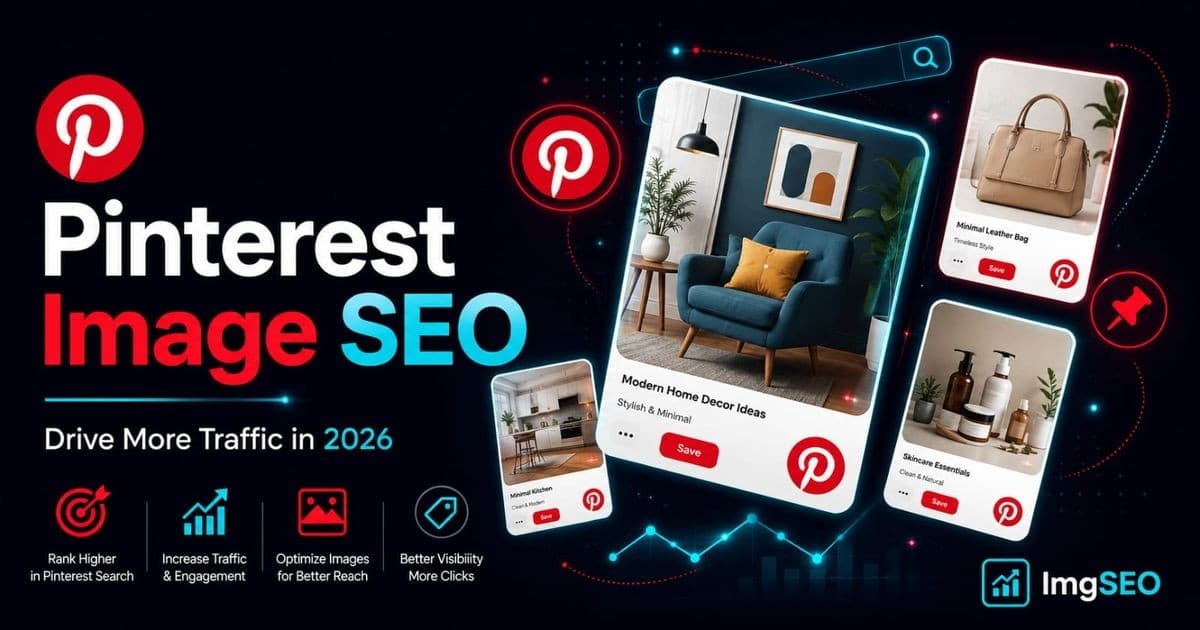
Pinterest Image SEO: How to Optimize Pins for More Traffic in 2026

16 min read
PinterestImage SEOE-commerceSocial Media SEOAlt Text
Pinterest Image SEO: How to Optimize Pins for More Traffic in 2026

Pinterest has over 500 million monthly active users. Roughly 85% of weekly Pinners have bought something because of a Pin. The platform drives more referral traffic to e-commerce stores than most social networks — and that traffic converts at a higher rate because users arrive with intent to buy.

Most e-commerce sellers treat Pinterest as a social media afterthought: post a few images, maybe write a caption, and hope for repins. That is a mistake. Pinterest is a visual search engine, not a social feed. Users type in search queries. The algorithm matches those queries to pins based on image quality, text signals, metadata, and relevance — exactly the same way Google matches queries to pages.

This guide covers every image optimization lever on Pinterest: pin dimensions, file formats, filenames, alt text, pin descriptions, board structure, embedded metadata, and platform-specific workflows for Etsy, Shopify, and WooCommerce sellers.

Why Pinterest Matters for E-commerce SEO

Pinterest Is a Search Engine

Most Pinterest sessions start with a search. Users type "boho bedroom decor," "linen wedding dress," or "handmade ceramic mugs" into the search bar and scroll through visual results. They are not browsing passively — they are actively looking for something to buy, save, or recreate.

That buying intent is what separates Pinterest from Instagram or TikTok. Instagram shows content from accounts users already follow. Pinterest surfaces content based on what users are searching for right now, regardless of whether they follow your account. A well-optimized pin from a store with zero followers can rank above a pin from a large account if the image quality, description, and board context are stronger.

The other major difference is content lifespan. An Instagram post is effectively dead within 48 hours. A well-optimized pin continues driving traffic for months and often years. The compounding effect of consistent Pinterest optimization is significant for e-commerce stores with evergreen product catalogs.

Pinterest and Google Work Together

Pinterest boards and pins rank in Google search results. A board titled "Boho Summer Dresses" with 50 well-described pins regularly appears in Google's top results for that query. Your product images, pinned and properly described, can appear in both Pinterest search and Google Image search simultaneously — double exposure from a single optimization effort.

This double SEO benefit makes Pinterest image optimization unusually high-leverage for e-commerce sellers. Every step you take to improve a pin for Pinterest also improves how Google reads and indexes that pinned image.

Pinterest Image Requirements and Best Practices

Recommended Pin Sizes

Pinterest is built for vertical images. The platform's feed is column-based, and taller images occupy more visual real estate, which means more attention and higher click-through rates.

| Pin Type | Dimensions | Ratio | Recommendation | |----------|-----------|-------|----------------| | Standard pin | 1000 × 1500 px | 2:3 | Optimal for most content | | Square pin | 1000 × 1000 px | 1:1 | Works for product flat-lays | | Long pin | 1000 × 2100 px | 1:2.1+ | Avoid — Pinterest limits distribution | | Minimum width | 600 px | — | Below this, quality degrades significantly |

The 2:3 ratio at 1000 × 1500 px is the standard to use. It fills the feed column without triggering Pinterest's distribution penalty on overly long pins. If you are already shooting product images at 1:1 for Shopify or Etsy, crop a vertical version specifically for Pinterest.

Image Quality

Pinterest's visual algorithm evaluates image quality as a ranking signal. High-resolution, well-lit images with clean compositions outperform dark, blurry, or visually cluttered pins even when the text signals are equal.

For product images:

  • Use clean white or neutral backgrounds for product hero shots
  • Shoot in natural light or with consistent studio lighting
  • Show the product clearly without cropping important details
  • Include at least one lifestyle or context image per product — they typically outperform isolated product photos on Pinterest

File Format

Use JPEG for product photography and lifestyle images. JPEG handles color gradients and photographic detail efficiently without unnecessary file size. Use PNG when your pin includes overlaid text, graphics, or infographic elements where sharp edges matter. Avoid GIF for static pins — even if the platform accepts it, GIFs are associated with animation and may perform differently in the feed.

Image Filenames for Pinterest SEO

Why Filenames Matter More on Pinterest

Unlike Amazon and Etsy, which rename uploaded files on their servers, Pinterest often preserves the original filename when an image is pinned directly from a website. The filename becomes part of the image URL that Pinterest indexes — and Google reads that URL when it crawls pinned images.

A product image pinned from your Shopify or WooCommerce store carries its filename into Pinterest's index and into Google's image index simultaneously. A descriptive filename multiplies the SEO value of every pin.

Filename Best Practices

| Bad Filename | Good Filename | |-------------|---------------| | IMG_4521.jpg | womens-floral-boho-summer-dress-pink.jpg | | pin-1.jpg | handmade-ceramic-coffee-mug-speckled-white.jpg | | product_photo.jpg | walnut-standing-desk-cable-management-tray.jpg | | DSC00091.png | gold-hoop-earrings-14k-small-everyday.jpg |

Use this pattern:

[product/topic]-[key attributes]-[color or style].[format]

Keep filenames lowercase, hyphenated, and free of spaces, underscores, and special characters. Match the filename to what is actually visible in the image — do not add keywords that are not present in the photo.

For sellers with large product catalogs, writing optimized filenames for every image manually is not practical. ImgSEO generates SEO-friendly filenames automatically from the image content, which means your pins start with a clean filename signal before they ever reach Pinterest.

Alt Text on Pinterest

Where Pinterest Uses Alt Text

Alt text on Pinterest serves three purposes. It supports accessibility for users who rely on screen readers. It feeds Pinterest's visual search algorithm, which uses text signals alongside image analysis to understand what a pin depicts. And when a pinned image is indexed by Google, the alt text travels with it as an additional relevance signal.

How to Add Alt Text on Pinterest

On desktop: open the pin, click the edit icon, navigate to the Accessibility section, and add alt text in the dedicated field. The limit is 500 characters.

On mobile: tap the pin, tap the three-dot menu, select Edit pin, and tap Add alt text.

For pins saved directly from your website, the alt text from your HTML <img> tag is carried over automatically. This is why writing good alt text on your product pages — before images reach Pinterest — is more efficient than editing pins manually after the fact.

Writing Effective Pinterest Alt Text

The same principles that apply to product image alt text on Shopify and Etsy apply on Pinterest. Describe what is visually present. Include one or two keywords naturally. Do not list keywords or repeat the pin description verbatim.

Good examples:

  • Floral boho summer dress in pink and white on model outdoors
  • Handmade speckled ceramic coffee mug on wood table with morning light
  • Gold herringbone necklace on white linen fabric close-up detail

For a full walkthrough of writing alt text that works across platforms, read how to write alt text for product images.

Pinterest Pin Descriptions and Keywords

Pin Description Best Practices

The pin description is where most of your keyword optimization happens on Pinterest. The algorithm reads the full description, but the first 50 characters appear in the feed preview — make them count.

Target 100–500 characters for most pins. Shorter descriptions often underperform because they give the algorithm fewer signals. Longer descriptions can work well for educational content but are less critical for product pins.

Structure a strong pin description like this:

  1. Lead with the primary keyword — "Handmade ceramic coffee mug, perfect for slow mornings…"
  2. Add context and benefits — material, occasion, style, use case
  3. Include a call to action — "Shop now," "Save for later," "Link in bio"
  4. Add 2–5 hashtags at the end#CeramicMug #HandmadeHome #CoffeeLovers

Avoid hashtag overload. Pinterest recommends keeping hashtags to a small, relevant set rather than appending 20–30 tags the way some Instagram posts do.

Keyword Research for Pinterest

Pinterest's own search bar is the most accurate tool for Pinterest keyword research. Type your product category into the search bar and note the autocomplete suggestions — those are real queries from real users. The colored tiles that appear below the search bar ("More ideas" chips) are additional keyword clusters Pinterest surfaces for that category.

The free Pinterest Trends tool at trends.pinterest.com shows search volume data and seasonal patterns by keyword and country. For product planning, it is genuinely useful — you can see that searches for "linen summer dress" peak in March and April, which tells you when to schedule your pins for maximum reach.

Pinterest Board Optimization

Board Names and SEO

Board names are indexed by Pinterest and Google. A board named "My Products" tells the algorithm nothing. A board named "Boho Summer Dresses" tells the algorithm exactly what content belongs there and which searches it should appear for.

Use keyword-rich, specific board names:

| Weak Board Name | Strong Board Name | |-----------------|-------------------| | My Products | Handmade Ceramic Mugs | | Inspiration | Boho Wedding Decor Ideas | | Shop | Organic Linen Bedding | | Ideas | Small Kitchen Organization 2026 |

Create enough boards to organize your content by product category, style, or use case — but do not create so many that you spread your pins too thin. Five focused, well-optimized boards outperform twenty unfocused ones.

Board Descriptions

Each board has a 500-character description field. Use it. Write a natural description that includes the board's primary keyword, 2–3 secondary keywords, and a sentence about what someone will find there.

Example for a board named "Handmade Ceramic Mugs":

"Handmade ceramic coffee mugs, stoneware tea cups, and wheel-thrown pottery for slow mornings at home. Featuring speckled glaze, earthy tones, and artisan craftsmanship. Perfect for coffee lovers, pottery enthusiasts, and home decor."

Board Cover Image

Set the board cover to your highest-performing pin or the image that best represents the board's theme. Consistent visual style across your board covers makes your profile look more curated and trustworthy, which encourages follows and saves from users who land on your profile from a single pin.

Image Metadata for Pinterest Traffic

EXIF Data and Pinterest

Pinterest reads EXIF and IPTC metadata from images uploaded directly to the platform. The title and description fields embedded in the image file can influence how Pinterest categorizes and surfaces the pin in search results, particularly in the early window after upload when Pinterest is still determining where the pin belongs.

Adding descriptive metadata to your product images before pinning gives the algorithm more signals from the first moment. For a detailed breakdown of how these fields work and which ones matter most, read the EXIF metadata guide.

XMP Metadata

XMP is a more comprehensive metadata format used by Adobe tools and digital asset management systems. The dc:title and dc:description fields in XMP are read by Pinterest and can reinforce the pin's keyword signals alongside the pin description and alt text.

Embedding both EXIF and XMP metadata manually requires either Lightroom, Adobe Bridge, or command-line tools like ExifTool. For e-commerce sellers optimizing product catalogs at scale, ImgSEO handles both formats automatically during image processing — the output file arrives with SEO metadata already embedded, ready to pin directly.

Pinterest for Different E-commerce Platforms

Pinterest for Etsy Sellers

Etsy and Pinterest have a natural overlap: both platforms serve buyers looking for handmade, vintage, and unique products. Etsy has a direct Pinterest integration in the shop dashboard. Enable it, and new listings are automatically shared to your connected Pinterest account.

Beyond automation, pin every new listing manually within the first 24 hours of going live. Use the Etsy listing title as the base for your pin description, add 2–3 hashtags, and save the pin to your most relevant board. For deeper Etsy image optimization that carries through to your pins, read the Etsy image SEO guide.

Pinterest for Shopify Stores

Shopify has a native Pinterest app in the app store. Installing it enables Product Pins — a rich pin format that pulls live price, availability, and product details directly from your Shopify catalog. Product Pins update automatically when inventory or pricing changes, which keeps your pins accurate without manual editing.

Enable the Pinterest app, sync your product catalog, and verify your domain. Once verified, all pins from your domain carry the rich pin markup. For the full image optimization workflow that feeds this pipeline, read the Shopify image SEO guide.

Pinterest for WooCommerce

The Pinterest for WooCommerce plugin (available free in the WordPress plugin directory) connects your store to Pinterest's catalog system. It adds the required meta tags to your product pages to enable rich pins and syncs your WooCommerce product catalog with Pinterest's shopping surface.

Install the plugin, connect your Pinterest business account, and enable product sync. From that point, your WooCommerce product images are automatically available as rich pins with live pricing and availability. For the broader image optimization context that makes these pins more competitive, see WooCommerce image SEO.

Pinterest SEO vs Google Image SEO

| Factor | Pinterest SEO | Google Image SEO | |--------|--------------|-----------------| | Algorithm | Visual quality + keyword signals | Technical signals + page authority | | Content lifespan | Months to years | Months to years | | Traffic intent | High buying intent | Mixed — informational and commercial | | Optimization focus | Visual quality + description + board context | Alt text + metadata + page speed | | File size impact | Less critical (Pinterest handles delivery) | Critical — affects Core Web Vitals | | Filename impact | Moderate | High | | Platform control | Limited after pinning | Full control on your own site | | Best channel for | Discovery and inspiration-led purchases | High-intent product and category searches |

The two channels are complementary. Pinterest captures buyers in the discovery phase — they are browsing for ideas and inspiration. Google captures buyers in the decision phase — they know what they want and are choosing where to buy. Optimizing for both channels with consistent filenames, alt text, and metadata creates a reinforcing loop where the same image asset works across multiple traffic sources.

Pinterest Image SEO Checklist

Work through this list for every product you plan to pin:

  1. Use 2:3 ratio images — 1000 × 1500 px is the standard target
  2. High quality photography — bright, well-lit, clean background for product shots
  3. Write a descriptive filename before uploadingproduct-type-color-material.jpg
  4. Add alt text to every pin — describe what is visible, include 1–2 keywords, 500 character limit
  5. Write a keyword-rich pin description — 100–500 characters, lead with the primary keyword
  6. Add 2–5 relevant hashtags at the end of the description
  7. Save to a keyword-optimized board — board name and description should match the pin topic
  8. Enable rich pins for your platform — Shopify app, WooCommerce plugin, or Etsy integration
  9. Embed EXIF and XMP metadata before uploading — use ImgSEO to handle this automatically
  10. Pin consistently — 5–10 pins per day is the commonly cited optimal cadence, spreading pins across boards and times of day

FAQ

What image size is best for Pinterest in 2026?

The 2:3 ratio at 1000 × 1500 px remains the optimal pin size. It fills the feed column without triggering Pinterest's distribution limits on excessively long pins. Avoid pins taller than 1:2.1 ratio.

Does Pinterest use alt text for SEO?

Yes. Pinterest reads alt text from uploaded images and from the HTML alt text on pinned website images. It uses alt text as a text signal alongside the pin description and board context to understand what a pin depicts and which searches it should appear for.

How do I add alt text on Pinterest?

On desktop, open the pin, click edit, and find the Accessibility section. On mobile, tap the three-dot menu on the pin and select Edit pin. If you pin directly from your website, the alt text from your product page's <img> tag carries over automatically.

Do Pinterest image filenames matter for SEO?

Moderately. When Pinterest pins a URL-based image, the filename often becomes part of the image URL in Pinterest's index. Google also reads those filenames when it crawls Pinterest. A filename like womens-floral-boho-summer-dress.jpg is meaningfully better than IMG_4521.jpg for both platforms.

How many hashtags should I use on Pinterest?

Pinterest recommends 2–5 hashtags per pin. Unlike Instagram, where hashtag volume can expand reach, Pinterest's algorithm treats excessive hashtags as a spam signal. Use a small set of highly relevant hashtags.

Does Pinterest help with Google SEO?

Yes, indirectly. Pinterest boards and pins appear in Google search results. Your product images pinned on Pinterest can rank in Google Image search. And backlinks from Pinterest to your website, while nofollowed, contribute to referral traffic that signals engagement to Google.

How often should I pin for best results?

Most Pinterest marketing practitioners recommend 5–10 pins per day. Consistency matters more than volume — pinning 5 items daily for six months outperforms pinning 300 in one week and then going quiet. Spread pins across your boards and pin at different times of day to test when your audience is most active.

What image format works best on Pinterest?

JPEG for product photography and lifestyle images. PNG when your pin includes text overlays or graphic elements that need sharp edges. Avoid uploading GIFs for static pins.

Conclusion

Pinterest is a visual search engine with a buying audience. Every image optimization decision — dimensions, filename, alt text, pin description, board placement, and embedded metadata — contributes to how the algorithm reads and surfaces your pins, and how Google indexes them when they appear in search results.

The compounding nature of Pinterest optimization is what makes it worth the upfront effort. A pin published today with a strong filename, accurate alt text, and keyword-rich description can drive consistent traffic 12 months from now without any additional work. That is not true of most marketing channels.

Start with the basics: shoot vertical at 2:3, rename your files before uploading, write specific alt text, and build keyword-focused boards. Then layer in metadata and platform integrations as you develop a consistent publishing cadence.

ImgSEO handles the image preparation layer — filename generation, alt text, EXIF and XMP metadata embedding — so your product images arrive at Pinterest already optimized. Try ImgSEO free on your next product batch before you pin.

Share:
I

ImgSEO Team

Image SEO Specialist at ImgSEO

Helping e-commerce sellers on Shopify, Etsy & WooCommerce rank higher with optimized product images.

Optimize your product images with AI

Generate SEO titles, alt text, tags, filenames, and metadata in seconds.

📬

Get image SEO tips in your inbox

Join 1,000+ e-commerce sellers getting weekly tips on image SEO, Etsy & Shopify optimization.

No spam. Unsubscribe anytime.

Related Articles