
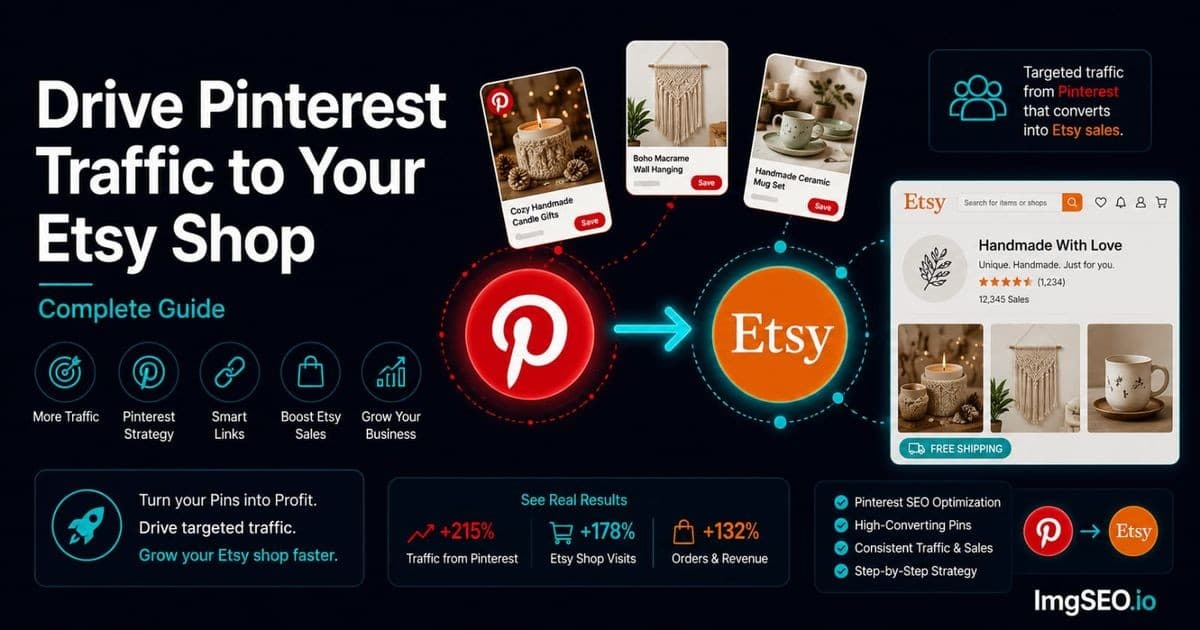
Pinterest is the number one external traffic source for most successful Etsy shops. It also happens to be the platform that most Etsy sellers barely use — a few pins here, a board created once and never touched, and then a return to hoping Etsy search alone will bring customers.
That gap is a significant opportunity. Pinterest users search with buying intent. They are not scrolling to be entertained — they are planning a home renovation, looking for a birthday gift, or gathering ideas for a wedding. Research consistently puts Pinterest referral traffic conversion rates at two to three times higher than traffic from Instagram or Facebook. These are buyers, not browsers.
The other advantage no one talks about: Pinterest pins last. An Instagram post is dead in two days. A Pinterest pin can drive traffic to your Etsy shop for two years. The organic reach is compounding in a way that no other social platform offers to Etsy sellers.
This guide covers the complete setup — business account, rich pins, board strategy, image optimization, pin descriptions, keyword alignment, seasonal timing, and the metrics that actually tell you whether it is working.
Key Takeaways
- Pinterest referral traffic to Etsy shops converts at 2–3x the rate of traffic from Facebook or Instagram, because Pinterest users search with buying intent.
- The optimal pin format is 1000×1500px (2:3 ratio); post 5–15 pins per day, with roughly 70–80% your own content and 20–30% repins from other creators.
- Rich pins pull live price and availability from your Etsy listing and update automatically — Pinterest now detects the required markup on its own, with no application step.
Why Pinterest Is Perfect for Etsy Sellers
Pinterest as a Visual Search Engine
Pinterest has over 500 million monthly active users, and most of them are using it the way people use Google: typing in a query and looking for results. "Boho home decor," "handmade jewelry gift ideas," "minimalist kitchen organization" — these are not casual scroll queries. They are shopping searches with specific intent.
That intent is what separates Pinterest from every other social platform. A person who searches "handmade sterling silver ring" on Pinterest is not just interested — they are close to buying. They save pins to come back to. They click through to shops to check prices. They compare options and return to the ones they saved. The discovery-to-purchase journey on Pinterest is longer than clicking an ad, but the buyer quality is significantly higher.
The other difference is longevity. Pinterest's search algorithm surfaces pins based on relevance and engagement, not recency. A well-optimized pin from two years ago can still rank in Pinterest search today if it has accumulated saves and clicks. For Etsy sellers, this means that time invested in Pinterest now pays dividends indefinitely — unlike Instagram content, which is effectively disposable. For a deeper look at how image optimization drives Pinterest performance, see Pinterest image SEO 2026.
The Pinterest-Etsy Connection
Pinterest and Etsy have an official integration that makes them work together more smoothly than almost any other platform pair. When a buyer pins your Etsy listing, Pinterest automatically pulls the product name, price, availability, and a link back to your shop. Your profile appears alongside any pin originating from your claimed shop URL.
Rich pins — the enhanced format that pulls live product data from your listing — display price, availability, and a direct "buy" button in the Pinterest interface. When you change your Etsy price or mark an item sold out, the rich pin updates in real-time. This turns Pinterest into an extension of your Etsy storefront rather than just a link-sharing platform.
Pinterest Traffic Quality
The buying intent of Pinterest users shows up in the conversion data. Pinterest referral traffic to Etsy shops typically converts at two to three times the rate of traffic from Facebook or Instagram. The sessions are longer — users browse, save, and return — and the average order value tends to be higher, particularly for handmade and artisan products.
The reason is the mindset. Someone on Instagram is consuming content and occasionally buying. Someone on Pinterest started their session with a shopping or planning goal. They are ready to spend when the right product appears.
Setting Up Pinterest for Etsy Success
Create a Pinterest Business Account
A business account is mandatory, not optional. Personal accounts cannot access analytics, cannot enable rich pins, and carry less credibility in Pinterest search. If you already have a personal Pinterest account, you can convert it to a business account without losing your existing pins and followers.
- Go to pinterest.com/business
- Convert your personal account to business, or create a new business account
- Add your Etsy shop URL (
etsy.com/shop/yourshopname) as your website - Follow the verification steps Pinterest provides (typically adding a meta tag or HTML file to your site — for Etsy shops, use the HTML tag method in your Etsy shop settings)
- Enable rich pins once verification is complete
Business accounts give you access to Pinterest Analytics (which pins drive the most traffic, which boards perform best, how clicks convert), the ability to run promoted pins if you want to accelerate growth, and a verified badge in search results that increases credibility.
Claiming Your Etsy Shop on Pinterest
Claiming your Etsy shop URL on Pinterest ensures that every pin originating from your shop displays your profile photo and shop name. Without claiming, pins from your listings appear without attribution — your shop gets no credit for saves or traffic generated.
To claim:
- Go to Pinterest Settings → Claim
- Enter your Etsy shop URL (
etsy.com/shop/yourshopname) - Follow the verification instructions
- Once approved, all pins from your Etsy shop automatically show your profile
This is a one-time setup that applies retroactively — pins that were already saved from your shop will also update to show your profile once the claim is verified.
Enabling Rich Pins for Etsy
What Are Rich Pins?
Rich pins are an enhanced pin format that automatically pulls live data from the source page. For Etsy product listings, this means the pin displays the product name, current price, availability, and a direct link to your listing — all updated in real-time whenever you change your Etsy listing.
In the Pinterest feed, rich pins appear with more visual weight than standard pins. The price shown beneath the image acts as a buying signal, filtering out non-buyers before they click. A pin showing "$48 — In Stock" tells a buyer everything they need to know to decide whether to click through.
How to Enable Rich Pins for Etsy
Etsy listings already have the Open Graph and structured data markup that Pinterest needs for rich pins — and as of writing, that's the whole job. Pinterest retired its old validate-and-apply process and now detects rich pin metadata automatically when it crawls a page.
In practice: pin any Etsy listing (or wait for others to pin yours), and once Pinterest crawls the listing, the pin displays live price and availability. To confirm it's working, look at one of your listing pins in the feed — a bold title with a price beneath the image means rich pin data is flowing. Our Rich Pins setup guide for e-commerce covers verification and troubleshooting in detail.
Rich Pin SEO Benefits
Rich pins display more information in Pinterest search results, which increases click-through rate on two dimensions: buyers who see your price and availability before clicking are self-qualifying (higher quality clicks), and more information in the pin means more keyword-indexed text that Pinterest's search algorithm can match to user queries.
Creating High-Converting Pinterest Images for Etsy
The Perfect Pinterest Image Dimensions
Pinterest is a vertical-format platform. Horizontal or square images consistently underperform compared to vertical pins in feed distribution and click-through rate.
- Optimal: 1000×1500px (2:3 ratio) — this is the format Pinterest's algorithm favors
- Acceptable: 1000×1000px square
- Avoid: anything taller than 1:2.1 ratio — Pinterest clips these in the feed, and clips too-tall pins in mobile views
For Etsy sellers creating Pinterest-specific images, design at 1000×1500px from the start. Your standard Etsy listing images (typically 2000×2000px square) will need a vertical crop or a new layout for optimal Pinterest performance.
Image Quality Requirements
Pinterest rewards images that stop the scroll. The visual requirements for high-performing pins:
- Minimum 600px width — below this, Pinterest does not distribute the pin effectively
- High resolution — blurry or pixelated images get fewer saves and lower distribution
- Bright and well-lit — dark images consistently underperform in Pinterest's feed algorithm; natural light or a bright studio setup performs better than moody or low-key photography
- Vertical format — this is not a preference, it is a distribution factor; vertical pins take up more screen space and generate more engagement in mobile feeds
The Scroll-Stop Formula for Pinterest
The images that drive the most clicks to Etsy shops share a few consistent characteristics:
High contrast or bright colors that read clearly on a phone screen at small size. A muted, grey-on-grey flat lay may look refined on your Etsy listing but disappears in Pinterest's visually dense feed.
Product clearly visible at thumbnail size. Pinterest users decide whether to engage in under a second. If your product is not identifiable at small size — obscured by busy backgrounds, too small in the frame, or competing with too many visual elements — it will be skipped.
Lifestyle context rather than just white background. While Etsy favors a clean hero shot for the main listing image, Pinterest users respond better to images that show products in a real environment: a mug on a kitchen shelf, a ring worn with an outfit, a blanket draped across a reading chair. Context sells on Pinterest.
Text Overlays on Pinterest
Text overlays — short phrases added to pin images — can increase CTR for products that benefit from context the image alone cannot provide. Useful for: gift guides ("Gifts Under $50"), collections ("New Arrivals"), or specific selling points ("Free Shipping | Ships in 3 Days").
Keep overlays to 3–6 words maximum, use fonts that are legible at small size, and ensure the text does not obscure the product. Avoid white text on light backgrounds or dark text on dark images — the contrast needs to work on a phone screen.
One important distinction: text overlays are appropriate for Pinterest-specific image versions only. Do not use them as your Etsy main listing image, where they look unprofessional and conflict with Etsy's guidelines for main product images.
Pinterest Board Strategy for Etsy Traffic
Creating SEO-Optimized Boards
Pinterest boards are indexed by Pinterest search and by Google. A board named "My Jewelry" is invisible to search. A board named "Handmade Sterling Silver Minimalist Jewelry" matches exactly how buyers search.
The board name is the most important SEO field Pinterest gives you. Treat it like a page title: lead with the primary keyword, add a descriptor, keep it under 60 characters.
Weak board names:
- "My Products"
- "Things I Make"
- "Shop"
Strong board names:
- "Handmade Sterling Silver Jewelry"
- "Boho Macrame Home Decor"
- "Ceramic Pottery Mugs and Bowls"
- "Personalized Gifts for Her"
Board Description Optimization
Pinterest allows 500 characters for board descriptions. Use them. Write 2–3 sentences that include 3–5 keyword phrases naturally, describe what type of content is in the board, and optionally include a call to action.
Example for a jewelry seller: "Handmade sterling silver jewelry including minimalist rings, dainty layering necklaces, and boho earrings. All pieces are hand-forged in my studio and available in my Etsy shop. Perfect gifts for her — birthdays, anniversaries, and everyday wear."
This description includes: handmade, sterling silver, minimalist rings, layering necklaces, boho earrings, hand-forged, gifts for her — all searchable terms that match buyer intent.
Board Structure for Etsy Sellers
A focused set of boards outperforms a sprawling collection for most Etsy sellers. Start with this structure and add boards as your product range or content strategy grows:
| Board Name | Purpose | |-----------|---------| | [Your Main Product] Handmade | Primary product board — all listings go here | | [Style/Aesthetic] Decor / Jewelry / etc. | Style-based discovery (boho, minimalist, cottagecore) | | Gift Ideas for Her | Occasion-based traffic (high search volume) | | Gift Ideas for Him | Occasion-based traffic | | [Season/Holiday] Gift Ideas | Seasonal traffic — rotate content by quarter | | Behind the Scenes | Process and maker content — builds audience connection | | Inspiration / Mood Board | Brand-building — non-product content in your niche |
How Many Boards to Create
Start with 5–7 boards, each with at least 20 pins, before expanding. A sparse board — fewer than 10 pins — signals low activity to Pinterest's algorithm and may receive less search distribution. Depth beats breadth: one well-populated board focused on a specific keyword outperforms five thin boards covering vague topics.
Add new boards when you have enough content to populate them meaningfully, or when you identify a high-traffic keyword that does not fit your existing boards.
Pinning Strategy for Maximum Etsy Traffic
What to Pin
A common mistake is pinning only main product images. Your best-performing pins are often not the images that perform best on Etsy. Build a varied pin library from:
- Every Etsy listing — both the main image and each lifestyle or detail shot, pinned separately (10 images per listing = 10 separate pins, each linking to the same listing)
- Process and making images — high-save content for handmade sellers; buyers find these fascinating and save them heavily
- Flat lays and styled shots — styled multi-product images perform well in discovery searches like "boho bedroom decor" or "silver jewelry collection"
- Infographics — "How to style a chunky knit blanket," "What to consider when buying handmade jewelry" — these drive saves and brand authority simultaneously
- Inspirational content in your niche — not just products; boards with a mix of your products and related inspiration content grow faster than product-only boards
Pinning Frequency
Consistency is more important than volume. Pinterest's algorithm rewards accounts that pin regularly over accounts that pin in bursts.
- Ideal range: 5–15 pins per day
- Minimum for growth: 3–5 pins per day, consistently
- Avoid: pinning 50 pins on one day and nothing for a week
Use a scheduling tool — Tailwind is the most widely used by Etsy sellers — to spread your pins evenly throughout the day. Tailwind's SmartSchedule identifies the times your specific audience is most active and queues pins accordingly.
Include a mix: approximately 70–80% your own content, 20–30% repins of relevant content from other creators in your niche. Boards that only contain your own pins grow more slowly than boards that participate in the broader Pinterest ecosystem around your topic.
Pinning Your Etsy Listings
You can pin directly from your Etsy listing page using the Pinterest browser extension or the share button on Etsy. This is fast but uses Etsy's auto-generated pin description (usually the listing title), which is rarely optimized for Pinterest search.
The better approach is to pin manually with a custom description written specifically for Pinterest. Your Etsy listing title is optimized for Etsy search. Your Pinterest pin description needs to be optimized for Pinterest search — similar keywords, but written in a slightly more conversational way that includes hashtags and a call to action.
Writing Pinterest Pin Descriptions for Etsy Traffic
Pin Description Formula
[Style descriptor] + [product] + [material/technique] + [occasion/use] + [call to action] + [hashtags]
Pinterest allows up to 500 characters for pin descriptions. Use 150–300 characters for the readable description, then add 5–10 hashtags. The description is keyword-indexed by Pinterest search — every relevant term you include is a potential match for a buyer query.
Pin Description Examples
Jewelry
"Handmade sterling silver hammered ring — adjustable fit, perfect for everyday wear or as a gift for her. Each ring is hand-forged in my studio. Shop now on Etsy. ✨ #HandmadeJewelry #SterlingSliver #HammeredRing #EtsyJewelry #GiftForHer #HandmadeRing"
Home Decor
"Large boho macrame wall hanging in natural cotton — handmade and ready to ship. Perfect for bedroom, nursery, or living room. Available in my Etsy shop. 🌿 #MacrameDecor #BohoHome #HandmadeDecor #MacrameWallHanging #EtsyFinds #BohoDecor"
Ceramics and Pottery
"Wheel-thrown ceramic mug with speckled glaze — handmade stoneware, holds 12oz. Each piece is unique. Perfect gift for coffee or tea lovers. Shop Etsy. ☕ #HandmadeMug #CeramicMug #PotteryMug #WheelThrown #EtsyCeramics #HandmadeGift"
Digital Products
"Botanical wall art printable set — instant download, print at home in A4 or 8x10. Perfect for bedroom gallery wall. No shipping wait! Shop on Etsy. 🌸 #PrintableWallArt #InstantDownload #BotanicalArt #GalleryWall #EtsyDigital #WallArtPrint"
Hashtag Strategy for Etsy Pinterest
Pinterest hashtags are searchable and contribute to pin discovery. Unlike Instagram, where hashtag stuffing is common, Pinterest performs best with 5–10 targeted hashtags per pin.
Layer your hashtags across three tiers:
- Broad — high volume, high competition:
#jewelry,#homedecor,#handmade - Specific — medium volume, matches exact product:
#sterlingsilverring,#ceramicmug,#chunkyknit - Niche — lower volume, high intent:
#bohojewelry,#studiopottery,#slowfashion
Always include one or two Etsy-specific tags: #EtsyFinds, #EtsySeller, #HandmadeEtsy. These connect your pins to the large community of Etsy discovery content on Pinterest.
For seasonal content, add relevant occasion tags: #ChristmasGift, #GiftForHer, #EtsyGifts, #MothersDayGift. Seasonal hashtags can spike traffic significantly when timed correctly.
Pinterest SEO for Etsy Traffic
How Pinterest Search Works
Pinterest's search algorithm ranks pins based on several signals: the text in the pin title and description, the keywords in the board name and description where the pin is saved, the image quality, and engagement signals — primarily saves (repins) and clicks.
Unlike Google, Pinterest search is heavily influenced by user behavior. A pin that gets saved frequently signals to Pinterest that it is high-quality content matching real user intent. This causes Pinterest to show it more broadly in search results, creating a positive feedback loop: more exposure → more saves → more exposure.
Keyword Research for Pinterest
The best place to find Pinterest keywords is Pinterest itself:
- Search bar autocomplete: Type your main keyword and note the suggested completions — these are real searches by real users
- Guided search bubbles: After a search, Pinterest shows related category chips at the top of results — these are high-volume adjacent keywords worth including in your descriptions
- Competitor boards: Check the board names and descriptions of successful Etsy sellers in your niche — note which keywords appear consistently
Mirror the keywords from your Etsy listings in your Pinterest content. For a complete guide to finding and using Etsy keywords, see Etsy keyword research complete guide 2026.
The Pinterest-Etsy Keyword Alignment
The most effective Pinterest strategy for Etsy sellers uses the same keywords across all touchpoints, creating consistent signals that reinforce each other:
- Etsy listing title keywords → Pinterest pin description (adapted for Pinterest's more conversational style)
- Etsy tags → Pinterest hashtags (direct translation works well)
- Image alt text → Pinterest image description (same formula, same keywords)
- Etsy listing description keywords → Pinterest board description
Consistent keywords across all platforms — Etsy, Pinterest, Google Images — create a compounding signal effect. A buyer searching on any of the three platforms encounters the same product, described in the same language, reinforcing both the SEO ranking and the buyer's confidence that they have found the right product.
Image SEO for Pinterest-Etsy Traffic
Optimize Images Before Pinning
The images you upload to Etsy are the same images that get pinned to Pinterest. Image SEO applied at the source — before upload — benefits both platforms simultaneously.
A filename like handmade-sterling-silver-hammered-ring-adjustable.jpg is indexed by Google when Pinterest indexes the pin and by Etsy when the listing page is crawled. The same filename contributes to ranking in two separate search ecosystems from a single optimization.
XMP and EXIF metadata embedded in the image file travels with the image when it is saved and re-pinned. Keywords embedded in the metadata reinforce the descriptive text in the pin description and board name, building a consistent signal across multiple indexed fields. For the complete image metadata optimization process, see how to add metadata to product images 2026.
Alt Text Connection
When Pinterest indexes your pin, the image description you write serves the same function as alt text for search engines: it tells the algorithm what the image contains. Writing pin descriptions with the same structure as well-optimized alt text — technique + material + product + style + feature — serves both Pinterest search and Google Images indexing simultaneously.
For a complete guide to alt text that works across Etsy, Pinterest, and Google, see how to get more Etsy sales with image SEO 2026.
ImgSEO handles the image-side optimization — renaming files with keyword-rich names, embedding metadata, generating alt text — so that every image you upload to Etsy arrives pre-optimized for both Etsy search and Pinterest distribution.
Measuring Pinterest Traffic to Etsy
Pinterest Analytics
Your Pinterest Business account gives you direct access to performance data. The metrics that matter most for Etsy sellers:
Impressions measure how many times your pins appeared in feeds and search results. Growing impressions indicate that Pinterest is distributing your content more broadly — a sign that your keyword optimization and save rate are improving your ranking.
Saves (repins) are the most important engagement signal on Pinterest. Every save extends your pin's reach and signals quality to Pinterest's algorithm. Track which pin types and image styles generate the most saves.
Link clicks are the traffic metric that connects directly to Etsy visits. A pin with high impressions and low link clicks suggests the image is compelling enough to stop the scroll but the product or price is not driving action. A pin with low impressions and high click-through rate is well-optimized but needs more saves to increase distribution.
Top performing pins — review monthly. Identify which products, image styles, and descriptions generate the most traffic and replicate those patterns across new content.
Etsy Stats for Pinterest Traffic
Within Etsy Stats, navigate to Traffic Sources. Pinterest traffic appears under "Social media" or "Other" depending on how Etsy categorizes your referrals in a given period. Track month-over-month growth in Pinterest referral traffic as your primary growth metric for the first 6 months.
Do not expect linear growth. Pinterest traffic compounds — boards and pins accumulate saves over time, and the algorithm rewards sustained activity with increasing distribution. Months 1–3 often show modest results. Months 4–6 typically show the first significant spikes.
Google Analytics (if connected)
If you have Google Analytics connected to your Etsy shop or your own website, Pinterest traffic appears under Acquisition → Social → Pinterest. Useful metrics: session duration (Pinterest visitors typically have above-average session duration), pages per session, and conversion rate compared to other traffic sources.
Seasonal Pinterest Strategy for Etsy
Pinterest Users Plan Ahead
This is the most counterintuitive and most important thing to understand about Pinterest timing: Pinterest users search for seasonal content weeks to months before the event. Christmas gift searches on Pinterest peak in October and early November. Valentine's Day searches begin in December. Mother's Day searches spike in March.
If you pin your Christmas gift content in December, you are three weeks too late. The buyers who found what they wanted in October have already decided. Start pinning seasonal content 2–3 months before the target date.
Seasonal Pinning Calendar
| Pin in this month | Target audience is planning for | |-------------------|--------------------------------| | September | Christmas gifts, holiday home decor | | October | Christmas, Thanksgiving, holiday entertaining | | November | Christmas last-minute, New Year, winter decor | | December | Valentine's Day, winter home, self-gifting | | January | Valentine's Day, spring refresh, organization | | February | Mother's Day, Easter, spring decor | | March | Mother's Day, spring/summer entertaining | | April | Father's Day, summer, graduation | | May | Father's Day, summer decor, back to school prep | | June–August | Fall decor, Halloween, early Christmas planning |
Create seasonal boards — "Christmas Gift Ideas Handmade," "Valentine's Day Jewelry Gifts" — and populate them 8–10 weeks before the holiday. Archive or unlist these boards after the season passes to maintain board relevance scores.
Common Pinterest Mistakes Etsy Sellers Make
1. Never starting. The most common mistake is not using Pinterest at all. Etsy sellers who set up a business account and pin consistently for 6 months almost always see meaningful traffic increases. Those who never start never find out.
2. Only pinning the main product image. Each Etsy listing has 10 image slots. Each image is a separate pin opportunity. Process shots, lifestyle images, detail shots, and flat lays each attract different search queries — pinning all of them multiplies your reach from a single product.
3. Using horizontal or square images. Vertical 2:3 ratio images get more feed space, more saves, and more click-throughs than any other format. Creating Pinterest-specific vertical images for your best-selling products is worth the extra effort.
4. Copying Etsy listing titles into pin descriptions. Etsy titles are optimized for Etsy's search algorithm, which uses different ranking signals than Pinterest. Write Pinterest-native descriptions: more conversational, includes hashtags, ends with a call to action.
5. Skipping hashtags. Pinterest hashtags are actively used by the search algorithm. A pin without hashtags is missing 5–10 keyword signals that could match buyer queries.
6. Naming boards generically. "My Shop," "Things I Love," and "Products" are invisible in Pinterest search. Every board name should be a keyword phrase buyers actually search.
7. Pinning in bursts. Pinning 100 images on one day and nothing for two weeks confuses Pinterest's algorithm and can trigger spam filters. Consistent daily activity — even 3–5 pins per day — dramatically outperforms periodic bursts.
8. Not claiming your Etsy shop. Unclaimed shop URLs mean your pins appear without your profile photo and name. Claiming is a one-time setup that gives you credit for every future save and pin originating from your shop.
9. Not enabling rich pins. Rich pins are free, take 10 minutes to set up, and display your price and availability directly in the Pinterest feed. There is no reason to skip this step.
10. Stopping after 30 days. Pinterest is a long game. Most sellers see their first meaningful traffic spikes in months 3–6, as pins accumulate saves and boards build ranking authority. Sellers who quit after a month of modest results never reach the compounding growth stage.
Frequently Asked Questions
How long does it take for Pinterest to drive Etsy traffic? Expect 3–6 months of consistent pinning before seeing significant traffic from Pinterest. The algorithm rewards sustained activity over time, and pins accumulate saves gradually. Most sellers see a step-change increase around months 4–5, then steady growth after that.
Do I need a business Pinterest account for Etsy? Yes. A personal account cannot access analytics, cannot enable rich pins, and has less credibility in Pinterest search results. The conversion is free and takes about 5 minutes — there is no reason to use a personal account for an Etsy shop.
What image size works best for Pinterest in 2026? 1000×1500px (2:3 ratio) is the optimal size. This vertical format takes up more feed space on mobile devices, where the majority of Pinterest browsing happens, and consistently outperforms square or horizontal images in saves and clicks.
How many times should I pin per day for Etsy traffic? 5–15 pins per day is the effective range. Consistency matters more than volume — 5 pins per day every day outperforms 50 pins one day and nothing for a week. Use Tailwind to schedule pins in advance and maintain a consistent daily presence.
Should I pin other people's content or only mine? Mix both. Approximately 70–80% of your pins should be your own Etsy content. The remaining 20–30% should be repins of relevant content from other creators in your niche. Boards that only contain your own content grow more slowly and feel less useful to Pinterest users who follow them.
Do Pinterest hashtags help Etsy traffic?
Yes. Pinterest hashtags are searchable and contribute to how Pinterest categorizes and distributes your pins. Use 5–10 relevant hashtags per pin, layering broad, specific, and niche terms. Etsy-specific tags like #EtsyFinds and #HandmadeEtsy connect your pins to the existing Etsy discovery community on Pinterest.
What boards should an Etsy seller have on Pinterest? Start with: your main product board (keyword-named), one or two style or aesthetic boards, gift-occasion boards ("Gift Ideas for Her," "Gift Ideas for Him"), a seasonal board, a behind-the-scenes board, and one inspiration or mood board. Expand from there as your content library grows.
How do I enable rich pins for Etsy? You no longer need to apply. Pinterest retired the old validate-and-apply process and now detects rich pin metadata automatically. Etsy listings already carry the required markup, so pins from your listings become rich pins with real-time price and availability data once Pinterest crawls them — no action needed on your end.
Conclusion
Pinterest is the highest-quality external traffic source available to Etsy sellers — and it is consistently underused. Buyers on Pinterest are in shopping mode. They save products to return to, they click through to purchase, and they convert at rates that exceed most other referral channels.
The setup is straightforward: business account, claimed shop URL, rich pins enabled, 5–7 keyword-named boards each with 20+ pins. From there, consistent daily pinning — vertical 2:3 images, keyword-rich descriptions, 5–10 hashtags — builds compounding reach that grows month over month.
The image optimization layer connects Pinterest performance to Etsy search and Google Images simultaneously. A product image with a keyword-rich filename, embedded metadata, and well-written alt text ranks better on all three platforms from a single optimization. ImgSEO handles the image side in one step — filenames, metadata, and alt text — so that every product you list on Etsy arrives ready for Pinterest, Google Images, and Etsy search at the same time.
For a complete approach to Pinterest image optimization, see Pinterest image SEO 2026.


