
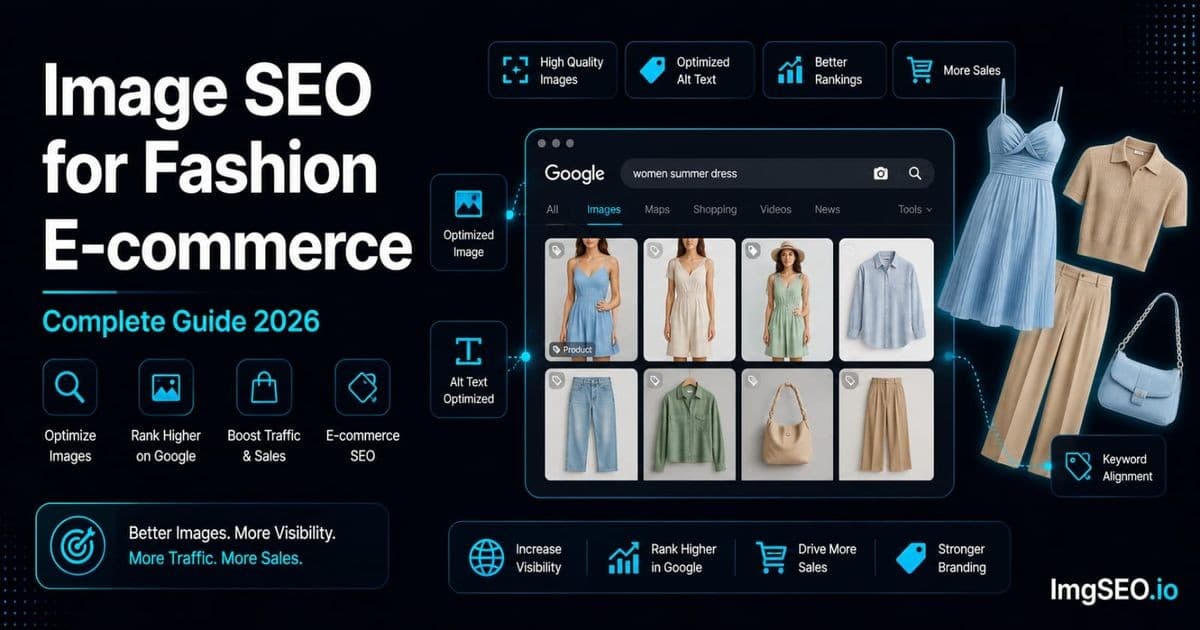
Fashion is the most visual category in e-commerce — and one of the most competitive on Google Images. A buyer searching "blue linen midi dress summer" is not just looking for information. They are shopping, and the image they click first is often the one that wins the sale.
What makes fashion image SEO harder than, say, home goods or electronics is the number of variables per product. A single dress comes in six colors, three lengths, and speaks to buyers searching for "casual summer," "wedding guest," "beach vacation," and "cottagecore." Each of those search intents is a separate ranking opportunity. Most fashion sellers capture none of them because their images are named DSC_0047.jpg and their alt text fields are blank.
This guide covers everything specific to fashion: photography strategy, the alt text formula for clothing, filename conventions for color variants, seasonal metadata, and platform-specific implementation for Shopify, Etsy, and WooCommerce.
Key Takeaways
- The working alt text formula is
gender + garment type + color + material + style descriptor + occasion— it covers the keyword dimensions fashion buyers actually search by.- Each color and angle variant needs its own unique alt text; reusing the same description across variants reads as duplicate content to Google.
- Model shots convert better as the main image for most clothing categories because they show fit and proportion; use flat lays as supplementary images for Pinterest and editorial appeal.
Why Fashion Image SEO Is Unique
Multiple Variables Per Product
Most product categories have one or two SEO dimensions. Fashion has at minimum five:
- Color variants — "sage green linen dress" and "white linen dress" are different search queries even though it is the same garment. Each color is a separate ranking opportunity and needs its own unique image, alt text, and filename.
- Size descriptors — Buyers increasingly search by size: "oversized blazer women," "petite midi dress," "plus size linen trousers." If your garment has a distinctive silhouette, the size descriptor belongs in the alt text.
- Style descriptors — Boho, minimalist, vintage, Y2K, coastal grandmother, quiet luxury. These are real search terms, not marketing copy. Buyers use them in Google Images and Pinterest.
- Occasion keywords — "wedding guest dress," "workwear blazer women," "beach cover-up dress." Occasion terms significantly increase search specificity and purchase intent.
- Material keywords — "linen," "cotton," "silk," "cashmere" — material is often the deciding factor in a search and frequently appears in buyer queries.
The sellers ranking in Google Images for fashion are the ones who have worked through this keyword matrix and embedded it into their image assets, not just their product titles.
The Fashion Search Intent
Clothing buyers use Google Images as a virtual fitting room. They search "wide leg linen trousers outfit ideas," find an image they like, click through to the product, and buy. The search is visual from the first keystroke.
This matters for image SEO because the signal chain is: search query → image that matches the query's visual intent → product page. Your image has to be the answer to a specific visual search. That means your alt text needs the style, color, material, and occasion that a real buyer would type — not a generic product description.
Pinterest operates the same way and drives substantial referral traffic to fashion stores. Vertical 2:3 images optimized for Pinterest discovery compound your Google Images strategy rather than competing with it.
Fashion Photography Best Practices for SEO
Model vs Flat Lay vs Ghost Mannequin
The shot type you use as your main image affects both conversion and SEO. Each has a different role in your image set:
Model shots show fit, proportion, and how the garment moves. They are the highest-converting shot type for most clothing categories because buyers can visualize wearing the item. For SEO purposes, model shots support lifestyle and occasion keywords — "women wearing oversized camel coat city street" is a credible alt text because the image actually shows that.
Flat lay shots are clean and editorial. They perform strongly on Pinterest and in Google Images for style inspiration searches. A well-lit flat lay of a linen dress with accessories reads "outfit idea" to a buyer, which aligns with "linen dress outfit summer" search intent.
Ghost mannequin shots show garment structure and shape without a model. They are common for more structured pieces — blazers, coats, tailored trousers — where the cut is the selling point. They support keywords like "structured shoulder blazer women" or "tailored wide leg trousers."
On-hanger shots are fast to produce but convert poorly and provide less visual information for Google to work with. Use them for supplementary images only, never as the main product image.
Recommended Shot List Per Garment
For full keyword coverage across a product page, aim for this set:
- Front on model — main image, primary keyword in alt text
- Back on model — shows construction, zipper, back details; unique alt text
- Detail shot — fabric texture, stitching, buttons, hardware; supports material keywords
- Flat lay — editorial, Pinterest-optimized, style inspiration angle
- Close-up of unique feature — print, embroidery, seam detail; supports descriptive keywords
- Size reference or fit guide — model with height/size callout or size chart graphic
Six images means six unique alt texts, six chances to rank for different query variations, and a product page that Google can fully contextualize.
Colors and Lighting for Fashion
Accurate color reproduction is not just a creative decision — it is a returns reduction strategy and an SEO one. A buyer who searches "sage green linen dress" and clicks your image expects sage green. If the image looks more olive or gray because your lighting was inconsistent, the buyer either bounces or buys and returns. Neither outcome is good.
For consistent fashion photography:
- Natural daylight renders fabric texture and color most accurately. Shoot near a large north-facing window or outdoors in open shade.
- Consistent white balance — set a custom white balance and keep it fixed across the entire catalog. Color temperature drift between sessions makes images look mismatched on collection pages.
- Shoot all colorways in the same session — different days mean different light conditions, which means color inconsistency. Batch by garment, photograph all colors together.
Fashion Filenames for SEO
The Fashion Filename Formula
Fashion filenames need more specificity than general e-commerce filenames because the keyword variables are denser. The pattern that covers the most SEO ground:
[gender]-[garment-type]-[color]-[material]-[style].jpg
Working examples:
womens-blue-linen-midi-dress-casual.jpgmens-slim-fit-white-cotton-shirt.jpgoversized-cream-wool-sweater-women.jpgwomens-wide-leg-linen-trousers-natural-beige.jpgmens-navy-double-breasted-blazer-tailored.jpg
The rule: every word in the filename is a word Google can match against a search query. "Womens" covers gender searches. "Linen" covers material searches. "Midi" covers silhouette searches. "Casual" covers occasion searches. Each descriptor you include is another query variation you can rank for.
Use hyphens between words, not underscores. Hyphens are word separators in URLs; underscores are not. Keep filenames under 60 characters so they display cleanly in browser address bars and don't get truncated.
Handling Color Variants
Each color variant is a unique SEO opportunity, which means each color needs its own filename. Do not use a single filename with a size or color code appended — that wastes the keyword slot.
Correct approach:
| Color | Filename |
|---|---|
| Blue | womens-linen-midi-dress-blue.jpg |
| Sage green | womens-linen-midi-dress-sage-green.jpg |
| White | womens-linen-midi-dress-white.jpg |
| Terracotta | womens-linen-midi-dress-terracotta.jpg |
Incorrect approach:
dress-variant-1.jpgdress_blue_SKU8821.jpgIMG_4521.jpg
The correct approach gives Google four distinct, keyword-rich filenames for four legitimate search queries. The incorrect approach gives Google nothing.
For guidance on renaming existing files across a catalog, see the guide on how to fix bad image filenames for SEO.
Seasonal Keywords in Filenames
Fashion is cyclical, and search behavior is cyclical with it. Buyers searching in June type "summer" modifiers; buyers searching in October type "winter" or "fall." Including the season in filenames for seasonal pieces increases relevance during peak search windows:
summer-linen-dress-women-beach.jpgwinter-wool-coat-women-oversized.jpgspring-floral-midi-dress-women-garden-party.jpgfall-oversized-knit-sweater-women-camel.jpg
Do not add seasons to year-round basics like plain white t-shirts. Add them to pieces where the buyer's search intent is naturally seasonal.
Alt Text for Fashion Products
The Fashion Alt Text Formula
The reliable formula for clothing alt text:
[Gender] + [garment type] + [color] + [material] + [style descriptor] + [occasion or use]
This is not a rigid template — you will not always have all six elements, and sometimes one element deserves more specificity than another. But it covers the keyword matrix that fashion buyers actually search.
The formula produces alt text like:
- "Women's blue linen midi dress casual summer sleeveless"
- "Men's slim fit white cotton Oxford shirt formal workwear"
- "Oversized camel wool coat women double-breasted winter"
These are real search queries. A buyer typing any of those strings into Google Images could find and click through to your product.
Examples by Garment Type
Dresses
- Main (front model): "Women's blue linen midi dress casual summer sleeveless"
- Back view: "Back view women's blue linen midi dress showing zip closure and open back"
- Detail shot: "Linen fabric texture close-up on blue midi dress raw hem detail"
- Flat lay: "Flat lay blue linen midi dress summer white background minimal"
Tops
- Main: "Oversized white cotton t-shirt women relaxed fit minimalist basic"
- Detail: "Ribbed neckline detail on white oversized cotton t-shirt close-up"
- Back: "Back view white oversized cotton t-shirt women dropped shoulder seam"
Pants and Bottoms
- Main: "Women's wide leg linen trousers natural beige high waist summer"
- Flat lay: "Flat lay wide leg linen trousers beige natural linen white background"
- Detail: "Linen weave texture close-up on wide leg trousers natural beige"
Outerwear
- Main: "Women's oversized camel wool coat double-breasted winter classic"
- Detail: "Horn button detail close-up on camel oversized wool coat"
- Back: "Back view women's camel wool coat oversized silhouette winter"
Handling Multiple Colors
For color variants, change only the color descriptor and keep the rest of the alt text consistent. This creates a clean keyword pattern that Google can follow across variants while correctly distinguishing each image:
- "Women's linen midi dress blue casual summer sleeveless"
- "Women's linen midi dress sage green casual summer sleeveless"
- "Women's linen midi dress white casual summer sleeveless"
- "Women's linen midi dress terracotta casual summer sleeveless"
Each alt text is unique (required — duplicate alt text is treated as thin content), each is keyword-rich, and each targets the color-specific query that a real buyer might type.
For a full reference on alt text strategy, see what is alt text: the complete guide.
Metadata for Fashion Images
Fashion-Specific Metadata Fields
EXIF and XMP metadata can carry descriptive and rights-related information inside image files. Search engines and destination platforms determine whether that metadata is preserved or used. For fashion, these fields map directly to the keyword matrix:
- EXIF Title: brand name + primary garment keyword. Example: "Brand Name Blue Linen Midi Dress Women"
- EXIF Keywords / XMP dc:subject: the full keyword array — garment type, color, material, style descriptors, occasion, season, gender. Example:
linen dress, midi dress, women's dress, blue dress, summer dress, casual dress, sleeveless dress - XMP dc:description: a short phrase matching your product description's opening sentence
The keywords field is especially valuable for fashion because it can hold the entire keyword matrix for a product without the length constraints of alt text.
Seasonal Keyword Strategy
Fashion metadata should be updated seasonally — not because the garment changes, but because search behavior does. A linen dress photographed in January for a summer drop should include summer metadata from day one:
- Season: summer, spring, fall, winter (as applicable)
- Occasion: casual, formal, workwear, beach, wedding guest, vacation
- Trend terms: quiet luxury, coastal grandmother, old money aesthetic, cottagecore, boho, Y2K, minimalist
Trend terms are time-sensitive — "quiet luxury" peaks, then fades. Monitor Google Trends quarterly and refresh metadata on trend-adjacent pieces when terms start gaining volume. This takes ten minutes per product and can recover ranking positions you would otherwise lose as search behavior shifts.
For full implementation details on adding metadata to fashion images, see the guide on how to add metadata to product images.
Platform-Specific Fashion Image SEO
Shopify Fashion Stores
Shopify handles fashion catalogs well if you use its variant architecture correctly.
Each product variant in Shopify can have its own image. When you add a new color variant and assign it a unique image, you should also set unique alt text for that variant image — Shopify does not copy alt text across variants automatically. This is the most commonly skipped step in Shopify fashion stores, and it costs rankings on color-specific queries.
Additional Shopify-specific considerations:
- Collections pages: the collection image itself should have SEO alt text. "Women's linen dresses summer collection 2026" is better than a blank field.
- Image file upload: Shopify renames files when uploaded. Rename your files correctly before upload — Shopify preserves your filename in the CDN URL, so
womens-blue-linen-dress.jpgstays readable. - Metafields: use metafields to add material, care instructions, and fit details that don't fit naturally in the description but add keyword context.
For full Shopify image optimization, see the Shopify image SEO guide.
Etsy Fashion Sellers
Etsy's buyer base skews toward handmade, vintage, and indie fashion — categories where style descriptors like "boho," "cottagecore," and "indie" appear heavily in search queries. These terms are more important on Etsy than on Google, but because Google indexes Etsy listings, optimizing for Etsy style terms also benefits your Google Images visibility.
Key Etsy-specific considerations:
- Vertical 2:3 images: Etsy listings surface on Pinterest at high volume. Vertical images take up more space in Pinterest feeds and outperform square or landscape images in click-through rate.
- Lifestyle over white background: Etsy buyers respond better to contextual lifestyle images than studio shots. A dress shown on a model in a garden outperforms the same dress on a white studio background for Etsy's algorithm and for Pinterest.
- Describe this photo field: Etsy's alt text field is labeled "describe this photo." Use it for every image. Include the style descriptors your buyers search — "boho linen dress women beach vacation" is a valid Etsy-optimized alt text.
- Tags: 13 tags available. Use complete phrases, not single words. "Cottagecore summer dress," "boho maxi dress women," and "linen beach dress vacation" are all worth using.
For a complete Etsy image optimization guide, see Etsy image SEO.
WooCommerce Fashion Stores
WooCommerce's variable products feature maps well to fashion's color/size variant structure, but it requires manual alt text management that Shopify partially automates.
- Variable products: each variation attribute (color, size) can have its own image. Set alt text on every variation image individually — WooCommerce does not inherit alt text from the parent product.
- Product gallery images: the gallery images below the main image also have alt text fields. Fill them all. Detail shots, back views, and flat lay images should each have descriptive, unique alt text.
- Media Library: if you need to update alt text after upload, the Media Library lets you edit it — but changes there update globally across every page where that image appears. If you use the same garment image across multiple product pages, edit alt text at the product level, not the Media Library level.
For WooCommerce-specific optimization in depth, see the WooCommerce image SEO guide.
Google Images Strategy for Fashion
High-Volume Fashion Search Queries
Fashion has predictable, high-volume query structures that your image assets should target explicitly:
| Query pattern | Example | |---|---| | [color] + [garment] + [style] | "blue linen dress casual" | | [material] + [garment] + [gender] | "cotton oversized shirt women" | | [occasion] + [garment] | "wedding guest dress midi" | | [season] + [garment] | "summer dresses 2026" | | [style aesthetic] + [garment] | "quiet luxury trousers women" | | [body fit] + [garment] | "wide leg pants women petite" |
Each of these patterns can be covered by your alt text and filename strategy. Work through your catalog and ensure your most-searched pieces have alt text that matches at least two or three of these patterns.
Ranking for Trend Keywords
Fashion trend keywords move faster than any other product category. "Quiet luxury" was niche in 2022 and peaked in 2024. "Old money aesthetic" followed a similar arc. These trend terms drive real search volume while they peak, and fashion stores that are slow to incorporate them miss the window.
The practical approach:
- Check Google Trends quarterly for your category (women's clothing, menswear, accessories). Filter to "past 12 months" and look at rising queries.
- Update alt text and metadata on relevant products when a trend term starts rising. You do not need new photos — adding "quiet luxury linen trousers" to existing alt text and metadata takes minutes.
- Add trend context to descriptions so page-level signals align with the updated image signals.
This is not keyword stuffing — it is accurately describing how buyers are currently categorizing your product. A wide-leg camel trouser genuinely is a quiet luxury piece. Calling it that in your metadata is honest and strategically sound.
Pinterest Integration
Pinterest is a distribution channel for fashion images that compounds your Google Images strategy. A vertical 2:3 image pinned to Pinterest creates a backlink to your product page, drives referral traffic, and signals to Google that the image is being engaged with across the web.
To optimize for Pinterest alongside Google:
- 2:3 ratio as standard: shoot or crop your main and flat lay images to 2:3 (e.g., 1000×1500px)
- Rich Pins for fashion products: Rich Pins pull product name, price, and availability from your product page and display it on the pin. Shopify supports Rich Pins natively; WooCommerce requires the Yoast SEO Open Graph configuration.
- Descriptive pin titles: when you upload to Pinterest, the pin title mirrors your SEO alt text. "Women's blue linen midi dress casual summer" is a strong pin title for the same reasons it is a strong alt text.
For a complete guide to Pinterest as a fashion image SEO channel, see the Pinterest image SEO guide.
Image Compression for Fashion
Fashion-Specific Compression Considerations
Compression for fashion images requires more care than for hard goods like electronics or tools. The reason: fabric texture is a purchase decision signal. A buyer choosing between two linen dresses will look at the texture of the weave. If your compression has degraded that texture to a flat, smooth surface, they cannot make that assessment — and you lose the sale.
Fashion-specific compression guidelines:
- Quality setting: 85% JPEG quality instead of the general e-commerce recommendation of 80%. The extra quality preserves weave patterns, embroidery detail, and material texture.
- WebP format: WebP preserves texture at lower file sizes than JPEG. A WebP at 85% quality is typically 25–35% smaller than a JPEG at the same quality level. Shopify serves WebP automatically. WooCommerce requires server-side conversion.
- Target file size: under 250KB per image. This is slightly higher than the general e-commerce target of 200KB — the difference accounts for texture preservation. A 250KB linen texture shot is acceptable; a 400KB file is not.
- Zoom images: if your platform supports zoom, keep the zoom image at higher quality (90%+) since buyers are looking at fine detail. You can compress the standard display image more aggressively.
For full compression methodology and tool recommendations, see the image compression guide for e-commerce.
Fashion Image SEO Checklist
Use this against every new product listing before it goes live:
- ✅ Front model shot set as main product image
- ✅ All color variants have unique, individually-named image files
- ✅ Filename follows the pattern: gender + garment + color + material + style
- ✅ Alt text includes style descriptor and occasion keyword
- ✅ Unique alt text written for each color variant (not copy-pasted with color swapped)
- ✅ EXIF/XMP metadata includes seasonal and trend keywords
- ✅ Images shot or cropped to vertical 2:3 ratio for Pinterest
- ✅ Detail shot included for fabric/texture visibility
- ✅ All images compressed to under 250KB
- ✅ Alt text and metadata reviewed and refreshed each season for trend terms
FAQ
What is the best alt text format for clothing? Use the formula: gender + garment type + color + material + style descriptor + occasion. Example: "Women's blue linen midi dress casual summer sleeveless." This covers the keyword dimensions fashion buyers actually search by and gives Google a complete picture of what the image shows.
How do I write alt text for different color variants? Write the full alt text for your base color, then create a version for each additional color where only the color descriptor changes. "Women's linen midi dress sage green casual summer" and "Women's linen midi dress blue casual summer" are both unique and keyword-rich. Do not reuse the same alt text across color variants — Google treats that as duplicate content.
Should fashion images have model or flat lay as main image? Model shots convert better for most clothing categories because they show fit and proportion. Use a model shot as the main product image. Use flat lay as a supplementary image for Pinterest optimization and editorial appeal. Ghost mannequin is a valid main image for tailored pieces where the cut matters more than the lifestyle.
What keywords should I use for fashion image SEO? Cover five dimensions: garment type, color, material, style descriptor, and occasion. Add gender where relevant. For seasonal pieces, add the season. For trend-aligned pieces, add the current trend term. Use Google autocomplete, Pinterest search, and Etsy's search bar to verify that real buyers use the terms you are considering.
How do I optimize for seasonal fashion keywords? Include season in filenames, alt text, and metadata for pieces where buyer searches are seasonal. "Summer linen dress" and "winter wool coat" are naturally seasonal searches. Update trend-adjacent products quarterly — check Google Trends for rising queries in your category and refresh metadata on relevant pieces when a trend term gains volume.
Does Pinterest help fashion image SEO? Pinterest creates backlinks to your product pages, drives referral traffic, and generates engagement signals that Google can observe. Vertical 2:3 images perform significantly better in Pinterest feeds. Rich Pins pull structured product data to the pin. The combination amplifies your Google Images strategy rather than operating separately from it.
What image size is best for fashion e-commerce? 1000×1500px (2:3 ratio) covers both standard product page display and Pinterest optimization. For zoom functionality, 2000×3000px at higher quality. Width should not go below 800px for any display use. File size target: under 250KB for standard display images, accepting slightly higher for detail/texture shots.
How do I handle alt text for multiple product variants? Each variant image needs its own unique alt text. For color variants, change the color descriptor and keep the rest consistent. For different angles (front, back, detail), change the view descriptor and keep the product keywords consistent. Never use the same alt text on two different images — uniqueness signals distinct content to Google.
Conclusion
Fashion image SEO rewards granularity. Every color variant is a separate ranking opportunity. Every occasion keyword is a different buyer entering a different search. Every seasonal update is a chance to recapture positions that trend-aware competitors are chasing.
The framework is consistent: use descriptive filenames and alt text with relevant page descriptions targeting the same keyword matrix — garment type, color, material, style descriptor, occasion, and season. Embedded metadata can separately carry that descriptive information inside the file.
The work does not stop at upload. Fashion SEO is seasonal. Come back each quarter, check Google Trends, refresh metadata and alt text on trend-adjacent pieces, and update seasonal keywords as the search calendar shifts.
ImgSEO generates fashion-aware alt text and embeds EXIF/XMP metadata automatically. Upload your garment image, provide the product name, and it produces a renamed, metadata-embedded file with keyword-aligned alt text suggestions — ready for Shopify, Etsy, or WooCommerce. Try it free with 30 images, no card required.
For a broader e-commerce image strategy beyond fashion, see the e-commerce image SEO strategy guide.


