
← ImgSEO Blog

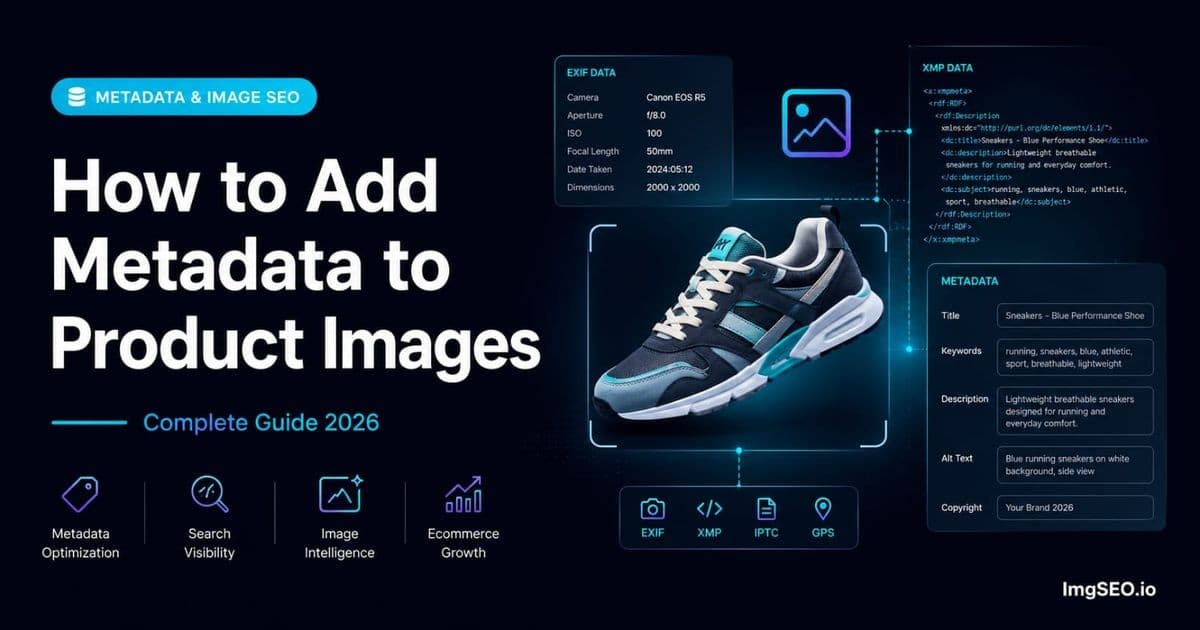
How to Add Metadata to Product Images: Complete Guide for E-commerce 2026

16 min read
Image MetadataEXIFXMPImage SEOE-commerceProduct Images
How to Add Metadata to Product Images: Complete Guide for E-commerce 2026

Your competitors are invisible on Google Images. Not because their photos are bad — because they skipped one step that fewer than 5% of e-commerce sellers ever touch: image metadata.

Every product image you upload contains an invisible layer of data embedded inside the file itself. Google reads it. Most sellers never write to it. That gap is a ranking opportunity sitting in plain sight.

Most store owners spend hours on page titles, product descriptions, and link building. They write careful alt text. They compress images for speed. Then they upload files with completely empty metadata fields and leave ranking signals on the table that their top competitors are not using either — which means whoever acts first wins.

This guide explains exactly what image metadata is, which fields Google reads, how to add it manually or automatically, and what strategy to use on Shopify, Etsy, WooCommerce, and Amazon.

What is Image Metadata?

Image metadata is data hidden inside the image file itself — not in your HTML, not in your page title, but embedded in the binary of the image. When Google crawls and indexes an image, it does not just look at the surrounding webpage. It opens the file and reads what is inside.

This data survives when an image is downloaded, shared, or re-hosted. Unlike alt text, which lives in your HTML and disappears when someone saves your image, metadata travels with the file permanently.

The Three Types Explained

There are three metadata standards used in image files today. They overlap in purpose but differ in format, format support, and history.

EXIF (Exchangeable Image File Format)

EXIF was created for digital cameras. It records technical details like shutter speed, GPS coordinates, and camera model. But EXIF also stores a set of text fields — title, description, keywords, copyright — that are directly useful for SEO.

EXIF is fully supported in JPEG and TIFF files. Windows Explorer reads EXIF fields in the Details tab of file properties, which makes it the most accessible format for manual editing. Google reads several EXIF fields when indexing images.

IPTC (International Press Telecommunications Council)

IPTC is a standard from journalism and professional photography. News agencies developed it to attach captions, credits, and keywords to press photos. It stores caption, keywords, creator name, and copyright data.

IPTC is supported in JPEG and TIFF. It predates the web and is still in wide use among photographers and stock image agencies. For e-commerce, it is less critical than EXIF and XMP but still read by some indexers.

XMP (Extensible Metadata Platform)

XMP is the modern standard, developed by Adobe in 2001. It stores metadata as XML embedded inside the image file. This makes it more flexible and comprehensive than EXIF or IPTC — it can hold more fields, supports structured data, and is extensible.

Critically for e-commerce, XMP works across JPEG, PNG, WebP, AVIF, and PDF. WebP and AVIF are increasingly common formats for optimized product images. EXIF does not fully support these formats. XMP does. Google explicitly reads XMP metadata and uses fields like dc:title, dc:description, and dc:subject as content signals.

Why Metadata Matters for E-commerce SEO

What Google Reads from Metadata

Google's image indexing pipeline reads both EXIF and XMP fields. The fields with the most documented influence on ranking signals are:

  • dc:title (XMP) — functions as a title signal for the image, similar to a page title
  • dc:description (XMP) — helps Google understand image content in depth
  • dc:subject / keywords (XMP) — keyword relevance signals
  • ImageDescription (EXIF) — treated similarly to alt text when alt text is absent or thin
  • XPTitle (EXIF) — the Windows title field, read by Google's crawler
  • XPKeywords (EXIF) — keyword tags embedded in the file

These are not speculative. Google's own documentation references image file metadata as one of the signals it uses to understand images. The practical effect is that a well-optimized image with complete metadata has more ranking signals than the same image with empty fields.

The Competitive Advantage

Fewer than 5% of e-commerce sellers add metadata to their product images. This is not because metadata is ineffective — it is because most sellers do not know it exists, and the tools to add it automatically have only recently become accessible.

The result is a wide-open opportunity. You are not competing against a saturated tactic. You are picking up signals your competitors have not claimed.

For a deeper explanation of how EXIF works and why it matters, see What is EXIF Metadata and Why It Matters for SEO.

Metadata Fields That Matter Most for SEO

| Field | Type | SEO Value | What to Write | |-------|------|-----------|---------------| | Title (XPTitle) | EXIF | ⭐⭐⭐⭐⭐ | Product SEO title with primary keyword | | Description (ImageDescription) | EXIF | ⭐⭐⭐⭐ | Alt text equivalent, 1-2 descriptive sentences | | Keywords (XPKeywords) | EXIF | ⭐⭐⭐⭐ | 5–10 relevant keywords, semicolon-separated | | dc:title | XMP | ⭐⭐⭐⭐⭐ | Same as EXIF title | | dc:description | XMP | ⭐⭐⭐⭐ | Full product description | | dc:subject | XMP | ⭐⭐⭐⭐ | Keyword tags as an array | | Copyright | EXIF/XMP | ⭐⭐ | Brand name + year (e.g., © YourBrand 2026) | | Creator | XMP | ⭐⭐ | Brand name or photographer |

Write the title and description fields the same way you would write a strong alt text — specific, keyword-rich, and descriptive of what is actually in the image. Avoid generic descriptions like "product photo" or copying and pasting your page title unchanged.

How to Add Metadata Manually

Method 1: Windows File Properties

Windows has built-in EXIF editing through File Explorer. This works for JPEG files and requires no additional software.

  1. Right-click the image file in File Explorer
  2. Select Properties
  3. Click the Details tab
  4. Click any editable field to write to it: Title, Subject, Tags, Comments, Copyright
  5. Click OK to save

This method is fast for one or two images. It writes to EXIF fields only — no XMP support. For WebP or AVIF files it will not work. For small JPEG catalogs it is a reasonable starting point.

Method 2: Mac Preview / Get Info

Mac Preview can display EXIF data but offers limited editing. The EXIF tab in the Inspector (Tools → Show Inspector) is mostly read-only for standard EXIF fields.

For meaningful metadata editing on Mac, use a dedicated tool rather than Preview. The built-in option is better suited for reading metadata than writing it.

Method 3: Adobe Lightroom

Lightroom is the professional standard for metadata management alongside photo editing.

  1. Select the image in the Library module
  2. Open the Metadata panel on the right sidebar
  3. Fill in: Title, Caption, Keywords, Copyright, Creator
  4. Go to File → Export and ensure "Include All Metadata" is selected in the export dialog

Lightroom writes EXIF, IPTC, and XMP simultaneously. It handles bulk editing well and integrates into an existing photo editing workflow. The downside is cost — the Photography Plan starts at around $10 per month — and it does not generate SEO-optimized content for you. You still write every field manually.

Method 4: ExifTool (Free, Advanced)

ExifTool is a free, open-source command-line tool that is the most powerful metadata editor available. It supports every format including WebP and AVIF, reads and writes all three metadata standards, and handles bulk operations through scripting.

A basic command to write title and keywords to a JPEG:

exiftool -XPTitle="Blue Ceramic Coffee Mug 12oz" -XPKeywords="coffee mug;ceramic mug;12oz mug;blue mug" -ImageDescription="Blue ceramic coffee mug with matte finish, 12oz capacity, dishwasher safe" product.jpg

ExifTool is ideal for developers or sellers with technical backgrounds who need to process hundreds of images at once through automation. It requires familiarity with the command line and metadata field names. For non-technical sellers it has a steep learning curve.

The Problem with Manual Methods

Manual metadata editing has real limits for e-commerce at scale:

  • Each image takes 2–5 minutes to process
  • No tools generate SEO-optimized content — you write every word yourself
  • WebP and AVIF support is inconsistent across manual tools
  • Large catalogs of 100+ products make manual workflows impractical
  • Mistakes are easy to repeat across a batch

The manual approach works for a handful of images. For a growing product catalog it quickly becomes a bottleneck.

How to Add Metadata Automatically with ImgSEO

Why ImgSEO is Different

ImgSEO does not just write metadata — it generates SEO-optimized content for each image using AI, then embeds it automatically into the file. The difference matters because the quality of what you write in metadata fields is as important as whether you write anything at all.

AI generation means each product image gets a title, description, and keyword set written specifically for that image — not copied from a template, not identical across your catalog. The output is calibrated for your platform, whether that is Etsy, Shopify, WooCommerce, or Amazon.

ImgSEO embeds both EXIF and XMP in a single pass. JPEG files get EXIF plus XMP. WebP and AVIF files get XMP. You do not need to manage format compatibility — it is handled automatically.

Step by Step

  1. Go to imgseo.io/optimize
  2. Upload up to 5 product images
  3. Enter the product name and select your platform (Etsy, Shopify, WooCommerce, Amazon)
  4. Click Optimize
  5. The AI generates: title, alt text, keywords, and an SEO-friendly filename for each image
  6. Download the optimized images — metadata is already embedded
  7. Upload the files to your store

The process takes about 30 seconds per batch. There is no manual field editing, no command-line knowledge required, and no separate export step.

What Gets Embedded

Every optimized image receives the following metadata automatically:

EXIF fields:

  • ImageDescription — AI-generated product description (alt text equivalent)
  • XPTitle — SEO product title
  • XPKeywords — keyword set generated for the product
  • XPAuthor — brand/creator attribution
  • Copyright — brand copyright line
  • Software — ImgSEO attribution

XMP fields:

  • dc:title — matches the EXIF title
  • dc:description — full product description
  • dc:subject — keyword array
  • dc:rights — copyright
  • dc:creator — brand/creator

This covers every field Google reads, written with SEO-optimized content, in every format Google encounters.

Metadata for Each Platform

Shopify

Shopify processes uploaded images through its own CDN pipeline. It preserves some XMP metadata fields but strips others depending on image format and processing settings. EXIF fields are generally readable by Google at the point of crawl, before Shopify's CDN fully processes the file.

The most reliable approach is to add metadata before uploading. Google often crawls images shortly after they appear in a sitemap or on a product page, and the initial file state is what gets indexed. Optimize your images with full metadata, then upload to Shopify.

For a complete Shopify image strategy, see the Shopify image SEO guide.

Etsy

Etsy strips most metadata from images during its upload processing. However, this stripping happens after the file is available for Google to crawl. Etsy generates a product URL and image URL quickly, and Google's indexer can read the original file before Etsy finishes processing.

Adding metadata before uploading to Etsy still provides SEO value — Google reads the original file first. The metadata may not persist long-term in Etsy's CDN, but the initial indexing window is what drives early ranking signals.

See the Etsy image SEO guide for the full strategy.

WooCommerce

WooCommerce is the best platform for image metadata SEO. WordPress does not strip or modify image files during upload. The file you upload is the file stored, metadata intact.

EXIF and XMP fields embedded in your product images remain readable for the lifetime of those images. Google's ongoing re-crawls will continue reading the same metadata. This makes metadata a durable, compounding ranking signal on WooCommerce rather than a one-time benefit.

For the complete WooCommerce image optimization strategy, see WooCommerce Image SEO: The Complete Guide for 2026.

Amazon

Amazon strips all metadata from images during its upload and processing pipeline. Files in Amazon's product image system do not retain EXIF or XMP fields.

The strategy for Amazon is to add metadata for Google Images indexing, not for Amazon's internal system. Amazon product images frequently appear in Google Images results. If Google crawls your image before Amazon's pipeline fully processes it, the metadata contributes to how Google understands and ranks that image externally.

Additionally, if you list the same product on your own website or other platforms, those images with full metadata will rank in Google Images and drive traffic back to your listings.

For a full breakdown, see Amazon Product Image SEO 2026.

Metadata + Alt Text: The Complete Strategy

Metadata is one layer of image SEO — not the only one. Google reads multiple signals for each image, and using all of them together produces the strongest results.

  • Alt text: written in your store's HTML (<img alt="...">). Platform editors expose this as a field on each image. It is the most-cited ranking factor for images.
  • Image metadata: embedded inside the file itself. Adds depth beyond what HTML can express. Travels with the file.
  • Filename: the image URL slug. blue-ceramic-mug-12oz.jpg is a ranking signal. IMG_4521.jpg is not.

Using all three means Google has consistent, keyword-rich signals in the HTML, the URL, and the file itself. Any one alone is weaker than all three together. Metadata adds the third dimension that most competitors skip entirely.

For a complete guide to alt text, see What is Alt Text? Complete Guide to Writing It for SEO in 2026.

Common Metadata Mistakes

1. Adding metadata after compression. Many compression tools strip metadata as part of their optimization process. Always add metadata first, then compress — or use a tool like ImgSEO that embeds metadata and handles compression in the correct order.

2. Keyword stuffing metadata fields. Filling the keywords field with 50 terms or repeating the same phrase ten times does not help ranking and may trigger spam signals. Use 5–10 relevant, specific keywords per image.

3. Leaving all fields empty. The most common mistake. An image with no metadata has no embedded signals. Even a minimal title and description is better than nothing.

4. Using identical metadata for every product. Copy-pasting the same title, description, and keywords across your entire catalog tells Google your products are undifferentiated. Write distinct metadata for each product or product variation.

5. Not updating metadata when product details change. If you change a product name, update the image metadata to match. Stale metadata creates inconsistency between what your page says and what the image says.

6. Using product SKUs as the title. A title like SKU-4821-BLU is not readable by Google or humans. Use descriptive product titles with your primary keyword.

Metadata SEO Checklist

Before uploading any product image, verify:

  1. EXIF Title (XPTitle) — product SEO title with primary keyword
  2. EXIF Description (ImageDescription) — 1–2 sentence description, equivalent to strong alt text
  3. EXIF Keywords (XPKeywords) — 5–10 relevant keywords
  4. XMP dc:title — matches EXIF title
  5. XMP dc:description — product description
  6. XMP dc:subject — keyword array
  7. Copyright field — brand name and year
  8. Metadata added before compression — not after
  9. Unique metadata per product — not copied from another listing
  10. Platform-appropriate keywords — Etsy buyers search differently than Amazon buyers

FAQ

What is image metadata and why does it matter for SEO?

Image metadata is data embedded inside an image file — not visible in the image itself, but readable by software and search engines. It includes title, description, keywords, and copyright fields. Google reads this data when indexing images, making it an additional set of SEO signals beyond alt text and filename.

Which metadata format is best for e-commerce — EXIF or XMP?

Use both when possible. EXIF is widely supported for JPEG and is read by Windows, Google, and most editing tools. XMP is the modern standard and supports JPEG, WebP, and AVIF. XMP fields like dc:title and dc:description are specifically documented as signals Google reads. The complete approach writes both.

Does Shopify keep image metadata?

Shopify preserves some metadata but processes images through its CDN. The safest approach is to add metadata before uploading — Google often indexes the image in its original state before Shopify's pipeline finishes processing.

Does Etsy strip image metadata?

Yes, Etsy strips metadata during upload processing. However, Google can index the original file during the window between upload and Etsy's processing. Adding metadata before uploading still provides indexing benefit.

How do I add metadata to images without technical knowledge?

ImgSEO is the easiest option — it generates SEO-optimized metadata with AI and embeds it automatically. No command-line knowledge required. For manual editing, Windows File Properties (right-click → Properties → Details) works for basic EXIF on JPEG files.

Does metadata help Google Images ranking?

Yes. Google's image indexing reads both EXIF and XMP metadata fields and uses them as content signals. Fields like dc:title, dc:description, and ImageDescription contribute to how Google understands and ranks an image.

What metadata fields does Google read?

Google reads dc:title, dc:description, dc:subject (XMP), and ImageDescription, XPTitle, XPKeywords (EXIF). Title and description fields have the highest documented influence.

Should I add metadata before or after compression?

Always before. Most compression pipelines strip metadata as part of file size reduction. Add your EXIF and XMP first, then compress — or use a tool that handles both steps in the correct order.

Conclusion

Image metadata is the most overlooked SEO opportunity in e-commerce. It has been available for decades, Google has always read it, and fewer than 5% of sellers use it. That is not a niche tactic — it is a wide-open competitive gap.

The complete strategy is straightforward: write a keyword-rich title, a descriptive product description, and a specific keyword set for each image. Embed those as both EXIF and XMP. Add metadata before compressing and before uploading. Use distinct metadata per product. Combine it with strong alt text and an SEO-friendly filename.

Done manually, this takes 2–5 minutes per image. Done with ImgSEO, it takes seconds — and the content is AI-generated and optimized for your platform automatically.

Try ImgSEO free — 30 images, no credit card required. Your competitors have not started yet.

Share:
I

ImgSEO Team

Image SEO Specialist at ImgSEO

Helping e-commerce sellers on Shopify, Etsy & WooCommerce rank higher with optimized product images.

Optimize your product images with AI

Generate SEO titles, alt text, tags, filenames, and metadata in seconds.

📬

Get image SEO tips in your inbox

Join 1,000+ e-commerce sellers getting weekly tips on image SEO, Etsy & Shopify optimization.

No spam. Unsubscribe anytime.

Related Articles

