
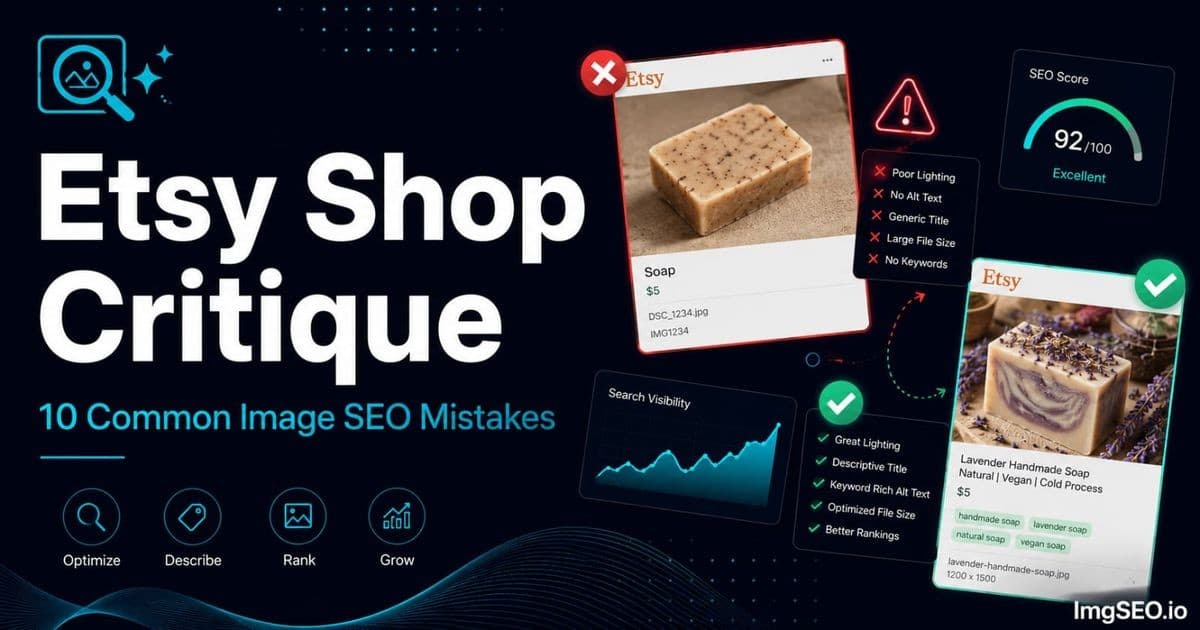
After reviewing hundreds of Etsy shop image galleries, the same ten mistakes appear with remarkable consistency — across jewelry sellers, candle makers, soap artisans, printable sellers, and home decor shops. These are not obscure edge cases. They are the default state of most Etsy shops, and they cost sellers thousands of views and hundreds of sales every month.
The good news is that none of these mistakes require a camera upgrade, a photography course, or a redesigned product. Every single one is fixable today with tools you already have. This critique guide walks through each mistake exactly as it looks in a real shop, explains the specific harm it causes, and gives you the fix — with a priority order at the end so you know where to start.
Key Takeaways
- Empty alt text is the single most common mistake — it is also the fastest to fix, at roughly two hours for your top ten listings.
- Etsy may rename or process uploaded images, so do not assume source filenames or embedded metadata remain intact. Add descriptive alt text in Etsy's listing editor.
- Fix in priority order: alt text, then thumbnail quality, then missing image slots, then metadata, then filenames — that sequence produces the fastest visible traffic gains.
How to Critique Your Own Etsy Shop Images
Before diving into the specific mistakes, run this quick self-audit on your own shop first. It takes five minutes and immediately shows you which problems apply.
The 5-Minute Self-Audit
Open your Etsy shop on your phone. This is crucial — not on a desktop where you are used to seeing it, but on a phone where your thumbnails appear at roughly the size a buyer sees them in search results.
Browse your own listings as a buyer would. Ask yourself honestly: would you click on these thumbnails if you had never heard of your shop? Is the product immediately identifiable at small size? Is there enough visual contrast to stand out in a grid of competing listings?
Then ask: do your images collectively answer every buyer question? Can a buyer determine the actual size of your product? What it looks like from the side or back? How it looks in use? What the packaging looks like if they are buying it as a gift?
Finally, right-click any listing image in your browser, select "Open image in new tab," and look at the URL. If it contains strings like il_794xN.1234567890 or similar — that is Etsy's processed filename, which tells you nothing and tells Google nothing useful. Keep descriptive source filenames for your own asset organization, but rely on seller-controlled Etsy listing fields for published optimization.
Tools for Self-Audit
- Google Search Console: Connect your Etsy shop URL if you have not already. Check the Performance report filtered to image search — this shows you how many times your images appear in Google Images and how many clicks they receive. Low impressions means Google is not ranking your images; low CTR means your thumbnails are not compelling buyers to click.
- Etsy Stats: Compare your view-to-visit ratio. A low visit rate suggests buyers are finding your listings in Etsy search but not clicking through — often a thumbnail quality problem.
- The inspect tool: Right-click any listing image on your live shop, choose "Inspect," and find the
altattribute on theimgelement. If it is blank or contains only your shop name, your alt text is missing or auto-generated.
For a complete walkthrough of auditing your image SEO from scratch, see our image SEO audit guide.
Mistake 1: Empty Alt Text on Every Image
What It Looks Like
Every listing image has been uploaded with the "Describe this photo for buyers who are visually impaired" field left blank in Etsy's image editor. Etsy's system may generate a fallback description from your listing title — something like "Handmade necklace by ShopName" — but this is generic, does not describe the image, and does not match the specific queries buyers use in Google Images search.
This is the most common mistake by a significant margin. The majority of Etsy shops have no seller-written alt text on any image in their catalog.
The Fix
Start with your five best-selling listings and add descriptive alt text to every image in each. The formula is:
[material] + [product type] + [style/color] + [occasion/use]
For a main product shot: "Sterling silver dainty leaf ring stacking minimalist everyday wear"
For a detail shot: "Sterling silver leaf ring engraving detail close-up handmade"
For a lifestyle shot: "Sterling silver leaf stacking rings worn on three fingers boho style"
Each image in the same listing should have different alt text targeting a different keyword variation. Keep it between 100 and 200 characters and write it as a natural description, not a keyword list. For more on writing alt text that converts, see our guide on how to get more Etsy sales with image SEO.
Mistake 2: Only 1-3 Images Per Listing
What It Looks Like
A listing that has one clean product shot and two additional angles — with seven empty image slots. The buyer has no scale reference, no lifestyle context, no detail close-up, and no packaging preview. From an SEO perspective, seven empty slots is seven missed opportunities to rank in Google Images for different keyword queries.
Etsy allows 10 images per listing. Using three means you are running at 30% of your available SEO capacity.
The Fix
Fill all 10 slots. If you do not have 10 distinct product photos, add these categories in order of priority:
- Clean main product shot (if you only have one, this stays)
- Detail/texture close-up
- Scale reference — product next to a hand or common object
- Lifestyle or in-use shot
- Alternate angle or color
- Packaging shot (if applicable)
- Flat lay with complementary styling props
- Measurement or size guide with text overlay
- Care instructions or materials highlight
- Gift context shot (product wrapped, in a box, or with a card)
Each of these serves a different buyer question and targets a different keyword cluster in Google Images. For the full strategy on using images to lift conversion alongside SEO, see our guide on how to increase Etsy conversion rate with images.
Mistake 3: Camera Default Filenames
What It Looks Like
Right-click a listing image on your Etsy shop and open it in a new tab. If the URL contains IMG_4521, DSC_0234, P1030089, or a string of digits like 1234567890, your filename was never optimized. Etsy may rewrite or process the uploaded file, so do not assume the original filename or embedded metadata remains available to Google.
Uploading IMG_4521.jpg tells Google nothing. Uploading lavender-soy-candle-8oz-wooden-wick-gift.jpg tells Google exactly what the image contains.
The Fix
Rename every image file before uploading. Use lowercase, hyphens between words, and lead with the most important keyword:
[hero product keyword]-[material]-[style]-[occasion].jpg
Examples:
lavender-soy-candle-8oz-wooden-wick-gift.jpgsterling-silver-leaf-ring-stacking-minimalist.jpgactivated-charcoal-soap-bar-oily-skin-handmade.jpg
For a complete guide to fixing bad filenames across an existing catalog — including how to handle Etsy's filename replacement — see our guide on how to fix bad image filenames for SEO.
Mistake 4: Dark or Blurry Main Image
What It Looks Like
The main listing thumbnail was shot under warm yellow indoor lighting at night, resulting in an orange cast and soft focus. Or the seller uses a dark moody aesthetic — deep shadows, dramatic low-key lighting — that looks striking at full size but is completely unreadable at 150px thumbnail size in Etsy search results.
In a grid of competing listings, your thumbnail competes for attention in approximately 0.3 seconds of visual scanning. An image that requires effort to read is an image that gets skipped.
The Fix
Your main image needs to pass the thumbnail test: hold your phone at arm's length and look at your listing grid. If the product is not immediately identifiable and visually distinct, the main image needs to change.
Reshoot the main image near a large window during daylight hours — north-facing windows give the most even, shadow-free light. Use a clean white, light gray, or cream background. Make the product fill most of the frame with minimal dead space. High contrast between the product and background is more important than artistic styling at thumbnail size.
Reserve dark, moody, atmospheric images for slots 3–5 in your image gallery, where buyers who have already clicked through are evaluating the product at full size. At that stage, aesthetic and mood sell; at the thumbnail stage, clarity and recognition sell. For more photography fundamentals without specialized equipment, see our Etsy photography guide for non-photographers.
Mistake 5: No Scale Reference Image
What It Looks Like
Every image in the listing shows the product floating in isolation against a background. There is no hand holding it, no familiar object beside it, no ruler, and no size overlay. The buyer is left guessing whether a ring is dainty or chunky, whether a candle is travel-sized or large, whether a print is letter-size or poster-size.
The downstream effect is predictable: "Smaller than I expected" is consistently one of the most common phrases in negative Etsy reviews. Returns, refund disputes, and one-star reviews follow — all of which damage your Etsy ranking more than adding one scale reference image would have cost you.
The Fix
Add a single scale reference image showing the product held in an average-sized hand, placed next to a recognizable object (a coffee cup, a coin, a book), or photographed flat with a clear ruler alongside it. For products with fixed dimensions, overlay the measurements as text directly on the image.
Write the alt text for this image to include the size context: "Sterling silver leaf ring held between thumb and forefinger showing actual size dainty" or "8oz lavender soy candle next to standard coffee mug for size reference."
This one image alone reduces buyer confusion, reduces returns, and protects your review score — which has a direct impact on Etsy search ranking.
Mistake 6: Same Alt Text on All Images
What It Looks Like
Every image in a 10-image listing has identical alt text — often the product title copied and pasted. Or the seller writes one good alt text for the main image and then never changes it for the other nine. From Google's perspective, 10 images with identical descriptions are 10 duplicates, not 10 unique keyword opportunities.
The Fix
Each image needs unique alt text that accurately describes what that specific shot shows. The alt text formula changes by image type:
- Main product image: product name + material + color + key feature. "Handmade lavender soy candle 8oz wooden wick clean burn minimalist"
- Detail close-up: the specific detail shown. "Wooden wick lavender soy candle close-up showing natural wick texture"
- Lifestyle image: the scene and product in context. "Lavender soy candle lit on bathroom shelf beside book and dried flowers self-care"
- Packaging image: the gift context. "Lavender soy candle in kraft gift box with ribbon handmade gift for her"
- Scale reference: the comparison being made. "8oz lavender soy candle held in hand showing actual size"
Unique, descriptive alt text helps buyers using assistive technology understand what each view shows, and external search engines may read it. It does not guarantee that each image will be indexed or rank independently. For the full alt text strategy, see our complete alt text guide.
Mistake 7: No Metadata Before Upload
What It Looks Like
Images uploaded directly from a phone or camera with no EXIF or XMP metadata beyond what the camera recorded automatically: camera model, aperture, shutter speed, ISO, and GPS coordinates. No product keywords, no description, no title field, no subject tags. These source files contain no product-relevant descriptive or rights metadata.
ImgSEO can embed portable descriptive information in the exported source file, but Etsy may process uploaded images. Do not assume that metadata remains intact or that there is a special crawl-timing window. Prioritize descriptive listing-image alt text and Etsy's other seller-controlled fields.
The Fix
Embed EXIF and XMP metadata into your image files before uploading to Etsy. The key fields to populate are:
- Title: keyword-rich product name — "Lavender Soy Candle 8oz Wooden Wick Handmade Natural"
- Description: full product description with material, benefit, and occasion — "Handmade lavender soy candle with wooden wick. 8oz, 45-hour burn time. Natural, vegan, clean-burning. Perfect gift for self-care, birthday, or housewarming."
- Keywords: lavender candle, soy candle, wooden wick candle, handmade candle, natural candle, vegan candle, candle gift
ImgSEO generates SEO text as separate output and embeds file metadata in supported exports: XMP for JPEG, WebP, and AVIF, with EXIF additionally included for JPEG. Etsy controls upload processing and whether embedded metadata is preserved or used. For the full metadata strategy, see our guide on how to add metadata to product images.
Mistake 8: Inconsistent Photography Style
What It Looks Like
Scroll through a shop and the first three listings have clean white backgrounds, the next two are shot on a dark wood board, the following listing has a lifestyle background with blurred greenery, and the last one has a cluttered kitchen counter visible behind the product. The shop looks like it was assembled from five different sellers' images, because visually — it was.
This inconsistency signals unprofessionalism to buyers and makes it harder to build brand recognition when multiple listings appear side by side in search results.
The Fix
Choose one primary aesthetic for your main images and apply it consistently across your entire catalog. This does not mean every image looks identical — it means your main listing images share the same background type, similar lighting, and a consistent color palette.
The most practical approach: pick one background surface (white seamless, light linen, natural wood, marble) and shoot all main product images on that surface. Secondary images — lifestyle shots, flat lays, detail close-ups — can vary more because they appear only after a buyer has already clicked through. The thumbnail is the brand face; the gallery is the product story.
Keep alt text consistently descriptive and useful rather than forcing every image into the same keyword pattern. Embedded metadata can retain file-level descriptive information, but it should not be treated as a guaranteed Google ranking mechanism.
Mistake 9: No Lifestyle Images
What It Looks Like
Every listing image shows the product on a plain background with no context — no person using it, no room setting, no environmental cues. The buyer can see the object clearly but cannot picture it in their own life. For aspirational products — jewelry, home decor, candles, art prints, textiles — this is a significant conversion blocker.
Buyers do not just buy products; they buy versions of their life that include those products. A lifestyle image makes that connection concrete.
The Fix
Add at least one lifestyle image per listing showing the product in context that matches your buyer's aspiration:
- Jewelry: worn on a model (hands, neck, ears), not just held in a product shot
- Home decor: styled in a room corner, on a shelf, or on a table — not floating on white
- Candles: lit in an atmospheric setting — beside a book, in a bath, on a dining table
- Art prints: framed and hung on a wall or leaned against a shelf in a styled space
- Soap: on a wooden soap dish in a bathroom, next to a towel and plant
The lifestyle image should appear in slot 2 or 3 — close enough to the front that buyers who scroll through the gallery reach it before losing interest. For more on lifestyle image strategy for handmade sellers, see our Etsy image SEO guide for handmade sellers.
Mistake 10: Never Updating Images Seasonally
What It Looks Like
It is mid-January and a shop's top gift set listing still has Christmas packaging in the hero shot. Or it is November and the same listing has the same plain product image it has had all year — no gift box, no holiday context, no seasonal keyword in the alt text. Competing listings that added gift packaging images and holiday alt text six weeks ago are capturing all the Christmas gift traffic.
Seasonal image updates are one of the highest-leverage activities in Etsy image SEO because they target high-intent, time-limited searches at exactly the moment buyers are ready to purchase.
The Fix
Build a seasonal image SEO calendar with these key windows:
- Christmas: Update top-selling gift-appropriate listings by early November. Add gift packaging images, seasonal props (pinecones, ribbons, holiday greenery). Add gift keywords to alt text: "handmade lavender soap gift set Christmas gift for her natural."
- Mother's Day: Update floral, spa, jewelry, and home decor listings by early April. Add "Mother's Day gift" and "gift for mom" to alt text and metadata.
- Valentine's Day: Update romantic, floral, and couple-oriented listings by mid-January.
The SEO update is simple: add a gift packaging image, update alt text to include the occasion keyword, and update the metadata description to reference the seasonal use case. For a full holiday SEO strategy including seasonal content planning, see our Etsy holiday SEO guide.
The Priority Fix Order
Not all 10 mistakes have equal impact. If your time is limited, fix in this order:
Fix These First (Biggest Impact)
- Empty alt text — add concise descriptions for accessibility without reshooting. Start with your priority listings and monitor performance; Google indexing and timing are not guaranteed.
- Dark or blurry main image — can reduce clicks and conversions. Improve the thumbnail, then use Etsy Stats to measure whether buyer engagement changes over time.
- Missing images (fewer than 5) — adds SEO surface area. Shoot and add the missing shot types using the categories listed in Mistake 2.
Fix These Second
- Camera default filenames — rename and re-upload main images for new listings going forward; update top sellers retroactively.
- No scale reference — add one scale reference shot to every listing that does not have one. Reduces returns and protects review score.
- No metadata — use ImgSEO to batch-process your top sellers with embedded EXIF and XMP metadata.
Fix These Third
- Same alt text on all images — systematically write unique alt text for each image slot across your top 20 listings.
- No lifestyle images — schedule a lifestyle shoot to add context images to your top 10 listings.
- Inconsistent style — standardize main image backgrounds for new listings; gradually re-shoot existing listings as you have capacity.
- Seasonal updates — set calendar reminders 6–8 weeks before each major gift-buying peak.
The 2-Hour Etsy Image SEO Fix Session
You do not need a week to make meaningful progress. Here is what one focused two-hour session can accomplish:
Hour 1 — Alt text sweep: Open your top 10 listings in Etsy Shop Manager. For each listing, click every image and write unique, keyword-specific alt text following the formula: [material] + [product] + [style] + [occasion]. At roughly 3 minutes per image and 5 images per listing, this takes about 150 minutes — so focus on your top 5 listings in the first session.
Hour 2 — Metadata and filenames for new uploads: Use ImgSEO to generate and embed alt text and metadata for your top 10 product images. Download the processed files with keyword-rich EXIF and XMP fields already embedded, rename each file using the formula from Mistake 3, and queue them for re-upload when you next update those listings.
Result: You will have added keyword-rich alt text across 50 images, embedded metadata into 10 product photos, and created properly named files for your next round of listing updates — all without touching a camera. For a broader strategy on getting started with Etsy SEO, see our Etsy SEO tips for new sellers guide.
The same ten mistakes appear in Etsy shop after Etsy shop not because sellers are careless — but because Etsy's interface does not make image SEO obvious, and most sellers learned photography and listing skills without anyone explaining what Google actually reads.
Empty alt text reduces accessibility, while poor thumbnails can make products harder for buyers to evaluate. Address both, then use Etsy Stats and external search reporting to monitor results without assuming a fixed timeline or ranking improvement.
A practical priority order is: alt text → main image thumbnail → missing image views → source-file metadata → filenames. These improvements can support accessibility and buyer understanding, but Google indexing and Etsy click-through outcomes vary.
ImgSEO handles alt text generation and metadata embedding in a single upload — process 30 images free with no credit card required. For the complete guide on converting those image improvements into Etsy sales, see our guide on how to get more Etsy sales with image SEO.


