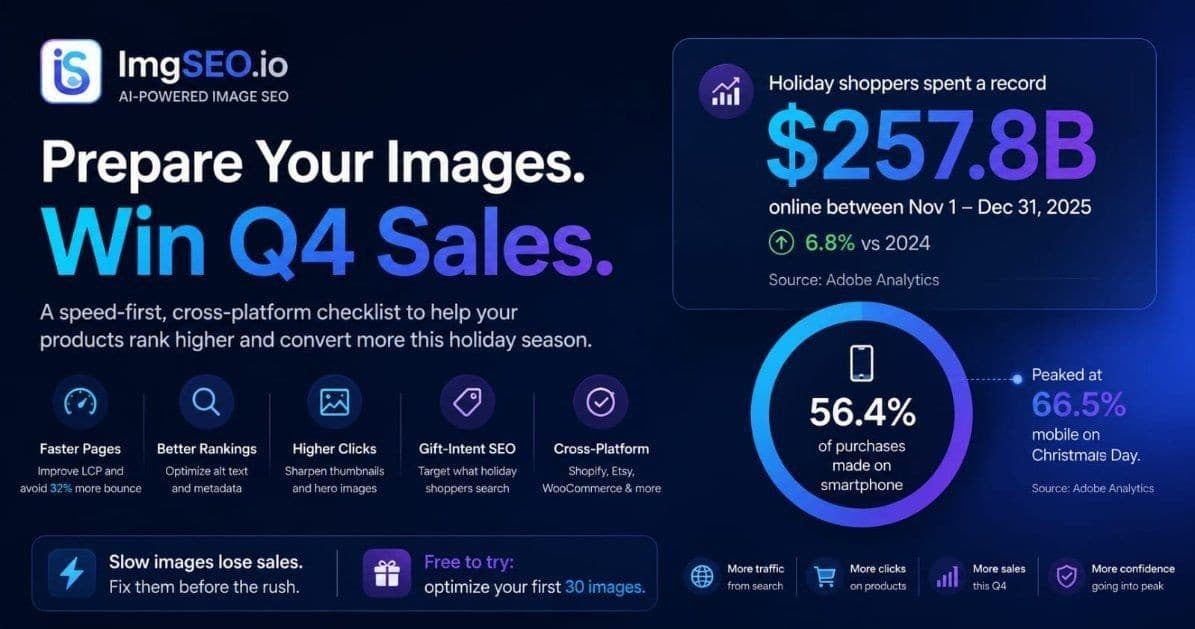
Holiday shoppers spent a record $257.8 billion online between November 1 and December 31, 2025 — up 6.8% year over year, with 56.4% of purchases made on a smartphone (Adobe). That's the opportunity. The problem is that Q4 traffic doesn't forgive slow, poorly optimized product images — it punishes them at the worst possible time.
This is a speed-first, cross-platform checklist to run before the rush, not during it. Work through it in priority order and you'll enter the season with faster pages, cleaner image signals, and products that actually show up when gift shoppers search.
Quick Summary
- Q4 traffic is overwhelmingly mobile (56.4% in 2025, per Adobe) and impatient — bounce probability rises 32% as load time goes from 1 to 3 seconds (Google/SOASTA).
- Fix speed before keywords: seasonal demand already sends the traffic; slow images bleed the surge.
- Do the work early. Compressing a catalog and re-testing takes time you won't have in December.
Why Q4 image prep can't wait
Seasonal demand is a traffic spike, and a traffic spike is a stress test. The oversized hero image that felt "fine" in July becomes the bottleneck in November when ten times the visitors — most of them on phones on mobile data — hit your product pages at once.
The stakes are concrete. Google/SOASTA research found that as a mobile page's load time goes from 1 second to 3 seconds, the probability that a visitor bounces increases 32% (Think with Google). During the holidays, when 56.4% of shoppers are on mobile (Adobe), that bounce is a lost sale — during the one month it hurts most.
Fix these first: the Q4 priority order
You have limited time, so spend it where it converts. The order below is deliberate — speed and the main image come before everything else, because they protect the traffic you're already going to get.
1. Compress and right-size every product image
This is the highest-leverage Q4 fix. Your main product image is usually the Largest Contentful Paint (LCP) element, and Google's "good" threshold is 2.5 seconds or less (web.dev). Oversized images blow past it on mobile connections.
- Convert product photos to WebP — it averages 25-34% smaller than JPEG at equal quality (Google).
- Keep main product images under ~150KB where quality allows; thumbnails under ~50KB.
- Serve images at display size, not full camera resolution.
Our guide on optimizing images for SEO and website speed covers the full workflow.
2. Sharpen thumbnails and hero images for a crowded search page
Holiday search results are packed. Your thumbnail is the click decision, and your first product image is what a shopper waits to load. Retake or re-crop main images so they read clearly at small size, with strong contrast against a busy results grid. A tighter, better-lit thumbnail lifts click-through exactly when competition for the click is fiercest.
3. Write alt text and metadata for gift-intent searches
Shoppers search differently in Q4 — "gift for dad," "stocking stuffer," "personalized." Update alt text on your best sellers to include those gift-intent terms where they genuinely apply, using the standard formula: [color] [material] [product type] [feature], [gift context]. Embed the same keywords in your files' EXIF/IPTC metadata before uploading. See how to write alt text for product images and our product image SEO guide for the method.
4. Run the platform-specific checks
Each platform has its own image levers, and Q4 is when they pay off:
- Etsy: fill all 10 photo slots and add alt text to each — see the Etsy image SEO guide and the Etsy holiday SEO guide.
- Shopify: compress before upload and confirm your theme serves resized thumbnails — Shopify image SEO guide.
- WooCommerce: set correct image sizes, regenerate thumbnails, and don't lazy-load the main image — WooCommerce image SEO guide.
For the platform-agnostic foundation, the complete image SEO guide ties it all together.
5. Test before the traffic arrives
Don't guess — measure, while you still have time to fix. Run your top product pages through PageSpeed Insights on mobile, check the LCP element is your main image (and that it isn't lazy-loaded), and load a page on a real phone over cellular data. Fixing a slow LCP in October is routine; fixing it during a Cyber Monday spike is a fire drill.
The Q4 image SEO checklist
- [ ] Compress and convert main product images to WebP (under ~150KB)
- [ ] Confirm the main image is the LCP element and is eager-loaded
- [ ] Lazy-load only below-the-fold and gallery images
- [ ] Retake or re-crop thumbnails for clarity at small size
- [ ] Add gift-intent alt text to best sellers
- [ ] Embed EXIF/IPTC metadata before uploading
- [ ] Complete the platform-specific checks (Etsy / Shopify / WooCommerce)
- [ ] Run PageSpeed Insights on mobile for top product pages
- [ ] Verify on a real phone over cellular
- [ ] Finish early — before peak traffic, not during it
Want the exhaustive, year-round version? Work through our 25-step image SEO checklist, and for the strategic picture, the e-commerce image SEO strategy.
The bottom line
Q4 rewards the stores that prepared. The traffic is enormous, mostly mobile, and impatient — and the single biggest thing standing between a holiday shopper and your product is often an image that loads too slowly. Fix speed first, sharpen the images that earn the click, then layer in seasonal keywords.
Do it in October. Your December self will thank you. And if you want to compress, convert, and embed metadata across your whole catalog in minutes instead of days, ImgSEO handles it automatically — free for your first 30 images.