
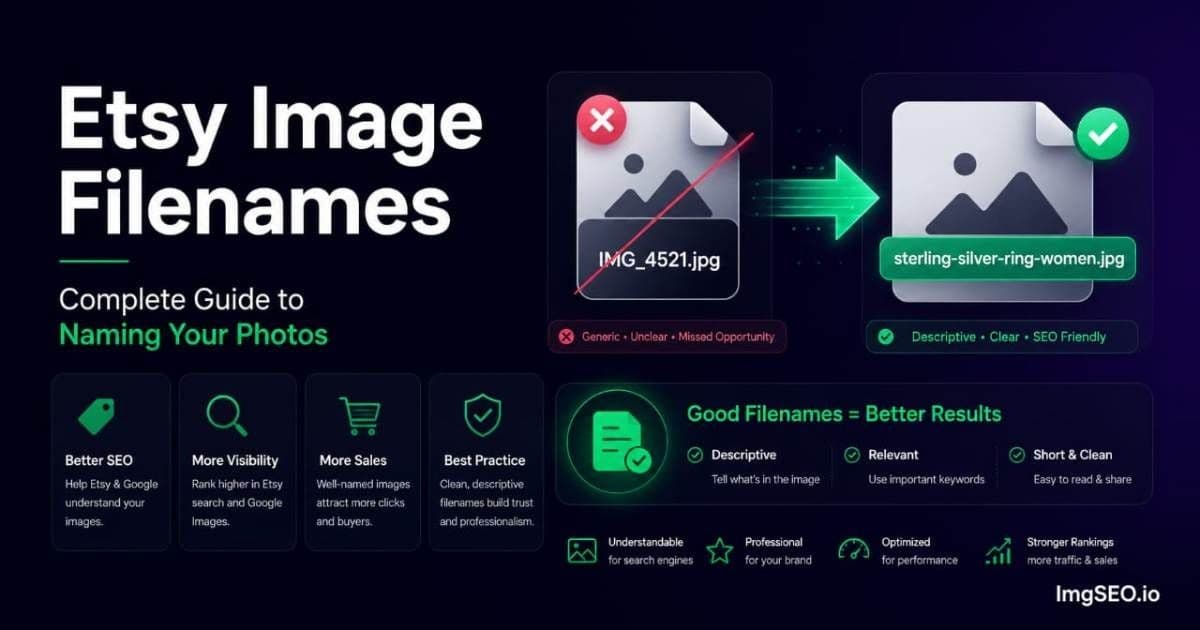
Before you click upload on Etsy, your image filename has already had its only chance to help your SEO — and for most sellers, that chance goes completely unused.
The typical Etsy upload looks like this: IMG_4521.jpg. The file came straight off a phone camera, got dragged into the upload box, and was submitted without a second thought. Nothing about that filename tells Google what it depicts. The opportunity — narrow as it is — was wasted before the upload even started.
This guide explains exactly where that opportunity comes from, how to write filenames that use it, and how to combine filename optimization with the other signals that make image SEO actually work on Etsy.
Key Takeaways
- Etsy replaces your filename during processing, so a descriptive filename only helps during the brief pre-upload crawl window — rename before you upload, not after.
- The working formula is
material-product-type-style-color-occasion.jpg, hyphens only, all lowercase, under 60 characters.- Filenames are one of three layered signals alongside embedded metadata and alt text; on their own they have limited impact, but together they compound.
Why Etsy Image Filenames Matter
The Pre-Upload Window
When you upload an image to Etsy, the file does not instantly transform into a polished listing photo. There is a processing step: Etsy receives your original file, queues it for resizing, compression, format conversion, and CDN distribution. That processing takes time.
Google's crawler does not wait for that processing to complete. If Googlebot discovers the image URL during the window between upload and Etsy's processing, it fetches the file in its original state — including whatever filename you uploaded. A descriptive filename in that URL is a ranking signal. A camera default name is noise.
What Etsy Does to Filenames
Etsy renames every uploaded image to its own internal naming convention during processing. Your original filename does not appear in the final image URL that Etsy serves to browsers or to Google after processing is complete. The descriptive name you chose exists only in that pre-processing window — and in the original file sitting on your computer.
This means renaming your files before upload is the only point in the workflow where you control this signal. There is no way to update a filename after upload. The window closes when Etsy's processing finishes.
Why Most Sellers Miss This
Camera and smartphone default names — IMG_4521.jpg, DSC_0034.jpg, 20260615_143022.jpg — contain zero keyword value. They identify a file by sequence number or timestamp, not by content. Every seller who uploads these names is contributing nothing to their image's search visibility.
Renaming a file takes 10 to 15 seconds. For a 20-product catalog with five photos each, that is roughly 15 minutes of total work — a one-time investment that compounds across every listing you add. Most sellers skip it not because it is hard but because they do not know it matters.
The Etsy Filename Formula
The Core Structure
[material]-[product-type]-[style]-[color]-[occasion].jpg
Applied to a real product: sterling-silver-hammered-ring-minimalist-women.jpg
This structure covers the keywords buyers actually search: what it is made of, what it is, how it looks, who it is for. Together these elements address multiple search intents in a single filename.
Why This Order Matters
Put the most important keyword first. Google gives slightly more weight to words that appear earlier in a filename, the same way it weights words earlier in a URL slug. For most product categories, material or product type is the highest-value keyword — that is what buyers lead with in their searches.
The structure above also reads naturally from left to right, which matters for human scanning of file lists during batch uploads or file management.
Character and Format Rules
- Hyphens only — no underscores, no spaces, no special characters
- All lowercase — avoids case-sensitivity inconsistencies across systems
- Under 60 characters when possible — enough for 5 to 7 meaningful keywords
- No shop name — wastes filename space on something buyers do not search for
Filename Examples by Etsy Category
Good filenames are specific, readable, and keyword-rich without being repetitive. Here are working examples across the most common Etsy categories.
Jewelry
sterling-silver-hammered-ring-minimalist-women.jpg
gold-filled-dainty-necklace-layering-everyday.jpg
rose-gold-hoop-earrings-small-gift-women.jpg
copper-wire-wrapped-crystal-pendant-necklace.jpg
Candles
soy-lavender-candle-8oz-glass-jar-handmade.jpg
beeswax-candle-natural-unscented-pillar-large.jpg
soy-wax-eucalyptus-mint-candle-tin-container.jpg
Ceramics
wheel-thrown-stoneware-mug-speckled-glaze.jpg
handmade-ceramic-vase-matte-white-minimalist.jpg
stoneware-dinner-plate-reactive-glaze-blue.jpg
Clothing
linen-midi-dress-women-blue-summer-casual.jpg
merino-wool-sweater-oversized-cream-cozy-knit.jpg
cotton-wrap-dress-floral-print-boho-summer.jpg
Art Prints
watercolor-botanical-print-8x10-green-minimalist.jpg
abstract-line-art-print-black-white-modern-wall.jpg
vintage-map-print-celestial-navy-gold-framed.jpg
Stationery
weekly-planner-undated-a5-minimalist-spiral.jpg
birthday-card-botanical-watercolor-blank-inside.jpg
gratitude-journal-hardcover-dot-grid-linen.jpg
Notice that each example includes at least three distinct keyword elements and avoids repeating the same word. For more guidance on writing SEO copy for different product types, see how to write alt text for every product type.
Filename Mistakes That Waste the Opportunity
Mistake 1: Camera Default Names
IMG_4521.jpg, DSC_0034.jpg, 20260615_143022.jpg
These are the most common filenames on Etsy. They tell Google nothing about the image content. Every upload with a default camera name is a missed signal.
Mistake 2: Generic Single Words
ring.jpg, candle.jpg, mug.jpg
Single-word filenames are marginally better than camera defaults but still near-useless. They are too broad to rank for specific searches, and they differentiate nothing across your catalog — every product photo becomes ring.jpg, ring2.jpg, ring3.jpg.
Mistake 3: Keyword Stuffing
silver-ring-ring-jewelry-women-gift-silver-ring-handmade-etsy.jpg
Repeating the same keyword multiple times does not compound the signal — it flags the filename as manipulative. Google's spam systems recognize keyword repetition in filenames the same way they recognize it in anchor text. Stick to one instance of each meaningful term.
Mistake 4: Underscores Instead of Hyphens
sterling_silver_ring.jpg vs sterling-silver-ring.jpg
Google treats hyphens as word separators in URLs and filenames. Underscores are not treated as word breaks in the same reliable way. sterling_silver_ring may be processed as a single token rather than three distinct keywords. This distinction has been consistent in Google's guidance for over a decade.
Mistake 5: Including Your Shop Name
myshopname-silver-ring.jpg
Your shop name is not what buyers search when they are looking for a sterling silver ring. Including it in the filename consumes character space that could hold a material, style, or occasion keyword. Brand keywords belong in your listing title and shop profile, not in image filenames.
How to Rename Files Before Uploading
Method 1: Manual Renaming
On Windows: right-click the file, choose Rename, type the new name, press Enter. On Mac: click the filename once slowly (not double-click), type the new name, press Return.
Time: 10 to 15 seconds per image. This is practical for small catalogs of 10 to 20 products. For larger catalogs or ongoing new product photography, the time adds up.
Method 2: Batch Renaming Tools
Windows: PowerToys (free from Microsoft) includes a PowerRename utility that supports pattern-based batch renaming with regex. Useful for adding a consistent prefix or removing sequences from sets of related images.
Mac: Automator includes a Rename Finder Items action that can apply batch renaming rules. The Finder's built-in batch rename (select multiple files → right-click → Rename) handles sequential numbering but not unique descriptive names.
The limitation of batch renaming tools is that they apply consistent patterns rather than unique descriptive names. They cannot look at a photo of a ceramic mug and generate wheel-thrown-stoneware-mug-speckled-glaze.jpg — they only apply the rules you write.
Method 3: AI-Powered Renaming
The most practical approach for descriptive, product-specific filenames at scale is an AI tool that analyzes each image and generates the filename from the visual content. ImgSEO does this alongside alt text and metadata generation — upload your product photos and download them with SEO-optimized filenames already applied. No manual typing, no batch renaming rules to configure.
For a catalog of 50 products with 3 to 5 images each, the time difference between manual renaming and AI-generated filenames is significant.
Filenames for Multiple Images of the Same Product
Most Etsy listings include multiple photos — the main product shot, a worn or in-use photo, detail close-ups, and packaging. Each image needs a distinct filename that avoids duplicating the others while still targeting relevant keywords.
The Variation Strategy
For a sterling silver ring listing with five images:
sterling-silver-ring-minimalist-women.jpg         ← main product shot
sterling-silver-ring-worn-finger-stacking.jpg     ← worn/lifestyle
sterling-silver-ring-hammered-texture-detail.jpg  ← surface detail
sterling-silver-ring-gift-box-packaging.jpg       ← packaging
sterling-silver-ring-size-comparison-hand.jpg     ← scale reference
Each filename targets a slightly different keyword combination. The main shot targets the primary product search. The worn shot targets "stacking ring" and "worn" queries. The detail shot targets texture and material searches. The packaging shot targets gift queries.
Duplicate or near-duplicate filenames across a listing reduce the individual keyword reach of each image. Varied filenames multiply it.
Filenames for Color and Size Variants
When a product comes in multiple colors or sizes, each variant listing should have images with filenames that include the specific variant attribute.
Color Variant Strategy
sterling-silver-ring-minimalist-silver.jpg
sterling-silver-ring-minimalist-rose-gold.jpg
sterling-silver-ring-minimalist-gold.jpg
Each color becomes a distinct Google Images search opportunity. A buyer searching specifically for "rose gold minimalist ring" finds the rose gold variant image. A buyer searching "gold minimalist ring" finds the gold variant. One generic filename trying to cover all three variants cannot rank for all three color searches simultaneously.
The same logic applies to size variants where size is a likely search term — a small linen tote and a large linen tote serve different search intents and should be distinguished in their filenames.
Does Filename Renaming Still Matter If Etsy Strips It
The Honest Answer
Yes, but with realistic expectations. The pre-upload crawl window is real but not guaranteed for every image on every upload. Some images will be processed by Etsy's systems before Googlebot gets to them. Others will be crawled during the window. You do not control which happens.
What you can control is ensuring that when the window is available, you have a signal worth reading. A descriptive filename is ready to be useful. A camera default name is not.
Treat filenames as one layer of a multi-layer image SEO strategy, not the primary or only layer. Filenames have a narrow opportunity window. Alt text is more reliable and consistently readable by Google. Embedded metadata adds a third signal that travels inside the file itself.
The Layered Strategy
Each layer reinforces the others:
- Filename — the first signal, operates in the pre-upload crawl window
- Embedded metadata — the second signal, lives inside the file alongside the image data
- Alt text — the third signal, the most reliable because you add it through Etsy's interface after upload
All three together create a stronger, more redundant SEO profile than any one alone. For a complete Etsy image SEO approach that covers all three layers, see how to get more Etsy sales with image SEO.
The Bottom Line
Image filenames matter in a narrow but real window before Etsy's processing replaces your original name. The cost of renaming — 10 to 15 seconds per file — is low enough that there is no good reason to skip it. The formula is straightforward: material, product type, style, color, occasion, separated by hyphens, all lowercase, under 60 characters.
Camera default names contribute nothing. Generic single words contribute almost nothing. Descriptive, keyword-rich filenames following the formula contribute a genuine — if limited — SEO signal during the one window where filenames are visible to Google.
Combined with embedded metadata and strong alt text, properly named filenames form the first layer of a complete image SEO strategy. ImgSEO generates all three automatically — optimized filename, embedded metadata, and alt text — from a single upload.
For more on correcting filename problems across an existing catalog, see how to fix bad image filenames for SEO.


