
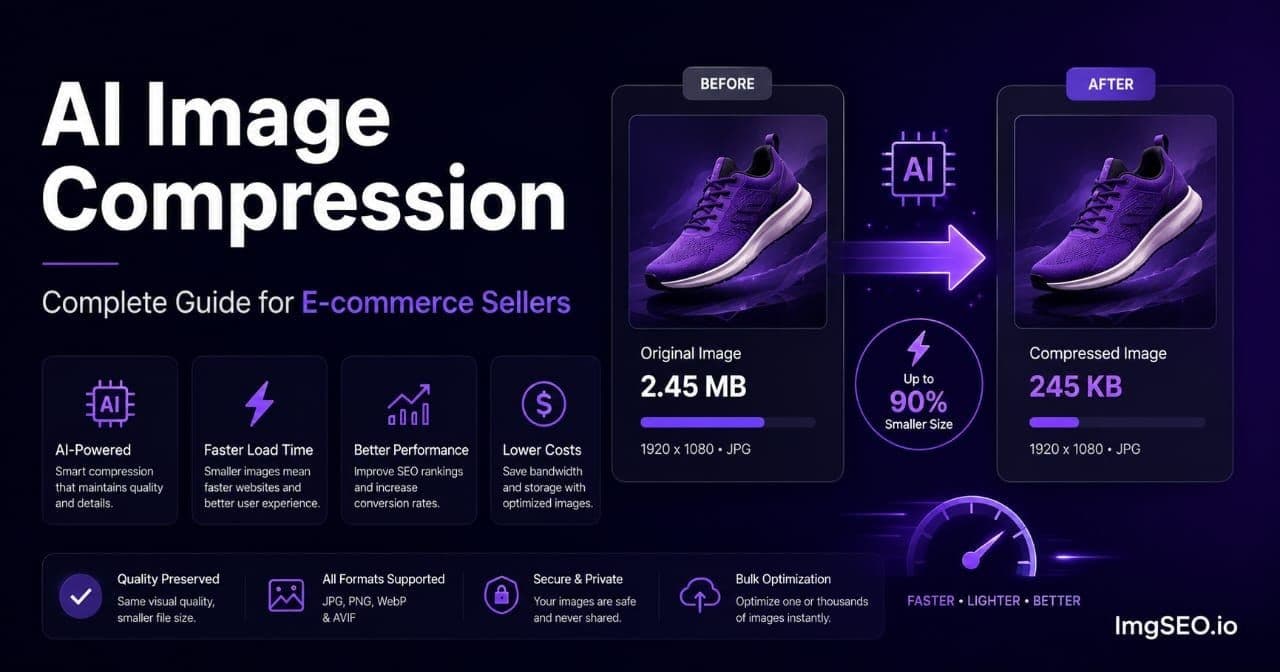
A 5MB product photo can cost you Google rankings before a single buyer ever sees it. The page loads slowly. Your Core Web Vitals score drops. Google's algorithm penalizes your position in search. All because of a file that looks fine in your product editor but is doing measurable damage to your visibility.
Page speed is a confirmed Google ranking signal. Images account for roughly 45% of total page weight on the median e-commerce product page, according to the HTTP Archive Web Almanac 2024. AI image compression fixes this at scale, cutting file sizes 70-90% without the visible quality loss that traditional compression produces at equivalent reduction levels.
This guide covers how AI compression differs from standard tools, what it actually does inside your image files, how the three main formats compare, and what real-world results look like across different product types.
Key Takeaways
- Images average 45% of page weight on e-commerce product pages (HTTP Archive, 2024).
- AI compression adapts data allocation per image zone — protecting product detail, compressing background — cutting file sizes 70-90%.
- Google's "good" LCP threshold is under 2.5 seconds; most uncompressed product images fail this benchmark on mobile.
- WebP is the practical format default for Shopify and WooCommerce; JPEG remains required for Etsy.
- Pre-compress before every upload — even on platforms with built-in optimization, you control quality; the platform doesn't.
Why Does Image File Size Tank Google Rankings?
Google measures e-commerce page performance primarily from mobile Chrome data, and the key metric is Largest Contentful Paint. LCP measures the time from navigation start to when the largest visible element finishes rendering. Google classifies LCP under 2.5 seconds as "good," 2.5-4.0 seconds as "needs improvement," and over 4.0 seconds as "poor," with rankings penalized at each worse threshold (Google web.dev, 2024). On a product page, that largest element is almost always the main product image — which means a 4MB uncompressed JPEG can push LCP past 5 seconds on a standard 4G connection, putting you squarely in Google's poorest ranking tier.
This isn't a marginal effect. A poor LCP score weakens your ranking regardless of how strong your alt text, metadata, or internal linking is.
The cascade that follows amplifies it further. Slow load leads to higher bounce rates. Higher bounces weaken engagement signals. Weaker engagement signals feed back into lower rankings. Lower rankings reduce traffic, which gives the algorithm less data to work with. Google's research found that 53% of mobile visits are abandoned if a page takes more than 3 seconds to load (Think with Google, 2016). Every uncompressed image in your catalog participates in that cycle.
According to Portent's page speed research (2022, n=27,000 landing pages), e-commerce sites loading in 1 second convert at 3.05% versus below 1.22% at 5 seconds — a 2.5x gap. For a store doing any meaningful revenue, image compression isn't a technical nicety. It's a revenue decision.
For a full technical breakdown of image optimization across the e-commerce stack, see the image compression guide for e-commerce.
Traditional vs. AI Compression: What's Actually Different?
Standard compression tools haven't changed their core approach since the 1990s: apply a single quality number uniformly across the whole image. Set quality to 80, and the encoder allocates the same level of data reduction to every pixel region in the frame, whether it's a detailed product surface or a blank white background.
That's the fundamental inefficiency. A plain white background behind a product needs almost no data to reproduce faithfully. The fine stitching detail on an embroidered item needs a lot of data — that's exactly what a buyer examines before purchasing. A uniform quality setting over-compresses the detail and wastes data on the blank space at the same time. You end up with a file that's bigger than necessary AND has worse texture detail than it should.
AI compression adds a content analysis step before any encoding decision is made. The model scans the image and maps zones by complexity: flat areas with minimal information, smooth gradients, edges, and texture-heavy regions. It then applies adaptive quality allocation — higher bit rates where detail matters, lower bit rates where detail is absent.
From what we've seen across product catalog optimization, the gap is most visible on category pages where multiple products appear as thumbnails. AI compression at a smaller file size produces noticeably crisper product thumbnails than traditional compression at the same quality setting. The buyer doesn't know why one thumbnail looks sharper — they just click it more.
For a deeper look at how AI reads and interprets product image content, see how AI reads product images for SEO.
How AI Compression Works in Three Steps
The mechanism behind the quality-vs-size advantage is sequential. Traditional tools skip all three of these steps.
Step 1: Content analysis. The model scans the uploaded image and builds a complexity map. Flat areas get flagged as low data need. Edges get flagged as moderate data need — they define shape. Texture-heavy zones get flagged as high data need. This analysis happens before a single compression decision is made.
Step 2: Adaptive quality allocation. Using the complexity map, the encoder allocates data non-uniformly across the file. A fine wool texture on a handmade sweater gets higher bit allocation — enough data to preserve the visual fiber detail buyers use to evaluate quality. The plain white background behind that sweater gets minimal allocation. Total file size reflects the image's actual information density, not a fixed quality number applied to everything equally.
Step 3: Format matching. AI tools can also determine the optimal output format for a given image. Simple product shots with large flat regions often compress better in WebP than JPEG for the same visual quality. Complex photographs with fine detail across the whole frame increasingly benefit from AVIF's more advanced codec. Fixed-format tools can't make this call.
JPEG, WebP, or AVIF: Which Format Wins for E-commerce?
Format selection is the first compression decision, and getting it wrong costs more than any quality setting could recover. JPEG, WebP, and AVIF use fundamentally different encoding algorithms, with real-world size differences of 25-50% at equivalent visual quality. Which format you can actually use depends largely on your platform.
JPEG has universal compatibility — every platform, every browser, every e-commerce system. Etsy requires JPEG uploads specifically. Its codec dates to the early 1990s, and newer formats achieve the same perceived quality at significantly smaller file sizes. JPEG isn't the best choice where you have a choice; it's the necessary choice where you don't.
WebP, developed by Google, delivers 25-34% smaller files than JPEG at equivalent visual quality, according to Google's own documentation (Google Developers, 2024). It supports both lossy and lossless compression modes, handles transparency, and carries 97%+ browser support globally. Shopify, WooCommerce, and most modern platforms serve WebP natively or convert to it automatically.
AVIF is derived from the AV1 video codec and achieves 40-60% smaller file sizes than JPEG at equivalent quality, depending on image content, per independent benchmarks from Imgix and Cloudinary (the Netflix TechBlog post from 2020 is the foundational study). Browser support has reached 93.42% globally as of May 2026 (caniuse.com). Encode times are slower than WebP, making AVIF more practical for pre-processed product catalogs than real-time image generation.
Platform recommendation summary:
| Platform | Best format | Quality setting | |---|---|---| | Etsy | JPEG (required) | 80–85 | | Shopify | WebP | 80–82 | | WooCommerce | WebP or AVIF | 80–82 | | Amazon | JPEG (safest) | 85–88 | | Own website | AVIF + WebP fallback | 75–80 |
For a full breakdown of format performance by product type and platform, see the WebP vs JPEG vs PNG guide for e-commerce.
How Much Does AI Compression Actually Save?
Compression ratios depend heavily on image content — specifically how much of the frame is flat versus textured. The more flat space (white background, smooth solid regions), the more aggressively AI can compress without any visible loss. Here's what we've found across common e-commerce product categories:
White-background jewelry photos compress most dramatically. The background, often 60-70% of the image area, is nearly information-free and compresses without any visible loss. The jewelry subject, however small it appears in the frame, gets its detail protected.
- Original: 2.5MB JPEG
- AI compressed: 280-350KB WebP
- Reduction: 85-90%
- Visual quality: No perceptible difference at any normal display size
Textured products (knit blanket, woven fabric) present the opposite challenge. The entire surface is texture — exactly what a buyer is evaluating. AI compression must protect that fabric detail while still achieving meaningful file size reduction.
- Original: 3.2MB JPEG
- AI compressed: 450-600KB WebP
- Reduction: 75-80%
- Visual quality: Fiber detail and stitch pattern preserved; background compressed
Complex lifestyle shots contain high information density throughout the frame. AI compression still outperforms traditional methods, but the gap narrows because there's less flat space to compress aggressively.
- Original: 4.1MB JPEG
- AI compressed: 700-900KB WebP
- Reduction: 70-75%
- Visual quality: Maintained with careful allocation across multiple detail zones
Quality Loss: Where AI Compression Still Has Limits
AI compression handles most product photography without visible trade-offs. But over-compress any image — even with an intelligent tool — and characteristic failure modes appear on exactly the areas buyers scrutinize most.
Gradients. Smooth color transitions develop banding: visible stair-stepping between color values that should blend continuously. This tends to appear in studio-gradient backgrounds, smooth packaging gradients, and fabric color transitions under diffused light.
Text in images. Product labels, care tags, size markings, or any text overlaid on a product photo loses sharpness when compressed too aggressively. Text requires precise edge data to remain crisp at small sizes.
Fine textures. Fabric weave, wood grain, and ceramic surface texture are exactly the visual detail buyers use to evaluate quality remotely. Over-compress these and buyers can't see what they're actually buying.
AI compression models detect each of these zones and protect them. Gradient regions get smooth-transition-preserving encoding. Text zones get sharp-edge bit allocation. Texture-heavy product surfaces get the highest bit allocation in the file.
Even so, there's a floor. In our experience, anything below WebP quality 75 on a textured product will show visible softness in the product's surface detail at mobile display sizes — which is where most of your buyers will encounter the image. Quality 80-82 is where we land for most product types. Go lower only on plain white-background shots where the saving is purely background.
For a category-specific look at how AI compression handles high-texture handmade products, see image SEO for knitting and crochet.
Etsy, Shopify, WooCommerce: What Each Platform Does to Your Images
Each major platform handles uploaded images differently. Knowing what your platform does — and what it doesn't — determines how much pre-compression matters for your specific store.
Etsy compresses every uploaded image automatically. It's generic: the same settings applied uniformly regardless of image content. You have no control over the quality-to-size tradeoff Etsy applies. Pre-compressing with an AI tool before uploading gives you that control back. Your image arrives at Etsy already optimized, and when Etsy's processing runs, it starts from a better baseline. More importantly, if Google crawls the image URL during the upload-to-processing window, it fetches the pre-compressed file you uploaded — not whatever Etsy's pipeline produces.
Shopify serves images through a CDN with some automatic optimization, including WebP conversion for supporting browsers. This is useful but not a substitute for pre-compression. A 4MB JPEG that Shopify converts to WebP is still larger than a well-compressed WebP you upload directly. The CDN can only work with what you give it. Pre-compression combined with Shopify's CDN is the optimal setup: you reduce the source file size, Shopify handles distribution and caching, and buyers get the fastest possible load times.
WooCommerce applies no automatic compression by default. The image you upload is stored at full size and served exactly as uploaded, unless you install a compression plugin. This makes WooCommerce the platform where pre-compression has the most immediate, unmediated impact on page speed and Google's assessment of your store.
Pre-compression matters on every platform for three consistent reasons: you control quality rather than accepting platform defaults, uploads complete faster when source files are smaller, and your local product catalog stays a manageable size rather than accumulating hundreds of gigabytes of raw files.
Try ImgSEO free to see what AI compression produces on your specific product photos before uploading to your store.
How to Set Compression Quality for Your Store
Quality settings that are too conservative waste file size. Settings that are too aggressive introduce visible artifacts on the product detail buyers are using to make a purchase decision. Neither is acceptable. Here's how to find the right floor for each context.
For Etsy (JPEG required): Target quality 80-85 for most product photos — this range achieves strong size reduction while staying above the artifact-visibility threshold at listing display sizes. For jewelry, ceramics, or any product where fine surface detail drives purchases, target quality 85-90. Test at quality 85 and check the result on a mobile screen. Artifacts? Go to 88. No visible difference between 80 and 85? Use 80.
For Shopify and WooCommerce (WebP available): WebP at quality 80 is the practical default for general catalog images. AVIF at quality 75-80 is worth using for hero images and featured products where page speed has the strongest direct impact on conversion.
The quality floor that always applies: Never compress below the point where quality loss is visible on a 6-inch screen at arm's length. That's the buyer's actual viewing condition — not a calibrated desktop monitor at 100% zoom. Test in the conditions buyers use, then set your floor. Compression that looks great on a 27-inch display can look noticeably soft on a phone.
Core Web Vitals: The Three Metrics Compression Affects
Image compression's impact on Google rankings runs through three Core Web Vitals metrics, not just one. Understanding each helps you prioritize where the gains matter most.
Largest Contentful Paint is the most direct connection. LCP measures how quickly the largest visible page element renders, and on a product page, that element is almost always the main product image — images are the LCP element on 76% of mobile pages and 85.3% of desktop pages, according to the HTTP Archive Web Almanac 2025. Google's "good" threshold is under 2.5 seconds for mobile users, yet only 62% of mobile pages achieve it, versus 74% on desktop (HTTP Archive Web Almanac, 2025). Mobile shows nearly double the rate of "poor" LCP scores (13% vs 7%). A product page with five 2MB product images ships a 10MB image payload. The same page with five 200KB WebP images ships 1MB total. That 90% reduction in image payload directly improves LCP.
Importantly, StatCounter data shows mobile generates roughly 52% of global web browser traffic, with mobile-inclusive metrics pushing closer to 60% when apps are included. Your LCP score is measured primarily from mobile users — which means mobile image file sizes are your primary ranking concern, not desktop.
Cumulative Layout Shift measures how much page elements move after initial render. Compression doesn't directly affect CLS, but pairing compression with explicit width and height attributes on your image elements eliminates layout shift during load. Do both at once.
Interaction to Next Paint captures how quickly a page responds to user interaction. Smaller images decode faster. Across a product page with five to eight images, this decoding time compounds. Compressed images reduce the browser's processing load during page render, which contributes to better INP scores.
What Changes When You Start Compressing Correctly?
AI image compression allocates data where buyers actually need it: protecting texture, edges, and product detail while compressing backgrounds and flat areas as aggressively as possible. Files end up 70-90% smaller than uncompressed originals with no quality loss visible to a buyer evaluating a product on a mobile screen.
Page speed is a confirmed Google ranking signal. Product images are the primary cause of slow page speed in e-commerce. Compressing those images before upload — with a tool that understands image content instead of applying uniform settings — is one of the highest-return optimizations available to any seller who hasn't done it yet.
ImgSEO compresses your product images alongside AI-generated alt text, filenames, and embedded metadata — all five image SEO pillars in a single upload. Your first 30 images are free.
For a broader look at image optimization across the full technical stack, see the image compression guide for e-commerce.


