
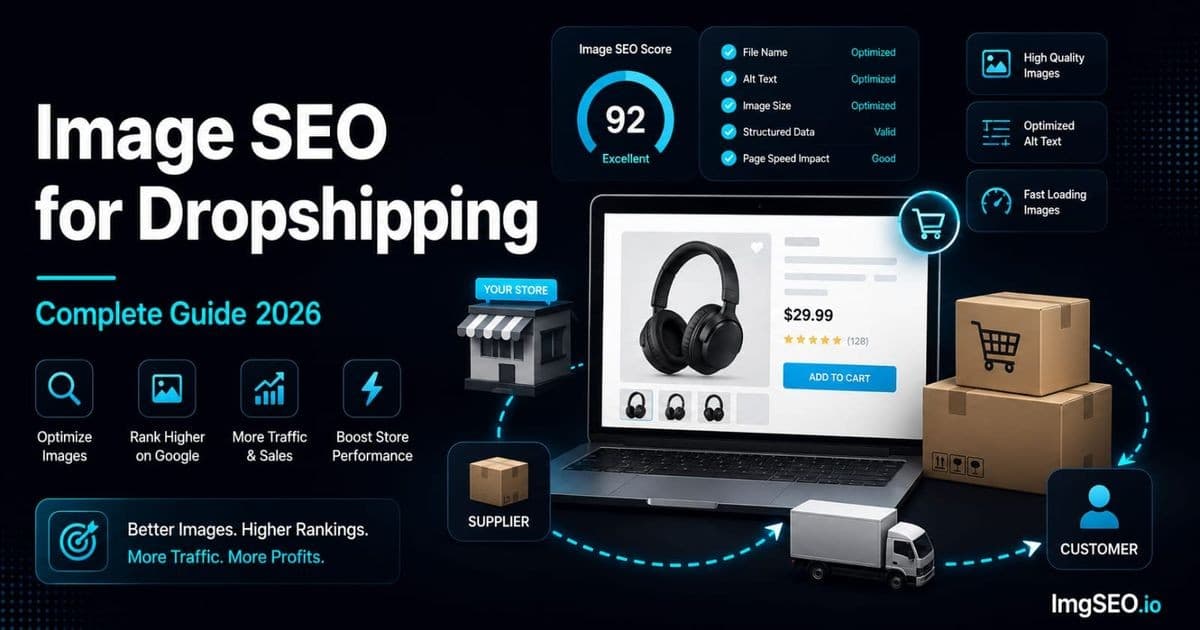
Reused supplier imagery makes it harder for a store to offer distinctive, useful visual information. Google may index the same or similar image in multiple contexts; it does not document a rule that selects one universal winner and makes every other store invisible.
The problem is scale. When you source from AliExpress, CJdropshipping, or any major supplier, you are sharing product images with hundreds or thousands of other stores. The image file that sits on your product page is, pixel-for-pixel, the same file that sits on a competitor's page, the supplier's own page, and the pages of resellers across a dozen other markets. Google's systems identify this duplication and apply a canonical source — usually the original, which is rarely you.
The solution does not require a photography studio or a product sample order. It requires a workflow: light editing to create a unique image, SEO filenames at export, metadata embedded before upload, and original alt text written for your specific buyer. Most dropshippers skip all four steps. That is the competitive gap this guide closes.
What you will learn:
- Why supplier images structurally hurt your image SEO and what Google does with duplicates
- Six steps to differentiate supplier images without a camera
- Platform-specific workflows for Shopify, WooCommerce, and Etsy dropshipping
- A complete checklist for every product image you publish
Key Takeaways
- Identical supplier images across thousands of stores create a duplicate-content problem; Google picks one canonical source, and it is rarely you.
- Minor edits — a crop, a brightness adjustment, a color grade — produce a distinct image hash in under two minutes per image and remove the structural disadvantage.
- Embedded metadata can support internal asset management, but it does not make a reused supplier image unique for ranking. Prioritize accurate original imagery, page context, and accessibility.
The Dropshipping Image Problem
Why Supplier Images Hurt Your SEO
When you download a product image from AliExpress and upload it to your Shopify store, you are not publishing a product image — you are publishing a copy of an image that already exists on thousands of other domains. Google's image crawlers compute a perceptual hash of every image they index. Images that hash identically or near-identically are flagged as duplicates.
The scale of this problem is larger than most dropshippers realize. A single popular AliExpress listing may have been downloaded by 500 to 5,000 stores globally. Each of those stores is competing with the others for the same image ranking, but only one version gets the canonical attribution — and that version is almost never a dropshipper's store. It is the supplier's listing, the manufacturer's wholesale page, or a large retailer who was there first.
The consequence is not that your images are penalized in an explicit sense. It is that they are ranked below the canonical source by default, regardless of how good your product page SEO is. Your images start at a structural disadvantage before a single optimization decision has been made.
What Google Does with Duplicate Images
Google's duplicate image handling mirrors how it handles duplicate text content. The algorithm identifies what it considers the original or highest-authority version of an image, assigns canonical status to that version, and treats remaining copies as lower-priority duplicates. This is not a penalty — it is a prioritization decision that consistently favors the source.
Supplier and retailer pages can compete for the same queries, but there is no guaranteed canonical position or fixed page placement for reused imagery. Original, accurate images and useful page content give shoppers more value and reduce dependence on generic supplier assets.
Supplier images can make a page less distinctive to shoppers when many stores use the same assets. Google does not publish a merchant-visible duplicate-image content-quality score, so focus on adding accurate original value to the page.
The Opportunity
The opportunity is simple: most dropshippers never touch the supplier image beyond downloading and uploading it. They do not rename the file. They do not edit the pixels. They do not add metadata. They do not write original alt text. They upload 1234567890_1.jpg with a blank alt text field and move on.
This means that any dropshipper who runs a basic optimization workflow — even one that takes 10 minutes per product — has a significant advantage over the field. You do not need to reshoot the product. You do not need expensive software. You need a consistent process applied systematically to every product you publish.
Step 1: Edit Supplier Images to Make Them Unique
Why Editing Matters for SEO
Google's perceptual image hashing detects similarity, not just exact matches. However, even minor pixel-level edits — a crop, a brightness adjustment, a color grade — produce an image that hashes differently from the original. The edited version is treated as a distinct image rather than a duplicate.
This is not a trick or a hack. Edited images are genuinely different from their source. A product photo with adjusted white balance and a cropped aspect ratio is a different image from the supplier's original, even if it shows the same product from the same angle. Google's systems treat it accordingly.
Editing also serves a second purpose: brand consistency. A store where every product image has the same color grade, the same background treatment, and the same crop ratio looks professional in a way that raw supplier images never do. That professionalism affects conversion rate, which affects platform ranking.
Simple Edits That Make Images Unique
You do not need to make dramatic edits. The goal is differentiation, not transformation. These four edits take under two minutes per image and produce a result that is meaningfully distinct from the supplier original:
- Crop to a consistent aspect ratio: Crop to 1:1 square for most platforms. This alone changes the image hash, removes any supplier watermarks or branding that appear at edges, and creates consistency across your catalog.
- Adjust brightness and contrast: Increase brightness by 10–15% and contrast by 10%. Supplier images are frequently underexposed. A brighter image performs better in search thumbnails.
- Apply a color grade: Warm the image slightly (increase color temperature by 200–300K) or cool it, depending on your brand aesthetic. This creates a consistent look across products and differentiates from the raw supplier image.
- Resize to your standard dimensions: Export at 1200x1200px or 2000x2000px consistently. Different dimensions from the supplier original mean a different file, reinforcing the distinction.
Tools for Editing
- Canva: free tier handles cropping, brightness, contrast, and background removal. The batch editing feature on Canva Pro processes multiple images with the same settings — worthwhile for large catalogs.
- Remove.bg: one-click background removal for isolating products and compositing onto clean white. Particularly useful for supplier images with cluttered or colored backgrounds.
- Lightroom Mobile: free on iOS and Android. Create a preset with your preferred brightness, contrast, and color grade settings, then apply it to every supplier image in seconds. The most efficient tool for high-volume editing.
- Snapseed: free mobile editor. The "Details" tool (structure and sharpening) significantly improves perceived image quality for supplier photos that look flat or soft.
What NOT to Do
Do not add watermarks, logos, or text to main product images. This violates platform rules on Amazon and Shopify and will get listings removed or suppressed. Do not keep supplier-branded packaging shots — replace them with clean product images. And never keep the original supplier filename. The filename is the first SEO asset attached to the image; a supplier filename wastes it entirely.
Step 2: Create SEO-Friendly Filenames
The Dropshipping Filename Problem
Supplier images arrive with filenames that communicate nothing to search engines: 1234567890_1.jpg, IMG_001.jpg, aliexpress-product-image-cn.jpg. These filenames are generated by supplier warehouse systems and carry zero product information. Every competitor who downloaded the same product has the same filename.
Google uses filenames as a relevance signal for image search. A filename like mens-slim-fit-white-dress-shirt-cotton.jpg tells the crawler exactly what the image contains before it even analyzes the pixels. A filename like 1234567890_1.jpg provides no signal at all, leaving the crawler to derive all context from surrounding page content — context that your competitors also have.
Creating Unique Filenames
Describe the product in your own words based on what you see in the image. Do not translate or adapt the supplier's product title — write a fresh description using the terminology your buyers actually search for.
Formula: [product]-[color]-[material]-[key-feature].jpg
- Supplier filename:
1234567890_1.jpg→ Your filename:mens-slim-fit-white-dress-shirt-cotton.jpg - Supplier filename:
product-image-02.jpg→ Your filename:stainless-steel-insulated-water-bottle-32oz-black.jpg - Supplier filename:
IMG_5534_hero.jpg→ Your filename:womens-crossbody-bag-brown-vegan-leather-front.jpg
Use hyphens between words, not underscores or spaces. Keep it under 60 characters. Include the most important keyword — the one buyers type first — as early in the filename as possible. For a complete guide to fixing filename problems at scale, see our article on how to fix bad image filenames for SEO.
Research Keywords for Filenames
Check Google autocomplete for your product category before writing filenames for a new product. Type the product name into Google Images search and note the suggested completions — these are real buyer queries that you should work into your filenames and alt text. Think like a buyer who has never seen your specific supplier listing, not like a supplier naming a warehouse SKU.
Step 3: Add Unique Metadata to Every Image
Why Metadata is Critical for Dropshippers
Supplier images have no embedded SEO metadata. EXIF Title field: empty. EXIF Description: empty. XMP fields: empty or containing supplier system data. The metadata layer of every supplier image you download is a blank canvas.
Use original photography or meaningfully edited, accurate product imagery when possible. Descriptive filenames, useful alt text, and relevant page copy can distinguish your page from supplier duplicates. EXIF/XMP may support source-asset management, but it does not make an otherwise reused image unique for ranking. See what EXIF metadata is and why it matters for SEO for the standards and limitations.
What Metadata to Add
For each product image, embed:
- EXIF Title: your product's SEO title. Example:
Mens Slim Fit White Cotton Dress Shirt Business Casual - EXIF Description: a sentence describing the image for search engine context. Same as or similar to the alt text you will write for the page.
- EXIF Keywords: 5–10 product keywords separated by commas.
mens dress shirt, white dress shirt, slim fit shirt, business casual shirt, cotton dress shirt - XMP fields: the same data in XMP format for compatibility with modern image processing systems
- Copyright field: your brand name. This signals ownership and brand identity in image search results.
How to Add Metadata in Bulk
Manual metadata editing using tools like ExifTool or Lightroom's metadata panel takes approximately 5 minutes per image. For a store with hundreds of products and multiple images per product, manual metadata is not scalable.
ImgSEO is built specifically for this workflow. Upload the supplier image and your product name — the AI generates SEO-optimized title, description, alt text, and keyword tags, then embeds all of it into the image file as EXIF and XMP metadata in a single step. For high-volume dropshipping catalogs, it reduces the metadata and alt text step from hours to minutes.
Step 4: Write Original Alt Text
The Alt Text Advantage for Dropshippers
Most dropshippers handle alt text one of three ways: they leave it empty, they paste the supplier's product title verbatim, or they copy their own product page title. All three approaches produce alt text that is either missing or identical to what competitors have. Writing unique, descriptive alt text for each image is one of the highest-leverage image SEO actions a dropshipper can take precisely because so few do it.
Alt text primarily supports accessibility and provides image context in the page. Write it accurately for meaningful images, but do not claim a known ranking weight or marketplace listing-quality score without current first-party documentation.
How to Write Dropshipping Alt Text
Write alt text based on what you see in the image, not what the supplier's listing says about the product. This produces more accurate, more useful alt text and avoids copying supplier text that hundreds of other stores have also copied.
Formula: [product type] + [key features] + [color/material]
Examples for a white dress shirt product:
- Hero shot:
Mens slim fit white cotton dress shirt business casual front view - Detail shot:
Close-up of button placket on white slim fit dress shirt - Lifestyle shot:
Man wearing white dress shirt in office setting - Folded/packaging shot:
White slim fit dress shirt folded showing collar and cuffs
Keep alt text under 125 characters. Do not start with "image of" or "photo of" — go directly to the description. Write a different alt text for every image, even images of the same product from different angles. For a complete alt text guide including common mistakes, see what is alt text: the complete guide.
Platform Alt Text Locations
- Shopify: product editor → click on the image → alt text field appears below the image preview. Use the bulk editor to update multiple products at once.
- WooCommerce: Media Library → click image → Alternative Text field in the right sidebar. Or edit directly in the product page's image gallery block.
- Etsy: listing editor → each photo has a "Describe this photo for buyers who are visually impaired" field. Fill it for every photo.
Step 5: Compress and Convert to WebP
Why Compression Matters for Dropshipping Stores
Supplier files can be much larger than needed for their served dimensions. Audit actual transfer sizes and Core Web Vitals, then resize and compress where appropriate; do not infer an automatic ranking penalty from a source file size alone.
The irony is that your competitors sourcing from the same supplier have the same problem. They imported the same uncompressed images, applied no compression, and their stores are equally slow. Page speed is an area where doing the basics correctly provides a genuine ranking advantage over a large portion of the competition.
Compression Strategy
- File size: export for the dimensions the page serves and compare detail visually; no universal kilobyte target fits every supplier image.
- JPEG quality setting: test at the final served dimensions and choose the smallest file that preserves necessary product detail.
- WebP conversion: WebP can reduce transfer size for many photos, but savings vary by image and encoder. Use a destination-supported format and inspect the rendered result.
- Combined step: ImgSEO compresses and converts images during the metadata optimization step, so you do not need a separate compression workflow.
For a complete guide to compression settings and format choices across e-commerce platforms, see our image compression guide for e-commerce.
Step 6: Add Original Lifestyle Images When Possible
Why Original Images Win
Original photography — images that exist nowhere else on the internet — are immune to the duplicate image problem. No perceptual hash match is possible against an image that has never been published. Original images rank based on their own SEO merits: filename, alt text, metadata, and page context.
Original lifestyle images can build a consistent brand and answer product-use questions. Their effects on conversion, repeat purchase, advertising, or marketplace discovery vary and should be measured separately.
Low-Cost Options for Dropshippers
You do not need to build a photography studio to create original images. Practical options at different investment levels:
- Order samples and photograph yourself: the most cost-effective option for top-selling products. A single product, a window, a white foam board, and a smartphone produce original, usable images. Cost: the sample price.
- User-generated content (UGC): ask early customers to share photos in exchange for a discount on their next order. UGC images are original, authentic, and convert exceptionally well because they show real buyers using the product.
- AI product mockups: AI image generation tools can create lifestyle mockups from product images. Use these clearly labelled if at all, as platforms have specific rules about AI-generated imagery. Best used for supplementary images rather than hero shots.
- Budget lifestyle photography: freelance photographers on Fiverr or local networks typically charge $50–200 for a basic product photography session. At that rate, one session covering your top five products pays for itself quickly through improved conversion rates.
Priority Approach
Do not try to photograph your entire catalog at once. Identify your top five products by revenue, order samples, and photograph those first. Use the optimized supplier image workflow for everything else. Gradually replace supplier images as products prove themselves in your catalog — invest original photography where revenue justifies it.
Dropshipping Platform-Specific Tips
Shopify Dropshipping
DSers and Oberlo import product images directly from AliExpress into your Shopify store. By default, they import the supplier filename and no alt text. The most efficient workflow is to optimize images before import when possible — download from the supplier, edit and rename, then upload to Shopify manually rather than using the auto-import image feature.
If you have already imported products with supplier images, use Shopify's bulk editor to update alt text across multiple products without opening each listing individually. Navigate to Products → Export → open in spreadsheet, update the Image Alt Text column, then re-import. For a complete Shopify image SEO workflow including bulk editing, see our Shopify image SEO guide.
WooCommerce Dropshipping
If an importer keeps supplier filenames in the WordPress Media Library, set a descriptive filename before publishing when practical and add accurate alt text in WordPress. If an already published image URL changes, handle the old URL deliberately; do not rely on a fixed first-crawl window.
The RankMath SEO plugin for WordPress includes an image SEO audit feature that flags missing alt text across your media library. Run it after any bulk product import to catch and fix gaps before they affect indexing. For the full WooCommerce image optimization workflow, see our WooCommerce image SEO guide.
Etsy Dropshipping
Etsy's policies require that dropshipped products be disclosed and sold through production partners — pure reselling of unmodified supplier products is against Etsy's terms of service. However, print-on-demand sellers on Etsy (a common and permitted model) control their product images completely, as the product image is the design mockup generated by the print-on-demand platform.
For print-on-demand Etsy sellers, supplier images are less of a concern — the mockup is unique to your design. The same optimization steps apply: descriptive filenames, unique alt text for each listing photo, and metadata embedded in mockup images before upload. ImgSEO handles mockup image optimization the same way it handles product photos.
Standing Out from Competitors Using the Same Images
The 5-Step Differentiation Workflow
This workflow takes 8–10 minutes per image and covers every element of image SEO differentiation:
- Download: save the supplier image to your local machine
- Edit in Canva or Lightroom: crop to 1:1, adjust brightness +10–15%, apply color grade, resize to 2000x2000px
- Export with SEO filename: name the file using the product keyword formula at export —
product-color-material-view.jpg - Upload to ImgSEO: add your product name and category, let the AI generate title, alt text, and keywords, download the optimized file with metadata embedded
- Upload to store: paste the alt text into the image field in your product listing
That workflow addresses asset clarity, accessibility, page context, and delivery. Adapt it to the platform and verify the published result.
Time Investment
- Per image with manual metadata: 8–10 minutes
- Per product with 5 images: 40–50 minutes
- Per image with ImgSEO for metadata and alt text: 3–4 minutes
- Per product with ImgSEO: 15–20 minutes
For a new store launching with 20 products, that is approximately 5–7 hours of work to fully optimize 100 images. Spread across your first week, it is manageable. For an established store with hundreds of products, prioritize your top sellers and work through the catalog systematically.
Dropshipping Image SEO Checklist
Apply this checklist to every product image before it goes live:
- ✅ Edit supplier image (crop to 1:1, adjust brightness, apply consistent color grade)
- ✅ Export with SEO-friendly filename using the product keyword formula
- ✅ Add EXIF and XMP metadata (title, description, keywords, copyright)
- ✅ Write unique alt text for each individual image angle
- ✅ Compare the export at its actual served dimensions
- ✅ Convert to WebP format where platform supports it
- ✅ Upload to store with alt text field filled in
- ✅ Add original lifestyle images for top-revenue products
- ✅ Check Google Search Console Image report monthly for impression trends
- ✅ Never publish with supplier filenames or empty alt text fields
FAQ
Can dropshippers rank on Google Images?
Dropshipping pages can appear in Google Images. Original, accurate imagery is preferable when practical; useful alt text and relevant page context help describe the image, while embedded metadata is not a documented ranking shortcut.
Do I need to edit supplier images for SEO?
Yes, if you want to avoid the duplicate image ranking problem. Even minor edits — a crop and a brightness adjustment — produce an image that hashes differently from the supplier original. Unedited supplier images compete at a structural disadvantage against the canonical version.
How do I make supplier images unique for Google?
Crop to a consistent aspect ratio, adjust brightness and contrast slightly, apply a color grade, and resize to your standard dimensions. Export with an SEO filename. These edits take under two minutes per image and produce a distinct image hash.
Does adding metadata help dropshipping SEO?
Yes, significantly. Supplier images have no embedded metadata. Your competitors' copies have no embedded metadata. Any image you publish with complete EXIF and XMP fields — title, description, keywords — is differentiated from both the original and from competitor copies.
What is the best image format for dropshipping stores?
Use a destination-supported format and compare the rendered result. WebP can reduce transfer size for many photos, while JPEG remains broadly compatible; savings and useful quality settings vary by image and encoder.
How do I write alt text for products I have never seen?
Write alt text based on what you see in the image, not what the supplier description says. Describe the product type, the visible features, the color, and the angle of the shot. You do not need to hold the product — you need to describe the photograph accurately.
Should I order samples for product photography?
For your top five products by revenue: yes. Original photography eliminates the duplicate image problem entirely and builds brand identity that affects conversion rates and customer retention. For the rest of your catalog: optimize supplier images using the workflow above and add original photos as products prove themselves.
How is dropshipping image SEO different from regular e-commerce?
The primary difference is the duplicate content problem. A brand selling its own products has original images by default. A dropshipper starts with shared images that are structural duplicates. The optimization steps — filenames, metadata, alt text, compression — are the same, but the editing step to create unique images is unique to dropshipping.
Conclusion
Supplier image duplication is the largest structural image SEO disadvantage dropshippers face, and it is almost entirely solvable with a consistent workflow. The steps are not complicated. They are just skipped — by 95% of your competition.
Use supplier images only within their license, add genuinely useful original value, name the source asset descriptively, write accurate alt text for meaningful views, and compare the export at its actual served dimensions.
ImgSEO handles the metadata embedding and AI alt text generation step automatically — upload your edited supplier image, get back a fully optimized file with EXIF, XMP, and suggested alt text in one step. It is the highest-leverage part of the workflow to automate because it covers the steps that take the most time and that your competition is most likely to skip.
Start with a small, important product set, apply the workflow, and monitor Search Console over time without assuming a fixed reporting or ranking timetable. For a broader introduction, see the image SEO for beginners guide.


