You spend hours getting your product photography right — good lighting, clean background, multiple angles. Then you upload the file named IMG_4521.jpg, leave the alt text blank, and move on. The problem? Google never understood what it was looking at. All that effort, invisible to search.
Image SEO is the set of small, learnable steps that tell Google exactly what your images show. It is not complicated. Most sellers skip it because nobody explained it clearly. This guide does exactly that — starting from zero, with plain language and real examples.
Key Takeaways
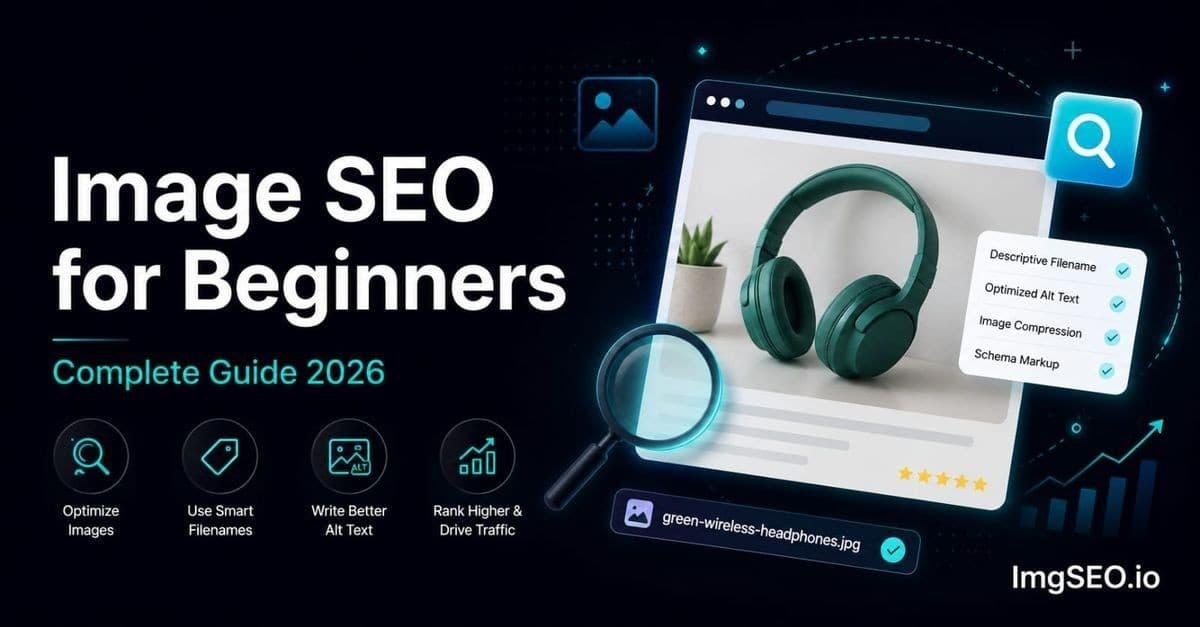
- Image SEO rests on five pillars: filename, alt text, embedded EXIF/XMP metadata, compression, and file format — most stores get zero of them right.
- Target under 200KB per product image at 1200×1200px; WebP files run 25–35% smaller than JPEG at equivalent quality.
- Newly optimized images typically start appearing in Google Images within two to eight weeks, depending on crawl frequency.
What is Image SEO?
Image SEO means optimizing your product photos so that Google can understand them, index them correctly, and show them in search results when shoppers are looking for what you sell.
Here is the key thing to understand: Google cannot actually see your images the way a human can. It reads text signals around them. When a search engine crawls your page and finds an image, it has no built-in ability to recognize that a photo contains a brown leather wallet. Instead it looks for clues — the filename, the alt text, the surrounding paragraph text, and hidden data embedded inside the image file itself.
If those clues are missing, Google makes its best guess. Usually that guess is wrong, or not specific enough to rank for anything useful.
Why E-commerce Stores Need Image SEO More Than Anyone
For a blog post or a news article, images are supporting content. For a product page, the image is the product. Shoppers buy what they see. If your product photo does not appear when someone searches "blue linen summer dress," you lose that sale to a competitor whose image does appear — even if your product is better.
Google Images handles millions of shopping-related searches every day. People search there because they want to see before they buy. That is pure buyer-intent traffic, and it costs you nothing beyond the time to optimize correctly.
How Google Finds and Ranks Images
Google's Image Indexing Process
Understanding the process removes the mystery. When Googlebot (Google's web crawler) visits your product page, it follows a sequence that goes roughly like this:
- Crawls your page — Googlebot loads the page HTML
- Finds image URLs — it spots every
<img>tag and notes the source URL - Reads surrounding text — the heading above the image, the product description below it, the page title
- Reads the alt attribute — the alt text you (hopefully) wrote on the image tag
- Reads the filename — the last segment of the image URL, e.g.
blue-linen-dress.jpg - Reads embedded metadata — EXIF and XMP data stored inside the image file itself
- Forms a judgment — based on all of the above, Google decides what the image is about
- Assigns rankings — the image competes for relevant searches based on that judgment
Every step where you leave useful information blank is a step where Google fills in the gap with uncertainty. Uncertainty means lower rankings.
Google Images as a Traffic Source
A shopper types "handmade silver ring oxidized" into Google Images. They see a grid of results. They click one they like. That click lands on your product page. They buy.
That entire journey costs you zero advertising dollars. Google Images is one of the last genuinely free organic traffic sources with high commercial intent, and most sellers are leaving it entirely untapped.
The 5 Pillars of Image SEO
There are five things you can control that directly affect how Google understands and ranks your product images. Master all five and you have done more than 90% of sellers ever will.
Pillar 1: Image Filename
What it is: The name of your image file — the part before .jpg or .webp.
Why it matters: Google reads the filename as an early signal about image content. It is one of the first things Googlebot checks.
Bad: IMG_4521.jpg — tells Google nothing
Good: blue-linen-summer-dress-women.jpg — tells Google exactly what it is
Rules for a good filename:
- Use hyphens between words, not underscores or spaces
- Keep it lowercase
- Include your main keyword naturally
- Add color, material, or size if relevant
- Keep it under 60 characters
Most sellers upload directly from their camera or phone, which means thousands of products indexed under meaningless codes. Fixing this is one of the highest-impact, lowest-effort changes you can make. For a deeper look at the problem and how to fix it systematically, see our guide on how to fix bad image filenames for SEO.
Pillar 2: Alt Text
What it is: A short text description added to the image in your HTML or product editor — the alt attribute.
Why it matters: Alt text is the primary way Google understands image content. It was originally designed for screen readers (assistive technology for visually impaired users), but Google adopted it as a key ranking signal. You serve two audiences at once.
Bad: "image1" or "" (left blank)
Good: "Blue linen summer dress for women, relaxed fit"
Rules for good alt text:
- Describe what is actually in the image
- Include one relevant keyword naturally — do not stuff multiple keywords
- Keep it under 125 characters (screen readers cut off longer text)
- Never start with "image of" or "photo of" — Google already knows it is an image
- Be specific: say "brown bifold leather wallet" not "wallet"
Alt text is the single most impactful image SEO change you can make today. Every major platform — Shopify, Etsy, WooCommerce — has an alt text field in the product editor. If yours are empty, filling them in is your first priority. Our full guide on how to write alt text for product images walks through every scenario.
Pillar 3: Image Metadata (EXIF/XMP)
What it is: Hidden data embedded inside the image file itself — invisible to a casual viewer but readable by search engines.
Why it matters: EXIF and XMP metadata fields include a title, description, keywords, and copyright information. Google has confirmed it reads this data to help understand images. Most sellers have never heard of it, which means adding it is an immediate competitive advantage.
Think of metadata as a secret message stored inside the image file that travels with it wherever it goes — when you upload it to Shopify, when a customer saves it, when it gets indexed by Google. The information is always there.
Adding metadata manually requires desktop software and is time-consuming. ImgSEO embeds AI-generated title, description, and keyword metadata automatically when you optimize an image. For a full explanation of what EXIF and XMP metadata are and why they matter, read what is EXIF metadata and why it matters for SEO.
Pillar 4: Image Compression and Page Speed
What it is: Reducing the file size of your image without visible loss of quality.
Why it matters: Google uses page speed as a direct ranking factor. A product page full of 3MB uncompressed images loads slowly, and slow pages rank lower and convert worse. Google's Core Web Vitals — the speed metrics that affect ranking — are directly impacted by image file sizes.
Target: Under 200KB per product image. Under 100KB for thumbnails.
A standard DSLR or modern smartphone produces images between 3MB and 8MB. You cannot upload those directly to your store without hurting your rankings and frustrating customers on mobile data connections. Compression gets them to where they need to be.
For a complete walkthrough of compression settings, tools, and format tradeoffs, see our image compression guide for e-commerce stores.
Pillar 5: Image Format
What it is: The file type you save your image as — JPEG, PNG, WebP, AVIF.
Why it matters: Different formats have different strengths. Choosing the wrong one wastes file size or loses quality.
| Format | Best for | Notes | |--------|----------|-------| | JPEG | Product photos with no transparency | Excellent compression, widely supported | | PNG | Logos, images needing transparency | Larger files than JPEG for photos | | WebP | Everything | 25–35% smaller than JPEG at same quality | | AVIF | Future-proofing | Even smaller than WebP, support is growing |
For most product photos, WebP is the best choice in 2026. For more on when to use each format and how platforms handle them, see WebP vs JPEG vs PNG for e-commerce in 2026.
Step-by-Step: Optimizing Your First Product Image
Here is the complete process for a single product image. Do this once and you will understand the pattern for all the images that follow.
Step 1: Choose the Right Format
Is your product photo a straight photograph with no transparent background? Use JPEG or WebP.
Does your image have a transparent background (a logo, a graphic, a product cut out from its background)? Use PNG.
If you are unsure, WebP works well for both cases.
Step 2: Resize to Correct Dimensions
Most e-commerce platforms display product images at a maximum of around 1200×1200 pixels. Uploading a 4000×4000 pixel original wastes file size — the platform or browser will scale it down anyway, but your customer is still downloading the full 4000px file.
Recommended size: 1200×1200px for main product images, 800×800px for gallery images and thumbnails.
Resize before you compress. You can use ImgSEO's dedicated Image Resizer to change image dimensions separately from the Image SEO optimization workflow.
Step 3: Compress the Image
After resizing, compress the image to reduce file size further. For JPEG, a quality setting between 75–85% gives you an excellent balance of visual quality and file size. For WebP, 80% quality is a good starting point.
Target: Under 200KB for product images.
ImgSEO compresses every image automatically as part of the optimization process — you do not need to do this as a separate step.
Step 4: Rename the File
Before uploading, rename the file using this formula:
[product]-[color]-[material]-[key-feature].[extension]
Examples:
mens-leather-wallet-brown-bifold.jpgceramic-coffee-mug-handmade-speckled-white.webpsilver-hoop-earrings-14k-minimalist.jpglinen-tablecloth-natural-100x150cm.jpg
Use hyphens, lowercase, no spaces. Be descriptive but not excessive. You are writing for Google, but also for anyone who sees the URL.
Step 5: Add Alt Text
When you upload to your store, find the alt text field and fill it in. The formula is simple:
[Descriptive phrase] + [one natural keyword]
Examples:
"Brown bifold leather wallet for men, slim minimalist design""Handmade white ceramic coffee mug with speckled glaze""14k gold minimalist silver hoop earrings for women"
Write a fresh description for each image. If you have five angles of the same product, vary the descriptions slightly — do not copy-paste the same alt text across all five.
Step 6: Add Metadata
This step takes the longest manually. In Lightroom, Bridge, or a tool like ExifTool, you would open the image and fill in the Title, Description/Caption, and Keywords fields.
With ImgSEO, this happens automatically. Upload your image, and the AI generates an SEO-optimized filename, alt text, and embedded EXIF/XMP metadata — all in one step.
Step 7: Upload to Your Store
Upload the optimized file. Paste the alt text into the alt text field in your product editor. Publish and you are done.
The whole process for a prepared image takes under two minutes once you have the workflow set.
Image SEO for Different Platforms
The core principles are the same everywhere, but each platform has quirks that matter.
Shopify Image SEO
Shopify is beginner-friendly for image SEO because it respects the filename you upload. If you upload blue-linen-dress-summer.jpg, that is what appears in your image URL — no automatic renaming.
To add alt text in Shopify: go to your product page, click the image, and edit the alt text field. For a product with a main image and five gallery images, you need to fill in alt text for each one individually.
Full walkthrough in our Shopify image SEO guide.
Etsy Image SEO
Etsy renames your image files when you upload — your carefully crafted filename disappears. This is frustrating but not fatal. The other four pillars still apply, and alt text in particular remains fully within your control.
Etsy uses the alt text for its own internal search as well as for Google's crawl, so filling it in carefully is especially important here.
Full walkthrough in our Etsy image SEO guide.
WooCommerce Image SEO
WooCommerce gives you the most control of any major platform. Your filename is preserved, you control the alt text, and you can add plugins that further enhance metadata handling. The tradeoff is that nothing happens automatically — every optimization step requires deliberate action.
Plugins like Yoast SEO and Rank Math add fields that make it easier to manage alt text across a large catalog. For the full setup, see our WooCommerce image SEO guide.
Common Image SEO Mistakes Beginners Make
These are the errors that appear over and over in seller audits. Check your own store against this list.
-
Uploading with camera filenames.
IMG_4521.jpg,DSC_0092.jpg,20260312_145803.jpg— all meaningless to Google. -
Leaving alt text empty. The single most common mistake. Empty alt text means Google guesses, and Google's guesses are generic.
-
Uploading huge uncompressed files. A 4MB JPEG for a product that displays at 600px wide is seven or eight times larger than it needs to be. Every visitor downloads that waste.
-
Using PNG for product photos. PNG is lossless and great for graphics, but a PNG photograph is often 3–5× the file size of an equivalent JPEG at similar visible quality.
-
Not adding metadata. EXIF and XMP fields are blank on almost every image uploaded to most stores. That is a gap you can exploit immediately.
-
Copying the same alt text across multiple images. Google treats duplicate alt text as low-quality content. If you have five images of the same product, describe each angle differently.
-
Forgetting mobile optimization. More than half of product searches happen on mobile. Oversized images hit mobile users hardest — they download full-size files on slower connections.
Image SEO Quick Wins
30-Minute Image SEO Audit
You do not need to optimize your entire catalog today. Start with this quick audit:
- Open 5 product pages — pick your best-selling products
- Right-click each main image → Open image in new tab — look at the filename in the URL bar. Is it descriptive or is it
IMG_xxx? - Inspect the page (right-click → Inspect → find the
<img>tag) — is thealtattribute filled in with something meaningful? - Run Google PageSpeed Insights on one product page — look at the "Properly size images" and "Serve images in next-gen formats" recommendations
- Check file sizes — right-click → Save image as, then check how large the file is. Anything over 300KB for a standard product photo needs attention
This audit takes 30 minutes and tells you exactly where to focus first.
The Easiest Fix
If you want to make progress without doing each optimization step manually, upload your images to ImgSEO. The tool:
- Generates a descriptive, keyword-rich filename
- Writes alt text based on what is in the image
- Embeds EXIF and XMP metadata automatically
- Compresses the file to a web-ready size
- Converts to WebP if preferred
You upload your original image and download an SEO-ready file. It handles all five pillars in one step.
Beginner Image SEO Checklist
Use this for every product image you optimize. Save it, print it, paste it next to your monitor.
- ✅ Descriptive filename — lowercase, hyphens, keywords, under 60 characters
- ✅ Alt text on every image — unique per image, one natural keyword, under 125 characters
- ✅ File under 200KB — compress before uploading
- ✅ WebP or JPEG format — not PNG for photographs
- ✅ 1200×1200px for main product images — not the raw camera file
- ✅ EXIF/XMP metadata added — title and keywords embedded in the file
- ✅ No duplicate alt text — different description for each angle
- ✅ Mobile-friendly dimensions — test on PageSpeed Insights
Eight checks. Most sellers pass zero or one. Passing all eight puts you in a very small category of stores that Google rewards with consistent organic traffic.
Frequently Asked Questions
What is image SEO and why does it matter?
Image SEO is the practice of optimizing your product photos so Google can understand and rank them. It matters because Google Images drives millions of buyer-intent searches every day, and every product that ranks there gets free organic traffic without paying for ads.
How do I start with image SEO as a beginner?
Start with filenames and alt text — they have the biggest impact and can be fixed right now with no special tools. Rename your next upload with a descriptive keyword-rich name, and fill in the alt text field in your product editor. Those two steps alone put you ahead of most sellers.
Does alt text really help SEO?
Yes, meaningfully. Alt text is one of the primary signals Google uses to understand image content. Google has said publicly that alt text helps with image indexing. Filling in alt text on a product that previously had none can move it from unranked to ranking within weeks.
How do I know if my images are SEO optimized?
Right-click a product image and open it in a new tab — look at the filename. Check the page source or inspector for the alt attribute. Run Google PageSpeed Insights and check the image recommendations. If your filenames are descriptive, alt text is filled in, and your images are under 200KB, you are in good shape.
What is the most important image SEO factor?
Alt text has the highest measured impact for most stores starting from zero. If you have to pick one thing, fill in descriptive alt text on your main product images. Once that is done, fix filenames as you upload new products.
How long does image SEO take to show results?
Newly optimized images typically start appearing in Google Images within two to eight weeks, depending on how frequently Googlebot crawls your site. Higher-traffic stores with existing domain authority see faster results. For new stores, building up a consistent pattern of well-optimized images is more important than speed.
Do I need to optimize all my product images?
Ideally yes, but practically, start with your best-selling products and new listings. As you build the habit of optimizing before uploading, your catalog improves over time. Retroactively fixing old images is worth doing but do not let "I can't do all of them" stop you from starting.
Is image SEO different for Shopify vs Etsy?
The core principles are identical — good filenames, alt text, metadata, compression, format. The key difference is that Etsy renames your uploaded files, so you lose the filename signal there. Alt text and metadata become even more important on Etsy as a result. Shopify preserves your filename, which is one advantage it has for image SEO.
Conclusion
Image SEO is not a hidden art. It is a set of repeatable steps that most sellers skip because nobody laid them out plainly. Now you have the full picture. For a category-specific walkthrough, image SEO for sports and fitness products applies these same five pillars to equipment, activewear, and action photography.
Start with two things: fix your filenames and fill in your alt text. Those two changes, applied consistently to every new product you upload, will compound into meaningful organic traffic over the coming months.
When you are ready to go further — add metadata, compress correctly, convert to WebP — the steps are in this guide. Or skip the manual work and use ImgSEO to handle all five pillars automatically. Upload your image, download an optimized file with AI-generated filename, alt text, and embedded metadata, ready to upload to your store.
Your first 30 images are free. No credit card required. Start with your five best-selling products and see the difference — try ImgSEO free.