
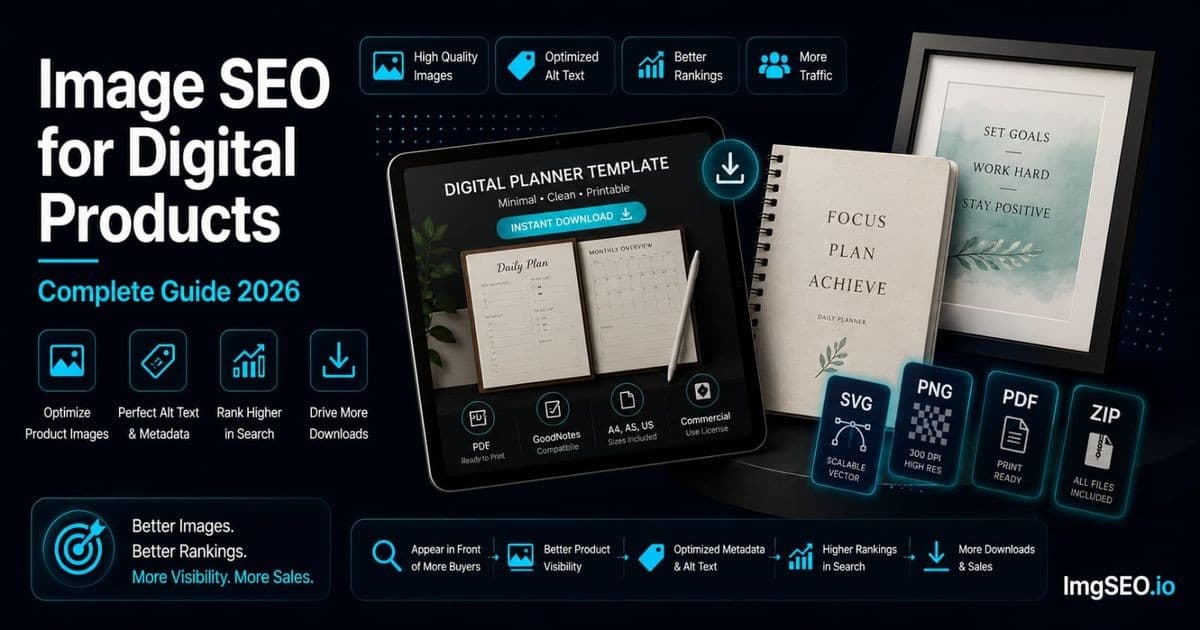
Digital products are represented through previews, screenshots, page samples, or mockups rather than a physical product photograph. Those images should accurately show what a buyer receives, but no mockup or keyword formula determines whether a page ranks.
Printables, templates, and digital downloads are a multi-billion dollar market on Etsy alone, and competition is fierce. A buyer searching "minimalist weekly planner printable" encounters hundreds of listings. The ones in the top results got there through a combination of conversion signals (CTR, sales velocity, reviews) and SEO signals (keyword-matched titles, tags, alt text, and filenames). Most sellers optimize titles and tags. Very few optimize filenames and alt text. That is the gap this guide fills.
What you will learn: how to create mockups that rank and convert, the filename and alt text formulas for printables, templates, SVG files, and Canva products, buyer-intent keyword strategy for digital downloads, how to use all your image slots as independent ranking opportunities, and platform-specific implementation for Etsy and Shopify.
Key Takeaways
- For digital products, the mockup image is the product as far as Google and buyers are concerned — there is no physical photo to fall back on, so mockup quality and keyword precision carry the full SEO weight.
- Use lifestyle mockups in slot 1 for conversion and flat product previews in slot 2–3 to show buyers exactly what the file contains.
- Format keywords ("printable," "editable," "instant download," "SVG") are high-value qualifiers most sellers skip — they distinguish your listing from physical-product searches entirely.
Why Digital Product Image SEO Is Unique
No Physical Product to Photograph
Every other product category covered in this blog involves photographing a physical object. Digital products have no object. You are selling a file — a PDF, a PNG, a Canva template, a set of SVG cuts — and Google has no way to evaluate what that file is worth by looking at it directly.
What Google does see is your mockup: the image you create to represent the digital product. That mockup carries the entire visual SEO burden. It needs to convey what the product is (a weekly planner), what it looks like in use (pages with time blocks and a notes section), the quality and style (minimalist, watercolor, script font), and the format (printable, A4, PDF). All of that from one image — or ideally from a set of carefully planned mockups.
This is both a challenge and an opportunity. The challenge: you cannot just photograph the product. The opportunity: every seller in your category is in the same position, which means the bar for mockup quality and SEO optimization is surprisingly low. A well-planned mockup set with proper alt text and filenames outranks most of the competition without requiring professional photography skills.
The Mockup Is the Product Image
In physical product categories, a blurry image is a missed opportunity. In digital products, a low-quality mockup is a direct sales-prevention tool. Buyers cannot hold the product, inspect it in person, or return it easily after purchase. The mockup must do all the trust-building that physical inspection would otherwise provide.
Clear, accurate mockups help shoppers evaluate a digital product. Google does not publish a merchant-controllable Google Images CTR formula, so treat presentation quality as a user-experience benefit rather than a guaranteed compounding ranking signal.
Low-quality mockups fail twice: they convert fewer buyers, and they accumulate worse engagement signals, which suppresses ranking.
Digital Product Categories
The major digital product categories and their SEO characteristics differ meaningfully:
- Printables: wall art, planners, calendars, party supplies, worksheets. Buyers search by theme, style, and format. "Boho wall art printable 8x10" and "minimalist weekly planner A4 PDF" are typical queries.
- Canva and PowerPoint templates: social media templates, business cards, presentations, resumes, invitations. Buyers search by platform, use case, and style. "Canva Instagram template aesthetic" and "PowerPoint pitch deck template minimal" are representative.
- SVG and clipart files: cutting machine files, illustration bundles, icon sets. Buyers search by design theme and machine compatibility. "Floral wreath SVG Cricut" and "Christmas clipart bundle watercolor" drive significant volume.
- Courses and ebooks: the product cover is the SEO image. Buyers search by topic and format. "Beginner watercolor course PDF" and "Etsy SEO ebook guide" are examples.
Each category has its own keyword vocabulary, mockup conventions, and buyer intent patterns. The framework in this guide applies across all of them.
Creating SEO-Ready Digital Product Mockups
Mockup Types That Work
A complete digital product listing needs mockup variety to cover the full range of search intents buyers bring to it:
Print mockup: the digital product shown as if it has been printed — a planner page on a desk, an art print in a frame on a wall, a party banner hung in a room. This is the most important mockup type because it answers the buyer's central question: "What will this look like when I actually use it?"
In-context lifestyle: the printed product embedded in a real environment — art print in a styled bedroom, planner in a hand with a coffee cup, template preview on an open laptop. Lifestyle context supports style and room keywords ("minimalist bedroom wall art," "morning routine planner") and drives Pinterest-style inspiration traffic.
Flat lay: the printed product laid flat with complementary props — a planner page with a pen and washi tape, an art print with dried flowers. Flat lays photograph well, read as editorial, and suit a wide range of digital products.
Digital preview (device mockup): the product shown on a screen — tablet, laptop, phone, or desktop. Essential for templates that are used digitally rather than printed, and for ebooks and digital courses where no printed version exists.
Bundle overview: shows all files included in a multi-piece bundle — all six prints in an art print set, all 12 SVG designs in a bundle, all layouts in a planner kit. This mockup is critical for bundles because buyers need to see the full scope of what they are purchasing, and each individual design visible in the overview creates additional keyword opportunities.
Tools for Digital Product Mockups
| Tool | Best for | Notes | |---|---|---| | Canva | Basic frame mockups, social preview | Free, accessible, widely used | | Placeit | Lifestyle mockups for printables, apparel, devices | Subscription; extensive library | | Smartmockups | Clean device and print frame mockups | Free tier; good for templates and ebooks | | Creative Market | Premium mockup bundles | One-time purchase packs | | Your own photography | Maximum uniqueness | Print sample, photograph with props |
Own photography deserves the same emphasis here as in POD: printing your digital product (a $1 inkjet print) and photographing it in a real room creates a genuinely unique image that no other seller has. A $0.10 inkjet print of a planner page, photographed in morning light on a wooden desk with a pen and coffee cup, is a more compelling and more SEO-differentiated mockup than a generic Canva frame template used by thousands of other sellers.
Mockup Best Practices
Show the product at scale: a common mockup mistake is placing the design too small relative to the mockup frame or scene. If the buyer cannot see the design clearly in a thumbnail, they scroll past. Make the design fill at least 50% of the image area.
Use high-resolution backgrounds: a sharp, professional-looking mockup environment legitimizes the product. A pixelated or stock-looking background undercuts the quality signal the design itself projects.
Do not obscure the product with props: props set context but should not compete with or cover the design. A pen next to a planner page is context; a pile of props in front of a planner page is visual noise.
Plan for thumbnail legibility: Etsy search thumbnails are small. Before finalizing a mockup, shrink it to 200×200px and check whether the design is still legible. If the buyer cannot see what it is at thumbnail size, the listing will not get clicks — regardless of how well the alt text is optimized.
Filenames for Digital Products
The Digital Product Filename Formula
Digital product filenames need to specify the product type, the subject or theme, the format or size, and the style:
[product-type]-[subject-theme]-[format-size]-[style].jpg
Examples by Digital Product Type
Printable Wall Art
botanical-wall-art-printable-set-3-pieces-boho.jpgabstract-watercolor-art-print-8x10-minimalist.jpginspirational-quote-wall-art-bedroom-script-font.jpgwildflower-botanical-print-set-5-pieces-cottagecore.jpgnordic-mountain-landscape-printable-16x20-minimal.jpg
Planners and Organizers
weekly-planner-printable-a4-minimalist-2026.jpgdigital-budget-planner-google-sheets-template.jpgmeal-planner-printable-weekly-watercolor-floral.jpgdaily-planner-printable-undated-neutral-boho.jpghabit-tracker-printable-monthly-minimalist-pdf.jpg
Canva Templates
instagram-post-template-canva-fashion-brand.jpgbusiness-card-template-canva-minimalist-modern.jpgwedding-invitation-template-canva-floral-watercolor.jpgyoutube-thumbnail-template-canva-bold-modern.jpgresume-template-canva-creative-minimal-one-page.jpg
SVG and Clipart Files
floral-wreath-svg-bundle-hand-drawn-boho-12-designs.jpgchristmas-clipart-set-watercolor-digital-download.jpgsunflower-svg-bundle-cricut-silhouette-commercial.jpgmonogram-alphabet-svg-bundle-script-font-26-letters.jpg
Including Format in Filenames
Digital product buyers commonly search by format because format determines how they will use the file. "Canva template," "SVG file," "printable PDF," and "PNG clipart" are all distinct search queries with different buyer intents. When the format fits naturally in the filename without making it too long, include it:
weekly-planner-printable-pdf-a4-minimalist.jpg— format "pdf" + size "a4"floral-wreath-svg-bundle-cricut.jpg— format "svg" + machine "cricut"instagram-template-canva-editable-fashion.jpg— platform "canva" + attribute "editable"
For guidance on renaming an existing digital product catalog, see the guide on how to fix bad image filenames for SEO.
Alt Text for Digital Products
The Digital Product Alt Text Formula
[Product type] + [subject or theme] + [format] + [style] + [use case or buyer]
The product type leads because it establishes the fundamental category (printable, template, SVG bundle). Subject or theme specifies what it depicts. Format clarifies how it will be used. Style attracts aesthetic-specific searches. Use case or buyer closes with the intent keyword that captures buyers at the moment of purchase decision.
Examples by Digital Product Type
Printable Wall Art
- Main lifestyle mockup: "Botanical wall art printable set 3 pieces boho bedroom decor instant download"
- Room styled: "Botanical printable wall art framed in gallery wall living room boho"
- Design preview: "Three botanical art prints showing leaf and plant illustration designs"
- Bundle overview: "Botanical wall art set all 3 designs PDF 8x10 5x7 sizes included"
Planners
- Main mockup: "Minimalist weekly planner printable A4 2026 PDF instant download neutral"
- In-use lifestyle: "Minimalist planner printable on desk with coffee morning routine neutral"
- Layout preview: "Weekly planner printable layout showing time blocks daily schedule notes section"
- Bundle contents: "Minimalist planner printable bundle showing all 12 pages included PDF"
Canva Templates
- Main mockup: "Instagram post template Canva editable fashion brand aesthetic minimalist 9 designs"
- Layout preview: "Instagram Canva template showing 6 post layouts fashion neutral aesthetic"
- In-use mockup: "Fashion brand Instagram template open in Canva editor on laptop screen"
- Color variations: "Instagram Canva template shown in three color palette options"
SVG Files
- Main preview: "Floral wreath SVG bundle hand drawn boho 12 designs Cricut Silhouette commercial use"
- Design sheet: "Floral wreath SVG files showing all 12 design variations hand drawn botanical"
- Machine in use: "Floral wreath SVG cut on vinyl using Cricut showing finished result"
Buyer Intent Keywords for Digital Products
Digital product buyers use highly specific intent signals in their searches that differ from physical product buyers. Including these in alt text captures the exact moment a buyer is ready to download:
- Format qualifiers: "instant download," "printable," "editable," "commercial license," "personal use only," "commercial use included"
- Platform compatibility: "for Cricut," "for Canva," "for Procreate," "for Silhouette," "Google Sheets," "PowerPoint"
- Delivery terms: "instant download" is searched as a standalone keyword by buyers who need the file immediately — include it in alt text for every digital download listing
- License type: buyers creating products for resale specifically search "commercial use SVG" and "commercial license template" — if your product includes commercial rights, state it
These are not generic keywords — they are intent signals that identify buyers at the final decision point. A buyer typing "floral SVG Cricut commercial use" has already decided to buy an SVG and is filtering for commercial rights. Your alt text either contains those words or it does not.
For a complete reference on alt text strategy, see what is alt text: the complete guide.
Metadata for Digital Products
Digital Product Keyword Strategy
The metadata keyword matrix for digital products covers five dimensions that are distinct from physical product categories:
- Format keywords: printable, SVG, PDF, PNG, Canva template, editable, digital download, instant download — these are the search terms buyers use to find the file type they need
- Theme and style keywords: floral, minimalist, boho, vintage, watercolor, botanical, cottagecore, modern, rustic — aesthetic keywords attract buyers filtering by style
- Use and license keywords: instant download, commercial use, personal use, commercial license, Cricut compatible, Silhouette compatible
- Buyer and occasion keywords: teacher appreciation, wedding, baby shower, birthday party, small business, content creator, blogger
- Platform keywords: for Canva, for Procreate, for Google Sheets, for PowerPoint — buyers who are tied to a specific tool filter by it
EXIF and XMP Fields for Digital Products
- Title: product type + theme + format. Example: "Botanical Wall Art Printable Set 3 Pieces Boho Instant Download"
- Description: alt text equivalent with format and download context. Example: "Set of 3 botanical boho wall art printables in PDF format, instant download. Includes 8x10 and 5x7 sizes. Perfect for bedroom or living room gallery wall."
- Keywords: full comma-separated array. Example:
botanical printable, wall art printable, boho wall art, instant download, PDF printable, bedroom decor printable, gallery wall printable, botanical art print, digital wall art
ImgSEO generates digital product-aware alt text and embeds EXIF/XMP metadata automatically. Upload your mockup image, describe the product and format, and it outputs a renamed, metadata-optimized file ready for any platform.
For full implementation details on metadata tools and field formats, see the guide on how to add metadata to product images.
Platform-Specific Digital Product Image SEO
Etsy Digital Products
Etsy is the dominant marketplace for digital downloads and printables. It has more indexed digital product listings, more buyer traffic for download-intent searches, and more established seller infrastructure than any alternative. Image SEO on Etsy for digital products works the same as for physical products — with a few category-specific nuances.
- Alt text strategy: describe both the mockup and what the digital file contains. A buyer searching for a planner does not just want to see a desk scene — they want to know what the actual pages look like. Alt text that describes "minimalist weekly planner showing daily schedule, time blocks, and notes section" addresses the mockup content, not just the mockup setting.
- Use meaningful image slots: Etsy allows multiple images per listing. Use them for distinct buyer needs such as a main mockup, actual design preview, bundle overview, format and size information, and download instructions; do not claim each slot creates an independent ranking opportunity.
- Main image positioning: lifestyle mockups — the product shown in a real-feeling environment — consistently convert better than flat design previews as the lead image on Etsy. Buyers respond to seeing the product in context. The design preview (what the actual file looks like) belongs in the second or third slot where interested buyers who have clicked find it.
- Seasonal and trend updates: Refresh mockups when the product, season, or buyer context genuinely changes. Do not update solely on the assumption that listing activity receives a ranking reward.
For a complete Etsy optimization guide, see Etsy image SEO.
Shopify Digital Products
Shopify digital product stores typically use apps like Sky Pilot, SendOwl, or FetchApp to handle file delivery. From an image SEO perspective, Shopify digital product images are treated identically to physical product images — the platform does not distinguish between a file download and a shipped product in how it handles image metadata.
This means all standard Shopify image SEO practices apply:
- Set alt text in the product editor for every image, including mockups and preview images
- Set descriptive source filenames before upload and verify the final Shopify URL
- Use all available image slots with varied mockup types
- Create collection pages for product categories ("Wall Art Printables," "Canva Templates," "SVG Bundles") with collection header images and alt text
One Shopify-specific advantage for digital products: Shopify's blog functionality allows you to create content around your products — tutorials, how-to guides, style inspiration — that builds internal links to your product pages and creates additional keyword context for Google to associate with your images.
For full Shopify image optimization, see the Shopify image SEO guide.
Gumroad and Payhip
Gumroad and Payhip give sellers direct digital product storefronts with minimal platform infrastructure. Image SEO control on both is limited — you can upload product images, but filename handling and alt text fields are minimal compared to Etsy or Shopify.
For sellers primarily on these platforms, external SEO through blogs, Pinterest, and social media is more important than on-platform image optimization. Create a blog or Pinterest presence that links to your Gumroad/Payhip product pages, and optimize images on those external channels. Pinterest in particular drives significant traffic to digital product downloads — a well-optimized vertical pin for a printable planner can generate referral traffic for years.
Google Images Strategy for Digital Products
High-Volume Digital Product Queries
Digital product Google Images queries follow patterns that are specific to the download format and design aesthetic:
| Query pattern | Example | |---|---| | [theme] + printable + [product] | "boho wall art printable" | | [format] + template + [use] | "Canva Instagram template aesthetic" | | [theme] + SVG + [machine] | "floral SVG Cricut" | | [style] + [product] + printable | "minimalist planner printable" | | [occasion] + [product] + digital | "wedding invitation template digital" | | [theme] + clipart + [occasion] | "watercolor Christmas clipart bundle" |
Map your catalog against these patterns. Your most-searched products should have alt text targeting the primary format + theme query and at least one occasion or buyer query.
Pinterest Strategy for Digital Products
Pinterest is arguably more important for digital products than for any other product category because the platform is optimized for inspiration-driven discovery — exactly how most digital product buyers shop. A buyer creating a home office saves pins of desk setups; your planner printable mockup shown in a desk setup appears in those searches organically.
Pinterest optimization for digital products:
- Vertical 2:3 ratio: create or design your lifestyle mockups to vertical dimensions. A 1000×1500px or 1500×2250px mockup takes up more feed space and generates higher click-through on Pinterest than square or landscape images.
- Pin from each image slot: create Pinterest pins for each mockup in your Etsy listing, not just the main image. The design preview pin will rank for different queries than the lifestyle mockup pin.
- Board strategy: maintain boards with names that match buyer search terms — "Printable Wall Art Ideas," "Minimalist Planner Printables," "Canva Templates for Small Business." Board names are searchable on Pinterest.
For a complete Pinterest image SEO guide, see the Pinterest image SEO guide.
The Preview Image Strategy
Preview images answer the buyer's most important question: “What exactly am I getting?” Distinct previews may also be indexed when they are crawlable and relevant, but each does not receive an automatic independent ranking opportunity.
A planner printable listing with a full layout preview image ranks for "weekly planner with time blocks" and "daily schedule printable with notes section" — queries that the main lifestyle mockup cannot target because it shows the planner in a desk scene, not its internal layout.
The practical approach: include a dedicated preview image for every product that shows the full file content clearly. For planners, show a full-spread layout. For art print sets, show all designs together. For SVG bundles, show all designs on a white background at sufficient resolution to see the details. Each preview image carries its own alt text — write alt text that describes what the preview shows, not what the lifestyle mockup shows.
Multiple Mockup Strategy
Why You Need Multiple Mockups
Additional mockups should earn their place by showing meaningful differences or answering buyer questions. Google may discover eligible images on a crawlable page, but image count does not create a documented multiplier or guarantee separate rankings.
The evidence for this is visible in Etsy's own search: top-performing digital product listings consistently use all 10 image slots. This is not coincidence — it reflects both the ranking benefit of multiple indexed images and the conversion benefit of giving buyers a complete view of what they are purchasing.
Ideal Mockup Set for Digital Products
For a complete digital product listing, plan your 10 image slots with intent:
- Hero lifestyle mockup — main image; product in a styled, real-feeling environment
- Close-up design preview — shows the actual file content clearly; answers "what will this look like?"
- Alternative lifestyle angle — different setting, different styling, different keyword context
- Bundle or collection overview — all files included shown together; critical for multi-piece products
- Size and format specifications — a graphic showing included sizes (8x10, 5x7, A4, A5), file formats (PDF, PNG, SVG), and print resolution
- How to use or instructions mockup — shows the download and use process; reduces buyer hesitation for first-time digital product purchasers 7–10. Additional design previews or color variations — individual file previews, alternate colorways, or alternate uses of the same design
Each image from slot 1 to 10 gets unique alt text. Slots 7–10 often contain the most specific design-description alt text — "abstract watercolor arch print in sage green 8x10 included in set" — which captures the long-tail buyers who know exactly what they want.
Image Compression for Digital Products
Digital Product Compression Notes
Digital product mockups are typically large PNG files (if exported from Canva or design software) or large JPEG files (if exported from Placeit or similar). Both formats compress well without significant quality loss for mockup images:
- Review PNG mockups: convert only when transparency is unnecessary and the alternative preserves text and edge quality.
- Resize oversized exports: match dimensions to the largest display use and retain a master for future formats.
- Preview and specification images: verify that small text remains readable after compression.
- Choose settings by inspection: file complexity and platform processing make universal quality percentages and kilobyte limits unreliable.
WebP is the recommended format for all digital product mockups on platforms that support it. Shopify serves WebP automatically. Etsy's CDN also handles format conversion, though uploading WebP directly is supported.
For complete compression methodology and format comparisons, see the image compression guide for e-commerce.
Digital Product Image SEO Checklist
Use this before every new digital product listing goes live:
- ✅ Lifestyle mockup showing product in context as the main image
- ✅ Design preview mockup showing actual file contents clearly
- ✅ Filename includes product type, theme, and format (printable, SVG, Canva)
- ✅ Alt text includes format keyword and "instant download" for every image
- ✅ Metadata keywords include buyer intent terms (commercial use, for Cricut, for Canva)
- ✅ All 10 Etsy image slots used with unique alt text per image
- ✅ Bundle overview image showing all files included
- ✅ Size and format specifications graphic included
- ✅ Mockups and previews visually checked at their actual display sizes
- ✅ Primary lifestyle mockup in 2:3 vertical ratio for Pinterest
FAQ
What is the best alt text for printable wall art? Use the formula: product type + theme + format + style + use case. Example: "Botanical wall art printable set 3 pieces boho bedroom decor instant download PDF." Include the style (boho), the use case (bedroom decor), and the format qualifier (instant download) to capture both style-driven discovery searches and format-specific intent searches.
How do I write alt text for Canva templates? Describe the template type, the platform (Canva), the use case, the aesthetic, and the number of designs or layouts included. Example: "Instagram post template Canva editable fashion brand aesthetic 9 designs included." The word "editable" is a high-value qualifier for templates because buyers specifically search for editable templates to distinguish them from static designs.
What keywords work best for digital product image SEO? Combine accurate format, theme, and supported use-case language when it helps a buyer distinguish a digital file from a physical item. Validate query and conversion performance with your own data.
Should I use lifestyle mockups or flat product previews? Both, in different image slots. Lifestyle mockups convert better as the main listing image because they show the product in use and trigger the buyer's imagination. Flat product previews answer the practical question of what the file actually contains. Use lifestyle as slot 1, preview as slot 2 or 3. Neither replaces the other — they serve different buyer needs and target different search queries.
How many mockup images should a digital product have? Use as many Etsy image slots as needed to answer distinct buyer questions. For Shopify, follow the same principle. Padding with redundant or low-quality images does not help; each slot should show something the buyer needs to see.
What is the best mockup tool for Etsy digital products? Select a mockup tool based on licensing, accuracy, and the scene the buyer needs. Physical samples can provide useful original context, but Google does not publish a no-duplication bonus or “full ranking potential” for unique images.
Does image SEO work for digital downloads? Eligible mockup images on crawlable listing pages may appear in Google Images. Accurate previews, useful alt text, relevant page context, and accessible delivery support discovery, but behavior is not identical across every platform and no query ranking is guaranteed.
How do I optimize SVG file product images? The main mockup for an SVG product should show the designs clearly — a white or neutral background with all designs in the bundle displayed at sufficient size to read the detail. Alt text should include "SVG," the theme, the number of designs, and the compatible cutting machine ("Cricut," "Silhouette"). The commercial use status belongs in both alt text and metadata if it applies. A second mockup showing the cut design applied to a finished project (vinyl on a tumbler, heat transfer on a shirt) adds conversion context and targets a different keyword cluster.
Conclusion
Digital product image SEO is about mockup quality and keyword precision in equal measure. A beautiful mockup with no alt text is a missed ranking opportunity. A keyword-optimized alt text on a blurry, unlegible mockup is a conversion problem. Both matter, and the sellers who treat them as equally important are the ones who accumulate sustainable organic traffic from Google Images.
The core framework: use all available image slots, write unique alt text for every one, include format keywords (printable, SVG, Canva) that distinguish digital from physical, add buyer intent qualifiers (instant download, commercial use, for Cricut), and plan each mockup slot to serve a specific buyer question rather than filling slots for the sake of filling them.
The sellers ranking at the top of Etsy's digital product categories are not there by accident. They have more images, better-optimized alt text, and mockups that answer every question a buyer has before the buyer asks. That is achievable for any product with a planned mockup strategy and ten minutes of alt text work per listing.
ImgSEO generates digital product-aware alt text and embeds EXIF/XMP metadata automatically. Upload your mockup, describe the product type and theme, and it produces a renamed, optimized file with keyword suggestions matched to your digital product category. Try it free — 30 images, no card required.
For related guidance on a category with a similar image challenge, see the image SEO for print on demand guide.


