Choosing the wrong image format is one of the most expensive mistakes an e-commerce store can make — not because formats are complicated, but because the wrong choice silently costs you rankings and conversions every single day. A 1.2MB PNG where a 185KB WebP would do is not just wasted bandwidth. It is a slower LCP score, a lower page speed ranking, and a checkout funnel that leaks revenue before a customer ever reads your product description.
In 2026, four formats matter for e-commerce: JPEG, PNG, WebP, and AVIF. Each has a specific job. Most sellers are using the wrong one for at least two of those jobs. This guide gives you the complete picture — how each format works, what it actually costs in file size, which platforms require which formats, and a decision framework you can apply to every image in your catalog today.
Key Takeaways
- WebP is the practical default for 2026: 25–35% smaller than JPEG at equivalent quality, with 95%+ browser support and full XMP metadata support.
- AVIF delivers 40–50% smaller files than JPEG (a 285KB product photo can shrink to roughly 95KB) with 80%+ browser support — a strong choice for new catalogs or high-traffic product pages.
- Format is platform-dependent: Amazon still requires JPEG for main product images, Etsy is most reliable with JPEG, while Shopify and WooCommerce both handle WebP well.
Quick Comparison: JPEG vs PNG vs WebP vs AVIF
| Format | Best For | Compression | Transparency | Browser Support | SEO Impact | |--------|----------|-------------|--------------|-----------------|------------| | JPEG | Photos | Lossy | ❌ No | ✅ Universal | ⭐⭐⭐ | | PNG | Graphics/logos | Lossless | ✅ Yes | ✅ Universal | ⭐⭐ | | WebP | Everything | Both | ✅ Yes | ✅ 95%+ | ⭐⭐⭐⭐⭐ | | AVIF | Future use | Both | ✅ Yes | ✅ 80%+ | ⭐⭐⭐⭐ |
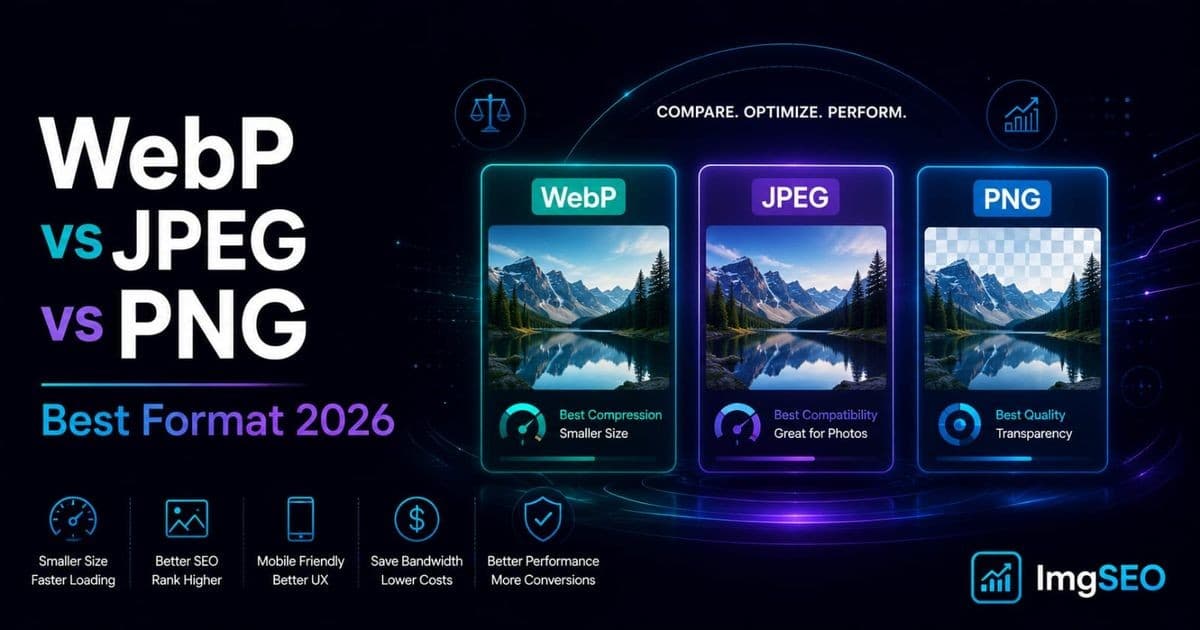
The short version: WebP wins for almost every e-commerce use case in 2026. JPEG is still essential for Amazon and maximum compatibility. PNG is only justified when you genuinely need transparency and WebP is not an option. AVIF is the format to start testing now if you are building a new catalog from scratch.
The rest of this article explains exactly why — and exactly when each rule has an exception.
JPEG: The Reliable Standard
JPEG has been the dominant web image format for three decades. It is not the best format available in 2026, but it is the most universally understood one — by browsers, by platform upload systems, by email clients, and by Google's image indexing pipeline.
What JPEG Does Best
JPEG uses lossy compression, which means it permanently discards image data that the human eye is unlikely to notice. For photographs — product shots with complex color gradients, skin tones, fabric textures, reflective surfaces — this trade-off works extremely well. The visual difference between a JPEG at 85% quality and one at 100% quality is essentially invisible to the eye, but the file size difference is enormous.
The 80–85% quality setting is the practical standard for e-commerce. Below 75%, artifacts start appearing around high-contrast edges. Above 90%, file sizes balloon with no visible improvement. Most professional product photography pipelines target exactly this range.
When to Use JPEG
Use JPEG for product main images on platforms that require it (Amazon, in particular), lifestyle photography, any product shot with complex colors or gradients, and any situation where you need absolute maximum compatibility with older software, email clients, or platform upload restrictions.
If you are uploading to Amazon's marketplace, JPEG is not optional for your main product image — the platform requires it.
JPEG Limitations
JPEG has no transparency support. If you need a product image with a transparent or cut-out background, JPEG forces you to use a white or colored fill. Quality also degrades with every re-save: opening a JPEG, editing it, and saving it again applies compression on top of compression. Always keep uncompressed originals and export fresh each time.
File sizes are also consistently larger than WebP at equivalent visual quality — typically 25–35% larger.
JPEG SEO Impact
JPEG supports EXIF and XMP metadata, including descriptive and rights-related information. For Google image SEO, prioritize descriptive alt text, filenames, and relevant page context rather than treating embedded XMP or EXIF keywords as ranking factors.
When properly compressed and combined with descriptive alt text and filenames, JPEG performs well in Google Images. Its universal support means zero rendering issues across any device or crawler. The limiting factor is file size — a poorly compressed JPEG is a direct drag on your LCP score and page speed ranking.
PNG: Lossless but Heavy
PNG was designed for a specific use case: pixel-perfect reproduction where quality cannot be compromised. For that use case, it remains the right tool. For everything else, it is an expensive choice you are probably making by default rather than by decision.
What PNG Does Best
PNG uses lossless compression, meaning every pixel is preserved exactly. The result is perfect image fidelity with no compression artifacts. This matters for graphics with sharp edges, text overlays, solid color backgrounds, icons, and anything where even minor quality degradation would be visible or unprofessional.
Transparency is PNG's most important feature for e-commerce. Product images with cut-out backgrounds, logos on colored backgrounds, overlay graphics — anywhere you need actual transparency rather than a white fill, PNG historically was the only option. In 2026, WebP handles this job equally well at roughly half the file size.
When to Use PNG
Use PNG for brand logos and icons where transparency is required and WebP cannot be used (for instance, in email templates or older software). Use PNG for screenshots and UI element graphics where pixel accuracy matters. Use PNG for product images with transparency if your platform does not accept WebP and you need a transparent background.
For everything else — especially photographs — PNG is the wrong choice and will hurt your page speed.
PNG Limitations
PNG file sizes are dramatically larger than JPEG or WebP for photographic content. A product photograph that weighs 285KB as a JPEG at 85% quality can easily be 1.2MB as a PNG. That is a 4x size penalty for a quality difference that is invisible on a product page.
PNG has no lossy compression mode. If a file is too large, your only options are to reduce the dimensions or accept the size. There is no quality slider like JPEG's. This makes PNG fundamentally unsuitable as a format for photographic product images, regardless of other considerations.
PNG SEO Impact
PNG supports XMP metadata for portable descriptive and rights-related information. However, PNG's core performance liability is file size. Large PNG files can inflate LCP and page load times, so use alt text, descriptive filenames, relevant page context, and an appropriate image format together.
Use PNG only when transparency is genuinely required and WebP is unavailable. In every other scenario, the SEO cost of PNG's file size outweighs any benefit.
WebP: The Modern Standard for E-commerce
WebP is Google's own image format, released in 2010 and now approaching universal browser adoption. In 2026, it is the right default format for the vast majority of e-commerce use cases — not as a future-looking choice, but as the practical standard that every major platform and browser already supports.
Why WebP Wins in 2026
WebP consistently produces files 25–35% smaller than JPEG at the same visual quality. It supports both lossy and lossless compression, meaning you can use it as a direct replacement for JPEG (for photos) or PNG (for graphics with transparency). It supports alpha channel transparency, so the only reason to reach for PNG is compatibility with software that specifically cannot handle WebP.
WebP also supports animation, making it a higher-quality, smaller-file alternative to GIF for any animated content on your product pages.
Browser support reached 95%+ globally in 2024 and has only grown since. The only browsers that do not support WebP are legacy versions of Internet Explorer — a browser with essentially zero market share in 2026. There is no meaningful compatibility argument against using WebP for web content.
When to Use WebP
Use WebP for all new product uploads, all lifestyle photography, all background-removed product images that previously would have been PNG, and as the target format when converting an existing JPEG catalog. If you are building a new store or uploading new products today, WebP should be your default unless a specific platform constraint requires otherwise.
The only real exceptions are Amazon's main product image requirement (JPEG only) and certain email marketing contexts where email client support for WebP remains inconsistent.
WebP Limitations
WebP encoding is slightly slower than JPEG encoding, which matters for high-volume batch processing pipelines. For most e-commerce sellers processing images manually or through a tool like ImgSEO, this is imperceptible. At scale with automated pipelines processing thousands of images per hour, it is worth benchmarking.
Some email clients — notably older versions of Outlook — do not render WebP. If you are embedding product images directly in email campaigns, test your client support or fall back to JPEG for email assets.
WebP SEO Impact
Google supports WebP in Google Images. Switching from JPEG to WebP for an equivalent product image can reduce file size and improve LCP, while image quality and the needs of the destination platform still matter.
WebP supports XMP metadata for portable descriptive information. Google does not document embedded XMP keywords as a standalone ranking factor; alt text, filenames, and page context remain the primary guidance.
For e-commerce, WebP can provide smaller files and strong browser compatibility while retaining XMP support. For Google image SEO, pair an appropriate format with descriptive alt text, filenames, relevant page context, and crawlable images. See our full breakdown in the image compression guide for e-commerce.
AVIF: The Future Format
AVIF is the newest format in this comparison, based on the AV1 video codec developed by a consortium including Google, Mozilla, Netflix, and Amazon. It achieves compression ratios that make even WebP look large by comparison.
What Makes AVIF Special
AVIF typically produces files 40–50% smaller than JPEG at equivalent visual quality. For a product photograph that weighs 285KB as a JPEG and 185KB as a WebP, the same image as AVIF might weigh 95KB. That is not a marginal improvement — it is a fundamental change in what "optimized" means for image-heavy product pages.
AVIF handles HDR content and wide color gamuts better than any other web image format, making it particularly relevant as HDR displays become the standard for mobile and desktop. For high-end product photography where color accuracy matters — jewelry, fashion, premium goods — AVIF's color reproduction is a meaningful advantage.
AVIF supports both lossy and lossless compression, transparency, and animation.
Current Browser Support
As of 2026, AVIF is supported by Chrome, Firefox, Safari (since version 16), and Edge — covering roughly 80%+ of global browser usage. This is meaningful support, not experimental. The gap between WebP (95%+) and AVIF (80%+) is narrowing quickly.
The remaining 20% is a mix of older browser versions, some mobile browsers in emerging markets, and niche environments. For most e-commerce stores targeting North American, European, or East Asian customers, actual AVIF incompatibility is well below 10% of your audience.
Should You Use AVIF Now?
For new stores starting with a fresh catalog, AVIF is worth using as your primary format with a WebP fallback for unsupported browsers. Most modern front-end frameworks and CDNs handle this automatically via <picture> elements with multiple source formats.
For existing stores with large established catalogs, the practical calculus depends on your conversion tooling and traffic profile. If your image processing pipeline can produce AVIF without significant additional effort, the page speed gains are real. If it requires significant migration work, prioritizing WebP first and testing AVIF on high-traffic product pages is a reasonable approach.
For a full head-to-head on these two modern formats — including encode-speed trade-offs and how to serve both with a fallback — see our dedicated AVIF vs WebP comparison for e-commerce.
AVIF SEO Impact
AVIF can produce smaller files that improve image-loading performance. Like WebP, AVIF supports XMP metadata, but Google does not document embedded XMP keywords as a standalone ranking factor.
The SEO argument for AVIF is essentially the same as for WebP, but amplified. If you can deliver AVIF to the 80%+ of visitors whose browsers support it, the page speed improvement over WebP is significant enough to move Core Web Vitals scores in a measurable way for large product catalogs.
Real File Size Comparisons
These are representative sizes for typical e-commerce images. Actual results vary with content, but the ratios are consistent across different image types.
| Image | JPEG (85%) | PNG | WebP (80%) | AVIF (65%) | |-------|------------|-----|------------|------------| | Product photo 1200×1200 | 285KB | 1.2MB | 185KB | 95KB | | Lifestyle shot 1920×1080 | 420KB | 2.1MB | 265KB | 135KB | | Logo 500×500 transparent | N/A | 85KB | 42KB | 28KB | | Thumbnail 400×400 | 45KB | 180KB | 28KB | 15KB |
The practical implication: a product page with four images switches from 1.1MB total (JPEG) to 713KB (WebP) to 365KB (AVIF). That is a 67% reduction in total image payload — roughly a halving of page load time for image-heavy pages on average connections.
For stores with hundreds of product pages, each improvement compounds across your entire crawlable site, affecting not just individual page speed scores but overall crawl efficiency and how much of your catalog Google actively indexes.
Which Format for Which Platform?
Shopify
Shopify's CDN automatically serves WebP to browsers that support it, even if you upload JPEG. This means uploading JPEG to Shopify is not as costly as it sounds — Shopify handles the conversion on delivery.
Shopify documents WebP as an accepted product-image upload format. Shopify can still transform or re-encode storefront images for delivery, so do not rely on embedded metadata remaining intact in every served derivative.
Etsy
Etsy's current documentation lists JPG, GIF, PNG, SVG, and HEIC as supported shop image formats. Check Etsy's current upload support before choosing WebP or another unlisted format.
For Etsy image SEO, choose the format supported by your current Etsy upload workflow. ImgSEO exports optimized JPEG, WebP, and AVIF files; Etsy's current documentation explicitly lists JPG, while practical platform support may change over time.
WooCommerce
WooCommerce gives you complete control over image format, processing, and delivery. This is the platform where WebP is easiest to implement and the payoff is clearest. You can upload WebP directly, serve it via your CDN, and handle fallbacks for older browsers through your theme or a plugin.
Several popular WooCommerce image optimization plugins handle JPEG-to-WebP conversion automatically on upload. Combined with the WooCommerce image SEO best practices covered in our full guide, this gives you the complete optimization stack: right format, right compression, right metadata.
Amazon
Amazon is the exception to the WebP-first rule. Amazon's product listing requirements specify JPEG for main product images (white background, pure product, no props or text). Secondary images can use JPEG or PNG, but JPEG remains the most reliable choice for Amazon's image processing pipeline.
For Amazon product image SEO, optimize your JPEG files to the platform's specifications: main image on pure white background, minimum 1000px on the longest side for zoom functionality, 85% quality compression. Amazon handles its own CDN delivery, so your primary lever is file quality and alt text within the listing itself rather than format optimization.
Metadata Support by Format
One detail that significantly affects SEO and is often overlooked in format comparisons: metadata compatibility.
| Format | EXIF | XMP | IPTC | Notes | |--------|------|-----|------|-------| | JPEG | ✅ Full | ✅ Yes | ✅ Yes | Best metadata support | | PNG | ❌ No | ✅ Yes | ❌ No | XMP only | | WebP | ❌ No | ✅ Yes | ❌ No | XMP only | | AVIF | ❌ No | ✅ Yes | ❌ No | XMP only |
JPEG is the only format that supports EXIF metadata — the data structure readable by Windows, macOS Finder, and camera software that stores camera settings, GPS location, copyright, and creator information. If you need this data embedded for rights management or professional workflow reasons, JPEG is your format.
XMP can carry portable descriptive and rights-related information such as title, description, keywords, and copyright. Google documents alt text, descriptive filenames, and relevant page context for understanding images; it does not document XMP or EXIF as standalone ranking factors.
ImgSEO embeds XMP metadata directly into JPEG, WebP, and AVIF exports, with EXIF additionally included for JPEG.
How to Convert Your Existing Image Catalog
The practical question for most e-commerce sellers is not which format to use for new uploads — it is what to do about the existing catalog of hundreds or thousands of JPEG product images.
The Safe Migration Strategy
Start with new products. Every new product you add uses WebP from day one. This is zero additional effort if your image processing workflow handles the conversion, and it ensures your catalog mix shifts toward WebP naturally over time.
For existing products, prioritize by traffic. Your top 20% of products likely drive 80% of your sales. Convert those product images to WebP first, measure the page speed improvement with Google PageSpeed Insights, and use the results to justify the broader migration.
Keep your original, uncompressed files. Before converting anything, ensure you have the original high-resolution sources stored separately. Never convert a JPEG to WebP and discard the JPEG — convert from the original source each time.
Converting JPEG to WebP
ImgSEO converts and optimizes your product images automatically, handling compression, format conversion, and XMP metadata embedding in a single step. Upload your JPEG originals, and ImgSEO outputs optimized WebP files with SEO metadata embedded — ready to upload directly to your store.
For manual conversion, Squoosh (squoosh.app) is Google's free browser-based tool that handles JPEG-to-WebP conversion with full quality control. For bulk processing, Sharp (the Node.js library that powers ImgSEO's processing pipeline) is the most reliable option for developers managing their own pipelines.
Format Decision Flowchart
When choosing a format for a specific image, work through these questions in order:
- Does the platform require a specific format? If yes (Amazon main image → JPEG), use that format regardless of other considerations.
- Does the image need transparency? If yes, use WebP. Only fall back to PNG if WebP is not supported by the target platform.
- Is this a photograph or a graphic? Photographs → WebP (or JPEG for compatibility). Graphics without transparency → WebP.
- Is maximum compatibility the priority? If yes (certain email templates, legacy software), use JPEG for photos and PNG for graphics.
- Are you optimizing for maximum compression? Use AVIF with a WebP fallback for unsupported browsers.
- What about logos and icons? WebP for web use. SVG where vector format is appropriate.
In practice, 80% of e-commerce images fall into one of two categories: product photographs (answer: WebP, or JPEG for Amazon) and transparent product cutouts (answer: WebP). The other cases are real but uncommon.
FAQ
Is WebP better than JPEG for SEO?
WebP often produces smaller files than JPEG at equivalent visual quality, which can improve LCP and page speed. Both formats support XMP metadata, while JPEG additionally supports EXIF. Google does not document either XMP or EXIF as a standalone ranking factor.
Does Google prefer WebP images?
Google supports both JPEG and WebP in Google Images. Use the format that delivers appropriate quality and performance, and follow Google's documented guidance on descriptive alt text, filenames, relevant page context, and crawlable images.
Can I use WebP on Shopify?
Yes. Shopify accepts WebP uploads and serves them to supporting browsers. Shopify also auto-converts JPEG uploads to WebP for delivery, but uploading WebP directly gives you more control over compression quality and metadata.
Can I use WebP on Etsy?
Etsy's current documentation lists JPG, GIF, PNG, SVG, and HEIC as supported shop image formats. Check Etsy's current upload support before choosing WebP or another unlisted format.
Does PNG hurt SEO?
Not directly — PNG supports XMP metadata and is fully indexable by Google. The SEO impact comes indirectly through file size. PNG files for photographic content are typically 3–4x larger than WebP equivalents, which inflates LCP scores and page load times. If your product pages have multiple PNG photographs, this is a real ranking liability.
Should I convert my existing JPEG catalog to WebP?
For most stores, yes — but prioritize strategically. Start with your highest-traffic product pages, measure the page speed improvement, and expand from there. Convert from original source files, not from existing JPEGs.
What format does Amazon require?
Amazon requires JPEG for main product images (the primary image with white background). Secondary and additional images can use JPEG or PNG. Amazon handles CDN delivery on its own, so format optimization beyond Amazon's requirements does not affect your listing's page speed performance.
How do I add metadata to WebP images?
WebP supports XMP metadata for portable descriptive information. Tools like ImgSEO embed XMP metadata automatically during processing. Google does not document XMP as a standalone ranking factor. For manual embedding, ExifTool supports XMP writing to WebP files. See our full guide on EXIF and XMP metadata for image SEO.
Is AVIF worth using in 2026?
For new stores and high-traffic product pages, yes. AVIF delivers 40–50% smaller files than JPEG and meaningfully better LCP scores than WebP. Browser support at 80%+ makes it viable as a primary format with WebP fallback. For existing stores with large catalogs, the migration cost-benefit calculation depends on your tooling and traffic.
What image format has the smallest file size?
AVIF consistently produces the smallest files for photographic content, followed by WebP, then JPEG, then PNG. The exact ratios depend on the image, but as a rough guide: PNG ≈ 4× WebP, JPEG ≈ 1.5× WebP, WebP ≈ 2× AVIF.
Conclusion
The format decision for e-commerce in 2026 is clearer than it has ever been. WebP is the practical default for the vast majority of product images: smaller than JPEG, equal quality, full metadata support, and 95%+ browser compatibility. JPEG is still essential for Amazon and for any context where absolute maximum compatibility matters. PNG is a specialist tool — use it only when transparency is genuinely required and WebP is not an option. AVIF is the next step, already viable for new builds and high-traffic pages.
The format determines how efficiently images load. Google recommends descriptive alt text, filenames, relevant surrounding page content, and crawlable images to help it understand image subject matter. Embedded XMP can carry portable descriptive information, but it does not guarantee indexing, visibility, or rankings.
ImgSEO handles both sides of this — format conversion and compression alongside AI-generated alt text and automatic XMP metadata embedding. ImgSEO accepts JPEG, PNG, WebP, and AVIF inputs, processes up to five images per request, and exports optimized JPEG, WebP, or AVIF files ready for e-commerce use. Upload the format supported by your destination platform. For Shopify product-image uploads, use a documented format such as WebP or JPEG; Shopify may serve AVIF automatically but does not currently list AVIF for direct product-image upload. Try ImgSEO free and compare the before-and-after on your own product images.