
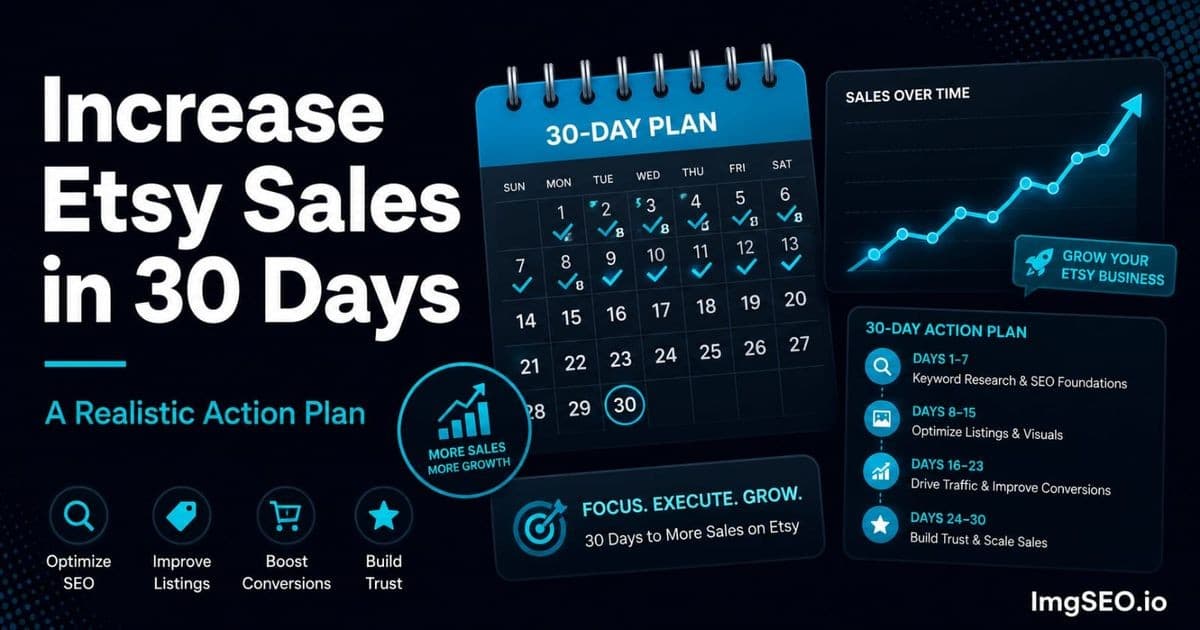
Thirty days is enough time to meaningfully move the needle on Etsy — if you focus on the right things.
Most sellers who are frustrated with their Etsy results are not working too little. They are working hard on the wrong things. Chasing trending products, adjusting prices repeatedly, tweaking listing descriptions that nobody reads, running discounts that train buyers to wait for a sale. Meanwhile the actual ranking levers — title structure, tag alignment, thumbnail CTR, image metadata, external traffic — stay broken.
This plan fixes the ranking levers first. It sequences the highest-impact actions into a week-by-week structure so you are not guessing what to do when. It also gives you realistic expectations: what you will see in 14 days, what takes 60, and why that timeline is worth trusting.
Follow it in order. Do not skip to Week 3 because external traffic sounds exciting. The foundation work in Week 1 is what makes everything else land.
Key Takeaways
- Sellers who follow through on this plan consistently report 20–50% view improvement and 15–30% conversion improvement within 30 days, with further compounding over the following 60–90 days.
- The sequence matters: fix titles, tags, alt text, and metadata (Week 1) before touching thumbnails and images (Week 2), before building external traffic (Week 3).
- If time is limited, the three highest-impact actions are fixing your worst thumbnail, adding alt text to your top 10 listings, and pinning every listing to Pinterest — roughly four to six hours total.
Before You Start: Baseline Metrics
Before Day 1, spend 20 minutes pulling your baseline numbers. You will need them for a meaningful Week 4 comparison, and they determine which parts of this plan you should hit hardest.
What to Measure Before Day 1
Open Etsy Stats and record:
- Daily views: Your average daily listing impressions over the past 30 days
- Conversion rate: Total orders ÷ total visits over the past 30 days (multiply by 100 for the percentage)
- Traffic sources: What percentage is coming from Etsy search vs. external sources (Pinterest, Google, direct)
- Top 5 listings by views: The listings that are already getting the most impressions
Write these down somewhere you will not lose them. A note, a spreadsheet, a sticky note — it does not matter. What matters is having a real before snapshot.
Your Starting Point Determines Your Focus
The plan applies to everyone, but where you push hardest depends on your current traffic level:
Under 50 views per day: Your primary problem is discoverability. Etsy is not surfacing your listings in search. Spend the most energy on Week 1 — titles, tags, and image SEO are your highest-leverage activities right now.
50–200 views per day: You are getting impressions but not enough buyers are clicking through or converting. Conversion is your problem. Week 2 — thumbnails, listing images, and descriptions — matters most.
Over 200 views per day: You have traffic. Your problem is conversion rate. Double down on Week 2 and Week 4. You can also invest more aggressively in Etsy Ads once your listing quality is solid.
Week 1: Fix the Foundation (Days 1–7)
Week 1 is unglamorous. You are not going to see dramatic results by the end of it. You are repairing the structural problems that have been quietly suppressing your rankings for months. Do this work anyway.
Day 1–2: Title Audit and Fix
Go through every listing title and check: is the primary keyword in the first 40 characters? Etsy and Google both weight the beginning of titles more heavily. If your title starts with your shop name, a generic descriptor, or a creative product name that nobody searches — your titles are underperforming.
Fix your top 10 listings by views first. These are already getting impressions; better titles will lift their ranking further. The formula: primary keyword phrase + secondary keyword phrase + material/style + occasion (as space allows).
For a complete system for building keyword-rich titles from scratch, see how to write Etsy titles that rank.
Day 3–4: Tag Audit and Fix
Check every listing and confirm: all 13 tags used, every tag is a multi-word phrase (not single words like "ring" or "gift"), and tags complement title keywords rather than repeating them.
Single-word tags are nearly useless on Etsy — buyers search for phrases. A tag like "sterling silver minimalist ring" will outperform three separate tags: "sterling," "silver," "ring." If you have listings where any tag slot is wasted on a single word or left empty, fix those first.
The other common error: tags that directly repeat the title. Your title and tags should work together to cover a wider keyword surface — not duplicate each other. Tags are for the phrase variations, occasions, recipients, and style terms that did not fit in the title.
For the full tag strategy including how to structure your 13 slots, see how to use Etsy tags for maximum SEO.
Day 5–6: Image Alt Text Sprint
This is the fastest Google Images SEO win available to you and almost no sellers do it.
Go to your top 10 listings in Etsy Shop Manager. Click each image and find the "Describe this photo for buyers who are visually impaired" field. Fill it in for every image across all 10 listings. Use this formula: material + product + style + occasion.
Example: "handmade sterling silver minimalist stacking ring, dainty everyday jewelry for women." That one sentence gives Google Images six keyword signals on a single image. Multiplied across 10 listings at up to 10 images each, you are adding up to 100 keyword-rich signals to your Google Images indexing in a single afternoon.
For the complete image SEO playbook that turns your listing photos into a Google traffic source, see how to get more Etsy sales with image SEO.
Day 7: Metadata Sprint with ImgSEO
Alt text written inside Etsy covers the on-platform signal. Image metadata — the EXIF and XMP data embedded inside the image file itself — covers the signal that Google reads when it first crawls the image.
Download your top 10 listings' images. Run them through ImgSEO, which automatically embeds keyword-optimized alt text, titles, and metadata into each file. Re-upload with descriptive filenames (not IMG_4521.jpg — something like sterling-silver-minimalist-stacking-ring-women.jpg).
This is the one step that most sellers skip because it sounds technical. ImgSEO does the technical part for you.
Week 1 Expected Result
Etsy will re-index your updated listings within 3–7 days. Google will start crawling your updated images. You are unlikely to see dramatic sales changes yet — but the foundation is in place. Rankings will start moving over the next 2–4 weeks as the algorithm processes the updated signals.
Week 2: Fix the Conversion Killers (Days 8–14)
You can rank well and still not sell. Week 2 fixes the things that turn browsers into buyers.
Day 8–9: Thumbnail Audit
Open your shop on your phone. Not on a desktop where you are used to seeing it — on a phone, at the size your thumbnails actually appear in Etsy search results.
Scroll through your own listings as a buyer who has never heard of your shop. Ask yourself honestly: which thumbnails would you click on? Which look dark, blurry, small, or hard to read at that size? Which could be any generic listing in your category?
Identify your three worst thumbnails. These are your priority for Day 10–11.
Day 10–11: Reshoot Problem Thumbnails
Reshoot your three worst main images. You do not need studio equipment. Find a window with bright indirect natural light, use a white or neutral background (a large piece of cardstock works), and position the product so it fills 80–85% of the frame.
The goal: the product should be immediately identifiable and visually compelling at thumbnail size. Clean edges, high contrast, sharp focus. Upload the new images immediately — CTR improvements from better thumbnails show up in Etsy Stats within a few days.
For detailed smartphone photography guidance tailored to Etsy sellers, see Etsy photography tips for non-photographers.
Day 12–13: Add Missing Images
Check every listing: how many images does it have? Etsy allows 10. Listings with fewer than 7 images are leaving conversion opportunities on the table.
For any listing under 7 images, add the highest-impact missing shot types in this priority order:
- Scale reference: the product next to a familiar object (a hand, a coin, a ruler). Removes size ambiguity, which is one of the top reasons buyers bounce without buying.
- Lifestyle shot: the product in use or in a styled environment. Helps buyers visualize owning it, which directly improves conversion.
- Packaging shot: what the product looks like ready to ship. Essential for gift buyers — if they cannot see the packaging, many will not risk it.
For a full breakdown of which image types drive each stage of the buyer decision, see how to increase Etsy conversion rate with images.
Day 14: Description Audit
Check the first 160 characters of each listing description in your top 5 listings. This is what Etsy shows as the snippet in some contexts, and it is what many buyers read first when they click through.
Does it start with your primary keyword? Does it immediately tell the buyer what makes this product worth their attention? Or does it start with "Welcome to my shop!" or "This listing is for a..."?
Fix your top 5 descriptions so the first sentence contains the primary keyword and leads with the most compelling product detail — material, handmade specifics, customization options, or use case. For a complete guide on writing descriptions that both rank and convert, see how to write Etsy descriptions that rank.
Week 2 Expected Result
CTR improvement from better thumbnails should be visible in Etsy Stats within 5–7 days of reuploading. Conversion rate improvement from adding scale reference and lifestyle images typically shows over 2–3 weeks as more visitors encounter the improved listings. Google Images impressions from your Week 1 metadata work should be starting to appear.
Week 3: Build External Traffic (Days 15–21)
Etsy rewards listings that bring in external traffic. Sellers who rely entirely on Etsy's internal search are exposed to every algorithm update. External traffic is the buffer.
Day 15–16: Pinterest Setup
If you do not have a Pinterest business account, create one. If you do, optimize it: keyword-rich profile description, a profile image that matches your Etsy branding, and at least 5 boards organized around your product categories and buyer intent.
Enable rich pins for your Etsy shop — this connects your Pinterest pins to your Etsy listings so that price and availability update automatically, and pins include your listing title and description as metadata.
For a step-by-step Pinterest setup guide for Etsy sellers, see how to drive Pinterest traffic to your Etsy shop.
Day 17–18: Pin All Listings
Pin every active listing to your most relevant Pinterest boards. Do not just share the Etsy link — write a keyword-rich pin description for each one. The pin description is indexed by Pinterest search and contributes to Google SEO. Include 5–8 hashtags: product type, material, occasion, style, and recipient.
Vertical images in the 2:3 ratio (e.g., 1000×1500px) perform significantly better on Pinterest than square or landscape images. If you have a lifestyle shot that fits this ratio, use it as your pin image rather than the main product thumbnail.
Day 19–20: New Listings Push
Publish 3–5 new listings. Every new listing gets a temporary visibility boost from Etsy — the algorithm surfaces new listings to test buyer response. Apply all Week 1 optimizations from the moment you publish: keyword-first title, all 13 tags, alt text on every image, metadata embedded via ImgSEO before uploading.
This is how you avoid the pattern of publishing a listing and letting it sit unoptimized for months. Starting strong means Etsy collects good signals from the beginning.
For a detailed list of the self-inflicted mistakes that undermine new listings from day one, see Etsy SEO mistakes that kill your rankings.
Day 21: Google Search Console Check
Log into Google Search Console (search.google.com/search-console) and navigate to Performance → set Search type to "Image." Look for impressions from your listing images.
By Day 21, if you completed the Week 1 image work, you should be seeing the early stages of Google Images indexing. Note which listings are appearing and at what average positions. These numbers will continue improving over the next 30–60 days as Google fully re-indexes your updated metadata.
If you are not seeing any image impressions yet, confirm your Etsy shop URL is verified in Search Console and that you have submitted your sitemap.
Week 3 Expected Result
Pinterest traffic should start appearing in your Etsy Stats traffic sources by the end of Week 3 — even a small amount confirms the connection is working. New listings will drive some fresh Etsy visibility. Google Images impressions should be visible and growing.
Week 4: Optimize and Scale (Days 22–30)
Week 4 is where you use data instead of guessing.
Day 22–23: Compare Metrics
Pull the same numbers you recorded before Day 1: daily views, conversion rate, traffic sources. Compare them directly.
Ask: which listings improved most, and what did you change on them? Which thumbnails got more clicks — and what do they have in common? Did any new traffic sources appear? Where are you still flat?
The answers tell you where to push harder in the next cycle.
Day 24–25: Double Down on What Works
The listings that improved most in the last 30 days are showing you a pattern. If your scale-reference photos lifted conversion on jewelry listings, add scale references to every jewelry listing that is missing one. If keyword-first titles lifted views on your top category, audit every listing in that category for the same issue.
The goal of Day 24–25 is to apply the specific improvements that worked to the listings that have not received them yet. This is faster than starting from scratch because you already know what moves the needle in your shop.
Day 26–27: Seasonal Keyword Update
Look at the calendar. What is the next major gift-buying event — Mother's Day, graduation season, holiday shopping? If it is within the next 8 weeks, now is the time to update seasonal keywords. Etsy needs 4–6 weeks to evaluate keyword changes and rank listings for new terms.
Update 3–5 tags on relevant listings with specific seasonal search phrases: "Mother's Day gift for her," "graduation gift 2026," "Christmas stocking stuffer" — whatever applies to your products. Update the alt text on your main images with seasonal terms as well.
For a complete seasonal SEO calendar with specific keyword windows, see the Etsy holiday SEO guide.
Day 28–30: Shop Profile Polish
Shop-level signals matter for overall Etsy trust. Spend the final three days on:
- Shop banner: if it is outdated, mismatched to your branding, or missing entirely, update it with a clean, professional banner that communicates your category at a glance
- About section: if it is empty or a single sentence, expand it — Etsy surfaces shop About content in search and it builds buyer trust
- Message response time: reply to all outstanding messages. Fast response time is a Star Seller metric and contributes to shop quality signals
For guidance on optimizing your shop-level images including banner and profile, see Etsy shop banner and profile image optimization.
Week 4 Expected Result
By Day 30, you should see measurable improvement in views vs. your Day 1 baseline — typically 20–50% for shops starting from weak SEO. Conversion rate improvement of 15–30% is common when thumbnail and image work is done properly. Pinterest and Google Images traffic should both be visible in your stats, even if modest.
Realistic Expectations: What 30 Days Can Do
Be honest with yourself about timelines.
What Changes Fast (Days 1–14)
- Etsy re-indexes updated titles and tags: 3–7 days
- CTR improvement from a better main thumbnail: visible in Etsy Stats within a week
- First Google Images impressions from updated metadata: 7–14 days
- Conversion improvement from better listing images: 1–2 weeks
What Takes Longer
- Meaningful Google Images traffic volume: 30–60 days
- Pinterest compound traffic effect: 60–90 days
- Full SEO compound ranking improvements: 3–6 months
- Sustained revenue growth from all improvements combined: ongoing
The 30-Day Benchmark
If you are starting from weak SEO and poor listing images, the realistic 30-day outcome is:
- Views: 20–50% improvement
- Conversion rate: 15–30% improvement from image fixes
- New traffic sources: Pinterest and Google Images both appearing in Etsy Stats
These are not guarantees. They are what consistent follow-through on this specific sequence typically delivers in this timeframe, based on what works in practice.
What NOT to Do in 30 Days
A short list of things that will actively undermine this plan:
Change titles and tags more than once. Once you fix them in Week 1, leave them alone. Etsy needs 4–8 weeks to evaluate the changes. Touching them again in Week 3 resets the evaluation window.
Buy fake reviews. The risk is instant: Etsy suspends shops for review manipulation, sometimes permanently. No amount of short-term social proof is worth shop suspension.
Run Etsy Ads before fixing your images. Ads drive paid traffic to listings that do not convert. You are paying for clicks that produce no sales while your competitors, who fixed their listings first, convert the same traffic for free.
Assess results at Day 15 and conclude the plan is not working. Two weeks is not enough time for SEO changes to fully materialize. If you change something and see no result in 14 days, that is normal — not a signal to change it back.
Conclusion
Thirty days of focused effort can genuinely change your Etsy trajectory. Not because there is a secret algorithm hack buried in this plan, but because most Etsy shops have fixable problems that compound against each other: weak thumbnails that suppress CTR, missing metadata that keeps Google Images dark, misaligned tags that confuse the relevance signal. Fixing these systematically, in the right order, removes the drag that has been holding the shop back.
The sequence: Week 1 builds the foundation (titles, tags, alt text, metadata). Week 2 fixes conversion (thumbnails, images, descriptions). Week 3 builds external traffic (Pinterest, new listings, Google). Week 4 scales what worked and prepares for the next cycle.
The sellers who see results are the ones who follow through past Day 15. Not because Day 15 is magical, but because that is usually when the impatient sellers give up — and the ones who keep going are still there to collect the compound gains that arrive in weeks 6, 8, and 12.
For the image SEO step (Day 7 and beyond), ImgSEO handles alt text and metadata embedding automatically — first 30 images free. Start there before moving to Week 2.
For a broader Etsy SEO foundation to pair with this plan, start with the Etsy SEO beginner's guide.


