Your product is genuinely good. The specs check out, the build quality is solid, the price is fair. And it's still losing to a listing with worse specs, because that seller's photos answered every question a buyer had before they even opened the description — and yours didn't.
Electronics buyers research harder than almost any other product category. They cross-reference your images against the manufacturer's official spec sheet, against a competitor's listing open in another tab, and against whatever they already know about the model from a review video. A single ambiguous photo — no scale reference, no port close-up, no obvious "is this the right version" confirmation — is enough to send that buyer to a competitor's tab instead of yours.
This guide covers the specific image sequence electronics buyers actually need, the scale and ports problems unique to this category, and how to differentiate a listing when your product is the same OEM hardware fifty other sellers are also listing.
Key Takeaways
- Electronics images have to serve three distinct buyer intents at once — identification (is this the right model?), specification (what's included and what are the ports?), and confidence (does this brand look legitimate?) — and missing any one of them costs the sale.
- A scale reference (hand-holding shot, coin, ruler, or a familiar object like a credit card) is close to mandatory in this category, since electronics photographed in isolation almost always read as larger than their real size.
- The identical-stock-photo problem is a real ranking and trust issue, not just an aesthetic one — Google Lens and suspicious buyers can both detect the same image reused across dozens of competing listings.
- Alt text and filenames should include the actual model number ("Sony WH-1000XM5" not "wireless headphones"), since electronics buyers frequently search by model number directly rather than a generic category term.
- Video is close to table stakes in this category — a short clip showing power-on, ports, and real use answers questions static photos structurally can't.
Why Electronics Image SEO Is Uniquely Hard
Electronics buyers research more intensively before purchasing than buyers in most other categories, routinely cross-referencing your product images against the manufacturer's own spec sheet and against competing listings open in adjacent browser tabs. That comparison behavior means your photos are being evaluated against a much higher information bar than a typical impulse-purchase category.
Compounding this, electronics categories are heavily saturated with identical stock photography from suppliers, dropshippers, and resellers all listing the same underlying hardware. When your hero image is pixel-identical to fifty other sellers' hero images, differentiation stops being optional — it becomes the entire competitive question, since price and specs are often identical too.
The 3 Buyer Intents Electronics Images Have to Serve
Every image in an electronics listing needs to serve at least one of three distinct buyer questions, and a complete image set covers all three rather than over-indexing on just one.
Identification — is this the exact model and version the buyer is looking for? Electronics have model numbers, generations, and color variants that look nearly identical in a thumbnail but matter enormously to the buyer, who's often cross-shopping a specific SKU rather than browsing a category casually.
Specification — what are the actual ports, dimensions, and included accessories? This is the question a spec sheet answers in text, but a buyer trusts a clear photo more than a listed spec they can't independently verify.
Confidence — does this brand and this specific seller look legitimate? Electronics carry real counterfeit and misrepresentation risk in buyers' minds, and professional, consistent photography is one of the fastest signals that reduces that hesitation before checkout.
The 8-Image Electronics Standard
A complete electronics image set answers all three buyer intents across a consistent sequence:
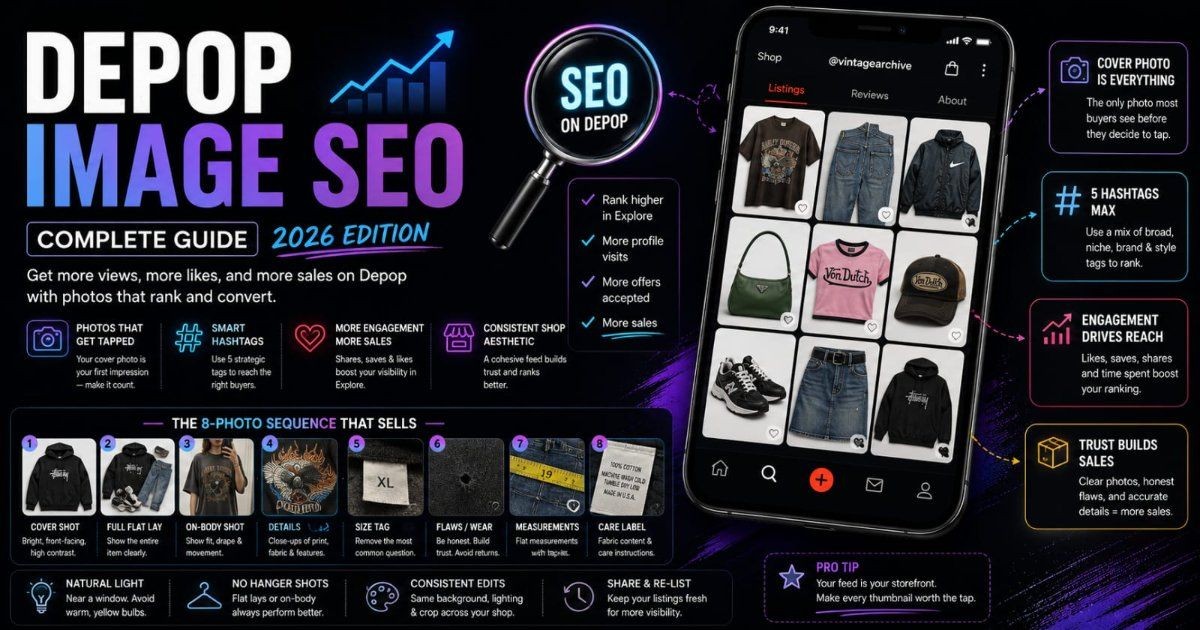
| Slot | Purpose | |---|---| | 1. Hero (white background) | Clean, high-contrast primary image — the identification and confidence driver | | 2. Scale/hand reference | Corrects the near-universal "looks bigger in photos" problem | | 3. All sides and angles | Confirms exact model and shows the full physical form | | 4. Ports and connections close-up | Answers the compatibility question directly, without guesswork | | 5. What's in the box | Full contents laid out flat — reduces returns and pre-purchase questions | | 6. Lifestyle in-use | Shows the product in a real, plausible context of use | | 7. Spec callout / feature infographic | Annotated diagram highlighting key specs at a glance | | 8. Size comparison against a known object | A second, more concrete scale reference for physically ambiguous products |
Not every listing needs all 8 filled with equally distinct content, but electronics specifically benefit from using the full range, since the category carries more pre-purchase uncertainty than most.
Hero Image Rules for Electronics
A clean, neutral background — white or light grey — remains the standard for the hero image in this category, prioritizing clarity over styling. The product angle should show its "recognizable face": the screen for phones and monitors, the front for cameras, the top for headphones — whatever angle a buyer would use to instantly confirm "yes, that's the model I'm looking for."
Avoid reflections that obscure ports, buttons, or texture detail, and favor a matte finish in the photography itself over a glossy, high-reflection treatment — glossy surfaces photograph well in isolation but frequently hide the exact details (a port, a button label) a spec-conscious buyer is scanning for.
The Scale Problem: Why Electronics Always Look Bigger in Photos
A device photographed alone against a plain background gives the viewer no reliable size cue, and the brain tends to default toward assuming a larger size than reality in that vacuum — a genuinely common and underrated source of return requests and pre-purchase confusion in this category specifically.
A hand-holding shot is the most intuitive fix, since a hand is a size reference every buyer instantly understands without needing a caption. A coin, a ruler, or a side-by-side comparison against a familiar object like a credit card or a USB drive work nearly as well and photograph more cleanly for a dedicated scale-reference slot. A dimensions overlay — actual measurements labeled directly on the image — adds a fourth, more precise option worth including alongside a more intuitive visual reference rather than instead of it.
Ports and Connectivity Photography
A close-up shot of every port, clearly visible and ideally labeled, removes one of the most common sources of pre-purchase messages in electronics: "which USB-C is it, charging only or data too?" This single ambiguity sends more buyers into a seller's message inbox than almost any other spec question.
A cable-connected shot — showing an actual cable plugged into the port in question — demonstrates compatibility more convincingly than a labeled close-up alone, since it shows the physical fit rather than asking the buyer to trust a label. For products with multiple port types, a single annotated image covering all of them in one frame is more useful than scattering that information across several unlabeled angle shots.
Screen and Display Products: Shooting the On-State
Monitors, phones, TVs, and tablets need at least one shot with the screen powered on, since a dark or reflective screen tells a buyer almost nothing about display quality — the actual selling point of the product. Shooting the on-state cleanly, without moiré patterns (the interference pattern that appears when a camera sensor's pixel grid conflicts with a screen's pixel grid), typically requires a slight camera angle adjustment or a dedicated anti-moiré technique rather than a direct straight-on shot.
Native resolution photography, rather than a heavily zoomed crop, gives a more honest representation of actual sharpness and color as the buyer will experience it. What content to display on-screen for the photo carries its own consideration: using copyrighted photos, film stills, or app content you don't have rights to raises a separate copyright question independent of the device itself — original photography, licensed demo content, or the manufacturer's own official demo material sidesteps that ambiguity entirely.
Spec Callout Infographics: Structuring Text Overlays That Survive Platform Rules
An annotated diagram pointing to specific features — "10-hour battery," "4K sensor," "Bluetooth 5.3" — gives buyers a fast, visual answer to spec questions without requiring them to read a dense description block. This is genuinely one of the highest-value additions in a spec-heavy category, since it directly serves the "specification" buyer intent covered earlier.
Marketplace text-overlay rules generally differ between main and secondary images: Amazon's main image typically must stay clean, without added text or graphics, while secondary images are commonly where feature callouts and annotated diagrams belong. Structure your image set with the spec infographic explicitly in a secondary slot, never as your primary hero, to stay compliant while still getting the benefit.
What's in the Box: The Underrated Return-Reducer
Laying out the actual contents flat — the device itself, all included cables, adapters, printed manuals, and any bonus accessories — answers one of the most common pre-purchase questions in electronics directly and visually, rather than forcing a buyer to parse a bullet-point list in the description.
This single image type measurably reduces returns and complaints tied to "I thought this included X" — a mismatch between buyer expectation and actual contents that's entirely preventable with one clear, honest layout shot taken before the listing goes live.
Lifestyle In-Use Context Without the Dropshipping Cliché
Showing the device being used by a real person in a plausible environment helps a buyer picture the product in their own life, which a clinical white-background shot alone can't do. The trap to avoid is the generic "stock photo family smiling in a white kitchen" aesthetic — an image style so overused in dropshipping listings that it now functions as a subtle signal of exactly that, undermining the trust the shot was meant to build.
A more specific, less generic context — an actual desk setup, a real commute scenario, a genuine home office — reads as more credible precisely because it looks less like stock photography, even when it's still a staged shot for the listing.
Refurbished and Used Electronics: Honest Condition Photography
Refurbished and used electronics benefit disproportionately from honest, well-lit condition photography — visible wear on screen edges, cosmetic damage around a port, or a battery health screenshot for devices where that's relevant. This isn't just an ethical baseline; it's a genuine trust-building strategy that measurably increases conversion in a subcategory where buyers are already primed for skepticism.
A refurbished listing with zero visible flaws photographed reads as either suspiciously perfect or dishonestly staged to a buyer who's shopped this category before. Showing the actual, specific condition — even imperfect — builds more trust than a photo that implies the item is indistinguishable from new when it isn't.
Brand Differentiation for Identical OEM Products
Private-label sellers working from the same OEM hardware as several competitors face a specific challenge: the product itself isn't differentiable, so photography style, environmental context, and infographic design have to become the actual brand identity carried across every listing.
A consistent color palette in your infographics, a recognizable photography style, and a specific environmental context your competitors aren't using all function as differentiation even when the underlying hardware is identical. This is less about the individual photo and more about building a recognizable visual signature across your entire catalog that a buyer starts to associate specifically with your shop.
The Dropshipping Stock Photo Trap
Using the exact same supplier-provided stock photo as dozens of other sellers creates a detectable pattern — both through Google Lens-style reverse image matching that surfaces every listing using the identical file, and through buyer suspicion when a quick search reveals the same photo attached to a dozen different "brands." For the deeper legal and rights dimension of this specifically, see Image Copyright and Licensing for E-commerce and the broader dropshipping image SEO playbook.
Even a minor reshoot — a different angle, adjusted lighting, or the addition of a small branded prop into frame — meaningfully differentiates your listing from an identical stock photo, both for buyer trust and for avoiding the "everyone's using this exact photo" pattern that undermines confidence in the category specifically.
Alt Text for Electronics: Model Numbers Matter
Electronics buyers frequently search by exact model number rather than a generic category term, which makes model-number-inclusive alt text genuinely more useful here than in most other product categories. "Sony WH-1000XM5 wireless noise-cancelling headphones in black" gives both a search engine and a screen reader user far more usable information than "wireless headphones," which could describe hundreds of unrelated products. For the underlying principles of writing alt text well beyond this category-specific detail, see How to Write Alt Text for Product Images.
Filename SEO: Model Number and Key Spec
Filenames should carry the same model-number-first logic as alt text: logitech-mx-master-3s-wireless-mouse-graphite.jpg gives Google and any buyer inspecting the URL immediately useful information, where IMG_4523.jpg gives nothing at all. Including a key differentiating spec — color, capacity, generation — in the filename helps distinguish otherwise near-identical product variants at the file level, not just in the visible listing text.
Category-Specific Angles
Different electronics subcategories reward different specific shot types beyond the general 8-image standard:
- Audio (headphones, speakers) — an angle clearly showing the driver, plus a hand-held shot for scale, since size and fit matter more than most buyers expect before purchase.
- Cameras — a top-down shot showing all buttons and dials, with the lens attached rather than the body alone, since lens compatibility is a common point of confusion.
- Gaming hardware — an RGB lighting shot in a dark setting alongside a shot of the hardware in an actual gaming setup, since aesthetic appeal is a genuine purchase driver in this subcategory.
- Smart home devices — shown actually installed or mounted, paired with a companion app screen, since buyers need to picture both the physical installation and the software experience.
- Wearables — on-wrist or on-body shots alongside a screen close-up, since fit and display legibility are both live concerns.
- Drones — an in-flight shot paired with a folded, compact shot, since portability claims need visual proof alongside the in-use appeal.
- Accessories — a compatibility grid explicitly listing supported devices ("works with iPhone 15/16/17"), since compatibility is often the single deciding factor for accessory purchases.
Structured Data Specifics for Electronics
Product schema for electronics should include brand, model, and a GTIN or UPC where available, plus additionalProperty entries for key specs — battery life, connectivity standard, resolution — giving search engines structured, verifiable data beyond what's stated in prose. ImageObject fields on your product images carry this same structured information through to Google Shopping listings and increasingly to AI-powered search surfaces that parse structured data directly rather than relying solely on visible page text. For the full schema implementation detail, see Product Image Schema and Structured Data.
Platform Playbooks
Amazon enforces a pure white background on the main image with no added text or props, while accepting 7 or more secondary images for most electronics listings — a range worth treating as a floor, not a ceiling, given how many distinct buyer questions this category generates. The full technical spec — pixel dimensions, file formats, and the rules that trigger a suppressed listing — is covered in the Amazon product image requirements guide. Shopify stores have full control over product gallery ordering and should set alt text per variant individually, since a color or model variant swap shouldn't leave a buyer looking at alt text describing a different version of the product.
Etsy sellers in tech accessories — handmade phone cases, custom cable wraps — benefit from the same core sequence adapted to a smaller, more personal scale: a clean hero, a fit/compatibility shot, and a materials or craftsmanship close-up standing in for the ports and specs slots a larger device would need. Newegg and B&H, serving a spec-literate audience by default, reward comprehensive angle coverage and detailed callouts even more than general marketplaces, since their buyer base is actively comparing technical detail across tabs as a matter of course.
Video Is Table Stakes
A 30-60 second product video showing power-on, port usage, and the device in actual use has become close to table stakes in electronics specifically, since static photos can't demonstrate boot behavior, cable insertion feel, or real interaction the way even a short clip can. Amazon's A+ Content, a standard Shopify product page, and YouTube (for longer-form review-style pickup) are the three most common distribution points for this same footage, often reused with minor edits across all three.
Common Mistakes That Cost Sales in This Category
A handful of recurring mistakes account for most avoidable underperformance in electronics listings:
- Using the identical supplier stock photo dozens of other sellers also use. Undermines both differentiation and buyer trust once a quick reverse image search reveals the pattern.
- No scale reference anywhere in the image set. Leaves buyers guessing at real-world size, a near-guaranteed source of "smaller than expected" complaints.
- Missing port close-ups entirely. Forces buyers into your message inbox with compatibility questions a single photo could have answered.
- Only staged lifestyle shots, no clean product-only image. Buyers cross-referencing against a spec sheet need at least one unambiguous, uncluttered view of the actual product.
- Skipping the what's-in-the-box shot. A frequent, entirely preventable source of return requests over mismatched contents expectations.
Getting the Fundamentals Right Across a Growing Catalog
Everything above assumes clean, properly named, well-organized source images to build the sequence from — the harder problem at scale is maintaining consistent filenames, alt text, and metadata across hundreds of SKUs and variants. ImgSEO generates SEO-aware alt text and filenames across a batch of product images, giving electronics sellers a consistent starting point for the model-number-first naming this category specifically rewards. For the complete foundational picture of image SEO across categories, see the Image SEO Guide.
Frequently Asked Questions
Should I use manufacturer photos for electronics dropshipping? Generally, no, without a written license confirming you actually have the right to use them. Manufacturer photos are copyrighted the moment they're created, and a supplier passing them along doesn't grant you permission to use them commercially. Beyond the legal risk, using the exact same manufacturer or supplier photo as dozens of other sellers also makes differentiation and ranking harder, since buyers and Google Lens can both detect the identical image across competing listings.
How many product photos do I need for electronics on Amazon? Aim for at least 7 images for most electronics listings, beyond Amazon's technical minimum, since spec-driven categories carry more pre-purchase questions than simpler products. A complete set typically includes a white-background hero, a scale reference, multiple angles, a ports close-up, a what's-in-the-box layout, a lifestyle in-use shot, and a spec callout graphic — each answering a distinct question a buyer would otherwise message you about.
Why do electronics always look bigger in photos than in real life? Product photography commonly shoots devices in isolation against a plain background with no size reference, which removes any visual cue for scale and lets the brain default to assuming a larger size. A hand-holding shot, a coin or ruler placed next to the product, or a side-by-side comparison against a familiar object like a credit card corrects this and is one of the most requested clarifications on ambiguous electronics listings.
Is it legal to screenshot copyrighted content onto a display for product photos? It's a genuine grey area rather than a clear yes or no. Using a copyrighted photo, film still, or app interface as the on-screen content in a product photo can raise separate copyright questions about that displayed content, independent of your rights to the device itself. Many sellers use their own original photos, licensed demo content, or the manufacturer's own official demo material specifically to avoid this ambiguity.
Does adding a spec callout infographic help electronics listings rank? Yes, indirectly, mainly through improved click-through and reduced pre-purchase confusion rather than a direct ranking signal from the graphic itself. A well-labeled infographic answers questions a buyer would otherwise have to read the full description or message you to resolve, and marketplaces generally allow this kind of factual text overlay on secondary images even where the main image must stay clean.
Conclusion
Electronics buyers do more homework than almost any other category's shoppers, and your image set is being actively cross-referenced against spec sheets and competitor tabs while they decide. A hero shot alone was never going to close that sale — identification, specification, and confidence all need their own dedicated image, and skipping any one of them hands that buyer's attention to whichever competitor answered the question you didn't.
Start with the scale problem and port close-ups, since those two gaps generate the most avoidable pre-purchase messages in this category specifically. Build out the full 8-image sequence, add model numbers to your alt text and filenames, and treat a short product video as standard rather than optional. If your hardware is identical to a dozen competitors', let your photography style and infographic design become the actual differentiation.
For the fuller picture of how image SEO connects across every e-commerce category beyond electronics specifically, see the Image SEO Guide.