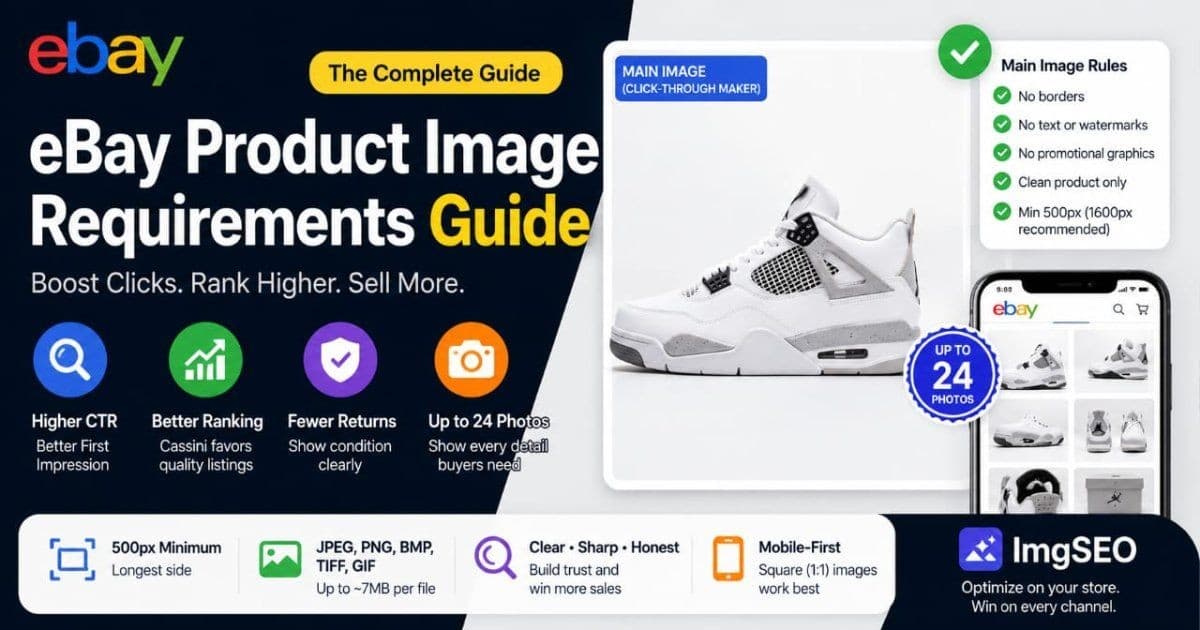
If your eBay listings look weaker than competitors' in search, or you keep hitting "image doesn't meet requirements" warnings, your photos are the lever. eBay judges listings partly on image quality, and the gallery thumbnail is what earns the click before anything else.
This guide covers the exact rules and the tactics that lift click-through. It sits alongside our Amazon and Google Merchant Center requirement guides if you sell across channels.
Key Takeaways
- The gallery thumbnail decides your click-through in eBay search, and Cassini treats image quality as a ranking input. A weak first photo caps everything downstream.
- Per eBay's current guidelines, the main image needs no borders, text, watermarks, or promotional graphics — a clean product shot at 500px or more.
- eBay re-hosts images and strips filenames, so your own store is where image SEO for Google actually happens.
Numeric rules below reflect eBay's published standards, which change over time. Confirm current figures in eBay Seller Center before a big relisting.
Why eBay image quality matters more than sellers think
On eBay, your gallery thumbnail is the single biggest driver of click-through in search results. Cassini, eBay's search engine, factors listing quality — including images — into Best Match placement. A sharp, clear main photo lifts both your ranking and the rate at which shoppers click it.
The two effects compound. A better thumbnail earns more clicks, and higher click-through tells Cassini your listing is relevant, which lifts placement further. A blurry or cluttered thumbnail does the reverse.
This is why images aren't a finishing touch on eBay. They're a ranking and conversion input working together. Get the first photo right and everything after it has a chance to perform.
eBay's technical image requirements
Per eBay's current guidelines, listing images must be at least 500px on the longest side, with around 1600px recommended to enable zoom. Accepted formats are JPEG, PNG, BMP, TIFF, and GIF, up to roughly 7MB per file. The gallery image can't carry borders, text, watermarks, or promotional graphics.
- Minimum 500px, longest side. Below this, eBay may reject the image or disable zoom. Treat 500px as the floor, not the goal.
- 1600px recommended. This unlocks the zoom feature, which shoppers use to inspect condition. More detail, more confidence.
- File size up to ~7MB. Compress oversized files so they upload cleanly and load fast.
- Formats: JPEG, PNG, BMP, TIFF, GIF. JPEG is the standard choice for product photos.
- No overlays on the gallery image. No borders, added text, watermarks, or "sale" graphics on your main photo.
eBay compresses images on its end, so start with a clean, well-sized file. For the wider view of formats and compression, see our product image SEO guide.
The 24 free photos: how many to use and in what order
Per eBay's current guidelines, most listings include up to 24 photos at no cost. You don't need all 24, but you should use enough to answer every buyer question. Order them so the strongest, clearest shots come first, because the early photos carry the most weight.
A reliable order:
- Photo 1 — gallery thumbnail. Clean, sharp, product-only, on a plain background.
- Photos 2–5 — angles. Front, back, sides, and top so nothing is hidden.
- Photo 6 — scale. The item in hand or beside a common object for size.
- Photos 7+ — condition and defects. For used items, close-ups of any wear.
- Final photos — packaging and extras. Box, tags, accessories, and what's included.
Fill enough slots to remove doubt. Unanswered questions become messages, returns, or a lost sale to a better-photographed competitor.
Main gallery image best practices
The gallery image is your storefront in search, so it should be a clean, sharp, product-only shot. Use a white or neutral background, and fill roughly 80% to 90% of the frame with the product. Skip props, and keep the focus crisp. This is the photo Cassini shows and shoppers judge.
- Clean background. White or neutral keeps attention on the product and reads well at thumbnail size.
- Fill the frame. Roughly 80% to 90% of the image, so the product is clear even when small.
- No props. Nothing that could be mistaken for what's included.
- Sharp focus. Blurry thumbnails lose clicks instantly and signal low quality.
eBay allows lifestyle and background shots in the secondary slots, so save context and styling for photos two onward. The gallery image stays clean.
Stock manufacturer images: when they're allowed
Manufacturer stock photos are allowed on eBay in limited cases — mainly new, sealed, brand-new-in-box items where the stock image accurately represents what ships. For anything used, opened, or one-of-a-kind, a stock image invites "item not as described" claims when reality doesn't match.
The risk is concrete. If a buyer sees a pristine stock photo and receives a worn item, that's a dispute you'll usually lose. eBay sides with accurate representation.
The safe rule: use your own photos for anything that isn't factory-sealed and identical to the stock shot. Even for new items, a real photo of the actual box builds more trust than a borrowed graphic.
Used and pre-owned items: the honesty-first photo strategy
For used items, the winning strategy is radical honesty in photos. Show the wear, the tags, the scratches, and the flaws clearly and up close. Counterintuitively, this reduces returns and disputes, because buyers know exactly what they're getting before they commit.
Hiding a defect doesn't prevent the return — it delays it and turns it into a dispute. A buyer who sees the scuff in photo eight and buys anyway rarely opens a "not as described" case.
Photograph condition like you're protecting yourself, because you are. Clear close-ups of every flaw are your best defense in a dispute and your best filter for the right buyer.
Variation listings: photos per variant
For multi-variation listings, each variation should have its own image matching that specific option. A red variant needs a red photo, a size or style variant needs a photo of that version. eBay's variation picker swaps the displayed image when a buyer selects an option, so accuracy here is essential.
Assign the image at the variation level, not just in the general photo set. If every color shares one photo, buyers filtering by color see the wrong item, which drives confusion and returns. Accurate variant photos also help the listing surface correctly when shoppers search for a specific option.
Does eBay have alt text? What feeds eBay search vs Google
eBay doesn't give sellers a manual alt text field for listing images. Its internal search, Cassini, ranks on your title, item specifics, category, and listing quality — not on a per-image alt attribute. What you write in the title and item specifics is what eBay's search actually reads.
That splits into two audiences:
- eBay's Cassini. Reads your title, item specifics, and listing signals. There's no alt text box to fill, so those fields do the descriptive work.
- Google. Indexes eBay listing pages to a degree and derives image context from the title and page text, not a filename you control.
Because eBay controls the alt text, the place you write your own is your own store. To see what strong alt text looks like when you do control it, read how to write alt text for product images.
Category-specific image rules
Some eBay categories add their own photo requirements on top of the general rules. Per eBay's current guidelines, apparel, collectibles, and vehicles each expect specific shots. Meeting these isn't optional in those categories — it affects both compliance and buyer trust.
- Apparel. Front, back, and a clear tag or label shot showing brand, size, and material.
- Coins and stamps. Sharp macro photos of both sides, since condition and detail drive value.
- Vehicles. Motors listings expect a thorough set — up to the full photo allowance covering exterior, interior, engine, and any damage.
- Trading cards. High-resolution front and back, with corners and edges visible for grading context.
When in doubt, over-photograph. In detail-driven categories, the seller who shows more wins the trust and the sale.
Mobile-first: why square 1:1 wins
Most eBay browsing happens on the mobile app, where images render small and square. A 1:1 square photo fills that thumbnail cleanly, while tall or wide images get cropped or letterboxed and lose impact. Optimize the gallery image for how it looks at thumbnail size, not full screen.
Two practical moves:
- Shoot or export square. A 1:1 image fills mobile thumbnails with no awkward cropping.
- Check the small view. Preview your thumbnail at actual size. If the product isn't instantly clear, tighten the crop.
The gallery image often gets judged at the size of a fingernail. If it reads well there, it reads well everywhere.
Off-eBay SEO: how eBay listings appear in Google
Google indexes eBay listings only to a limited degree, and eBay re-hosts your images on its own servers, stripping the filenames you uploaded. So the descriptive filename you carefully wrote doesn't survive, and any Google image visibility comes from eBay's URL, not yours.
This makes the takeaway simple. Don't spend effort optimizing filenames for eBay itself — they're discarded. The payoff is on your own store, where filenames, alt text, and an image sitemap stay under your control.
If you also run a Shopify or WooCommerce store, that's where the same product photos earn Google Images traffic. The mechanics mirror the Google Merchant Center image rules for feed-based discovery.
Common image issues and quick fixes
Most eBay image problems come from a short list. Watermarks flagged on the gallery image, low-res photos hurting Best Match, a title mismatch on the first photo, and borrowed stock photos on used items. Each has a fast fix.
- Watermark flagged. Remove the watermark or logo from the gallery image and re-upload a clean version.
- Low-res photo. Replace anything under 500px. Aim for 1600px so zoom works and the thumbnail stays sharp.
- First photo mismatch. Make sure the gallery image matches the exact item and variant your title describes.
- Borrowed stock photo. Swap in your own photo for any used or opened item to avoid disputes.
Work this list top to bottom on your weakest listings first. The gallery-image fixes usually move click-through the fastest.
Frequently asked questions
Does eBay compress my photos?
Yes. eBay resizes and compresses uploaded images for search, listings, and the mobile app. Start with a sharp, well-compressed file under the size limit, and upload larger than the minimum — around 1600px — so zoom has detail to work with.
Can I use the same images on eBay and my own store?
Yes, and it's smart. eBay re-hosts images and strips filenames, so your own store is where descriptive filenames and alt text earn Google visibility. Use the same photos on both, but optimize the versions on your site for search.
Why does eBay say my image doesn't meet requirements?
Usually a photo under the 500px minimum, added borders or text, a watermark, or promotional graphics on the gallery image. Fix the specific issue eBay names — resize, remove the overlay, or replace the file — and re-save.
Start with your gallery thumbnail
On eBay, the gallery thumbnail earns the click and feeds Cassini's ranking, so it's the highest-return photo you own. Make it clean, sharp, square, and product-only, then fill the rest of your slots with honest angles and condition shots.
The images you also host on your own store are where filenames and alt text pay off for Google. Try ImgSEO free — 30 images, no credit card required. It compresses your product photos and generates clean filenames and metadata for the versions on your site. For the full workflow across every channel, our complete image SEO guide ties it together.