Your Wix site looks like it cost real design money. The layout is clean, the fonts are considered, the product photos are sharp. And in Google Images, none of it exists. Not because Wix secretly sabotages you — because its drag-and-drop convenience layer buries the handful of decisions that actually determine whether an image ranks, and most sellers never learn where those decisions live.
That reputation problem cuts both ways. Wix spent years as the platform SEO consultants warned you away from, and some of that warning still circulates as received wisdom long after the underlying issues got fixed. Image SEO is where the outdated criticism and the still-real caveats overlap most, which makes it the hardest part of Wix SEO to get straight advice about.
This guide separates the two. It covers Wix Editor, Wix Studio, and Wix Stores — where alt text actually lives, why your filename disappears the moment you upload, and what still moves the needle once it does.
Key Takeaways
- Wix rewrites every uploaded filename into a hashed CDN path on
static.wixstatic.com— your original filename never reaches the live image URL, so filename keyword strategy simply doesn't apply here.- Alt text lives in different places depending on component type (image element, product gallery, Pro Gallery, blog post), and reused images do not share alt text across placements — set it again every time you reuse an asset.
- Wix automatically compresses images, serves WebP/AVIF, and generates responsive size variants — none of it is adjustable, so your only real lever is a properly sized, pre-compressed source file.
- Velo (Wix's dev platform) is the escape hatch for custom
ImageObjectschema, LCP preload hints, and programmatic alt text at catalog scale — genuinely useful past a few hundred products, overkill below that.
The Wix SEO Reputation Problem: Old Criticism vs Current Reality
Wix's SEO reputation was earned honestly, years ago. Early Wix sites ran on Flash, generated URLs Google couldn't reliably crawl, and offered almost no editable meta tags. That version of Wix deserved every warning it got.
Current Wix isn't that platform. URLs are crawlable and editable. Title tags, meta descriptions, and canonical tags are all exposed in a real SEO panel. A sitemap generates automatically. Product pages ship with structured data out of the box. Most of the historical criticism no longer applies to a site built today.
Image SEO is the part where outdated and current criticism genuinely overlap. Filenames still get erased. Alt text is still scattered across UI locations that don't match each other. Those aren't relics of old Wix — they're active platform behavior, and they're specific enough that generic "Wix has bad SEO" advice doesn't tell you what to actually do about them.
Wix Editor vs Wix Studio: Which Builder Changes What
Which Wix product you're building on changes where image controls live and how much of this guide translates directly.
Wix Editor is the original drag-and-drop builder most small business owners and solopreneurs use. Elements sit at fixed positions with limited responsive control, and image settings — alt text, title, filters — live in a settings panel that opens when you click an image.
Wix Studio is Wix's newer builder aimed at agencies and design-conscious users, built around real responsive breakpoints and CSS-like layout control. It absorbed and replaced what used to be marketed separately as Editor X. If your site was built recently by an agency or you see the word "breakpoints" in your editor, you're on Studio.
What's the Same Across Both
Alt text fields, the underlying wixstatic CDN, automatic compression, format negotiation, and the auto-generated sitemap all behave identically regardless of which builder you're on. If your priority is fixing alt text and understanding the filename problem, this guide applies without translation either way.
What's Different
| Capability | Wix Editor | Wix Studio | |---|---|---| | Layout model | Fixed-position, less responsive nuance | True breakpoints, CSS-like control | | Target user | Small business owners, DIY builders | Agencies, designers, dev-adjacent teams | | Image element settings | Standard settings panel | Same panel, more layout override options | | Velo access | Available | Available, more commonly used here | | Learning curve | Lower | Higher, more precise control in exchange |
The practical takeaway: Studio's extra layout precision doesn't unlock extra image SEO controls. Alt text, filenames, and compression behave the same either way — Studio just gives you finer control over how images are positioned and sized on the page.
Alt Text on Wix: Where It Actually Lives
This is the single most common point of confusion on the platform, and it costs sellers real Google Images traffic.
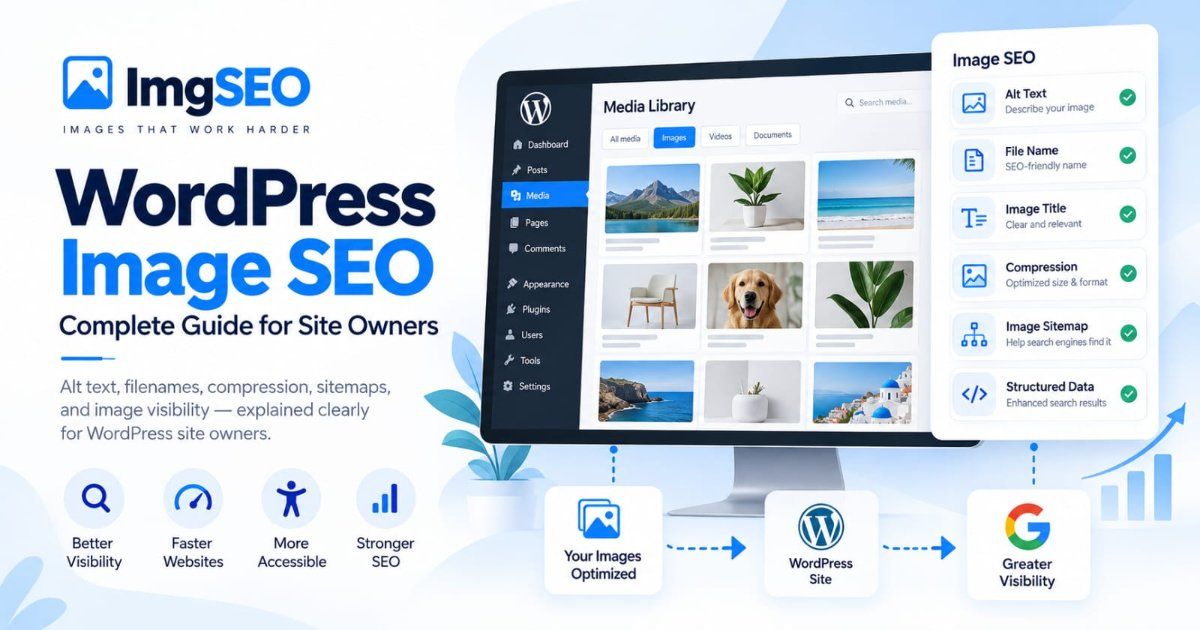
Standard image elements (the ones you drag onto a page) have a settings panel — click the image, then the settings icon — with two separate fields: Alt Text and Title. Alt Text is what becomes the image's alt attribute, the one Google reads. Title populates a tooltip and, on some elements, an HTML title attribute — it does essentially nothing for image SEO. Sellers who fill in Title and skip Alt Text have written zero real SEO copy despite feeling like they did the work.
Wix Stores product images have their own alt text field, set per image inside each product's gallery in the Store Products dashboard — separate from both the product description and the page-level image settings above.
Pro Gallery and other gallery components bury alt text inside the gallery's own settings, often under an "Info" or "SEO" tab per image rather than a field labeled plainly "Alt Text." This is the location most commonly skipped entirely, because it isn't where users expect to look.
Strip and section background images — the images you set as a section's background rather than a placed element — typically have no alt text field at all, since they render as CSS backgrounds rather than <img> tags. More on the SEO consequences of that in the hero-image section below.
For the underlying principles of what actually makes alt text effective once you've found the right field, see How to Write Alt Text for Product Images — the writing guidance there applies to Wix exactly as it does everywhere else.
The Filename Problem: Wix's Hashed CDN URLs
This is the fix most Wix guides skip, because on most other platforms it's the highest-leverage move you can make. On Wix, it's simply not available to you.
Upload handmade-silver-ring.jpg to Wix, and the live URL becomes something like static.wixstatic.com/media/8f3a21_9c72e4b5...~mv2.jpg. Your descriptive filename is gone, replaced by an internal asset hash the moment the file lands in your Media Manager. There is no setting, rename option, or workaround that restores it. Google never sees handmade-silver-ring anywhere in that URL.
This changes the entire optimization playbook compared to Shopify, BigCommerce, or a self-hosted site, where filename keywords are genuinely one of the first things worth fixing. On Wix, that lever doesn't exist. If you're used to the filename-first advice from other platforms, the core keyword-matching logic still applies — it just has to live somewhere other than the URL.
What Still Matters When the Filename Is Stripped
With filename off the table, three signals carry more of the weight than they would elsewhere.
Alt text becomes your primary keyword signal for the image itself. It's the one place a descriptive, keyword-relevant string still reaches the rendered HTML. Treat it with the seriousness you'd otherwise split between filename and alt text combined.
Surrounding page text matters more. Google uses context around an image — headings, product titles, body copy — to understand what it's looking at, especially when the URL itself gives away nothing. A product image sitting next to a thin, generic description has less context to lean on than one embedded in a detailed page.
The image title field and structured data captions pick up some slack. Neither replaces alt text, but a caption on a standalone gallery or lookbook image, added through Velo-injected schema, gives Google one more textual anchor when the filename can't provide any.
Wix Media Manager: Bulk Alt Text and the Reuse Trap
The Media Manager is Wix's central asset library — every image you've ever uploaded, searchable and reusable across every page on your site. That reuse is efficient for storage and consistency. It's also where a specific, easy-to-miss trap lives.
Alt text does not sync across placements. Drop the same logo or lifestyle photo onto five different pages, and each placement needs its own alt text set individually. Editing the alt text on one instance does not update the other four. Sellers who assume "I already wrote alt text for this image" often haven't — not for the page they're looking at right now.
For large stores, organize before you optimize. Folder structures and consistent naming inside the Media Manager (even though that naming never reaches the live URL) make it dramatically faster to find and batch-update assets later. A flat, unsorted library of a thousand product photos turns every alt text pass into a search-and-guess exercise.
There's no native bulk alt text editor. Wix doesn't offer a spreadsheet-style bulk edit for alt text across many images at once. For catalogs large enough that this becomes a real bottleneck, that's exactly the gap Velo — covered later — or a third-party tool is built to close.
Wix Stores Product Images: Main Image, Gallery, and Variants
Each Wix Stores product has a main image plus a gallery of additional angles, and SEO treatment differs slightly across the two.
The main image is what typically surfaces in Google Shopping-style results and product schema — prioritize its alt text and make sure it's a genuinely representative shot, not a lifestyle image that obscures the product.
Gallery images each get their own alt text field, and each deserves a distinct description — "front view," "packaging," "size comparison" — rather than the same string copy-pasted across every angle. Identical alt text across a five-image gallery tells Google nothing about which image shows what.
Variant images are where coverage gets thin. When a product has color or style options mapped to different gallery images, Wix's alt text handling generally stays tied to the base gallery image rather than updating per selected variant. A shopper viewing the "navy" variant may still be looking at an image whose alt text was written for "red." Check this manually on any product with variant-specific photography.
Shop-the-look and lifestyle tagging — Wix's features for tagging products within a broader lifestyle photo — link that image to product data structurally, but the tagging itself doesn't generate alt text. The lifestyle image still needs its own written alt text describing the scene, separate from whatever product tags sit on top of it.
Wix Image Compression and Formats: What You Can't Control
Wix compresses every image you upload and serves it through content negotiation — WebP or AVIF to browsers that support them, a JPEG or PNG fallback otherwise — entirely automatically. There is no quality slider, no format override, no setting that changes this behavior.
That's good news for baseline performance: you can't accidentally ship an uncompressed, unoptimized image to production. It's also a ceiling. If Wix's automatic compression makes a decision you don't love — slightly softer detail on a product photo with fine texture, for instance — you can't dial it back inside the platform.
Pre-compress and correctly size your source files before upload. A well-optimized 2000px-wide source, compressed sensibly before it ever reaches Wix, gives the platform's automatic pipeline a better starting point than a 40MB out-of-camera original. You're not fighting Wix's compression — you're handing it cleaner raw material.
Responsive Images: How Wix's wixstatic URLs Work
Wix generates responsive size variants automatically through parameters embedded in the wixstatic URL itself — patterns like w_800,h_600 controlling the width and height Wix serves for a given placement. You never build this manually; the platform handles it per component and per breakpoint.
To verify right-sized delivery is actually happening, inspect a live image in your browser's dev tools and check its rendered src or srcset. You should see multiple width variants listed, with the browser selecting the one appropriate to the viewport and container size. If you consistently see the same oversized dimension regardless of device, that's worth flagging — it usually points to a container sized larger than intended in the editor, not a sitewide platform failure.
Lazy Loading on Wix: Defaults and Limited Controls
Modern Wix Editor and Studio apply lazy loading by default across most images sitewide, which is generally good for initial page weight and mobile performance. The catch is limited precision: identifying and exempting your specific Largest Contentful Paint (LCP) image — typically a hero photo or above-the-fold product shot — from lazy loading isn't something the standard editor exposes directly.
On a hand-coded site, you'd simply set loading="eager" or fetchpriority="high" on that one element. Wix doesn't offer an equivalent toggle in the visual editor. Run PageSpeed Insights, identify which element it flags as your LCP candidate, and if it's being lazy-loaded when it shouldn't be, Velo is generally the only route to override that behavior directly. For the deeper mechanics of lazy loading and LCP scoring, see Lazy Loading Images and SEO: The Complete Guide.
Structured Data on Wix Stores: What's Generated and What's Missing
Wix Stores automatically generates Product schema for every product page, including an image field pointing at your main product photo. That's real, functioning structured data — most sellers never have to think about it.
Coverage gaps show up in the details. Wix's auto-generated schema typically includes one image reference rather than the multiple aspect-ratio entries (1:1, 4:3, 16:9) Google's documentation notes as helpful for broader rich-result eligibility. It also stops short of full ImageObject structures — captions, licensing, creator attribution — that a more deliberately built schema could include.
Velo is the escape hatch. For sellers who want the richer image schema Wix doesn't generate natively, Velo's backend code lets you write and inject custom JSON-LD directly, including multi-aspect-ratio image arrays. Product Image Structured Data: Complete Schema Markup Guide walks through exactly what that markup should contain — you'd inject it through Velo rather than a code-injection panel, since Wix doesn't offer that shortcut the way some other builders do.
The Wix Image Sitemap
Wix automatically includes image data inside your site's main sitemap.xml — there's no separate image sitemap to build or maintain yourself.
To verify it's working, visit yourdomain.com/sitemap.xml directly. Look for <image:image> tags nested inside the page entries for your product and gallery pages. If a product's images are genuinely missing from those entries, that's usually a sign the page itself needs republishing rather than a sitemap configuration issue.
Submit it in Google Search Console under Indexing → Sitemaps, even though Google often discovers it automatically via robots.txt. Manual submission gets it onto Google's radar sooner and gives you a dashboard to track processing status. For a broader look at what makes an image sitemap effective versus purely decorative, see The Complete Guide to Image Sitemaps for SEO.
Velo for Advanced Image SEO: When It's Worth Learning
Velo (formerly Corvid) is Wix's full developer platform — JavaScript-based backend and frontend code that runs alongside the visual editor rather than replacing it. For image SEO specifically, three uses justify the learning curve:
Custom structured data. Injecting complete ImageObject schema with multiple aspect ratios, captions, and licensing — the gaps in Wix's native Product schema covered above.
Preload hints for LCP images. Programmatically adding <link rel="preload"> for a specific hero or product image the visual editor won't let you exempt from lazy loading.
Programmatic alt text from a database collection. For catalogs large enough that manual per-image alt text isn't realistic, Velo can pull structured data — material, color, product type — from a Wix database collection and generate alt text at the code level, updating in bulk rather than one product at a time.
When it's overkill: a five-to-fifty product storefront gets essentially no benefit from Velo that the built-in SEO panel and careful manual alt text don't already cover. Reach for it once you're managing hundreds of SKUs, need schema Wix doesn't generate natively, or have a specific, measurable Core Web Vitals problem the editor can't fix directly.
Blog Image SEO on Wix
Wix's blog app handles image alt text separately from both standard page elements and Wix Stores. Inline images inside a blog post have their own alt text field in the post editor, distinct from the featured image setting, which controls what shows up in social shares and often in Google Images for searches related to the post topic.
The URL structure for blog media still routes through wixstatic.com, but organized under a different upload context than product images — worth knowing if you're auditing a large blog archive and trying to distinguish blog assets from store assets in bulk exports.
Header and Hero Images: The Background-Image Blind Spot
Many Wix sections apply their most visually prominent image — a homepage hero, a header banner — as a CSS background rather than a placed <img> element. Google can index background images, but far less reliably and with no alt text attached, since there's no alt attribute on a CSS background property.
If the hero image itself is genuinely SEO-critical — it depicts the actual product, service, or location a search-worthy query might target — don't rely on it as a background alone. Add a real image element with proper alt text somewhere on the page conveying the same content, even if it's positioned less prominently than the background version. Purely decorative hero imagery doesn't need this treatment; a hero showing your actual storefront, product line, or team does.
Common Wix Image SEO Mistakes
Leaving the default "Image" alt text untouched. Some Wix components populate a generic placeholder label that reads literally as "image" or a similarly uninformative default. Publishing without overwriting it is functionally the same as having no alt text at all.
Duplicating the same image across many pages without unique alt text. Given the reuse trap covered above, this is the single most common way sellers end up with identical, keyword-thin alt text spread across dozens of otherwise distinct pages.
Skipping gallery component alt text entirely. Because it's buried under a tab that doesn't say "Alt Text" plainly, Pro Gallery and similar components are the most frequently missed alt text location on the whole platform.
Uploading oversized files and trusting Wix's compression to fix everything. Wix's automatic compression handles the basics, but a poorly sized, unnecessarily large source file still costs upload time and gives the platform's automatic pipeline worse raw material to work from than a properly prepared one.
How to Verify Your Image SEO Is Actually Working
Don't take any fix on faith — three checks confirm whether it's actually live.
View source or Inspect for the real rendered alt and src. Right-click any live image and choose Inspect to see the actual attribute Wix rendered, including the hashed wixstatic URL — not what you assume you typed into the editor.
Run PageSpeed Insights for your LCP image. It names the specific element it measured and flags whether lazy loading delayed it, directly relevant to the hero-image issue above.
Check Google Search Console's image indexing. The Pages report, filtered for image URLs, and a direct site:yourdomain.com search in Google Images both show which image URLs Google has actually crawled — not just which ones exist on your live site.
Wix vs Squarespace vs Shopify for Image SEO
If image SEO is genuinely central to your business — a photography portfolio, a product-heavy store — the platform choice matters beyond general ease of use.
| Factor | Wix | Squarespace | Shopify | |---|---|---|---| | Filename control | None — hashed CDN path always | None — original filename persists in URL | | Automatic compression | Yes, not adjustable | Yes, not adjustable | Yes, aggressive, not adjustable | | Native image sitemap | Yes, in main sitemap.xml | Yes, in main sitemap.xml | Yes, per-product primary image | | Dev escape hatch | Velo (full JS platform) | Code injection (header/footer only) | Full API + massive app ecosystem | | Best fit | Small stores wanting a dev path to scale | Portfolios, design-first small sites | Catalogs where image SEO tooling matters at scale |
Wix's real advantage is Velo — a genuine developer platform, not just a code-injection box, giving technically inclined sellers more headroom to fix gaps than Squarespace offers. Squarespace keeps your filename intact, a real edge Wix can't match. Shopify's app ecosystem gives it the deepest tooling for large, image-SEO-critical catalogs specifically. See Squarespace Image SEO: The Complete Guide and BigCommerce Image SEO: The Complete Guide for the equivalent breakdowns on those platforms.
Frequently Asked Questions
Is Wix bad for image SEO? Not anymore, and not inherently. Wix fixed the historical problems that earned it a bad SEO reputation — crawlable URLs, editable meta tags, an automatic sitemap, and built-in Product schema all work fine today. Image SEO specifically still has real quirks: your original filename never survives to the live URL, and alt text lives in several different UI locations depending on which component you're editing. Those are workarounds, not dealbreakers.
Can I use a custom domain and CDN with Wix? You can use a custom domain — that's standard on any paid Wix plan. You cannot route your images through an external CDN or image-optimization service. Every image you upload is served exclusively through Wix's own wixstatic.com CDN, with its own compression, format negotiation, and responsive-sizing behavior baked in. There's no setting to point image delivery anywhere else.
Does Wix compress images automatically? Yes, and you can't turn it off or adjust the quality level yourself. Wix re-encodes uploads, serves WebP or AVIF to browsers that support them, and generates multiple responsive size variants automatically. The trade-off is you lose fine-grained control — pre-compressing a properly sized source file before upload is your only lever over the final quality-to-size ratio.
Where do I add alt text to a Wix Stores product image? Open the product in your Store Products dashboard, click into its image gallery, select an individual image, and look for the Alt Text field in that image's settings — not the product description box, and not the Title field sitting right next to it. Each image in a multi-image product gallery needs its own alt text set individually.
Does renaming a file after uploading to Wix help SEO? No. Wix assigns every upload a hashed asset path on static.wixstatic.com the moment you upload it, and that path never reflects your original filename or anything you rename it to afterward inside the Media Manager. Renaming the asset label helps you find it later in your own library. It does nothing to the live image URL Google actually sees.
Is Velo worth learning just for image SEO? Only past a certain catalog size or technical ambition. For a five-product storefront, manual alt text and the built-in SEO panel cover nearly everything that matters. Velo earns its keep once you're managing hundreds of products from a database collection, need custom ImageObject schema Wix doesn't generate natively, or want to inject preload hints for a specific LCP image the editor won't let you touch directly.
Conclusion
Wix's SEO reputation is mostly out of date, and image SEO is exactly where the outdated and the still-real overlap. Filenames are gone the moment you upload — stop trying to optimize them and put that effort into alt text instead. Alt text itself is scattered across image elements, product galleries, Pro Gallery components, and blog posts, none of which share settings with each other. Find each one, and don't assume reusing an image carries its description along with it.
Start with product and gallery alt text, since that's where the reuse trap and the gallery-component blind spot cost the most traffic. Then check your hero and header images for the background-image issue, and confirm your image sitemap actually reflects what you think it does in Search Console. For a store large enough that manual fixes stop scaling, Velo is a real, worthwhile investment — not a requirement for getting the fundamentals right first.
For stores managing image SEO across a growing catalog without touching Velo at all, ImgSEO generates SEO-ready alt text and metadata for entire batches of product photos before they ever reach your Wix Media Manager. For the full foundational picture of image SEO beyond any single platform, see the Image SEO Guide.