
← ImgSEO Blog

Shopify vs Etsy vs WooCommerce Image SEO: Which Platform Wins in 2026?

18 min read
ShopifyEtsyWooCommerceImage SEOE-commercePlatform Comparison
Shopify vs Etsy vs WooCommerce Image SEO: Which Platform Wins in 2026?

The platform you sell on determines how much image SEO control you actually have. It is not just a hosting decision — it determines whether Google can read your filenames, whether your metadata survives upload, whether Product schema gets generated automatically, and how much authority your product pages carry before you have done a single thing to optimize them.

Shopify, Etsy, and WooCommerce make very different choices across all six image SEO factors. Selling on the wrong platform for your goals — or not knowing what your platform does and does not do for you — means leaving Google Images traffic on the table that a more informed seller in your category is already capturing.

This guide breaks down how each platform handles every image SEO factor, scores them honestly, and gives you a clear framework for deciding where to focus your effort.


The 6 Image SEO Factors That Differ by Platform

Before comparing platforms, here are the six factors that vary significantly between them:

  1. Filename control — does the platform preserve your filename or rename it on upload?
  2. Alt text control — where and how you add alt text, and how much freedom you have
  3. Metadata preservation — does the platform keep or strip EXIF and XMP data?
  4. Automatic optimization — does the platform compress images or convert to WebP without plugins?
  5. Structured data — does the platform generate Product schema automatically for rich results?
  6. Google indexing behavior — how Google crawls the platform and what domain authority your listings inherit

Shopify Image SEO

Filename Control ✅

Shopify preserves the filename you upload. When you upload mens-leather-wallet-brown-bifold.jpg, the file becomes part of your Shopify CDN URL at something like cdn.shopify.com/s/files/1/.../mens-leather-wallet-brown-bifold.jpg. Google reads that filename as a keyword signal.

This makes filename choice a permanent decision on Shopify. Renaming a file after upload requires deleting and re-uploading — which creates a new URL and resets any ranking signals the original URL had built. Get filenames right before you upload.

Alt Text ✅

Shopify provides a dedicated alt text field per image: product editor → click any image → "Image alt text." The field accepts up to 512 characters, though SEO best practice is under 125.

For bulk editing, Shopify's built-in bulk editor handles alt text across multiple products simultaneously. Apps like Smart SEO and SEO Manager extend this with template-based bulk generation. You have full control over what Google reads as the text description of every image.

Metadata Preservation ⚠️

Shopify's CDN applies image processing on upload that partially strips metadata. XMP data has better survival rates than EXIF in Shopify's pipeline, but behavior varies and is not guaranteed. The safest approach: add metadata before upload, accept that some fields may not survive, and rely on Shopify's alt text field as the primary text signal Google reads from the HTML.

Automatic Optimization ✅

Shopify automatically serves WebP format to browsers that support it — which is essentially all modern browsers in 2026. This is handled at the CDN level without any plugin or configuration. Your uploaded JPEG or PNG is served as WebP to Google's crawler and to most visitors.

What Shopify does not do aggressively: compress. Images uploaded at 2MB are served smaller via CDN optimization, but Shopify will not reduce a 2MB product photo to 150KB the way ShortPixel would. Compress before uploading.

A CDN is included with every Shopify plan — no configuration required.

Structured Data ✅

Shopify themes generate Product schema automatically. The schema includes the image property, which means your product images are eligible for rich results (price, rating, availability shown directly in search) without any plugin installation. Check your theme's schema output with the Google Rich Results Test if you are on a heavily customized theme — custom themes occasionally remove or override schema.

Google Indexing ✅

Shopify stores are well-indexed by Google. Sitemaps are generated and submitted automatically. The myshopify.com infrastructure has strong technical SEO fundamentals, and custom domains on Shopify inherit that reliability. Domain authority varies by store, but the platform itself does not create technical indexing barriers.

Shopify Image SEO Score: 8/10

Strong across the board with one meaningful gap: metadata preservation is partial. Everything else — filenames, alt text, WebP, CDN, schema — is handled well by default. The right platform for sellers who want good image SEO without technical configuration.

Full optimization workflow in the Shopify SEO guide.


Etsy Image SEO

Filename Control ❌

Etsy renames image files on upload. Your original filename does not survive Etsy's processing pipeline — internally, Etsy assigns its own identifier to every image. This means filenames have no direct effect on Etsy's internal search algorithm.

They are not completely irrelevant: Google indexes Etsy listing pages, and depending on how Etsy constructs image URLs on its CDN, a descriptive filename may appear in the URL path at the time Google first crawls it. The benefit is marginal and indirect. The practical advice: use descriptive filenames as a habit for cross-platform consistency (the same image file may go to Shopify or WooCommerce later), but do not expect filename SEO to drive Etsy results.

Alt Text ⚠️

Etsy's alt text field is labeled "Describe this photo" and appears per image in the listing editor. It accepts up to 500 characters — more than most platforms.

Since 2024–2025, Etsy auto-generates AI alt text for images where the field is left empty. This sounds convenient, but it means sellers who never fill in the field are getting generic, AI-generated descriptions that may or may not describe the product accurately or include the keywords that matter for their category. To control what Google reads for your images on Etsy, you must write your own alt text — the manually written version overrides the auto-generated one.

Metadata Preservation ❌

Etsy strips metadata from images on upload. EXIF and XMP fields do not survive Etsy's processing. Pre-upload metadata can theoretically be read by Google before Etsy processes the file, but this is an unreliable pathway. Within the Etsy platform, metadata is gone.

Automatic Optimization ✅ / ⚠️

Etsy applies basic compression on upload and serves images through its own CDN. It does not convert images to WebP — Etsy serves JPEG regardless of what you uploaded. Compression is applied but not as aggressively as dedicated tools.

Structured Data ✅

Etsy generates Product schema automatically for all listings. You have no control over the schema content, but it is there and it includes the image property. Individual sellers cannot modify Etsy's schema output.

Google Indexing ✅ (with a caveat)

This is Etsy's most significant image SEO asset. Etsy's domain authority is among the highest of any e-commerce platform — it is one of the most trusted domains in Google's eyes. When you list a product on Etsy, your listing inherits that authority immediately.

The caveat: you do not own it. If Etsy changes its policies, adjusts its algorithm, or your listing gets flagged, you have no technical recourse. The authority belongs to Etsy, not to you. For sellers building a long-term brand, this is a meaningful limitation.

Etsy Image SEO Score: 6/10

Etsy's domain authority lifts all listings, but the platform gives sellers minimal technical control over image SEO. No filename control, no metadata preservation, and partial alt text control (must actively override auto-generation). The right platform for sellers who value Etsy's built-in audience over technical optimization control.

Full optimization workflow in the Etsy SEO guide.


WooCommerce Image SEO

Filename Control ✅

WooCommerce runs on WordPress, which preserves the exact filename you upload. Your file womens-gold-hoop-earrings-18k-minimalist.webp becomes the file's URL in your WordPress media library and on your live site. Google reads that filename directly in the image URL. Full control, permanently.

Alt Text ✅

WordPress offers alt text per image in the Media Library and in the product editor. Every image you upload can have independent, optimized alt text. Plugins like RankMath and Yoast SEO add bulk alt text editing and analysis tools. You have the same level of control as Shopify, with more plugin options for bulk management.

Metadata Preservation ✅

This is WooCommerce's strongest image SEO differentiator. WordPress does not strip EXIF or XMP metadata on upload. The metadata you embed before uploading is present in the served file. Google reads it. This is the only major e-commerce platform where metadata fully survives the upload process.

For sellers willing to embed comprehensive EXIF and XMP metadata in their image files before uploading — title, description, keywords, copyright — WooCommerce is the only platform where that effort has full payoff. Shopify partially strips it, Etsy strips it entirely.

Automatic Optimization ❌ / ⚠️

WooCommerce does nothing automatically. No compression, no WebP conversion, no CDN. A 4MB raw image uploaded to WooCommerce is served as a 4MB image unless you install a plugin.

This is the platform's biggest image SEO liability. Required setup:

  • ShortPixel or Imagify for automatic compression and WebP conversion on upload
  • Cloudflare or a dedicated CDN for global delivery performance
  • WordPress 5.8+ added native WebP upload support, but serving WebP to appropriate browsers requires additional configuration or plugin support

Once configured, WooCommerce matches or exceeds Shopify on optimization. Unconfigured, it is the worst of the three platforms for page speed.

Structured Data ❌ / ✅

WooCommerce does not generate Product schema by default. This is a significant gap — without schema, your product pages are not eligible for rich results, and Google has weaker signals about what type of page it is indexing.

The fix is straightforward: install Yoast SEO or RankMath (both have free tiers that cover Product schema). Once installed and configured, WooCommerce with a schema plugin outputs comprehensive Product schema that includes the image property — matching or exceeding what Shopify generates automatically.

The problem is that many WooCommerce stores run without a schema plugin. If you are on WooCommerce and do not have Yoast or RankMath installed, fix this before anything else.

Google Indexing ⚠️

WooCommerce stores rank based on their own domain authority. A new WooCommerce store starts with zero authority and must build it through content, backlinks, and time. This is fundamentally different from Etsy, where a new listing immediately benefits from Etsy's massive domain authority.

The flip side: a WooCommerce store that builds authority owns it entirely. A ten-year-old WooCommerce store with strong backlinks outranks Etsy listings for its core product keywords. You are building an asset you control.

WooCommerce Image SEO Score: 9/10 (with proper setup)

WooCommerce gives you the most complete image SEO control of any major e-commerce platform. Filenames preserved, full alt text control, complete metadata preservation, and with the right plugins, compression and schema are covered. The score drops to roughly 5/10 without plugins — the platform requires setup investment that Shopify and Etsy do not.

Full optimization workflow in the WooCommerce image SEO guide.


Head-to-Head Comparison Table

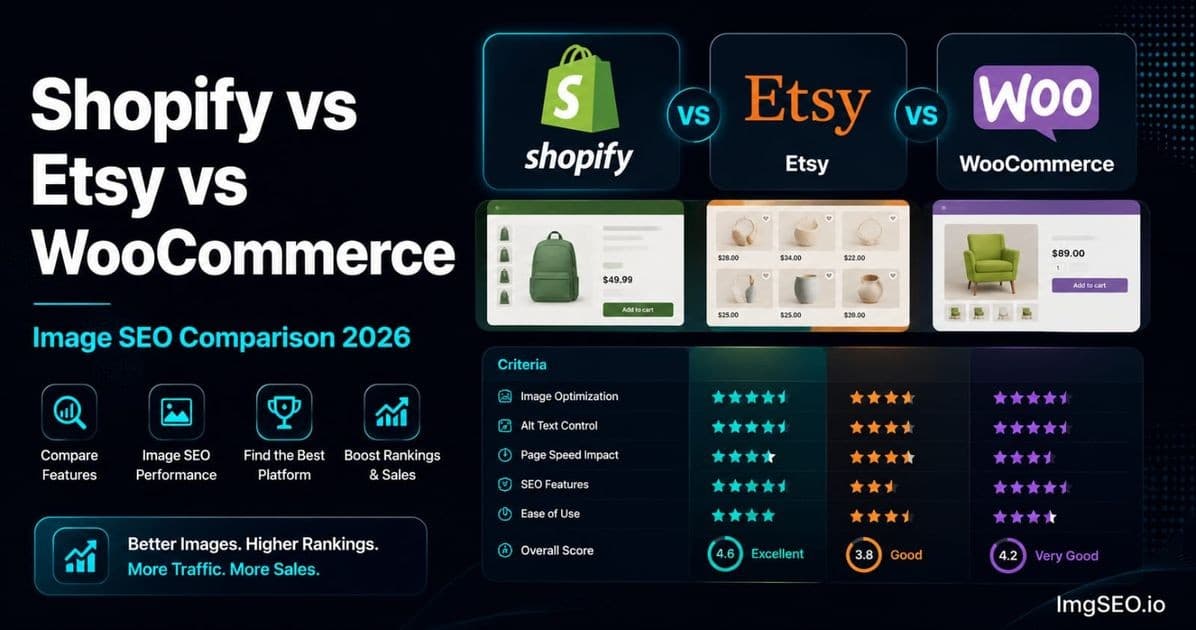
| Factor | Shopify | Etsy | WooCommerce | |---|---|---|---| | Keeps filename | ✅ Yes | ❌ Renames | ✅ Yes | | Alt text control | ✅ Full | ⚠️ Partial | ✅ Full | | Metadata preserved | ⚠️ Partial | ❌ Stripped | ✅ Full | | Auto WebP serving | ✅ Yes | ❌ No | ⚠️ Plugin needed | | CDN included | ✅ Yes | ✅ Yes | ⚠️ Plugin needed | | Product schema | ✅ Auto | ✅ Auto | ❌ Plugin needed | | Google authority | ✅ Good | ✅ Excellent | ⚠️ Varies by domain | | Setup difficulty | Easy | Very easy | Complex | | Monthly cost | $29–$299 | Free + transaction fees | $0 + hosting | | Image SEO score | 8/10 | 6/10 | 9/10 (with setup) |


Which Platform Should You Choose for Image SEO?

Choose Shopify if:

  • You want solid image SEO out of the box with minimal configuration
  • You do not want to manage plugins for compression, CDN, or schema
  • You are comfortable with a monthly subscription in exchange for a managed platform
  • You want reliable WebP serving and CDN without touching any settings

Shopify is the right default for most sellers who are not developers. You trade some control (partial metadata preservation) for a platform that handles CDN, WebP, schema, and sitemaps automatically.

Choose Etsy if:

  • You are starting out and want immediate access to an established buying audience
  • You sell handmade, vintage, or craft products where Etsy is the primary discovery channel
  • You want to benefit from Etsy's domain authority without building your own
  • You accept limited image SEO control as the trade-off for platform infrastructure

Etsy is not the choice for image SEO maximalists — but it is the fastest path to Google Images visibility for new sellers, because Etsy's domain authority lifts listings that would otherwise take months to rank on a standalone domain.

Choose WooCommerce if:

  • You want maximum control over every image SEO factor, including metadata
  • You are technically comfortable or work with a developer
  • You are building a long-term brand asset you fully own
  • You have existing domain authority or are prepared to invest in building it

WooCommerce is the choice for sellers who treat image SEO as a serious competitive moat and are willing to invest in setup. Once configured correctly, no other major platform gives you more control.


Selling on Multiple Platforms

Many sellers operate on two or three platforms simultaneously — Shopify as their own store, Etsy for marketplace traffic, and sometimes Amazon. The image SEO work you do before upload benefits all of them.

The Multi-Platform Workflow

The most efficient approach for multi-platform sellers:

  1. Optimize images with ImgSEO — add EXIF metadata, XMP metadata, and generate optimized alt text before any upload. This step happens once per image, regardless of how many platforms you upload to.
  2. Upload to Shopify or WooCommerce — use the SEO-optimized filename, paste the generated alt text into the platform's alt text field. Metadata survives on WooCommerce; partially survives on Shopify.
  3. Upload the same images to Etsy — enter the alt text manually in the "Describe this photo" field. Etsy strips metadata, but your manual alt text is present.
  4. Upload to Amazon — optimize your product title to include the keyword content that alt text would normally carry.

One optimization workflow, applied once, deployed across every platform. The only platform-specific step is entering alt text in the right field for each platform.


Platform-Specific Tips

Shopify-Specific Tips

Compress aggressively before upload — Shopify's CDN processing reduces file sizes somewhat, but a 1.5MB JPEG served through Shopify's CDN is still a large file by any standard. Target under 200KB before uploading.

Use the bulk editor for alt text — Shopify's built-in bulk editor lets you update alt text on many products at once without a third-party app. For a catalog of existing products with no alt text, this is the fastest manual path.

Verify filename preservation — after uploading, right-click a product image and open it in a new tab. Confirm your original descriptive filename appears in the CDN URL.

Full workflow in the Shopify SEO guide.

Etsy-Specific Tips

Always write your own alt text — Etsy's auto-generated AI alt text is a fallback, not a feature. It does not know your product, your target keywords, or what makes your listing different from the 10,000 similar ones. Override it for every image.

Use vertical 2:3 images in secondary slots — Etsy listings pull significant traffic from Pinterest. Vertical images perform better in Pinterest feeds and boards, which drives discovery back to your Etsy listing.

Optimize your first image for thumbnail CTR — Etsy search results show a grid of thumbnails. The first image is your primary CTR asset. Clean background, product filling the frame, clear at thumbnail scale.

Full workflow in the Etsy SEO guide.

WooCommerce-Specific Tips

Install RankMath immediately — Product schema is not optional for competitive e-commerce. Without it, your products are not eligible for rich results and Google has weaker signals about your page type. RankMath's free tier covers everything you need.

Configure ShortPixel or Imagify before bulk-uploading your catalog — if you upload 500 product images before setting up automatic compression, you will either need to re-upload them all or run a bulk compression job retroactively. Set up compression first.

Use WebP with JPEG fallback — WordPress 5.8+ supports WebP uploads natively. Configure your image plugin to serve WebP to supporting browsers and JPEG to older ones. This is automatic in ShortPixel and Imagify once enabled.

Full workflow in the WooCommerce image SEO guide.


Frequently Asked Questions

Which platform is best for image SEO?

WooCommerce with proper setup (RankMath + ShortPixel + Cloudflare CDN) gives you the most complete image SEO control — filenames preserved, metadata fully preserved, full alt text control, and comprehensive schema. Shopify is the best choice if you want strong image SEO without technical configuration. Etsy lags on control but leads on immediate domain authority for new sellers.

Does Shopify or WooCommerce rank better on Google?

It depends on domain authority and how well each store is optimized. A well-optimized WooCommerce store on an established domain outperforms a poorly-optimized Shopify store. Conversely, Shopify's reliable technical infrastructure means fewer technical SEO mistakes for sellers who are not developers. The platform matters less than the optimization.

Does Etsy help with Google Images ranking?

Yes — significantly. Etsy's domain authority is exceptional, and product listings on Etsy rank in Google Images faster and for more competitive queries than most standalone stores can achieve, especially for new domains. The trade-off is no filename control, no metadata, and limited alt text control.

Can I do image SEO on Etsy?

Yes, within limits. You control alt text (through the "Describe this photo" field — write your own, do not rely on Etsy's auto-generation), and you can set filenames before upload for marginal Google benefit. You cannot control metadata, schema, or filename preservation. Etsy's most powerful image SEO lever is the "Describe this photo" field — use it on every image.

Does WooCommerce keep image metadata?

Yes — WooCommerce is the only major e-commerce platform that preserves EXIF and XMP metadata through the upload process. Metadata you embed before uploading survives in the served file. Shopify partially strips it; Etsy strips it entirely.

Which platform has the best alt text control?

Shopify and WooCommerce are tied — both offer full per-image alt text control with bulk editing options. Etsy is partial: the field exists, but requires active management to override auto-generated text. Amazon has no alt text field at all.

Is Shopify good for SEO in 2026?

Yes. Shopify handles most technical SEO requirements automatically — sitemaps, schema, CDN, WebP serving, canonical URLs. The areas requiring manual effort are alt text (must be written per image) and compression (must compress before upload). For most non-technical sellers, Shopify's managed approach produces better real-world SEO outcomes than a poorly-configured WooCommerce installation.

Can I sell on multiple platforms and optimize images once?

Yes. Image-level optimization — filenames, embedded metadata, alt text generation — can be done once before your first upload. ImgSEO handles this in a single step: metadata is embedded in the file, alt text is generated for you to paste into each platform's field. The same optimized image file works for Shopify, Etsy, WooCommerce, and Amazon. The only platform-specific step is entering alt text in the correct field on each platform.


Conclusion

Each platform has a different image SEO profile, and the right choice depends on what you value most.

WooCommerce wins on technical control: filenames preserved, metadata fully intact, and with the right plugin stack, every image SEO factor is covered. It is the highest-ceiling option for sellers who treat image SEO as a long-term competitive investment.

Shopify wins on ease and built-in optimization: WebP serving, CDN, and schema work out of the box. You trade some metadata control for a platform that does the technical work for you.

Etsy wins on immediate audience and domain authority: your listings rank faster and for more competitive queries than a new standalone store can match, at the cost of minimal image SEO control.

From a pure image SEO control perspective: WooCommerce > Shopify > Etsy.

What matters most regardless of platform: optimize images before uploading. Filenames, metadata, and alt text can all be set before the image ever touches a platform. ImgSEO handles compression, EXIF and XMP metadata embedding, and alt text generation in one step — so your files are fully optimized before you choose which platform to upload to.

For the comprehensive 25-step image SEO workflow that applies across all platforms, see the image SEO checklist for 2026.

Try ImgSEO free — 30 images, no credit card required.

Share:
I

ImgSEO Team

Image SEO Specialist at ImgSEO

Helping e-commerce sellers on Shopify, Etsy & WooCommerce rank higher with optimized product images.

Optimize your product images with AI

Generate SEO titles, alt text, tags, filenames, and metadata in seconds.

📬

Get image SEO tips in your inbox

Join 1,000+ e-commerce sellers getting weekly tips on image SEO, Etsy & Shopify optimization.

No spam. Unsubscribe anytime.

Related Articles

