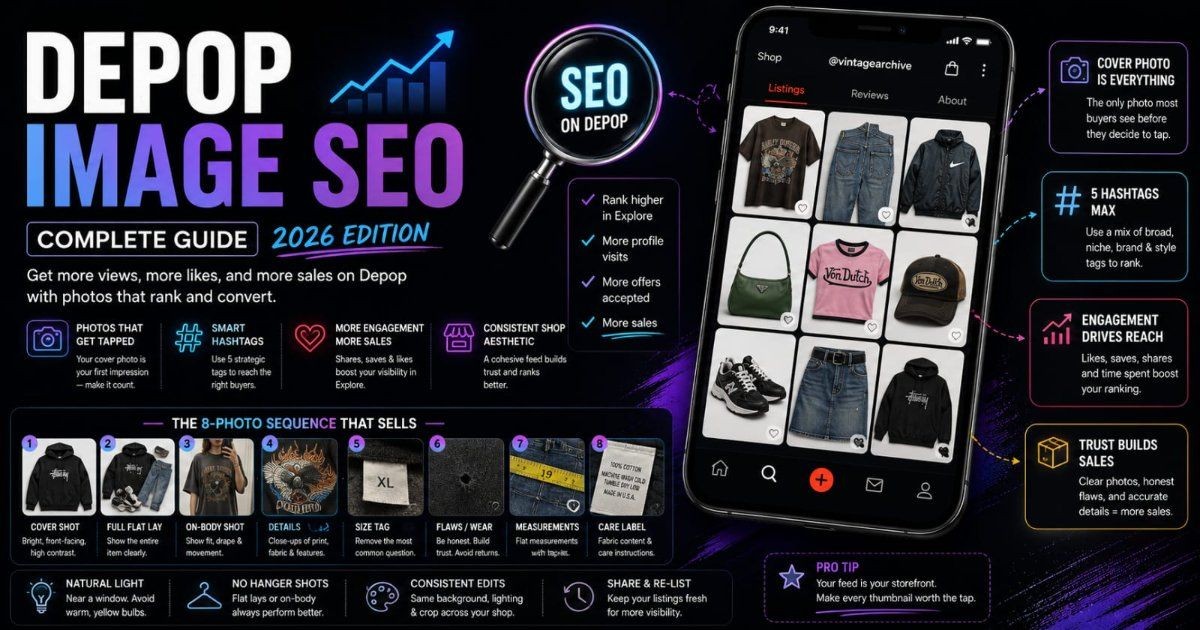
You're sharing every day. You're following back, joining parties, doing everything the "be more active" advice tells you to do. And your closet still isn't converting the way a smaller, less active seller's does. The gap almost never comes down to effort — it comes down to whether your photos and titles are actually built for how Poshmark's search works underneath all that social activity.
Poshmark looks like a social-selling app first — parties, shares, follows, comments. Underneath that layer sits a real, keyword-driven search engine that reads your title, brand tag, category, size, and description as structured data, then decides which listings to surface for which searches. Photos aren't separate from that system. They're the reason a buyer stops scrolling once your listing actually gets shown to them.
This guide covers how Poshmark's search and discovery actually work, the tested 16-photo sequence, the white-background rule that sets Poshmark apart from more aesthetic-driven resale apps, and the mistakes quietly keeping good inventory unsold.
Key Takeaways
- Poshmark's brand tag is one of the strongest search signals on the platform — a correctly tagged item surfaces in brand-specific searches an untagged one never reaches.
- Poshmark allows up to 16 photos per listing, more than double Depop's limit — use the full range: cover, front, back, sides, brand tag, size tag, care label, flaws, and measurements.
- Unlike more aesthetic-driven resale apps, Poshmark converts better with a clean white or neutral background than a styled, lifestyle backdrop.
- Sharing and relisting boost freshness and visibility, but only convert impressions into sales if the cover photo itself is clear and well-lit — freshness amplifies photo quality, it doesn't replace it.
- Closet-wide visual consistency reads as a "boutique-level" signal to both buyers and Poshmark's discovery system, separate from any single listing's individual quality.
Poshmark vs Depop vs Mercari: Why Photo Strategy Differs by Platform
Poshmark is a US-focused marketplace skewing toward older millennial and Gen X buyers, with boutique and branded resale as its dominant category — a meaningfully different audience than Depop's younger, Y2K-and-streetwear-leaning crowd. Poshmark also layers real social-selling mechanics (parties, shares, follows) directly on top of its search engine in a way Depop and Mercari don't emphasize as heavily.
That audience difference changes what "good photos" means here. Depop rewards an authentic, styled aesthetic that signals a real person's taste. Poshmark's buyer base responds better to clear, accurate, almost retail-adjacent product photography — closer to how they'd expect to shop a boutique website than a peer's curated feed. Neither approach is wrong; they're built for different buyers.
How Poshmark Search Actually Ranks Listings
Poshmark's ranking model reads structured fields — title keywords, brand, category, size, color, and description keywords — the same way a conventional e-commerce search engine would, then layers engagement and freshness signals on top. Recently listed items and recently shared listings both tend to surface higher, which is the mechanical reason the platform pushes sellers to share consistently.
Cover photos plug into this system indirectly but decisively: once a listing is surfaced by its keyword and freshness signals, whether it gets tapped becomes an engagement input feeding right back into future placement. A listing with strong keywords but a weak cover photo gets shown, then ignored — and that ignored-impression pattern works against it over time the same way a low click-through rate does on any search-driven platform.
The 16-Photo Sequence: Poshmark's Real Advantage Over Depop
Poshmark's 16-photo maximum is more than double Depop's 8-photo ceiling, and sellers who stop at the platform's minimum are leaving real discovery and conversion value on the table. More angles mean fewer pre-purchase questions and fewer hesitant scrolls-past from buyers who can't quite tell if an item fits their needs.
Here's the sequence that consistently performs best across categories:
| Slot | Purpose | |---|---| | 1. Cover | Bright, high-contrast, front-facing — the single photo most buyers see before tapping in | | 2-3. Full front and back | Complete garment shape and proportions from both sides | | 4-5. Side angles | Shows drape, fit, and silhouette a flat front/back pair can't fully convey | | 6-7. Close-up details | Fabric texture, print, hardware, stitching worth zooming into | | 8. Brand tag | Reinforces the brand field you selected in the listing's structured data | | 9. Size tag | Removes the most common pre-purchase question on any resale platform | | 10. Care label | Fabric content and wash instructions | | 11-12. Defects or wear | Honest, well-lit documentation of any flaw | | 13. On-body or mannequin | Fit and drape shown on an actual form | | 14. Styled or flat lay | A complete, styled view of the full piece | | 15. Measurements | Flat lay with a tape measure across bust, waist, inseam, or shoulder as relevant | | 16. Packaging note | Optional — useful for boutique sellers shipping with branded packaging |
Not every category needs all 16 filled every time, but for used and vintage resale specifically, slots 8 through 12 do the heaviest lifting on trust and return reduction. For more on why honest flaw documentation matters especially in vintage resale, see Image SEO for Vintage and Secondhand Sellers.
Cover Photo Strategy: Bright, Branded, and Front-Facing
Your cover photo carries the same outsized weight on Poshmark that it does on any feed-driven marketplace — it's the one image doing the work of earning a tap before anything else about the listing gets read. Bright, high-contrast lighting and a genuinely front-facing shot of the product outperform anything moodier or more artistically angled.
If the item is branded, make the logo or brand marking visible in the cover shot whenever the garment's own design allows it. Poshmark buyers search by brand constantly, and a cover photo that visually confirms the brand tag you selected reinforces the exact match a buyer was searching for in the first place. Keep props minimal — a cluttered cover competes with the product for attention at exactly the size where clarity matters most.
The White Background Rule: Why Poshmark Isn't Depop
Poshmark converts better with clinical, clean backgrounds — white foam board, seamless paper, a genuinely neutral wall — than with the styled, personality-driven backdrops that work well on more aesthetic-forward resale apps. This platform's buyer instinct sits closer to Amazon than Instagram: buyers want to evaluate the product accurately, not absorb a seller's curated vibe first.
This is the single biggest strategic difference between shooting for Poshmark and shooting for Depop, and it trips up sellers who cross-list between the two without adjusting. A styled, lifestyle-lit photo that performs well on Depop can genuinely underperform its plainer white-background counterpart once it's the cover image on Poshmark, because the two buyer bases are evaluating completely different things at a glance.
A simple white foam board, propped against a wall near a window, gets you most of the way there without a real studio setup. Seamless paper is a step up if you're shooting often enough to justify it.
Lighting for Accurate Color: The Number One Return Driver
Color misrepresentation is the most common reason a Poshmark buyer opens a return, and it's almost always a lighting problem rather than a dishonest listing. Natural window light, without a filter or preset that shifts the image's color balance, renders a garment's true color far more reliably than an indoor bulb or an app filter applied out of habit.
Avoid warm-toned indoor lighting and any filter or auto-enhance setting that boosts saturation or shifts white balance — both make a garment look subtly different from how it arrives, and that gap between photo and reality is exactly what drives a return once a buyer compares the two side by side.
Brand Tag Optimization: Poshmark's Strongest Search Signal
Selecting the correct brand from Poshmark's structured dropdown is one of the single highest-leverage moves available on the entire platform — buyers searching a specific label filter directly against that field, and a mistagged or untagged item simply doesn't surface in those searches no matter how good the listing otherwise is.
Your photos should reinforce that tag rather than leave it as an unverified claim. A visible logo in the cover shot, a clear brand tag close-up in the sequence, and a legible care label all confirm to a skeptical buyer that the brand field matches the actual garment — which matters more in a resale market where counterfeit concerns are real and buyers have learned to check.
Size Tag Close-Ups: Reducing Fit-Related Returns
A dedicated size tag close-up is essential for any used item, both for the buyer deciding whether to purchase and for accuracy if you're cross-listing the same piece elsewhere. Sizing on used and vintage garments frequently doesn't match a brand's current size chart, and a clear tag photo settles the question a written size field alone can't fully answer.
This single photo consistently reduces "does this actually fit me" messages before purchase — exactly the kind of pre-sale friction that costs a sale outright when a hesitant buyer doesn't bother asking and scrolls on instead.
The Measurements Photo: A Poshmark Seller Signature
A flat-lay measurements photo — the garment laid flat with a tape measure across bust, waist, inseam, or shoulder depending on the item — has become something of a signature move among experienced Poshmark sellers, and for good reason. It answers the actual question a buyer has (will this fit my specific body) rather than the proxy question a size label only approximates.
Sellers who add this photo consistently report fewer sizing disputes and fewer returns citing fit, particularly on vintage pieces and anything from a brand whose sizing runs noticeably different from current standards.
Boutique and Wholesale Sellers: Stock Photos, Watermarks, and When Originals Win
Unlike listings for used, single-item inventory, boutique and wholesale sellers selling new stock are generally permitted to use manufacturer or supplier stock photos rather than shooting every piece themselves. That said, styled original photography still converts better in practice — buyers respond to photos that look like they came from an active, present seller rather than a copy-pasted catalog image every other reseller of the same stock is also using.
Watermarking your own original photos is a reasonable protection against reuse by other resellers, but keep it small and unobtrusive in a corner rather than centered across the product — an aggressive watermark competes with the product itself for attention in exactly the spot cover photos can least afford it.
On-Body vs Mannequin vs Flat Lay: What Converts Best Per Category
Different categories favor different presentation styles, and matching the right one to the garment type measurably improves conversion:
- Dresses perform best on-body — drape, length, and fit are the entire sell, and a flat lay or mannequin loses most of that information.
- Jeans and structured bottoms do well on a mannequin or flat lay — the structure holds its shape without a body, and buyers are mostly evaluating cut and wash color.
- Tops generally do fine flat, especially when paired with an on-body shot as a secondary angle rather than the cover.
- Shoes convert best with a clean side-view solo shot, sole and profile visible, without a foot or leg competing for frame space.
None of these are absolute rules — a flowy top with a lot of drape benefits from an on-body shot the same way a dress does. The underlying principle is matching presentation to whatever information actually decides the sale for that specific category.
Sharing, Freshness, and Why Photo Quality Decides Whether Shares Convert
Poshmark's discovery system rewards freshness — both genuinely new listings and listings resurfaced through sharing or a delete-and-relist cycle tend to place higher than stagnant, unshared inventory. That mechanic is well understood among active sellers, which is why "share your closet daily" is close to universal advice on the platform.
What gets missed is that sharing only converts the extra visibility it creates if the underlying photos hold up under a second look. A share puts your listing back in front of followers and community pages — another impression, not automatically another sale. A weak cover photo wastes that renewed exposure exactly the way it wastes the first impression a fresh listing gets, just repeated on a schedule.
Poshmark Parties: Styling Your Cover Photo for Placement
Poshmark parties are themed shopping events, and listings that visually fit a given party's theme get real placement consideration during that window. A cover photo that already reads as clearly fitting a party's category — a "workwear" party, a "denim" party — has a better shot at inclusion than one requiring guesswork about whether it belongs.
This isn't a reason to reshoot your whole closet around party themes, but it's worth keeping in mind when you're deciding which existing photo to lead a listing with heading into a relevant party — the more instantly legible the fit, the better your odds of catching a host's eye.
Closet Consistency: The Boutique-Level Signal
A uniform background, consistent lighting, and a repeatable edit style across your entire closet reads as a "boutique-level" signal that goes beyond any single listing's individual quality. Both buyers browsing your closet and Poshmark's own discovery mechanics respond to that consistency as a marker of a serious, reliable seller.
This matters more the longer a buyer spends browsing your closet rather than a single listing — a shopper who taps through five items and sees five different backgrounds and lighting setups reads that as a less established operation than one where everything looks like it came from the same careful process, even if the individual garments are identical in quality.
Cross-Listing to Mercari, eBay, and Vinted
Your white-background cover shot and detail photos generally transfer well across other resale platforms, since Mercari and eBay both lean toward the same clear, accurate-representation expectation Poshmark does — unlike the reshoot Poshmark photos often need before working on Depop's more styled aesthetic.
The metadata differences matter more than the photos themselves when cross-listing. Titles, category structures, and keyword conventions differ platform to platform, and a title built for Poshmark's brand-first, keyword-dense format won't automatically translate to how a listing should read on a general fashion e-commerce site or a different marketplace's search logic.
Off-Poshmark SEO: How Google Actually Indexes Your Listings
Individual Poshmark listings and closet pages are both commonly indexed by Google — more thoroughly than on some other resale platforms, where usually only a shop or profile page shows up in general search. That means your listing title, brand, and cover image are doing real Google SEO work, not just Poshmark app-search work.
Google reads the listing's title tag, the structured brand and category data, and the cover image itself when deciding how and where to surface a listing in general web search. A well-optimized title and a clear cover photo aren't just serving Poshmark's internal search — they're the same signals Google reads when someone searches your exact item outside the app entirely.
Common Mistakes That Keep Good Inventory Unsold
A handful of recurring mistakes account for most of the "sharing constantly, still not selling" problem:
- Dark closet-floor photos. Low light on a cluttered floor is the fastest way to undercut an otherwise solid listing — no amount of sharing fixes a photo buyers genuinely can't see well.
- Hanger shots. Garments left on a hanger consistently underperform flat lays and on-body shots in the feed — they obscure true shape and read as minimal effort.
- Missing the brand tag entirely. Skipping the structured brand field cuts a listing off from the single strongest search signal the platform offers, regardless of how good the photos are.
- Hiding wear or defects. Omitting a visible flaw risks a return and a bad review, and both work against the same engagement signals that determine future placement.
- Generic titles like "cute top." A title with no brand, type, size, or color gives Poshmark's keyword-matching almost nothing to work with — pair any photo improvements with a title that actually states brand, item type, size, and color plainly.
Measuring What's Actually Working
Poshmark's own My Posh Stats shows views, likes, and offers per listing — the most direct read available on whether a specific cover photo or title change is moving the needle. Checking this regularly, rather than relying on gut feel about which listings "seem" to be doing well, is the fastest way to catch a weak cover photo before it costs weeks of unsold inventory.
The most useful comparison isn't any single listing's raw numbers — it's tracking cover photo style against conversion across a relisted item over time. Sellers who A/B test a cover photo through a delete-and-relist cycle, watching whether views and likes shift meaningfully, learn far more about what their specific buyer base responds to than any general styling rule can tell them in isolation.
Getting the Fundamentals Right Before You Shoot
Everything above assumes clean, well-lit, technically sound source files — the actual image quality, not just the styling choices layered on top. Sellers cross-listing across Poshmark, Mercari, and their own storefront benefit from keeping image files consistently processed rather than fixing filenames and metadata one platform at a time. ImgSEO handles that layer for sellers managing a growing catalog across multiple resale platforms. For the underlying alt text principles that apply wherever you do need them — your own site, a cross-listed Etsy shop — see How to Write Alt Text for Product Images.
Frequently Asked Questions
Does Poshmark index my closet on Google? Yes, more thoroughly than most resale platforms. Individual Poshmark listings and closet pages are both commonly indexed by Google, with the listing title, brand, and cover image showing up in general web search results — not just inside Poshmark's own app search. That makes your listing title and cover photo do double duty as both platform SEO and real Google SEO.
How many photos should I use on Poshmark? Use all 16 available slots whenever you have enough angles to fill them meaningfully. Poshmark allows up to 16 photos per listing, far more than most resale apps, and listings using the full range consistently answer more pre-purchase questions than ones stopping at the minimum. A cover shot, front, back, sides, close-ups, tags, and flaws round out a complete set.
Does adding the brand tag actually matter on Poshmark? Yes — it's one of the strongest search signals on the entire platform. Poshmark's brand field is a structured, searchable dropdown, and buyers searching a specific label filter directly against it. A listing with the correct brand tagged surfaces in far more searches than an identical item left tagged only under a generic category.
Should Poshmark photos have a white background? For most categories, yes. Poshmark converts better with a clean, neutral background — white foam board or seamless paper — than with the styled, lifestyle-driven backdrops that work on more aesthetic-forward resale apps. Poshmark's buyer base skews toward clear, accurate product representation over mood or styling.
Do shares actually help a Poshmark listing sell? Shares increase visibility, but only convert if the underlying photos hold up under a second look. Sharing resurfaces a listing in followers' feeds and community pages, giving it another impression — but an unclear or poorly lit cover photo wastes that extra exposure the same way it wastes the first one. Freshness from sharing amplifies photo quality; it doesn't substitute for it.
Conclusion
Poshmark rewards the seller who treats it like the search engine it actually is, not just the social platform it looks like on the surface. Sharing and parties amplify a listing's reach, but they amplify whatever your photos already are — sharp or weak, branded clearly or left ambiguous, complete or stopping short of the 16 slots available.
Start with the brand tag and a bright, front-facing, white-background cover photo. Fill out the sequence with size tags, measurements, and honest flaw documentation. Keep your closet visually consistent so it reads as a serious operation at a glance, and check My Posh Stats regularly rather than guessing at what's working.
For the fuller picture of how image SEO works across marketplaces beyond Poshmark specifically, see the Image SEO Guide.