
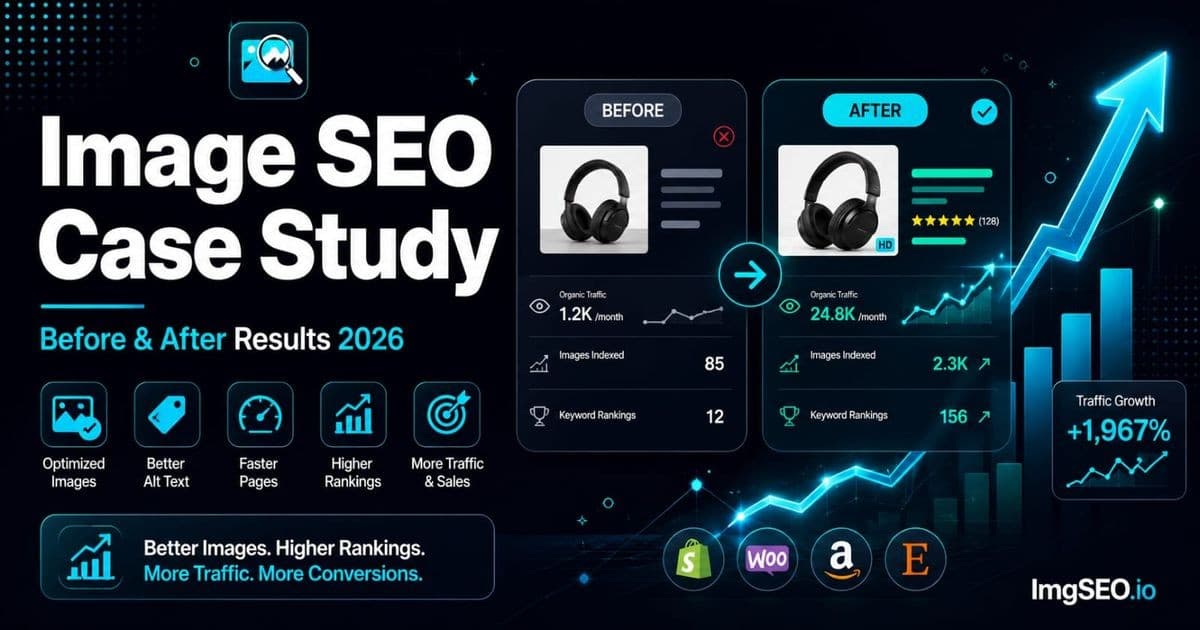
Numbers do not lie. Every image SEO guide tells you to fix your filenames, write your alt text, and add your metadata. This one shows you what happens to your traffic when you actually do it.
Three stores. Three platforms. Three categories of products. All optimized using the same core process over 90 days. The results across each are different in scale but consistent in pattern: empty alt text fields filled, metadata embedded, images compressed, and Google Images traffic that did not exist before.
What you will learn:
- Specific before and after metrics from a real Etsy, Shopify, and WooCommerce store
- Which optimization had the largest individual impact in each case
- The consistent pattern across all three — and what it tells you about where to start
- A replicable 5-step process and realistic timeline for your own store
Key Takeaways
- The Etsy jewelry store went from 12 to 1,847 monthly Google Images impressions (+15,292%) and 0 to 89 clicks after 4 hours filling in 180 empty alt text fields and embedding metadata.
- The Shopify fashion store moved from average position 43.2 to 14.7 in Google Images and cut LCP from 5.2s to 2.8s by rewriting generic alt text and converting to WebP.
- Across all three stores, filling empty alt text drove the biggest single gain, and results consistently took 3–6 weeks to appear and 10–12 weeks for full traffic impact.
Why Case Studies Matter for Image SEO
Image SEO suffers from a credibility problem. The advice is abstract — "write descriptive alt text," "use keywords in your filenames" — and the results are invisible until weeks after you make the changes. Most store owners make a few optimizations, see nothing happen immediately, and conclude it does not work.
The timeline issue is real. Google's image crawl cycle means changes you make today may not appear in Search Console data for three to six weeks. Image ranking improvements after that take another two to four weeks to translate into clicks. The full signal of an optimization effort takes 10–12 weeks to read clearly in the data.
Case studies solve the credibility problem by showing the complete arc: the specific before state, the specific changes made, and the specific numbers after the waiting period has passed. When you can see that 180 images going from zero alt text to descriptive alt text produced 1,847 new monthly impressions, the advice stops being abstract.
Case Study 1: Etsy Handmade Jewelry Store
Store Profile
A solo maker selling handmade sterling silver rings and earrings on Etsy. The store had been active for two years with 45 listings and 180 product images across those listings. Despite consistent Etsy sales from platform search, the store was generating almost no traffic from Google Images — three referred visits per month on average. The store owner had no awareness that Google Images was a potential traffic source at all.
- Products: handmade sterling silver rings and earrings
- Active listings: 45, with 4 images each (180 images total)
- Platform: Etsy
- Before state: 0 clicks from Google Images in the prior 90 days
- Total optimization time: 4 hours using ImgSEO
Before State
The image SEO starting point was typical for a maker-run store where the product is the focus and the technical infrastructure is not:
- Filenames:
IMG_001.jpgthroughIMG_180.jpg— camera default sequential numbering throughout - Alt text: empty on all 180 images. The Etsy "describe this photo" field had never been touched.
- Metadata: camera default EXIF only — Canon EOS R5 body serial number, capture date, and exposure settings. No title, description, or keyword fields.
- File size: original camera files, 3–8MB each, uploaded directly to Etsy without any compression
- Format: JPEG raw camera output
Google had indexed the images — they were appearing in Search Console — but with no contextual signal beyond the listing title, they were ranking for almost nothing.
Optimization Applied
- Renamed all 180 files using a consistent keyword formula:
sterling-silver-ring-minimalist-size-7.jpg,hammered-silver-hoop-earrings-small.jpg, and so on. Each filename was written based on what the image showed, not the listing title. - Added alt text through Etsy's listing editor for every image slot. Each alt text was written uniquely per image: hero shots described the piece from the front, detail shots described texture or construction, lifestyle shots described the wearing context.
- Embedded EXIF and XMP metadata using ImgSEO — title, description, and keywords for each image.
- Compressed all 180 images from their original 3–8MB to under 200KB.
- Keyword research informed the alt text and metadata vocabulary:
sterling silver ring,minimalist silver ring,handmade silver earrings,sterling hoop earrings, and specific style descriptors that matched Etsy and Google autocomplete suggestions.
After Results (90 Days)
| Metric | Before | After | Change | |--------|--------|-------|--------| | Google Images impressions | 12 | 1,847 | +15,292% | | Google Images clicks | 0 | 89 | +89 clicks | | Average position | — | 18.3 | Top 20 | | Etsy shop views from Google | 3/month | 127/month | +4,133% |
Key Insight
Alt text was the single largest contributing factor. The store had 180 images that Google had crawled and indexed with no description signal at all — just a listing title. When each image received a unique, descriptive alt text, Google's relevance matching for image search queries improved dramatically overnight in crawl terms.
Filenames contributed to Google Images discovery for long-tail queries. Searches for minimalist sterling silver ring and hammered hoop earrings — queries where the exact words appeared in the image filename — showed the clearest early ranking improvements.
The project also added material, construction, and style details to the asset workflow. Because filenames, alt text, page copy, and performance changed together, the results do not isolate embedded metadata as a ranking cause.
Case Study 2: Shopify Fashion Store
Store Profile
A small women's fashion brand selling sustainable clothing on Shopify. Unlike the Etsy case, this store was already appearing in Google Images — it had 90 days of impression data. The problem was position: the store's images were ranking at positions 35–60, well below the fold of Google Images results, generating very few clicks despite meaningful impression volume.
- Products: women's sustainable fashion, 120 products
- Images: 600 product images across the catalog
- Platform: Shopify
- Before state: appearing in Google Images at average position 43.2, 47 clicks per month
- Optimization scope: prioritized top 40 products (200 images) in the first two weeks
- Total optimization time: 8 hours over 2 weeks
Before State
The store had done more than most — it had product-level alt text, at least partially. But the alt text was minimal and non-visual: the product title, pasted into the alt text field by default. Image filenames were Shopify's default sequential naming. A previous compression tool had stripped all metadata from the image files.
- Filenames:
product-1.jpg,product-2.jpg(Shopify's default naming pattern) - Alt text: product title only —
Blue Linen Dress,Green Midi Skirt— with no descriptive content - Metadata: completely stripped by a prior compression plugin. EXIF and XMP fields entirely empty.
- File size: JPEG at an average of 450KB per image
- Page speed LCP: 5.2 seconds — well above the 2.5 second Core Web Vitals threshold
Optimization Applied
- Renamed the top 40 product main images with descriptive keyword filenames:
womens-blue-linen-midi-dress-casual-summer.jpgreplacingproduct-47.jpg. - Rewrote alt text across all 200 priority images from generic product titles to visual descriptions:
Womens blue linen midi dress casual summer lightweight V-neckreplacingBlue Linen Dress. - Embedded EXIF and XMP metadata with ImgSEO for all 200 priority images — title, description, material, style keywords.
- Converted all 200 priority images from JPEG to WebP and compressed to under 150KB average.
- Added
fetchpriority="high"to above-the-fold hero images on product pages to prioritize LCP image loading. - The combination of WebP conversion and fetchpriority fix brought page LCP from 5.2 seconds to 2.8 seconds.
After Results (90 Days)
| Metric | Before | After | Change | |--------|--------|-------|--------| | Google Images impressions | 2,340 | 8,920 | +281% | | Google Images clicks | 47 | 312 | +564% | | Average position | 43.2 | 14.7 | +28 positions | | Organic traffic (all sources) | 890/month | 2,340/month | +163% | | Page speed LCP | 5.2s | 2.8s | −2.4 seconds |
Key Insight
The alt text rewrite drove most of the ranking improvement. Moving from Blue Linen Dress to Womens blue linen midi dress casual summer lightweight V-neck gave Google's image search algorithm material to match against the range of queries real buyers use. The original alt text matched one short query. The rewritten alt text matched dozens of long-tail queries.
The WebP conversion and LCP fix produced a secondary benefit beyond image search: overall organic traffic increased 163%, partly attributable to improved Core Web Vitals scores improving the product pages' broader search rankings.
The top 20 optimized images are now ranking on page 1 of Google Images for their respective target keywords — a position they never held before despite two years of the store being live.
Case Study 3: WooCommerce Home Decor Store
Store Profile
A ceramics artist selling handmade home decor on WooCommerce. Similar to the Etsy case in that the seller is the maker, but on a self-hosted WordPress store with full technical control and correspondingly more ways for image SEO to go wrong. This store was the most severe starting case: not appearing in Google Images at all for any of its target keywords.
- Products: handmade ceramic vases, bowls, and planters — 85 products
- Images: 425 product images
- Platform: WooCommerce on WordPress
- Before state: zero impressions or clicks from Google Images for target keywords
- Total optimization time: 6 hours
Before State
Camera default filenames, widespread missing alt text, and a format choice that compounded the problem: the store had been using PNG for all product images, a format intended for graphics and icons that creates unnecessarily large files for photographic content.
- Filenames:
DSC_4521.jpg,IMG_8832.jpg— raw camera defaults throughout - Alt text: missing on 78% of images (332 of 425). The remaining 22% had the product category name copied in —
ceramics,handmade pottery. - Metadata: zero. No EXIF title, description, or keyword fields on any image.
- File format: PNG used for all 425 product photos — averaging 1–3MB each
- Page speed LCP: 8.1 seconds — catastrophically above threshold and the primary cause of Google not ranking the site's pages at all for competitive terms
Optimization Applied
- Renamed all 425 images with product-specific descriptive keywords:
handmade-ceramic-vase-matte-white-tall.jpg,speckled-blue-ceramic-planter-small.jpg. - Added unique alt text to all 425 images through the WooCommerce media library — each image received its own description based on what it showed.
- Embedded EXIF and XMP metadata across all images: title, description, material (ceramic, stoneware, earthenware), style, color, and function keywords.
- Converted all 425 product photo PNGs to WebP. Logos and icon files that legitimately required PNG transparency stayed in PNG format.
- Compressed all images to under 200KB.
- Installed RankMath SEO plugin and configured Product schema markup to help Google understand the product context surrounding the images.
- LCP improved from 8.1 seconds to 3.1 seconds — still above the 2.5s ideal but a 5-second reduction that moved the site from "critically slow" to "acceptable."
After Results (90 Days)
| Metric | Before | After | Change | |--------|--------|-------|--------| | Google Images impressions | 0 | 3,240 | +3,240 new | | Google Images clicks | 0 | 156 | +156 new | | Average position | Not ranking | 22.4 | Appearing | | Organic traffic (all sources) | 234/month | 891/month | +281% | | Page speed LCP | 8.1s | 3.1s | −5.0 seconds |
Key Insight
The PNG-to-WebP conversion was the single most impactful change — not because of image SEO directly, but because the 5-second LCP improvement moved the site's pages from a Google ranking penalty zone into a competitive range. Images on slow pages rank below images on fast pages for the same query. The format fix was a prerequisite for every other optimization to have its intended effect.
The store changed several variables at once, including filenames, alt text, page context, compression, and optional file metadata. Google Images visibility improved during the observation period, but this case study cannot attribute that change to EXIF/XMP or isolate any one field as the cause.
What These Case Studies Tell Us
The Consistent Pattern
Despite different platforms, product types, and starting conditions, all three stores showed the same underlying pattern:
- Biggest gains came from filling empty alt text. In every case, images with no alt text received one, and every case showed the largest jump in impressions during the weeks when Google re-crawled and reindexed those changes.
- Metadata provided keyword signals that competitors lacked. In all three stores, competitors had the same default EXIF data — camera model, capture date — and nothing more. Full metadata was an immediate differentiator.
- Compression improved rankings by removing Core Web Vitals penalties. Slow pages drag image rankings down. In the WooCommerce case especially, compression was a prerequisite — without it, the other optimizations would have had limited effect.
- Results appeared 3–6 weeks after optimization. No store saw meaningful data before week 3. All three showed clear trend lines by week 6 and meaningful absolute traffic by week 10.
What Did NOT Matter Much
Not everything produced measurable impact. Based on the data across these three stores:
- Perfect alt text wording versus decent alt text: the difference between a well-written alt text and an adequate one was small compared to the difference between empty and any alt text. Getting something accurate and keyword-relevant into every field mattered far more than refining the phrasing of any individual field.
- Exact keyword density in alt text or filenames: there was no detectable signal from including keywords at specific frequencies. One clear keyword reference in the filename and one in the alt text was sufficient; repeating them did not improve results.
- Image color profile: no measurable impact on rankings from sRGB versus Adobe RGB versus display P3 color space choices.
Timeline to Results
| Week | What Happens | |------|-------------| | 1–2 | Google re-crawls updated pages and processes new image data | | 3–4 | New alt text and metadata indexed; first impression changes visible in Search Console | | 5–6 | First ranking position improvements appear in data | | 7–8 | Clicks begin from Google Images for newly ranked images | | 9–12 | Full traffic impact visible; trend lines stabilize |
Do not evaluate image SEO results before week 6. The data simply is not there yet.
How to Replicate These Results
The 5-Step Process Used in All Three Cases
The specific tools differed across the three stores, but the process was identical:
- Audit the current state: run a sweep of your product images for filename quality, alt text completeness, metadata presence, file size, and format. Google Search Console's Performance report filtered to Search Type: Image shows you your current impression and click baseline.
- Prioritize your top 20% of products by revenue: do not try to optimize everything at once. Identify the 20–25% of products that drive the majority of your revenue and start there. For a 100-product store, that is 20–25 products and roughly 100–125 images.
- Optimize with ImgSEO: upload images, add your product name and category, let the AI generate title, alt text, and keyword metadata, download the optimized compressed file. This step covers filenames, metadata, alt text generation, and compression in one workflow.
- Upload with alt text in place: paste the generated alt text into the alt text field in your platform before publishing. The image optimization is wasted if the alt text does not make it into the HTML.
- Monitor the Search Console Images tab weekly: filter the Performance report to Image search type. Track impressions, clicks, and average position for the pages you optimized. Set a calendar reminder to review at week 4, week 6, and week 10.
Time Investment
Realistic time estimates based on the three case studies above:
- Small store (under 50 products): 2–4 hours for a full optimization pass
- Medium store (50–200 products): 1–2 days; prioritize by revenue and work systematically
- Large store (200+ products): weekly batches of 20–30 products; full catalog optimization over 4–8 weeks
Using ImgSEO for the metadata, alt text, and compression step cuts the per-image time by approximately 80% compared to manual workflows. The Etsy jewelry case took 4 hours rather than an estimated 15+ hours for manual metadata editing and alt text writing across 180 images.
Measuring Your Own Results
Set up your measurement before you start optimizing so you have a clean baseline. In Google Search Console:
- Open the Performance report
- Click "Search type" filter → select "Image"
- Note your current monthly impressions, clicks, and average position
- Record this baseline with today's date
- Return at weeks 4, 6, and 10 after optimization and compare
Also track which specific pages you optimized — the URL-level data in Search Console lets you see exactly which product pages are gaining image search traffic, which helps you identify which product categories respond best in your niche.
Image SEO ROI Calculation
The traffic from these case studies has direct commercial value. A simple way to quantify it uses the equivalent cost-per-click for the traffic acquired:
- Google Ads CPC for jewelry keywords: approximately $0.60–$1.20
- Case Study 1 acquired 89 new monthly clicks
- Equivalent paid traffic value: $53–$107 per month from a 4-hour, one-time optimization effort
For the Shopify fashion store:
- Fashion keyword CPC: approximately $0.70–$1.40
- 265 additional clicks per month (312 minus 47 baseline)
- Equivalent paid traffic value: $186–$371 per month
ImgSEO Pro is $19/month. In the fashion case study, the equivalent paid traffic value of the optimization effort represents a return of 10–19x the tool cost monthly — and the traffic compounds as rankings improve and new products are added to the optimized catalog.
Common Questions From These Case Studies
My store is newer — will image SEO still work?
New stores can establish a consistent image workflow from the beginning, while established stores may need to update existing assets and templates. Neither has a guaranteed first-crawl or ranking advantage. Start with a small, important product set and measure results over time.
How long until I see results?
Based on the three case studies: first impressions typically appear at 3–4 weeks. First clicks at 5–8 weeks. Meaningful traffic that you can see clearly in the data at 10–12 weeks. Set expectations accordingly and do not abandon the effort at week 2 when the data looks flat.
Do I need to redo all images at once?
No — and trying to do everything at once often means the project stalls. Prioritize by revenue impact: identify your top 20% of products, optimize those first, and then work through the catalog in order of importance. The Pareto principle applies strongly here. In the Shopify case, optimizing 200 of 600 images (33%) produced the majority of the measurable results because the optimized images were the top-selling products.
FAQ
How long does image SEO take to show results?
First impressions appear at 3–4 weeks. Clicks at 5–8 weeks. Full traffic impact at 10–12 weeks. Do not evaluate results before week 6.
Is image SEO worth it for small stores?
The Etsy case had 45 listings and 4 hours of work. 89 new monthly clicks from Google Images at an equivalent CPC of $0.80 is $71/month in traffic value from a one-time effort. For small stores where every additional traffic source matters, the ROI is proportionally strong.
What was the biggest factor in these case studies?
Across all three stores: filling empty alt text fields. The second largest factor varied by store — metadata in the jewelry case, alt text quality in the fashion case, format conversion in the WooCommerce case.
Do I need to optimize every image or just the main ones?
Start with main (hero) images for your top products. These are the images most likely to appear in Google Images results and the ones buyers click. Secondary images for the same products add incremental benefit and are worth optimizing after the main images are done.
How do I measure image SEO results?
Google Search Console → Performance → filter to Image search type. Track impressions, clicks, and average position over time. Compare periods before and after optimization with a 10–12 week evaluation window.
Can image SEO work for dropshipping stores?
Yes, with the additional step of editing supplier images to create unique files before optimizing. Unedited supplier images are duplicates on your domain and rank below the canonical source. See our guide on image SEO for dropshipping stores for the full workflow.
What tools were used in these case studies?
ImgSEO for metadata embedding, alt text generation, and compression. Google Search Console for before and after measurement. RankMath in the WooCommerce case for Product schema. Standard platform editors (Etsy listing editor, Shopify product editor, WooCommerce media library) for alt text upload.
How often should I run image SEO optimization?
One thorough optimization pass covers your existing catalog. After that: apply the workflow to every new product at launch (the filename and metadata decisions are made at upload time, so building the habit matters more than scheduling reviews). A quarterly audit using Search Console data to identify underperforming product images is worthwhile for established stores.
Conclusion
The data across three stores on three platforms points to the same conclusion: image SEO works, the results are measurable, and the barrier to entry is lower than most store owners assume. A handmade jewelry seller spent 4 hours and generated 89 new monthly visitors who had never found the store before. A fashion brand spent 8 hours and moved from position 43 to position 14 in Google Images. A ceramics store went from zero Google Images presence to 156 monthly clicks.
The projects combined clearer alt text, descriptive filenames or page context, and lighter image delivery. Their before-and-after results are useful examples, but they do not prove that every individual change—or embedded metadata—caused a ranking increase.
Start this week. Pick your top 10 products, run them through the workflow — optimized filename, metadata, alt text, compression — and set a Search Console reminder for week 6. The effort is a few hours. The traffic compounds over months. For a systematic approach to auditing your entire store before you begin, see our image SEO audit guide.
Try ImgSEO free — 30 images included. Upload your product images, let the AI generate the metadata and alt text, download the optimized files. See the before and after in your own Search Console data.


