
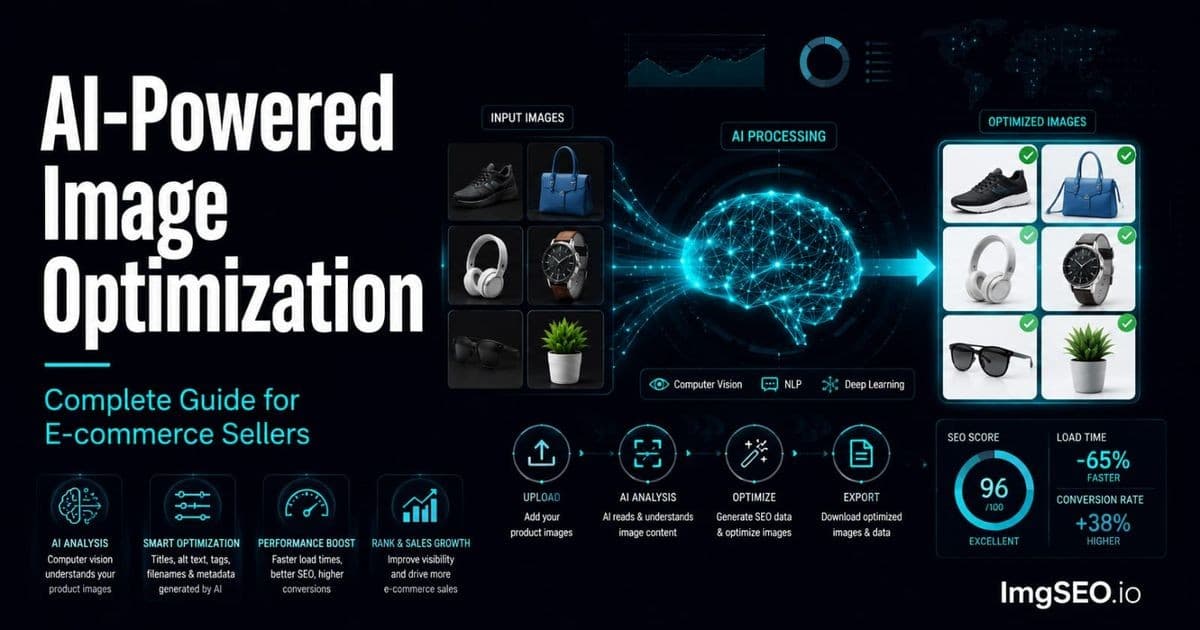
Image optimization used to take hours. Researching keywords, writing alt text for every photo, embedding metadata, compressing files, renaming everything before upload — for a seller with 50 products and 10 images each, that is 500 individual tasks that most sellers either rush through badly or skip entirely.
AI changes this equation completely. Computer vision analyzes your product photos in seconds, extracts every relevant SEO signal — material, style, color, use case, buyer intent — and generates optimized alt text, titles, descriptions, and metadata automatically. What took an afternoon now takes minutes.
The result is that most e-commerce sellers are currently leaving significant Google Images traffic on the table. Their images rank for nothing because there is no keyword signal for Google to read. AI unlocks that traffic at a scale and speed that manual optimization never could.
This guide covers every layer of AI image optimization — alt text, metadata, compression, filenames, and workflow — with before-and-after examples so you can see exactly what changes and why it matters.
Key Takeaways
- AI cuts a 500-product catalog (2,500 images) from 250+ hours of manual optimization down to roughly 12–15 hours including human review.
- Etsy may process uploaded files, so XMP preservation and use should not be assumed. Keep the reviewed export for your records and apply descriptive text in Etsy's documented listing fields.
- AI-driven format conversion typically shrinks JPEG to AVIF by 40–50% and PNG to AVIF by 65–75%, directly improving Largest Contentful Paint scores.
What Is AI-Powered Image Optimization
Traditional vs AI Optimization
Traditional image optimization is a manual process. You write alt text by hand for each image, trying to include keywords buyers use. You add metadata in Adobe Lightroom or ExifTool one file at a time. You compress images manually in a separate tool. You rename files before upload. Each step is disconnected, takes expertise, and does not scale.
AI optimization automates all four steps simultaneously from a single upload. You provide the image. The AI performs visual analysis, generates keyword-rich output, embeds metadata into the file, compresses it, and returns an optimized image with a recommended filename — in seconds.
The difference is not just speed. It is also consistency and depth. AI applies the same analytical rigor to image 500 that it applied to image 1. It identifies material signals — the specular highlight pattern that indicates sterling silver versus gold-plated brass — that a tired human writer will stop noting by image 30.
What AI Optimizes
A complete AI image optimization pipeline touches every SEO-relevant layer of a product image:
- Alt text: generated from visual analysis of product type, material, color, style, and buyer use case
- SEO title and product description: keyword-structured for the target platform's search algorithm
- XMP metadata: embedded directly in JPEG, WebP, and AVIF exports, with EXIF additionally included for JPEG
- Image compression: format conversion and quality optimization without visible degradation
- Filename recommendations: descriptive, keyword-rich filenames generated from visual content
- Platform-aware output: dedicated Dashboard modes for Etsy, Shopify, and Other; WooCommerce uses the ImgSEO WordPress integration
Why Image Optimization Matters for E-commerce SEO
Google Images as a Traffic Source
Google Images handles billions of searches every month. For product categories like jewelry, home decor, clothing, and gifts, image search is often the first touchpoint between a buyer and a product they end up purchasing. A buyer searching "sterling silver minimalist ring" in Google Images and clicking through to your Etsy listing is a high-intent buyer — they have already seen the product and decided they want it.
Catalog quality varies widely. Start by auditing your own filenames, alt text, page context, and delivery rather than assuming how many competitors have completed each step.
The Two SEO Benefits
Image optimization works on two parallel tracks:
Google web search indexes your product listing pages. Here, alt text, surrounding page copy, and page title all contribute to ranking. An optimized alt text adds a keyword-rich signal to your listing page that Google uses to understand what the page is about.
Google Images can index crawlable images and their pages. Prioritize descriptive filenames, useful alt text, relevant surrounding context, and accessible delivery. Embedded metadata is optional and is not a documented standalone ranking factor.
The Scale Problem
The math is the obstacle for most sellers. A shop with 50 products and 10 images per listing has 500 images to optimize. At 6–8 minutes per image for thorough manual optimization — writing alt text, opening Lightroom for metadata, compressing separately, renaming — that is 50 to 65 hours of work. For a one-person shop, that is an entire work week spent on optimization alone.
AI cuts this to 2–3 hours including review time. Not because it does less — it does more, covering metadata that most manual workflows skip entirely — but because the analysis runs at machine speed. For a detailed comparison of what each approach produces, see AI image SEO versus manual optimization.
Part 1: AI Alt Text Generation
How AI Generates Alt Text
When you upload a product image to an AI optimization tool, the process follows a precise pipeline:
- Computer vision analysis: the image is broken into pixel patterns and analyzed for edges, textures, shapes, and color distributions
- Object detection: distinct product elements are identified — the main product, background, props, model presence
- Classification: each detected element is classified — product type, material, color, finish, style
- E-commerce keyword mapping: classification labels are matched against buyer search vocabulary weighted by search volume and purchase intent
- Natural language generation: structured keywords are assembled into readable, grammatically natural alt text
The critical step is the keyword mapping layer. General-purpose AI sees pixel patterns. E-commerce AI maps those patterns to what your buyer types into a search bar. That is what makes the output useful for SEO rather than just accurate as a description.
For a deeper look at the visual analysis process, see how AI reads product images for SEO.
The Alt Text Formula AI Uses
The structure AI applies across product categories follows a consistent formula:
[Material] + [product type] + [style/detail] + [color] + [occasion or use]
This formula mirrors how buyers search. Buyers do not search "ring." They search "sterling silver hammered ring minimalist women." AI generates to match that search pattern rather than writing a generic description.
Before and After Examples
Jewelry
Before (typical manual): "silver ring women"
After (AI): "Sterling silver hammered band ring minimalist adjustable women everyday jewelry"
The AI version adds material specificity (hammered texture, adjustable detail), confirms the metal type, anchors it to a buyer occasion (everyday), and hits the buyer-intent modifier (women). Each addition narrows the search query to a buyer who actually wants this product.
Home Decor
Before: "candle gift"
After: "Soy wax lavender candle 8oz glass jar wooden wick handmade natural aromatherapy gift"
The AI version extracts material (soy wax), scent (lavender, which AI can sometimes infer from botanical colors and label text), size indicator (8oz), container type (glass jar), wick type (wooden wick), and two high-intent qualifiers (handmade, aromatherapy). "Candle gift" has thousands of competing listings. "Soy wax lavender candle wooden wick handmade" is far more specific, less competitive, and closer to what a buyer who wants this exact product types.
Clothing
Before: "blue dress"
After: "Women's linen midi dress blue minimalist casual summer sleeveless adjustable strap"
The AI version identifies the fabric (linen — identified from texture analysis), length (midi — from composition analysis of the product in the image), style (minimalist, casual), season signal (summer), and structural details (sleeveless, adjustable strap). A buyer searching for a linen midi dress finds this listing; a buyer searching for "blue dress" finds ten thousand others.
Platform-Specific Alt Text
The same product image generates different optimized alt text depending on the target platform, because buyer vocabulary differs between marketplaces.
Etsy buyers search with handmade signals, occasion keywords, and gift vocabulary. "Handmade sterling silver ring gift women minimalist birthday" performs better on Etsy than on a direct-to-consumer store.
Shopify buyers often arrive from Google with specification-forward queries. "Sterling silver minimalist ring 925 hallmarked adjustable" is more appropriate for a product page targeting Google Shopping traffic.
AI applies platform-specific keyword weighting automatically when you select your destination platform. For an Etsy-specific deep dive, see our Etsy image SEO guide.
Part 2: AI Metadata Generation
What Is Image Metadata
Every digital image file contains embedded data beyond the visual pixels. This metadata comes in two main formats:
EXIF (Exchangeable Image File Format) stores technical camera information — shutter speed, aperture, GPS coordinates, camera make and model. Search engines can read this data, but it contains no useful SEO information unless you add custom EXIF fields.
XMP (Extensible Metadata Platform) can carry title, description, subject keywords, creator, and copyright information inside supported files. It can be useful for asset management, but Google does not document it as a standalone ranking factor and destination platforms may remove it.
The Metadata Advantage
ImgSEO embeds descriptive XMP metadata directly in JPEG, WebP, and AVIF exports, with EXIF additionally included for JPEG.
Etsy may process uploaded images, so preservation of embedded metadata in Etsy-hosted versions should not be assumed. Use Etsy's documented listing fields, especially descriptive alt text, as the primary platform-level image SEO controls.
Embedded metadata remains useful in the exported file and in workflows that preserve it. For a complete walkthrough of metadata embedding, see how to add metadata to product images.
What AI Generates in Metadata
When AI optimizes your image, it embeds three XMP fields directly into the image file:
XMP Title: an SEO-optimized product title structured for search. "Sterling Silver Hammered Minimalist Ring Women Handmade Adjustable Band" — formatted as a title, not a sentence.
XMP Description: a keyword-rich paragraph describing the product in natural language. 2–4 sentences covering material, style, dimensions if detectable, use case, and buyer occasion. Structured to read naturally while containing all relevant keyword phrases.
XMP Keywords: a list of 10–15 targeted keyword phrases, from broad category terms to long-tail buyer queries. "sterling silver ring," "minimalist ring women," "adjustable band ring," "silver ring gift women," "handmade silver jewelry," and so on — ordered by search volume.
The Manual Alternative
Manually embedding this level of metadata requires professional tools and technical knowledge:
- Adobe Lightroom: metadata panel allows XMP editing, but at 5–10 minutes per image it does not scale
- ExifTool: command-line tool that can batch-process metadata but requires technical comfort and manual keyword research for every product
- Most sellers: skip metadata entirely because they do not know it exists or do not have tools to add it
AI generates and embeds all three XMP fields automatically in the same step as alt text generation. No additional tools required.
Part 3: AI Image Compression
Why Compression Matters for SEO
Page speed is a confirmed Google ranking factor. Images are the primary cause of slow page load times on e-commerce product pages — a single uncompressed product photo can be 8–12 MB. A listing with ten such images loads in seconds longer than a compressed equivalent.
Google's Core Web Vitals measurements include Largest Contentful Paint (LCP) — essentially, how long the main product image takes to appear on screen. Poor LCP scores directly suppress rankings. Google PageSpeed Insights specifically flags oversized images as a performance issue affecting ranking.
How AI Compression Works
AI compression is different from simple quality reduction. Rather than uniformly lowering JPEG quality across the entire image, AI compression analyzes image content and applies different compression strategies to different regions:
- High-detail regions (product texture, fine engraving, fabric weave): compressed conservatively to preserve visible quality
- Low-detail regions (solid backgrounds, smooth gradients): compressed aggressively since no detail is lost
- Format conversion: analyzes the image type and converts to the most efficient modern format for the target platform
The result is smaller file size with no perceptible quality loss at standard viewing sizes.
Compression Results
Typical results from AI-driven format conversion:
| Original format | Output format | Typical file size reduction | |-----------------|---------------|-----------------------------| | JPEG (uncompressed) | WebP | 25–35% smaller | | JPEG (uncompressed) | AVIF | 40–50% smaller | | PNG (product on white) | WebP | 60–70% smaller | | PNG (product on white) | AVIF | 65–75% smaller |
These reductions directly improve page load speed, which improves Core Web Vitals scores, which improves ranking.
Format Recommendations by Platform
Not every platform supports every format:
- Etsy: accepts JPEG and PNG; use JPEG for product photos
- Shopify: native WebP support; use WebP for maximum performance
- WooCommerce: WebP with JPEG fallback for older browsers; AVIF support depends on server configuration
ImgSEO outputs the appropriate format for your selected platform automatically. For a complete guide to format decisions, see our image compression guide for e-commerce.
Part 4: AI Filename Optimization
Why Filenames Matter
Google reads the filename of every image it crawls. "IMG_4521.jpg" tells Google nothing. "sterling-silver-hammered-ring-minimalist-women-everyday.jpg" tells Google exactly what the image contains before it even analyzes a pixel.
Filename is not the highest-weight SEO signal — alt text and surrounding page text outrank it — but it is a zero-effort signal that most sellers completely waste. It requires no additional work beyond renaming before upload, and once AI generates the filename automatically, it costs nothing.
Set descriptive source filenames before upload when practical, then inspect the published URL. Platforms handle filenames differently and may retain, alter, or replace them.
The Filename Formula
AI generates filenames following a consistent format:
[material]-[product-type]-[style]-[color]-[occasion].jpg
Hyphens instead of spaces (Google reads hyphens as word separators). Lowercase only. No special characters. Descriptive but not keyword-stuffed — five to seven meaningful terms.
Examples
| Original filename | AI-generated filename | |-------------------|----------------------| | IMG_4521.jpg | sterling-silver-hammered-ring-minimalist-women.jpg | | DSC_0089.jpg | soy-wax-lavender-candle-glass-jar-handmade-gift.jpg | | photo_final_FINAL.jpg | linen-midi-dress-blue-minimalist-summer-women.jpg | | scan001.png | watercolor-floral-art-print-botanical-wall-decor.jpg |
For a full guide on filename optimization and fixing an existing catalog, see how to fix bad image filenames for SEO.
Part 5: Scale — Where AI Wins
The Catalog Math
The time advantage of AI optimization compounds with catalog size:
| Catalog size | Manual time (est.) | AI time (incl. review) | |---|---|---| | 10 products (50 images) | 5–8 hours | 20 minutes | | 50 products (250 images) | 25–40 hours | 90 minutes | | 200 products (1,000 images) | 100+ hours | 5–6 hours | | 500 products (2,500 images) | 250+ hours | 12–15 hours |
Manual time estimates assume 6–8 minutes per image for thorough alt text, basic metadata, compression, and renaming. AI time includes upload, processing, and human review at roughly 30 seconds per image.
Consistency at Scale
Manual optimization has a quality cliff. The alt text you write for image 1 — when you are fresh, researched, and engaged — is meaningfully better than the alt text you write for image 450. Fatigue flattens keyword specificity, repetition creeps in, and by the end of a large catalog batch most sellers are writing two-word descriptions.
AI applies identical analysis to image 1 and image 1,000. The material identification, style classification, and keyword mapping run the same algorithmic process every time. A 1,000-image catalog optimized by AI has consistent quality throughout. A 1,000-image catalog optimized manually has a steep quality gradient from start to finish.
New Listing Speed
Preparing reviewed assets and page text before publication can reduce rework. Google crawl timing varies, so use the workflow benefit rather than a presumed first-crawl advantage as the reason.
AI optimization before upload gives you reviewed alt text, descriptive filenames, compressed images, and metadata-equipped source exports before a listing goes live. Add the generated alt text to the destination platform's field, and use the exported file format that platform supports.
The AI Optimization Workflow
The ImgSEO workflow reduces a multi-step, multi-tool process to four steps:
Step 1: Upload Your Images
Upload up to five JPEG, PNG, WebP, or AVIF images per request and download the processed results as a ZIP. Repeat the workflow for larger catalogs. The free tier covers 30 images — enough to optimize your three best-selling listings fully before committing to a plan.
Select an Etsy, Shopify, or Other mode in the Dashboard. WooCommerce uses the separate ImgSEO WordPress integration.
Step 2: AI Analysis
The AI runs the full analysis pipeline on each image — object detection, material classification, style identification, color analysis, context inference — and generates alt text, title, description, keywords, and a filename recommendation. This takes 2–3 seconds per image.
Step 3: Review Output
Each image's output appears in a review panel. Read through the generated alt text and metadata. For the majority of standard product types, AI output is accurate and ready to use. For niche products or highly specific custom terminology, make edits in the panel. Average review time: 20–30 seconds per image.
Step 4: Download and Deploy
Download your optimized images — XMP metadata embedded, compression applied, filenames set. Upload to your platform. Copy the alt text for each image into your platform's alt text field (Etsy's "Describe this photo" field, Shopify's image alt text input).
Your exports now include compression, generated filenames, and embedded XMP metadata, with EXIF additionally included for JPEG. Add the generated alt text to the destination platform's alt-text field so search engines and assistive technology can understand the image.
Who Benefits Most from AI Image Optimization
New Sellers
AI can help draft image text before launch, but merchants still need to understand and review the output. Publication does not guarantee immediate or correct indexing, and a new listing does not inherit established visibility from using an AI workflow.
Growing Sellers (50–500 Products)
For a large backlog, AI-assisted drafting may reduce repetitive work. Measure the time saved and monitor search performance over time; do not promise completion in hours or impression growth within one crawl cycle.
High-Volume Sellers (500+ Products)
At this scale, manual optimization is functionally impossible. A 500-product shop with 10 images each has 5,000 images. At 6 minutes per image, that is 500 hours — more than three months of full-time work for alt text alone. AI is not just faster at this scale. It is the only viable option. Seasonal catalog refreshes (adding holiday gift keywords across 5,000 images in November) that would take months manually take an afternoon with AI.
AI Image Optimization vs Hiring an SEO Freelancer
Some sellers consider hiring an SEO specialist to handle image optimization. The comparison favors AI tools for this specific task:
| Factor | SEO Freelancer | AI Tool | |---|---|---| | Cost | $50–150/hour | Fraction of freelancer rate per image | | Speed | Similar to manual (6–8 min/image) | 2–3 seconds per image | | Consistency | Varies by person and session | Identical at every image | | Availability | Scheduled in advance | Instant, 24/7 | | Platform knowledge | Depends on experience | Built into platform-specific models | | Revision cycles | Slow (back and forth) | Instant in review panel |
Where a freelancer adds value that AI cannot replace: strategic SEO auditing, competitive research, content strategy, and highly niche product categories where custom vocabulary matters more than visual analysis. For the specific task of generating alt text and metadata at scale, AI is faster, cheaper, and more consistent.
Putting It All Together
AI image optimization is not a single feature — it is a complete pipeline that addresses every layer of image SEO simultaneously:
- Alt text generated from visual analysis, mapped to buyer search vocabulary
- Optional file metadata retained in a reviewed source export where it supports asset management
- Compression applied with format conversion for platform performance requirements
- Filenames generated descriptively to add a keyword signal before upload
Use efficient delivery, a descriptive filename, accurate alt text, and relevant page context together because they solve different technical and user needs. Do not count XMP as an independent Google keyword signal.
The time advantage — 60x faster than full manual optimization — means the question is not whether to do it. It is whether to keep doing it manually at a rate of 6 images per hour, or to let AI handle the analysis at 20 images per minute while you spend that time on product creation, customer service, or marketing.
ImgSEO runs this full pipeline on your product images in minutes. Upload your images, AI analyzes them, you download optimized files and copy alt text — two minutes per batch, zero keyword research required.
Try free — 30 images, no credit card required →
For a deeper look at the technology behind AI image analysis, see how AI reads product images for SEO.


