
About six months in, I had a moment that I think a lot of sellers recognize. I'd been listing consistently, my photos were decent — certainly better than when I started — and I had no idea why some listings sat at 4 views a week while others climbed past 200. I was refreshing Etsy Stats like it would eventually tell me something useful. It was just numbers. A lot of numbers that didn't seem to connect to anything I could actually change.
Here's the thing nobody explains early on: Etsy Stats does contain useful information about your image performance. But you have to know what you're looking at. Most of what sellers focus on — total views, revenue, favorites — tells you almost nothing about whether your images are working. The data that helps you diagnose image problems lives in specific corners of the stats dashboard that aren't labeled anything obvious.
Let me show you what to look at and where.
Quick Summary
- In "How shoppers found you," a listing getting almost all traffic from Etsy search and none from "direct and other" signals Google Images doesn't know the listing exists.
- A well-optimized listing typically pulls 5–30 visits a month from Google Images on autopilot; one fixed listing in this guide went from zero to 25–40 extra visits/month after alt text and metadata were added.
- Google Search Console's Image search filter can reveal patterns like 900+ impressions with a 0.3% click-through rate — a visibility win but a thumbnail problem, not an alt text problem.
What You're Actually Looking For in Etsy Stats
First, understand this: Etsy Stats doesn't have a dedicated image performance section. There's no tab that says "your photos are costing you traffic." What you're doing instead is triangulating — using two or three different metrics together to identify which listings are probably underperforming because of image issues, versus which ones are underperforming for some other reason entirely.
Open your Etsy Shop Manager and go to Stats. The default view shows you 30 days of traffic. That's fine as a starting point, but for image SEO work I find 90 days more useful. It smooths out weird weeks and gives you a more stable picture of which listings are consistently weak, not just temporarily slow.
The Traffic Sources Section — This Is the One You're Probably Ignoring
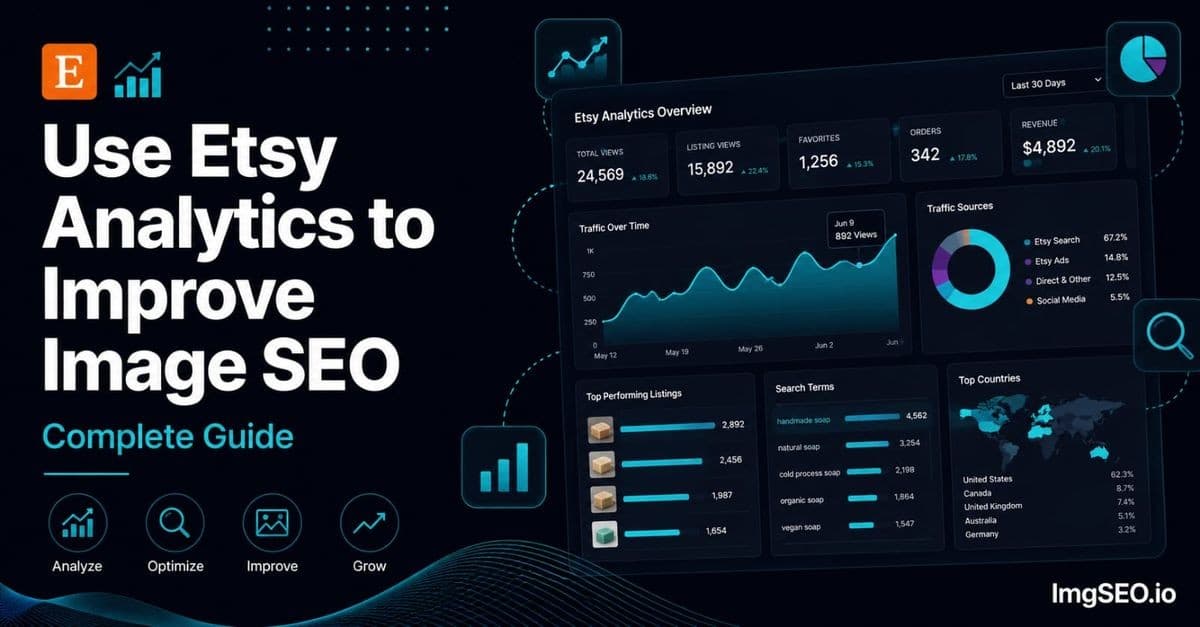
Scroll down to "How shoppers found you." This is the most underused section in Etsy Stats. Sellers glance at it, see that Etsy search is the biggest source, and move on. Don't do that.
What you want is the breakdown between Etsy search traffic and "direct and other" traffic, looked at on a per-listing basis. Click through to individual listing stats from your listings page. In that per-listing view, you'll see a simplified source breakdown. If a listing is getting almost all of its visits from Etsy search and essentially nothing from "direct and other" — that's your signal that Google Images isn't finding it at all.
And that matters more than it sounds. When a listing has solid image SEO — meaningful alt text, keyword-rich metadata embedded before upload, a descriptive filename — it tends to collect a small but real stream of traffic from Google Images over time. Not massive. We're usually talking somewhere between 5 and 30 visits a month from image search on a well-optimized listing. But zero is different from five. Zero means Google genuinely doesn't know what your image shows.
I had a listing for a beeswax wrap set — the three-pack in the terracotta print — that was getting exactly zero external traffic month after month. Etsy search would send it maybe 40 views when I was lucky. I checked the image metadata out of curiosity and found I'd uploaded it straight from my phone. The filename was IMG_2047.jpg, and there was no alt text on any of the images.
So I fixed those things: alt text on every slot, and the EXIF/XMP metadata embedded before re-uploading the main image. It started picking up a slow trickle from Google Images. Not dramatic. But that listing now pulls an extra 25–40 visits per month from external search, entirely on autopilot.
Visits vs. Views — The Click-Through Problem
Before we go deeper, let me clarify something Etsy makes confusing. In Etsy Stats, "views" means page loads — how many times your listing page was opened. It doesn't tell you how many times your listing appeared in Etsy search results before someone clicked (or didn't click). You're only seeing after the click.
What you CAN see is each listing's view count relative to your other listings over the same period. Sort your listings by views, look at the bottom of the list. The listings sitting at 3–8 views over 30 days while your top listing pulls 300+ are worth investigating closely. Not every low-view listing has an image problem — some are newer, some are in more competitive categories, some have weak keyword targeting. But if a listing has been active for more than three months and is still in the single digits? Start with the images.
The fastest diagnostic: open that listing on your phone, then open a competing listing in the same category. Look at the thumbnails at the size they actually appear in search. Is your product immediately recognizable? Is there enough contrast between your product and background to stand out in a row of similar thumbnails?
If you have to look twice to understand what you're selling, buyers are scrolling past it. And when enough buyers scroll past, Etsy's algorithm learns that your listing is less relevant than the ones they're clicking on instead. That's a thumbnail problem that creates a compounding ranking problem.
Google Search Console: Where the Real Image Data Lives
There's one tool most Etsy sellers have never thought to check for image performance specifically. If you've verified your Etsy shop in Google Search Console — it's free and the verification takes about 10 minutes through your shop's About section — you have access to something Etsy Stats simply cannot give you: actual Google impression data for your listing images.
In Search Console, go to Performance, then click "Search type" at the top and switch it from Web to Image. This filters everything to image search traffic only. What you'll see is the queries people typed into Google Images that produced impressions or clicks on your Etsy listing images.
This is genuinely useful data. I've pulled up this report and found a listing with 900+ Google Images impressions per month for "handmade beeswax wrap set" — and a 0.3% click-through rate. Nine hundred impressions, barely any clicks. That told me clearly: Google Images was ranking my image for that search, but something about the thumbnail was causing people to keep scrolling. The main photo had a cluttered background that looked fine on my laptop at full size but was a complete mess at the 150-pixel size Google Images uses in results.
On the flip side, if you filter to Image search and see essentially zero impressions for the product keywords you'd expect to rank for — that's not a click-through problem. That's a visibility problem. Google doesn't have enough keyword signal to know what your images show. That points directly to missing alt text and missing embedded metadata.
For a full breakdown of interpreting the specific metrics in this Search Console view, the image SEO audit guide goes deeper into what each number means and what actions correspond to each pattern.
Matching the Two Data Sources Together
The most useful diagnostic is running both at the same time: Etsy Stats showing you which listings have low view counts, and Search Console showing you whether those listings have any Google Images presence at all. Three patterns tell you three different stories:
| Etsy views | Google Images impressions | What it means | The fix | |---|---|---|---| | Low | Low / zero | Invisible to image search — Google doesn't know what you sell | Alt text, metadata before upload, better filenames | | Low | Decent, almost no clicks | Google shows your image; buyers scroll past it | The thumbnail: cleaner background, contrast, fill the frame | | Low | Decent clicks arriving | Images work; the bottleneck is elsewhere | Title, tags, pricing, listing content |
Low Etsy views plus low Google Images impressions means the listing is invisible to image search. Google doesn't know what you're selling. The fix is alt text, metadata embedded before upload, and better filenames for future re-uploads.
Low Etsy views plus decent Google Images impressions but almost no clicks means Google is showing your image, but buyers aren't choosing it over competing images in the results. The fix is the thumbnail itself — cleaner background, better contrast, product filling more of the frame.
Low Etsy views plus decent Google Images clicks tells you something different: image search traffic is actually arriving, but either Etsy's own search isn't picking the listing up or conversion is the bottleneck. In this case, your images are working. Look at your title, tags, pricing, and listing content instead.
That third pattern is worth recognizing because a lot of sellers assume that low views always means image problems. Sometimes it genuinely doesn't. Matching the two data sources is what tells you which problem you're actually solving, so you don't spend three weeks re-shooting photos when your real issue is keyword targeting.
A Simple 10-Minute Weekly Routine
Here's what I actually do — not what I think I should do in theory. Every Monday morning before I work on anything else:
I open Etsy Stats, set the window to 30 days, and sort listings by views. I look at the bottom 10. For each one, I check: is this listing more than three months old? If yes, it goes on a short list.
Then I open Search Console, switch to Image search, sort by impressions. I look for two things: listings with impressions but near-zero clicks (thumbnail fix), and product keywords I'd expect to rank for that have zero impressions (alt text and metadata fix).
Whole thing: about 10 minutes. I come out with a specific list of 3–5 listings to address that week. Not the whole shop. Just a few. That's what actually gets done.
Each week I pick one listing from the list and fix it properly: alt text written for every image slot, metadata embedded before re-uploading the main image if needed, thumbnail assessed against competing listings at small size. Next week, another one. Over several months this turns into a meaningfully better-optimized shop without any single session feeling overwhelming.
For the metadata embedding step, ImgSEO handles alt text generation and EXIF/XMP embedding in a single upload — you get back a file ready to drop into Etsy with the keyword fields already written and embedded. That part used to take me 20 minutes per listing; now it's under five.
The Thing I Disagree With About Standard Advice Here
You'll see a lot of advice telling you to focus on your worst-performing listings first — the ones at the very bottom of your stats. Honestly, I think that's backwards. Your worst-performing listings are often at the bottom because of factors that image SEO alone won't fix: bad titles, too-competitive categories, no social proof, or products that just don't have demand.
Your time is better spent on listings that are already earning something but could earn more with better image optimization. A listing pulling 80 views a month that converts at 2% is a much better candidate for image work than one pulling 3 views a month — because you have confirmed buyer interest in the first one. Fix the images on a listing people are already finding and you amplify something that's already working.
The bottom-of-the-list listings deserve attention too — eventually. Just not first. Work outward from your proven earners.
What You Should Do This Week
Go pull your Etsy Stats right now. Sort by views, 90-day window. Write down five listings that are more than three months old and sitting in the bottom third of your view counts.
Open Search Console. Switch to Image search. Check whether those five listings have impressions. No impressions means alt text and metadata. Impressions with no clicks means thumbnail.
Pick one listing this week. Fix it properly — alt text on all images, metadata embedded in the main image before re-upload, thumbnail compared against competing listings on your phone at arm's length. Put the other four in a queue for the following weeks.
That's actually all there is to it. The data is already there in your Stats and in Search Console. You're just not looking at the parts that tell you about images specifically. Start there, and the pattern of what to fix next becomes a lot clearer than it probably felt five minutes ago.
When you get to the fix itself, ImgSEO handles the tedious part — it writes the alt text and embeds the EXIF/XMP keywords into the file for you, ready to drop into Etsy. It's free for your first 30 images, no card required.
For a broader look at what's driving — or blocking — your overall view growth, the guide to getting more Etsy views covers the full picture beyond image SEO alone.


