
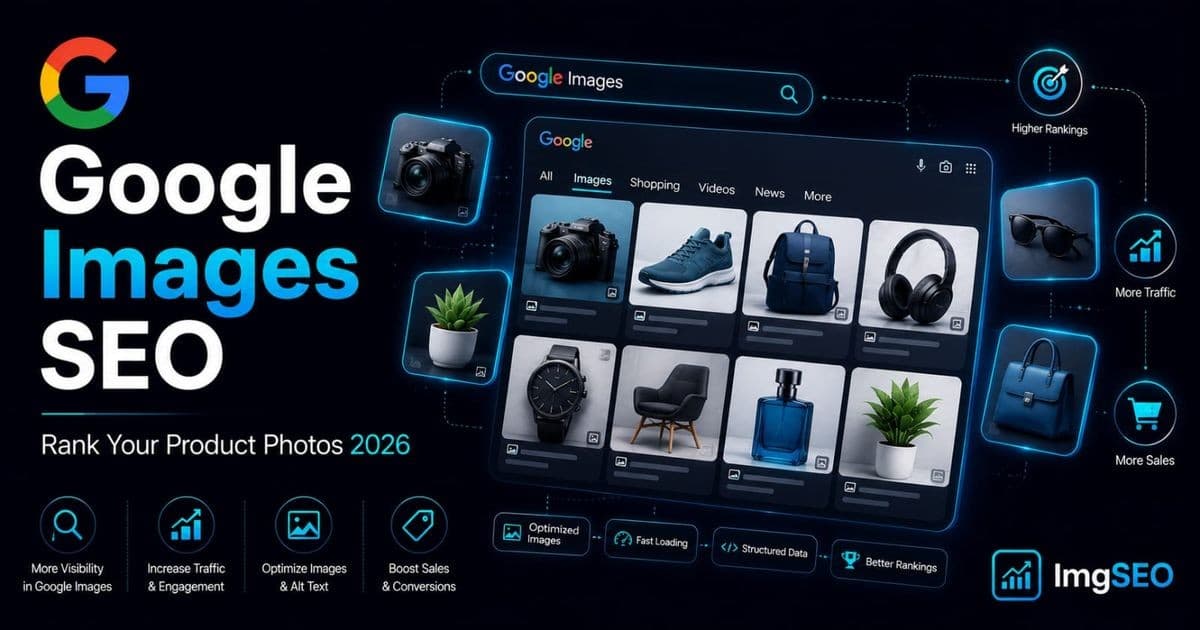
Product photos are not decoration. They are searchable assets.
For ecommerce brands, Google Images SEO can turn a product photo into an entry point for shoppers who already know what they want: a green leather handbag, a walnut standing desk, a linen duvet cover, a handmade ceramic mug, a gold herringbone necklace. The shopper is comparing shape, color, material, texture, size, styling, packaging, and price before they click.
If your photos are named IMG_0047.jpg, missing alt text, loaded through a script Google cannot see, compressed until the product looks cheap, or buried inside a thin product page, you are asking Google to guess.
This guide shows you how to stop guessing.
You will learn how Google indexes images, which Google Images ranking factors matter for ecommerce, how to write filenames and alt text, what structured data does, how WebP and compression affect Core Web Vitals, how EXIF and IPTC metadata fit in, and how to adapt the workflow for Shopify and Etsy. For a broader foundation, see the ImgSEO image SEO guide.
Key Takeaways
- Use WebP as the default delivery format (JPEG as source/fallback, PNG only for transparency); target hero images at 1200–2000px wide and 150–350KB.
- Filenames are a light ranking signal — a descriptive name like
black-leather-crossbody-bag.jpgwon't rescue a weak page, but it reinforces alt text and structured data.- Product alt text works best as one concise phrase of roughly 8–18 words following
[product type] + [attributes] + [material/color] + [view/context]— not a keyword-stuffed list.
What Google Images SEO Means in 2026
Google Images SEO is the practice of making images easier for Google to discover, understand, index, and rank.
For product photos, that means optimizing the image file, HTML, product page, structured data, surrounding text, and delivery performance.
Ecommerce image SEO is not only about the Images tab. Your product images can influence visibility across:
- Google Images
- Standard Google Search results with image thumbnails
- Shopping-like product surfaces
- Google Lens and visual search
- Rich results and merchant listings
- Pinterest-style discovery behavior from shoppers who search visually
- AI-assisted search experiences that rely on structured, high-quality product data
Google is better at understanding images, but it still needs context. Computer vision may recognize a handbag, but your page confirms material, product type, stock status, originality, and the right landing page.
How Google Indexes Images
Google indexes images by discovering image URLs, crawling the pages where those images appear, rendering those pages, understanding the image and its surrounding context, and deciding whether the image is useful for a query.
| Step | What Google Looks For | Ecommerce Example |
| --- | --- | --- |
| Discovery | Can Google find the page and image URL? | Product page links, image sitemap, crawlable collection pages |
| Crawling | Can Googlebot access the page and file? | No robots.txt block, no login wall, no hotlink protection blocking Google |
| Rendering | Does the image appear in rendered HTML? | Product image in an <img> tag with a src fallback |
| Understanding | What does the image show? | Alt text, filename, surrounding copy, captions, product title, visual analysis |
| Association | Which page should the image represent? | Canonical product URL, Product schema, Merchant Center feed |
| Ranking | Is this image useful for the query? | Relevance, quality, speed, page usefulness, authority, uniqueness |
Google's own image guidance is very clear on one technical point: use standard HTML image elements. A product photo loaded as a CSS background is much harder to treat as a primary image than a product photo in an <img> element.
Good:
<img src="/products/black-leather-crossbody-bag.jpg" alt="Black leather crossbody bag with gold buckle" />
Risky for a primary product image:
<div style="background-image: url('/products/black-leather-crossbody-bag.jpg')"></div>
CSS background images can be fine for decoration. They should not be the main product image you expect to rank.
Google also recommends that responsive images include a fallback src attribute, even when you use srcset or <picture>. That simple fallback prevents many image indexing problems.
Google Images Ranking Factors for Product Photos
Ecommerce image rankings are influenced by a cluster of signals. The practical way to think about Google Images ranking factors is to group them into discovery, relevance, quality, page value, and performance.
| Ranking Factor Group | What It Means | What to Improve |
| --- | --- | --- |
| Discoverability | Google can find and crawl the image | HTML <img>, crawlable URLs, sitemap, CDN verification |
| Relevance | Google understands what the image shows | Filename, alt text, page title, product title, surrounding copy |
| Page quality | The landing page satisfies the shopper | Unique product copy, price, availability, reviews, sizing, shipping |
| Image quality | The photo is useful and visually clear | Sharp product detail, clean background, multiple angles, accurate color |
| Structured data | Product details are machine-readable | Product schema, Offer, AggregateRating, image, SKU, brand, variants |
| Performance | The page and image load quickly | Compression, WebP, responsive images, CDN, lazy loading, LCP tuning |
| Consistency | Signals agree with each other | Same product name across title, alt text, schema, feed, filename |
| Originality | The image has unique commercial value | Original photography, not reused supplier photos on hundreds of stores |
For ecommerce, the most common problem is not one missing signal. It is signal mismatch. If the page title says "Margot Mini Tote," the filename says IMG_9921.jpg, the alt text says "bag," and the schema image points to an old black variant, Google has to reconcile conflicting clues. A cleaner setup uses forest-green-leather-mini-tote-bag.jpg, matching alt text, current schema, and consistent product feed data.
That is google image search optimization in practice: alignment, not tricks.
How Filenames Affect SEO
Image filenames are a small signal, but they are easy to fix and useful at scale.
Google has said filenames can give light clues about the subject of an image. The word "light" matters. A filename alone will not make a weak page rank. But a descriptive filename reinforces the rest of the page.
Common filename problems:
| Bad Filename | Problem |
| --- | --- |
| IMG_4821.jpg | No product context |
| DSC00091.png | Camera default, meaningless |
| image1.webp | Generic and duplicated |
| best-cheap-luxury-bag-sale-buy-now.jpg | Keyword stuffing |
Good ecommerce filenames:
| Product | Optimized Filename |
| --- | --- |
| Leather handbag | forest-green-leather-crossbody-bag.jpg |
| Linen bedding | white-linen-duvet-cover-queen-bed.jpg |
| Ceramic mug | speckled-ceramic-coffee-mug-handle.jpg |
| Running shoe | mens-black-trail-running-shoe-side-view.webp |
| Soy candle | amber-vanilla-soy-candle-glass-jar.jpg |
| Engagement ring | oval-diamond-engagement-ring-yellow-gold.jpg |
| Wall art | abstract-blue-canvas-wall-art-24x36.jpg |
| Dog collar | red-biothane-dog-collar-brass-buckle.jpg |
Filename Rules That Work
Use this pattern:
[primary attribute]-[material or color]-[product type]-[important detail].[format]
Examples:
black-leather-crossbody-bag-gold-buckle.jpg
blue-ceramic-serving-bowl-handmade.jpg
walnut-standing-desk-cable-tray.webp
rose-gold-hoop-earrings-small.jpg
kids-organic-cotton-pajamas-dinosaur-print.jpg
Keep filenames:
- Lowercase
- Hyphenated
- Descriptive
- Short enough to scan
- Free of filler words
- Matched to the actual image
- Unique across variants and angles
Avoid:
- Keyword stuffing
- Random numbers unless they are SKU numbers or dimensions
- Underscores when hyphens are cleaner
- Internal campaign labels
- Reusing one filename pattern for every variant
For large catalogs, ImgSEO can generate SEO-friendly filenames automatically, which is useful when cleaning up legacy images before a Shopify launch or marketplace upload.
Alt Text Best Practices for Product Images
Alt text has two jobs.
First, it supports accessibility. Screen reader users should understand what the image communicates.
Second, it helps search engines understand the image in context. Google uses alt text along with the page content and visual analysis to understand image subject matter.
Good image alt text SEO is not a place to dump keywords. It is a place to describe the image clearly.
The Product Alt Text Formula
Use this formula for ecommerce:
[Product type] + [important visible attributes] + [material/color] + [view or context]
You do not need every field every time. Include what is visible and useful.
Examples:
| Image Type | Good Alt Text |
| --- | --- |
| Primary product image | Forest green leather crossbody bag with gold buckle |
| Lifestyle image | Woman wearing a forest green leather crossbody bag with a cream coat |
| Detail image | Close-up of gold buckle and stitching on green leather crossbody bag |
| Scale image | Small green crossbody bag shown next to a smartphone and wallet |
| Variant image | Black leather crossbody bag with adjustable strap |
| Packaging image | Green leather crossbody bag packaged in a white branded dust bag |
Bad vs Good Alt Text Examples
| Bad Alt Text | Better Alt Text | Why It Is Better |
| --- | --- | --- |
| product image | White linen duvet cover on a queen bed | Names product, color, material, and context |
| bag handbag purse tote crossbody sale | Black leather crossbody bag with gold chain strap | Descriptive without stuffing |
| IMG_4821 | Speckled ceramic coffee mug with curved handle | Replaces filename noise with visual detail |
| best luxury necklace for women | Gold herringbone necklace on white display bust | Describes what appears in the photo |
| shoe | Men's black trail running shoe side view | Adds product type, audience, color, and angle |
| candle | Amber vanilla soy candle in clear glass jar | Adds scent, material, and container |
Length, Empty Alt Text, and Repetition
Most product alt text works best as one concise phrase of roughly 8 to 18 words:
Black leather card holder with snap closure
Walnut standing desk with black metal legs and cable tray
If an image is purely decorative, empty alt text can be appropriate:
<img src="/decorative-divider.png" alt="" />
But product photos are rarely decorative. Main images, variant images, detail shots, size charts, packaging images, and lifestyle images should almost always have descriptive alt text. Do not copy the same alt text across every photo. For a handbag page, describe the angle:
| Photo | Alt Text |
| --- | --- |
| Main | Forest green leather crossbody bag with gold buckle |
| Side | Side view of slim green leather crossbody bag |
| Interior | Interior pocket inside green leather crossbody bag |
| Strap | Adjustable leather strap on green crossbody bag |
| Lifestyle | Model wearing green leather crossbody bag over a beige blazer |
| Scale | Green leather crossbody bag next to phone and sunglasses |
| Hardware | Close-up of gold buckle on forest green leather bag |
| Packaging | Green leather crossbody bag inside branded cotton dust bag |
If your catalog is too large to write this manually, ImgSEO can generate image-specific alt text from each photo while keeping wording natural and product-focused.
Structured Data for Product Images
Structured data helps Google understand the entities on the page. For ecommerce, that usually means Product schema with Offer, Brand, AggregateRating, Review, SKU, GTIN, price, availability, and image.
Google's product structured data documentation specifically notes that product data can appear in richer ways across Google Search, including Google Images and Google Lens.
For a product page, your structured data should identify the product and connect it to the correct image URL.
Example:
{
  "@context": "https://schema.org",
  "@type": "Product",
  "name": "Forest Green Leather Crossbody Bag",
  "image": [
    "https://example.com/products/forest-green-leather-crossbody-bag-front.jpg"
  ],
  "description": "A compact forest green leather crossbody bag with gold hardware and an adjustable strap.",
  "sku": "MARGOT-GREEN-MINI",
  "brand": {
    "@type": "Brand",
    "name": "Margot Studio"
  },
  "offers": {
    "@type": "Offer",
    "url": "https://example.com/products/forest-green-leather-crossbody-bag",
    "priceCurrency": "USD",
    "price": "148.00",
    "availability": "https://schema.org/InStock",
    "itemCondition": "https://schema.org/NewCondition"
  }
}
For image SEO, check these details:
- The
imagefield points to the current product images. - Image URLs are crawlable and not blocked.
- The schema product name matches the visible product title.
- The structured data does not describe a different variant from the visible page.
- Your theme or app is not outputting duplicate conflicting schema.
- Price and availability match what shoppers see.
- Product variants are handled consistently.
Structured data does not guarantee a rich result, but it gives Google clearer product data. For stores with many images, pair product schema with clean metadata, descriptive alt text, and consistent product data. ImgSEO can automate the image side: filenames, alt text, metadata, SEO tags, and compression.
Image Compression and Core Web Vitals
Image compression SEO matters because oversized product images slow pages down.
Slow pages hurt users. They also make it harder to hit Core Web Vitals targets. Google's Core Web Vitals guidance focuses on:
| Metric | Good Target | Image SEO Connection | | --- | --- | --- | | Largest Contentful Paint (LCP) | 2.5 seconds or faster | The main product image is often the LCP element | | Interaction to Next Paint (INP) | 200 ms or less | Heavy image scripts and galleries can slow interaction | | Cumulative Layout Shift (CLS) | 0.1 or less | Missing width/height can cause product images to shift layout |
For ecommerce, the product hero image is frequently the largest visible element above the fold. If that image is too heavy, delivered late, or lazy-loaded incorrectly, LCP suffers.
Practical Image Size Targets
These are not laws, but they are good working targets:
| Image Use | Dimensions | Target File Size | Notes | | --- | --- | --- | --- | | Product hero image | 1200-2000 px wide | 150-350 KB | Higher for detailed products like jewelry or furniture | | Product gallery image | 1000-1600 px wide | 120-300 KB | Preserve zoom clarity | | Collection thumbnail | 400-800 px wide | 40-120 KB | Use responsive thumbnails | | Blog image | 1200 px wide | 150-300 KB | Use descriptive filenames and alt text | | OG image | 1200 x 630 px | 150-400 KB | Keep text readable if text is included | | Zoom image | 2000-3000 px wide | 300-800 KB | Load only when requested if possible |
Do not upload a 6000 x 6000 px camera export and let the browser shrink it. Resize and compress before delivery.
Compression Rules for Product Photos
Use these rules:
- Resize to the largest display size you actually need.
- Keep a high-quality source file offline.
- Serve WebP or AVIF where your stack supports it.
- Use optimized JPEG for backup compatibility.
- Avoid PNG for standard product photography unless transparency is required.
- Do not over-compress texture-heavy products.
- Test on mobile, not only a desktop monitor.
- Add explicit
widthandheightattributes or use a layout system that reserves space. - Preload the main product image when it is the LCP image.
- Do not lazy-load the primary above-the-fold product image.
ImgSEO can handle image compression automatically, which helps keep product photos visually sharp while reducing file size before upload.
WebP vs JPEG vs PNG for SEO
Google can index common web image formats, including JPEG, PNG, WebP, GIF, SVG, BMP, and TIFF. The SEO question is not "which format ranks better?" The better question is "which format gives shoppers a clear image at the smallest practical file size?"
For ecommerce, WebP is usually the best delivery format, JPEG is still useful for photography workflows, and PNG should be reserved for special cases.
| Format | Best For | Pros | Cons | Ecommerce Recommendation | | --- | --- | --- | --- | --- | | WebP | Product photos, thumbnails, blog images | Strong compression, supports transparency, widely supported | Some older workflows still expect JPEG | Use as default delivery format when possible | | JPEG | Product photography, source exports, compatibility | Universal support, good for photos | Larger than WebP at similar quality, no transparency | Keep as fallback or source format | | PNG | Transparent graphics, logos, screenshots | Lossless, supports transparency | Large file sizes for photos | Avoid for standard product photos | | AVIF | High-compression modern delivery | Very small files at good quality | Slower encoding, not always supported in every workflow | Great if your stack handles fallbacks well | | SVG | Logos, icons, simple vector graphics | Tiny, scalable | Not suitable for real product photos | Use for icons, not product photography |
Does WebP Help SEO?
WebP SEO is indirect.
Google does not rank an image higher just because the file extension is .webp. WebP helps because it can reduce file size, improve load speed, reduce bandwidth, improve LCP, and improve user experience.
That matters.
If your product page becomes faster without sacrificing visual trust, WebP is doing its job.
Product Image Dimensions and Aspect Ratios
Image dimensions influence user experience, page speed, layout stability, and marketplace presentation.
The ideal dimensions depend on your category and platform, but consistency matters more than chasing one magic size.
| Use Case | Recommended Ratio | Common Dimensions | Why It Works | | --- | --- | --- | --- | | Shopify product grid | 1:1 square | 1600 x 1600 or 2048 x 2048 | Clean collections, zoom support | | Fashion product page | 4:5 vertical | 1600 x 2000 | Shows full body and styling | | Home decor | 4:3 or 3:2 | 1600 x 1200 or 1800 x 1200 | Better room context | | Jewelry | 1:1 square | 2000 x 2000 | Allows detail crop and zoom | | Etsy listing | 4:3 or 1:1 | 2000 x 1500 or 2000 x 2000 | Works well for listing previews | | Blog featured image | 16:9 or 1.91:1 | 1200 x 675 or 1200 x 630 | Good social previews | | Pinterest image | 2:3 vertical | 1000 x 1500 | Better feed visibility |
For product photo SEO, avoid mixing random crops on the same product page. A gallery where the first image is square, the second is tall, the third is a tiny supplier image, and the fourth is a stretched screenshot feels low quality.
Use a consistent crop system:
- Same background treatment
- Same product scale
- Same margins
- Same lighting
- Same angle naming convention
- Same responsive breakpoints
Also make sure your image dimensions are declared so the browser reserves space before the image loads. That helps prevent layout shift.
EXIF, IPTC, and Image Metadata SEO
Image metadata is information stored inside or alongside the image file.
Common types include:
- EXIF: Camera, lens, exposure, date, location, and technical capture data
- IPTC: Creator, copyright, caption, title, keywords, credit, licensing fields
- XMP: Extensible metadata often used by Adobe and asset management tools
For ecommerce SEO, metadata is not a replacement for alt text or product schema. Google will not rank a weak product page just because the file has embedded keywords.
But metadata can still be useful. Google Images supports image metadata for certain enhancements, especially licensing and credit information. Google says you can provide image metadata with structured data or IPTC photo metadata. If both are present and conflict, Google uses structured data.
For product brands, embedded metadata helps because:
- Product context travels with the image file.
- Agencies and marketplaces receive cleaner assets.
- Copyright and creator fields can stay attached.
- Internal search in digital asset managers becomes easier.
- Product titles, tags, and captions stay more consistent.
Useful ecommerce metadata fields include:
| Metadata Field | Example |
| --- | --- |
| Title | Forest Green Leather Crossbody Bag |
| Description | Compact green leather crossbody bag with gold buckle and adjustable strap. |
| Keywords | crossbody bag, green leather bag, gold hardware, womens handbag |
| Creator | Margot Studio |
| Copyright | Copyright 2026 Margot Studio |
| Credit | Margot Studio Product Photography |
| License URL | https://example.com/image-license |
Want to check whether your current images have useful metadata? Use the free ImgSEO metadata checker.
ImgSEO can also generate and embed metadata so product images carry better context before they move into Shopify, Etsy, Google Merchant Center workflows, ads, or partner folders.
Google Lens and Visual Search Optimization
Google Lens SEO is the natural extension of product image optimization. Lens users search from an image, so Google needs clear visual evidence and accurate product data. To improve your chances:
- Use original product photography.
- Show the product clearly without excessive filters.
- Include multiple angles.
- Show distinctive details: hardware, stitching, texture, pattern, label, sole, clasp, handle, grain.
- Keep the product visible and use clean backgrounds for primary images.
- Add lifestyle photos for context.
- Add Product structured data.
- Keep price, availability, brand, SKU, and variants consistent.
- Use descriptive alt text and filenames.
- Submit accurate product data through Google Merchant Center if relevant.
Think like Google Lens: can a visual system distinguish your product from 500 similar products? If not, add more distinctive angles and details.
CDN, Lazy Loading, and Crawlability
CDNs are good for image SEO when they make images faster and still crawlable.
A CDN can:
- Serve images from locations closer to users
- Resize images dynamically
- Convert JPEG to WebP or AVIF
- Cache images efficiently
- Improve product page speed
But CDN setups can hurt image indexing when:
- Image URLs change constantly
- Signed URLs expire too quickly
- Googlebot is blocked by hotlink protection
- CDN domains are not verified in Search Console
- Product images are disallowed in robots.txt
- Lazy-loaded images never appear in rendered HTML
- The only image reference is buried in JavaScript state
Google recommends using image sitemaps to help it find images it might not otherwise discover. Image sitemaps can include image URLs from CDNs, but you should verify the CDN domain in Search Console so Google can report crawl issues.
Lazy Loading Rules for Ecommerce
Lazy loading is useful, but it is easy to overdo.
Use this approach:
| Image Type | Lazy Load? | Reason | | --- | --- | --- | | Main product image above the fold | No | Often the LCP image | | First visible gallery thumbnail | Usually no | Needed immediately | | Below-the-fold gallery images | Yes | Saves bandwidth | | Related product thumbnails below product info | Yes | Not immediately needed | | Collection grid first row | Be careful | Depends on viewport and LCP | | Reviews with customer images | Yes | Usually below fold |
Good lazy loading should load content when it becomes visible in the viewport. It should not require a user click, scroll trick, or tab interaction before Google can see the image URL.
After implementation, test with Google Search Console's URL Inspection tool and check the rendered HTML. Product image URLs should appear in src attributes or crawlable markup.
Shopify Image SEO Differences
Shopify gives merchants a solid foundation, but it does not magically optimize every image SEO detail.
Shopify image SEO usually involves:
- Renaming files before upload
- Writing alt text in the product media editor
- Using theme-level responsive images correctly
- Making sure the theme outputs product schema
- Compressing oversized images before or during upload
- Ensuring variant images map to variant selections
The big Shopify trap is uploading images with poor filenames and assuming alt text fixes everything. Shopify may serve images through its CDN, but the original uploaded filename often remains part of the asset URL. Better workflow: rename, compress, add metadata, upload, write alt text, check schema, test LCP, inspect rendered HTML, and monitor Search Console image impressions.
For a deeper Shopify-specific workflow, use the ImgSEO Shopify SEO guide.
ImgSEO is especially useful before Shopify upload because it can generate filenames, alt text, metadata, SEO tags, and compressed files in one workflow.
Etsy Image SEO Differences
Etsy is more constrained than Shopify.
On Shopify, you control your theme, product page code, schema output, URLs, image delivery, and technical SEO stack.
On Etsy, you work inside Etsy's listing system. That changes the strategy.
Etsy image SEO usually depends on:
- High-quality original listing photos
- Strong first image
- Accurate Etsy listing title
- Descriptive alt text where available
- Relevant listing description
- Tags, attributes, and consistent product details
You cannot control Etsy's full HTML, CDN behavior, or schema output the same way you can on Shopify. But you can improve the assets you upload: clear primary images, scale photos, texture close-ups, consistent crops, and obvious handmade or unique details. If you sell handmade jewelry, do not rely on one flat-lay image. Add a model shot, clasp close-up, scale-on-hand image, packaging image, and material detail image.
Use the ImgSEO Etsy SEO guide for Etsy-specific image, alt text, and listing optimization.
Shopify vs Etsy Image SEO
| Area | Shopify | Etsy | | --- | --- | --- | | Filename control | Strong before upload | Limited after upload | | Alt text control | Product media alt text | Platform-dependent listing photo alt text | | Product schema | Theme or app controlled | Etsy controlled | | CDN control | Shopify CDN, theme-dependent | Etsy controlled | | Page speed control | Moderate to strong | Limited | | Metadata workflow | You control uploaded assets | You control assets before upload | | Best strategy | Build a technical SEO workflow | Maximize image quality and listing context | | ImgSEO use case | Pre-upload bulk optimization | Pre-upload asset preparation |
The key difference: Shopify lets you optimize the page and the image. Etsy mostly lets you optimize the image and the listing inputs.
So for Etsy, your photo quality and pre-upload image optimization matter even more.
Common Mistakes Killing Image Rankings
Most image ranking problems are ordinary workflow problems. That is good news. Ordinary problems can be fixed.
| Mistake | Why It Hurts | Better Move |
| --- | --- | --- |
| Camera filenames like IMG_8741.jpg | Google gets no product clue from the URL | Rename to olive-green-linen-apron-front-pocket.jpg |
| Same alt text on every gallery image | Detail shots, angles, and scale photos become indistinguishable | Describe each image angle separately |
| Keyword-stuffed alt text | Bad accessibility and a spammy page experience | Write natural descriptions like Forest green leather crossbody bag with gold buckle |
| 5-10 MB uploads | Slow product pages and weaker Core Web Vitals | Resize, compress, and serve responsive WebP/JPEG |
| Lazy-loading the hero image | The LCP image may load late | Prioritize the main above-the-fold product image |
| CSS background product images | Google may not treat them as primary images | Use <img> or <picture> for product photos |
| Blocked CDN or image URLs | Google cannot crawl the file | Check robots.txt, hotlink rules, signed URLs, and Search Console |
| Thin product pages | The landing page does not satisfy commercial intent | Add material, dimensions, care, fit, shipping, returns, reviews, and variant details |
| Schema mismatch | Google receives conflicting product signals | Audit Product schema after theme, app, and variant changes |
| Reused supplier photos | The image has little unique visual value | Shoot original photos and show distinctive product details |
Step-by-Step Product Image Optimization Workflow
Use this workflow for every new ecommerce product launch:
| Step | Action | Example or Check |
| --- | --- | --- |
| 1 | Plan the image set | Main image, angles, details, lifestyle, scale, variants, packaging |
| 2 | Choose the primary image intent | green leather crossbody bag, walnut standing desk, white linen duvet cover |
| 3 | Rename files before upload | forest-green-leather-crossbody-bag-front.jpg |
| 4 | Resize and compress | Hero 1600-2000 px wide, thumbnails 600-1000 px wide |
| 5 | Choose the format | WebP for delivery, JPEG fallback, PNG only for transparency |
| 6 | Write unique alt text | Close-up of gold buckle and stitching on green leather bag |
| 7 | Add metadata | Title, description, keywords, creator, copyright, credit |
| 8 | Upload to the right product page | Indexable page, crawlable image URL, correct canonical |
| 9 | Add Product structured data | Product name, image, SKU, brand, offer, price, availability |
| 10 | Optimize LCP | Do not lazy-load the above-the-fold hero image |
| 11 | Use image sitemaps when needed | Large catalogs, CDN-hosted images, JavaScript-heavy pages |
| 12 | Test and monitor | URL Inspection, Search Console image search data, PageSpeed Insights, Rich Results Test |
The workflow is simple, but the consistency is where most stores win. Do not optimize one hero image and ignore the rest of the catalog. Product image optimization compounds when every file follows the same naming, alt text, compression, metadata, and schema logic.
Where ImgSEO Fits in the Workflow
Manual image SEO is manageable for 10 products. It becomes painful at 100 and chaotic at 1,000.
ImgSEO automates the repetitive parts: image compression, AI alt text generation, SEO-friendly filenames, embedded metadata, image descriptions, SEO tags, and bulk product image workflows.
The best use case is pre-upload optimization. Before images go into Shopify, Etsy, a CMS, or a product feed, run them through ImgSEO so the assets are already cleaner, lighter, and more descriptive.
For the foundational pieces, read the EXIF metadata guide and how to write alt text for your product images. For platform-specific workflows, use the Shopify image SEO guide or the Etsy image SEO guide depending on where you sell. Try ImgSEO free and build a repeatable image SEO workflow for every product launch.
Final Actionable Checklist
Use this checklist before publishing or updating product images.
- [ ] Filename is lowercase, descriptive, hyphenated, and product-specific.
- [ ] Image is resized, compressed, and delivered as WebP or optimized JPEG.
- [ ] PNG is used only for transparency or graphics.
- [ ] Every meaningful product photo has unique, natural alt text.
- [ ] Decorative images use empty alt text when appropriate.
- [ ] Metadata includes title, description, creator, and copyright where useful.
- [ ] Product image appears in an
<img>or<picture>element with a fallbacksrc. - [ ] Image URLs are crawlable and not blocked by robots.txt or CDN rules.
- [ ] Main above-the-fold product image is not lazy-loaded.
- [ ] Width and height are declared or layout space is reserved.
- [ ] Product schema image URL matches the visible product image.
- [ ] Offer, price, availability, brand, SKU, and variants are accurate.
- [ ] Main product image is optimized for LCP and Core Web Vitals.
- [ ] CDN domain is verified in Search Console when applicable.
- [ ] Image sitemap is used for hard-to-discover images.
- [ ] Shopify, Etsy, and marketplace uploads use optimized files before upload.
FAQs
What is Google Images SEO?
Google Images SEO helps Google discover, understand, index, and rank your images. For ecommerce, it covers filenames, alt text, metadata, compression, structured data, page content, and image delivery.
How do I rank product photos on Google?
Use original photos, descriptive filenames, accurate alt text, crawlable HTML image elements, Product structured data, compressed responsive files, clear product copy, and a fast page. Then monitor Search Console.
Do image filenames affect SEO?
Yes, but lightly. A filename like black-leather-crossbody-bag.jpg gives more context than IMG_4821.jpg. It will not overcome a weak page, but it supports the rest of your image SEO signals.
How important is alt text for product photo SEO?
Alt text helps accessibility and gives Google context. The best alt text describes visible product type, color, material, feature, and angle.
Should I use WebP or JPEG for product images?
Use WebP for most delivered product images because it usually creates smaller files at strong visual quality. Keep JPEG as a source format or fallback. Use PNG only when you need transparency or lossless graphics.
Does image metadata help Google Images rankings?
Metadata is not a magic ranking boost, but it can organize assets, preserve copyright details, and support some Google Images enhancements. Use it alongside alt text and structured data.
What dimensions should ecommerce product images be?
For many stores, 1600 x 1600 or 2048 x 2048 works well for square product images. Fashion may use 4:5, home decor 4:3, and Pinterest assets 2:3.
Should I lazy-load product images?
Lazy-load below-the-fold gallery images, related products, and review images. Do not lazy-load the main above-the-fold product image if it is likely to be the LCP element.
Is Shopify image SEO different from Etsy image SEO?
Yes. Shopify gives you more control over filenames, alt text, schema, theme code, URLs, and page speed. Etsy gives you less technical control, so photo quality, listing context, alt text, and pre-upload optimization become especially important.
Can Google Lens find my product photos?
Google Lens may surface visually similar products when images are clear, original, well structured, and connected to accurate product data.
Can ImgSEO optimize images before I upload them?
Yes. ImgSEO automates compression, alt text, SEO filenames, metadata, and tags before images go into Shopify, Etsy, your CMS, or your product workflow.


