
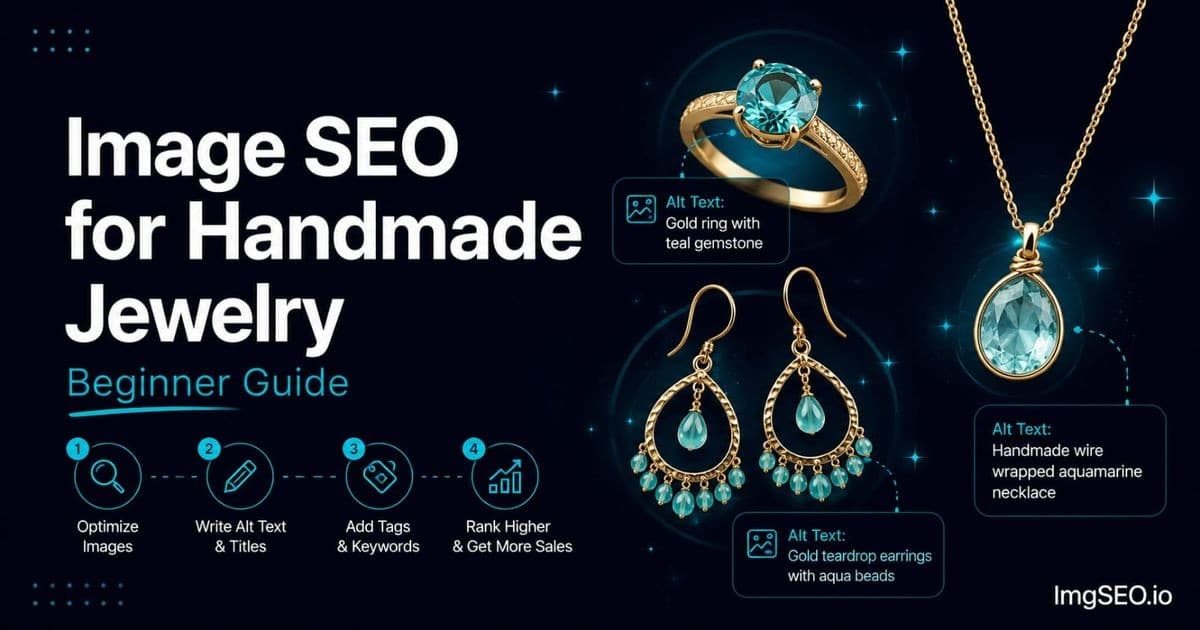
You spent hours making something beautiful. A pair of earrings hammered just right, a ring that catches light perfectly, a necklace you are genuinely proud of. Then you uploaded a couple of photos to Etsy, wrote a description, and waited.
And not much happened.
Here is the thing: making great jewelry and getting people to find your jewelry are two completely separate skills. The second one is called image SEO, and most new jewelry sellers have never heard of it. That is actually good news — it means learning even the basics puts you ahead of a large portion of your competition.
This guide walks through exactly what image SEO means for jewelry sellers, what to do first, and how to make progress without a photography studio, a marketing background, or any special tools.
Key Takeaways
- Etsy may process uploaded files, so embedded metadata preservation and Google crawl timing should not be assumed. Use Etsy's listing fields for buyer-facing descriptions.
- Etsy provides multiple image slots; use them to show meaningful views, scale, materials, and details rather than treating each slot as a separate guaranteed ranking opportunity.
- Early indexing effects typically appear within 2–4 weeks, but give the full effort 60–90 days before judging results.
Why Your Jewelry Photos Need SEO
Photos Do Two Jobs
Every jewelry photo you upload is doing two jobs at once, and most sellers only think about one of them.
Job 1: Get buyers to click. Your photo appears as a small thumbnail in Etsy search results alongside dozens of competitors. A buyer sees it for about half a second before deciding whether to click. If your photo does not immediately communicate what the piece is and make it look appealing, they click someone else. This is about image quality, background, and what the thumbnail looks like at small size.
Job 2: Convert clicks into sales. Once a buyer is on your listing page, your full image set has to do the convincing. They want to see the piece worn, the texture up close, the actual size, the packaging. This is about having the right selection of shots.
Image SEO is what makes your photos findable in the first place — before either of those jobs can happen. Without SEO, even perfect photos can sit invisible in search results.
The Google Images Opportunity
Here is something most new Etsy sellers do not know: your Etsy listings can appear directly in Google Images search results. When someone types "sterling silver minimalist ring" or "gold hoop earrings women" into Google and clicks the Images tab, Etsy listings show up there — right alongside the results.
But only if the images are properly optimized.
Google Images is a real source of buyer traffic, and the overwhelming majority of Etsy jewelry sellers are not optimizing for it at all. They upload photos with camera-default filenames, leave the alt text field blank, and never add metadata. That means anyone who does those things — even at a basic level — has a meaningful head start.
Step 1: Take Better Jewelry Photos (Quick Start)
You Do Not Need Expensive Equipment
Before getting into the SEO side, the photos themselves need to be good enough to work with. The good news: you do not need a DSLR, a light box, or a photography course.
An iPhone 12 or equivalent Android from around 2020 onward is completely sufficient for Etsy jewelry photography. The camera quality is not your limiting factor.
What actually makes the biggest difference:
Window light during the day. Position your jewelry near a large window on a bright but overcast day, or on a sunny day with a white curtain to diffuse the light. Natural light shows metal finishes and gemstone colors more accurately than any artificial light you can buy at a reasonable price.
A white foam board. Available at any dollar store for about a dollar. Use it as your background for main product shots, and as a reflector — hold it on the opposite side of your piece from the window to fill in shadows. That is a two-dollar photography setup that produces professional results for jewelry.
The 5 Essential Jewelry Shots
Before thinking about SEO, make sure every listing has these five images:
- Main product shot — white background, jewelry fills most of the frame, evenly lit. This is your search thumbnail.
- Worn shot — ring on a finger, necklace against a neck, earrings on an ear. Shows scale and real-life appearance.
- Macro detail shot — close up on the texture, the stone, the hallmark, the clasp. Shows craftsmanship.
- Scale reference — piece next to a finger, a hand, or a ruler so buyers understand the actual size.
- Gift packaging shot — the box, pouch, or tissue paper the piece arrives in. Jewelry is often a gift and this image closes gift buyers.
Once you have these five, you have the foundation. For more on shooting jewelry with what you already have, see our guide on jewelry photography tips for Etsy sellers.
Step 2: Name Your Files Correctly
The Problem with IMG_4521.jpg
When you take a photo on your phone and upload it to Etsy without renaming it, the file is called something like IMG_4521.jpg or DSC_0089.jpg. That is the camera's automatic name.
Google reads your filename when it first discovers and indexes your image. A filename of IMG_4521.jpg tells Google absolutely nothing about what is in the image. A filename of sterling-silver-minimalist-ring-women.jpg tells Google exactly what it is showing.
This is a free, two-minute fix that most jewelry sellers never do. Before you upload any photo to Etsy, rename the file on your computer.
The Simple Filename Formula
[metal]-[jewelry type]-[style]-[occasion].jpg
Lowercase letters. Hyphens between words, not spaces or underscores. No random numbers.
Examples
sterling-silver-ring-minimalist-women.jpggold-filled-dainty-necklace-layering.jpgrose-gold-hoop-earrings-small-everyday.jpgsterling-silver-hammered-cuff-bracelet-boho.jpg14k-gold-stud-earrings-pearl-women-wedding.jpg
Name each image in a listing differently to target different keyword variations. Your main shot, your worn shot, and your detail shot are three separate ranking opportunities in Google Images — give each one its own descriptive filename.
For a full breakdown of filename strategy across all product types, see our guide on how to fix bad image filenames for SEO.
Step 3: Write Alt Text for Every Image
What Is Alt Text
Alt text is a short written description of your image. It was created to help visually impaired buyers understand what is in a photo, but it also serves a critical SEO function: Google reads your alt text to understand what your image shows.
On Etsy, you find the alt text field by going to your Shop Manager, opening a listing, clicking on any image, and looking for the field labeled "Describe this photo for buyers who are visually impaired." If that field is blank — and for most Etsy jewelry sellers, every single one is blank — Google has very little to go on when it indexes your image.
Aim for 100–200 characters. You have 500 available, but longer is not better — write one clear, descriptive sentence.
The Jewelry Alt Text Formula
[Metal] + [jewelry type] + [style] + [size] + [occasion]
Write it as a natural sentence, not a list of keywords. Google reads alt text as language.
Real Examples for Different Jewelry Types
Rings
- Main shot: "Sterling silver minimalist hammered ring adjustable size 6-8 women everyday wear"
- Worn on finger: "Sterling silver minimalist ring worn on finger stacking boho style women"
- Texture detail: "Hammered texture close-up on sterling silver band ring handmade artisan"
- Gift packaging: "Sterling silver minimalist ring in kraft gift box women birthday jewelry"
Necklaces
- Main: "Gold filled dainty chain necklace layering women minimalist 18 inch"
- Worn: "Gold dainty chain necklace worn on neck women simple everyday jewelry"
- Clasp detail: "Gold filled lobster clasp and chain close-up dainty necklace 14k"
Earrings
- Main: "Small sterling silver hoop earrings women minimalist everyday 15mm"
- Worn: "Sterling silver hoop earrings worn showing size and finish close-up"
- Pair flat lay: "Pair of sterling silver hoop earrings 15mm on white background everyday"
What NOT to Write
- "Beautiful ring" — too vague, tells Google nothing useful
- "Ring ring silver ring women ring gift ring" — keyword stuffing, Google treats this as spam
- Copying your listing title word for word — your title is optimized for Etsy search; your alt text is optimized for describing what is in the specific image
For a complete guide to writing alt text for product images, see our complete guide to alt text.
Step 4: Add Image Metadata
What Is Metadata and Why Does It Matter
Inside every photo file — every JPG you take on your phone — there is hidden information embedded in the file itself. This is called metadata. It tells software when the photo was taken, which camera was used, and other technical details.
The important part for SEO is this: you can also embed keywords into your image file's metadata. When Google first discovers and indexes your image, it reads that metadata as part of understanding what the image shows.
Etsy may process uploaded files, and Google crawl timing should not be assumed. Keep embedded metadata only where it supports source-asset or rights management, and use Etsy's documented listing fields for buyer-facing descriptions.
Most jewelry sellers on Etsy have never heard of this. That is your advantage — adding metadata is something almost none of your competitors are doing.
The Easy Way to Add Metadata
Adding metadata used to require confusing desktop software. ImgSEO makes it straightforward:
- Upload your jewelry photo to ImgSEO
- The AI reads the image and automatically generates appropriate alt text, a title, and keyword metadata based on what it sees
- Download the optimized image file with everything embedded
- Upload that file to Etsy as you normally would
It takes about two minutes per image. Your 30 most important jewelry photos — your best sellers and newest listings — can be fully optimized in an hour.
Step 5: Use All 10 Etsy Image Slots
Why 10 Images Matters for SEO
Etsy allows 10 images per listing. Most new jewelry sellers use 2 or 3. That is leaving 7 SEO opportunities completely unused.
Use multiple images when each one adds meaningful information for buyers. Eligible images may be discovered by Google, but image count does not map one-to-one to queries or guarantee separate rankings.
Beyond SEO, each additional image answers a buyer question that might otherwise stop them from purchasing. What does this ring look like on a finger? How big is it really? What does the packaging look like? Every answered question removes doubt, and removed doubt converts to sales.
The Jewelry 10-Image Strategy
| Slot | Shot | Purpose | |------|------|---------| | 1 | White background main | Search thumbnail | | 2 | Worn on model | Conversion | | 3 | Macro detail | Quality trust | | 4 | Scale on finger/neck | Size reference | | 5 | Alternate angle | Complete view | | 6 | Lifestyle flat lay | Pinterest traffic | | 7 | Gift packaging | Gift buyer | | 8 | Size variants together | Help buyer choose | | 9 | Close-up of hallmark | Authenticity | | 10 | Styled with outfit | Aspiration |
If you do not have all 10 shots yet, work toward it over time. Start with slots 1–5, which cover the highest-priority buyer needs, and add the rest as you photograph more.
Common Beginner Jewelry Photo Mistakes
These are the patterns that hold new jewelry sellers back most consistently. Check your own listings against this list.
1. Only 1–2 images per listing. The most common mistake and the easiest to fix. Each empty slot is a missed SEO opportunity.
2. No worn shot. Buyers cannot judge scale, proportion, or real-life appearance from a flat lay alone. A ring on a finger or a necklace on a neck closes this gap and significantly boosts conversion.
3. No macro or close-up shot. Handmade jewelry buyers are paying for craftsmanship. A texture close-up, a stone detail, or a hallmark shot proves that craftsmanship in a way a full-piece shot cannot.
4. Dark or styled background for the main image. A velvet background or a wood surface can look beautiful in a lifestyle context, but as a search thumbnail it makes your jewelry hard to read at small size and you will lose clicks to competitors with cleaner main shots.
5. No alt text on any image. By far the most widespread mistake across all Etsy jewelry sellers. The "Describe this photo" field is blank on the vast majority of listings. Fill it on every image.
6. Camera default filename. IMG_4521.jpg tells Google nothing. Two minutes of renaming files before upload is one of the highest-return time investments you can make for image SEO.
7. No scale reference. Jewelry sizing is notoriously hard to judge from photos alone. A shot that clearly shows actual size — piece held in a hand, ring on a finger with context, earring next to a ruler — removes one of the biggest reasons jewelry buyers hesitate before purchasing.
Your First Week Action Plan
You do not have to do everything at once. Here is a focused plan that builds momentum without overwhelming you.
Day 1
Pick your top 3 listings — either your best sellers or the ones you are most proud of. Reshoot the main image for each one using window light and a white foam board background if you have not already. Then go into each listing and add alt text to every single image using the formula above.
Three listings, fully optimized, is a better starting point than thirty listings partially touched.
Days 2–3
Take your top 10 jewelry photos — from the listings you just worked on plus your next best ones — and run them through ImgSEO to add metadata. Rename each file with a descriptive keyword filename before uploading. Replace the old versions in your Etsy listings with the newly optimized files.
Days 4–5
Add the worn shot and the macro detail shot to any top listing that is missing them. If you have listings with fewer than 5 images, get them to 5 this week. Fill the alt text fields on every image you add.
Days 6–7
Check Etsy Stats to see if the listings you updated have changed in views. Do not draw conclusions yet — one week is too short — but note the baseline so you can compare in 30 and 60 days.
Start pinning your top listing photos to Pinterest. Every Pinterest pin pointing to your Etsy listing is an external link, and external traffic is a signal Etsy's algorithm notices.
FAQ
Do jewelry photos need SEO?
Yes — your photos need both quality and SEO. Quality makes buyers click and buy. SEO makes buyers find your listing in the first place. Most Etsy jewelry sellers have zero image SEO in place, which means doing even the basics gives you an immediate advantage.
What is the best background for jewelry photos on Etsy?
White or off-white for your main listing image. White makes jewelry the sole focus, shows metal and stone colors accurately, and reads clearly at the small thumbnail size buyers see in search results. Save darker or styled backgrounds for secondary lifestyle images.
How do I write alt text for jewelry on Etsy?
Go to Shop Manager, open a listing, click any image, and find the "Describe this photo" field. Write: metal type + jewelry type + style + size + occasion as a natural sentence. Aim for 100–200 characters. Do this for every image on every listing.
Should jewelry photos show the piece worn or on white background?
Both can be useful when they answer different buyer questions. Choose the main image according to current marketplace requirements and clarity at thumbnail size; use worn shots where they accurately communicate scale and appearance.
How many photos do I need for jewelry listings on Etsy?
All 10 slots that Etsy provides. Each image is a separate SEO opportunity and answers a different buyer question. If you are not there yet, start with 5: main product, worn, macro detail, scale reference, and packaging.
What file name should I use for jewelry photos?
Use this formula: metal + jewelry type + style + occasion, lowercase with hyphens. Example: sterling-silver-minimalist-ring-women.jpg. Rename files on your computer before uploading — never use camera defaults like IMG_4521.jpg.
How long does jewelry image SEO take to work?
Crawl, indexing, and ranking timing varies. Monitor Etsy Stats and Search Console over a meaningful period, but do not assume a fixed crawl window or a direct image-CTR-to-ranking loop.
Do I need a macro lens for jewelry photography?
No. A modern smartphone camera can capture detailed close-up shots of texture, hallmarks, and stone facets without any attachment. Good lighting (natural window light side-on to the piece) matters far more than lens equipment when you are starting out.
Conclusion
Beautiful jewelry and good SEO together is the combination that builds a real Etsy business. Either one alone is not enough — great photos that nobody finds will not sell, and found photos that disappoint at close range will not convert.
The good news is that the SEO side is not complicated. Start here:
- White background main shot so your thumbnail reads clearly in search results
- Descriptive filename before you upload each photo
- Alt text on every image using the metal + jewelry type + style + occasion formula
Then add the worn shot, the macro detail, and the packaging shot. Work toward all 10 image slots. Run your photos through ImgSEO to add metadata in minutes — it handles the technical part automatically so you can focus on making and photographing your jewelry.
Give it 90 days. The sellers who stick with consistent image SEO are the ones who stop wondering why their shop is not getting views.
For a deeper dive into advanced jewelry image SEO, see our complete guide on image SEO for jewelry sellers.


